
 Efficiency
 Experience
 Intelligence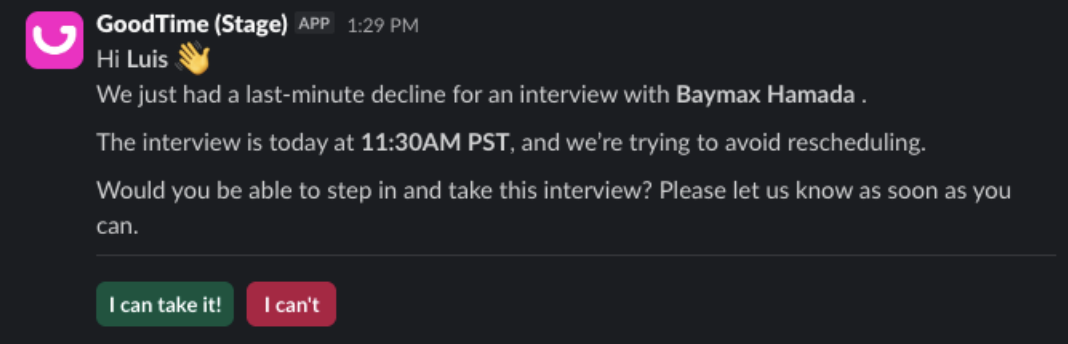
Table of Contents
Join 12,000 TA pros who stress less and crush their goals with our monthly expert-vetted tips and insights.
By submitting this form, you agree to be contacted and to receive the requested information, as well as occasional related insights from GoodTime about our products, services, and content. You may unsubscribe at any time. For details, view our Privacy Policy and Terms of Use.
February brings a powerful new set of GoodTime product updates designed to give talent teams more transparency, automation, and control across the interview process. From detailed Interview Logs and smarter email handling to enhanced Assistant Hub capabilities that keep interviews on track, these updates focus on reducing manual work, preventing errors, and improving coordination at every step.
Whether you’re looking for clearer visibility into what’s happening behind the scenes of each interview, streamlining communication when plans change, automating template management, or quickly securing confirmed interviewer replacements in Slack, these enhancements are built to help hiring teams move faster — with fewer mistakes and a better experience for everyone involved.
Let’s dive into what’s new — and why it matters.
Watch the full February 2026 GoodTime product updates webinar or keep scrolling for highlights
Interview Logs
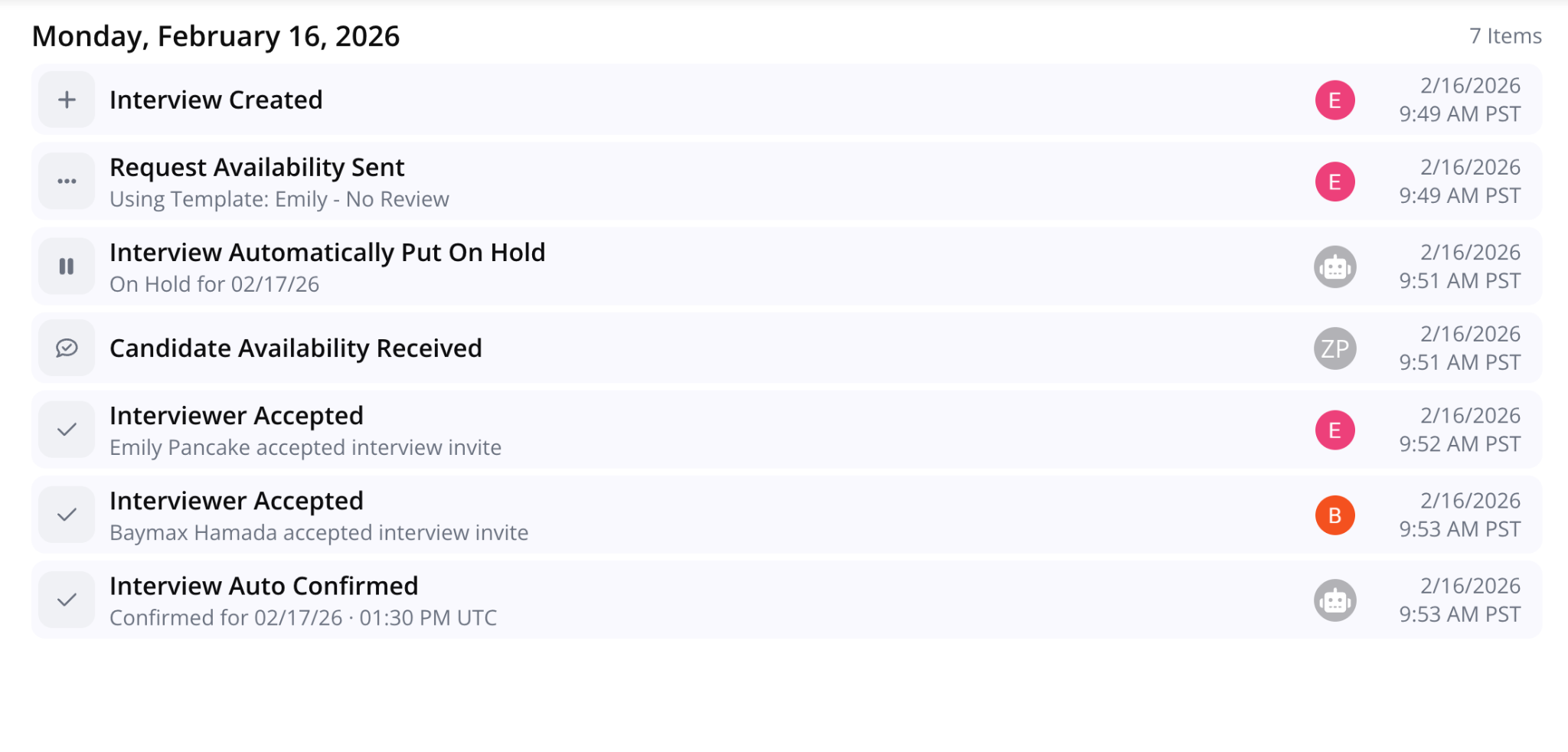
GoodTime now provides detailed Interview Logs with each interview so you can enjoy full transparency in what happened as well as who did what & when!
Why this is awesome: Immediately understanding the journey of an interview allows things to move faster and reduces mistakes & confusion. The result is less work and a better experience for both interviewers and candidates.
“Hold” Email Type
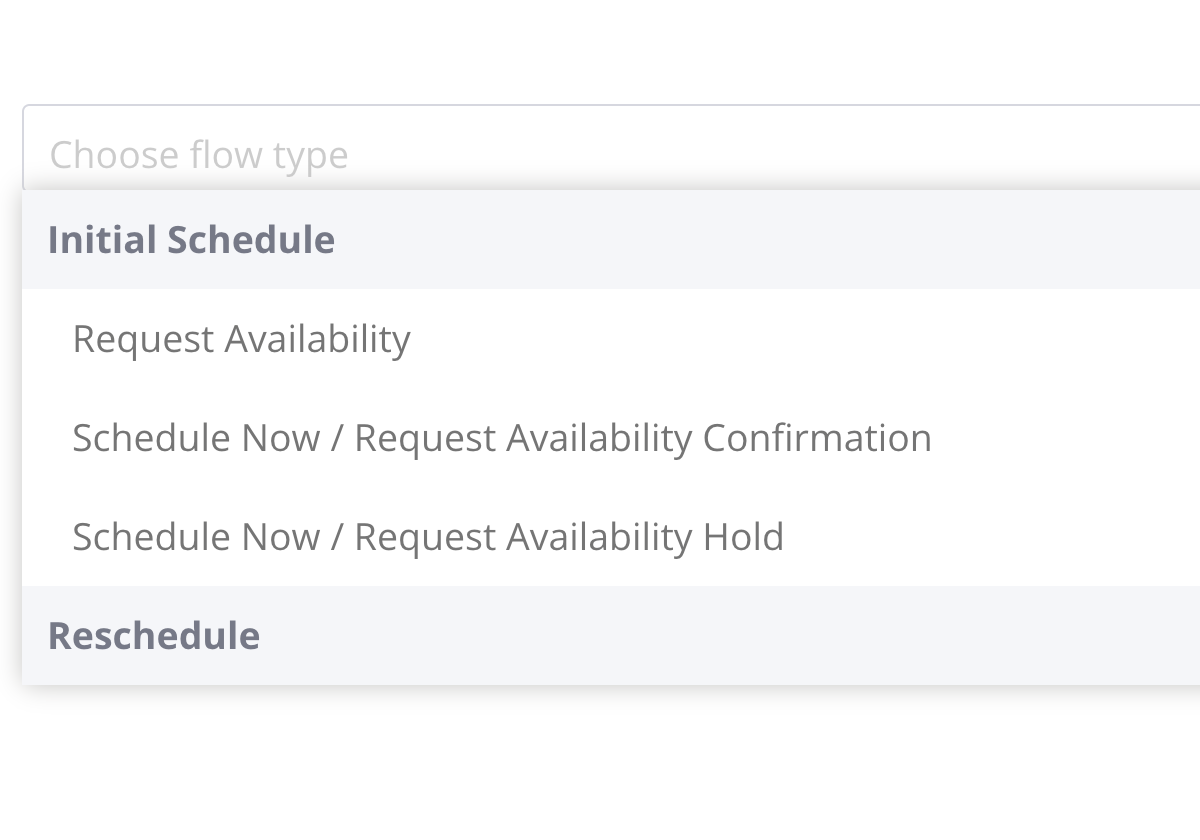
Instead of making manual adjustments to confirmation email templates, you can now create and assign specific email templates for when interviews are put on hold, manually or automatically.
Why this is awesome: This new email type increases automation and reduces risk for errors.
Duplicate Base Template
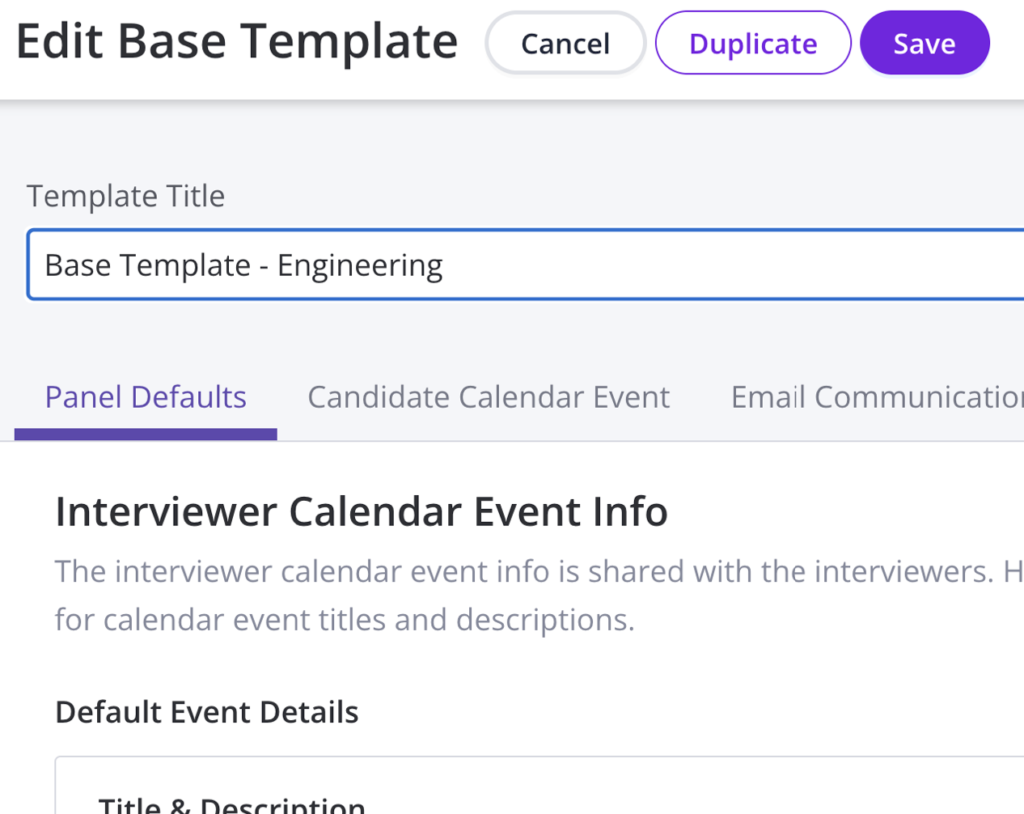
The ability to duplicate interview templates has now been extended to base templates as well.
Why this is awesome: Auto-duplicating templates not only saves time but it also reduces the risk of mistakes being made when doing so manually.
Assistant Hub
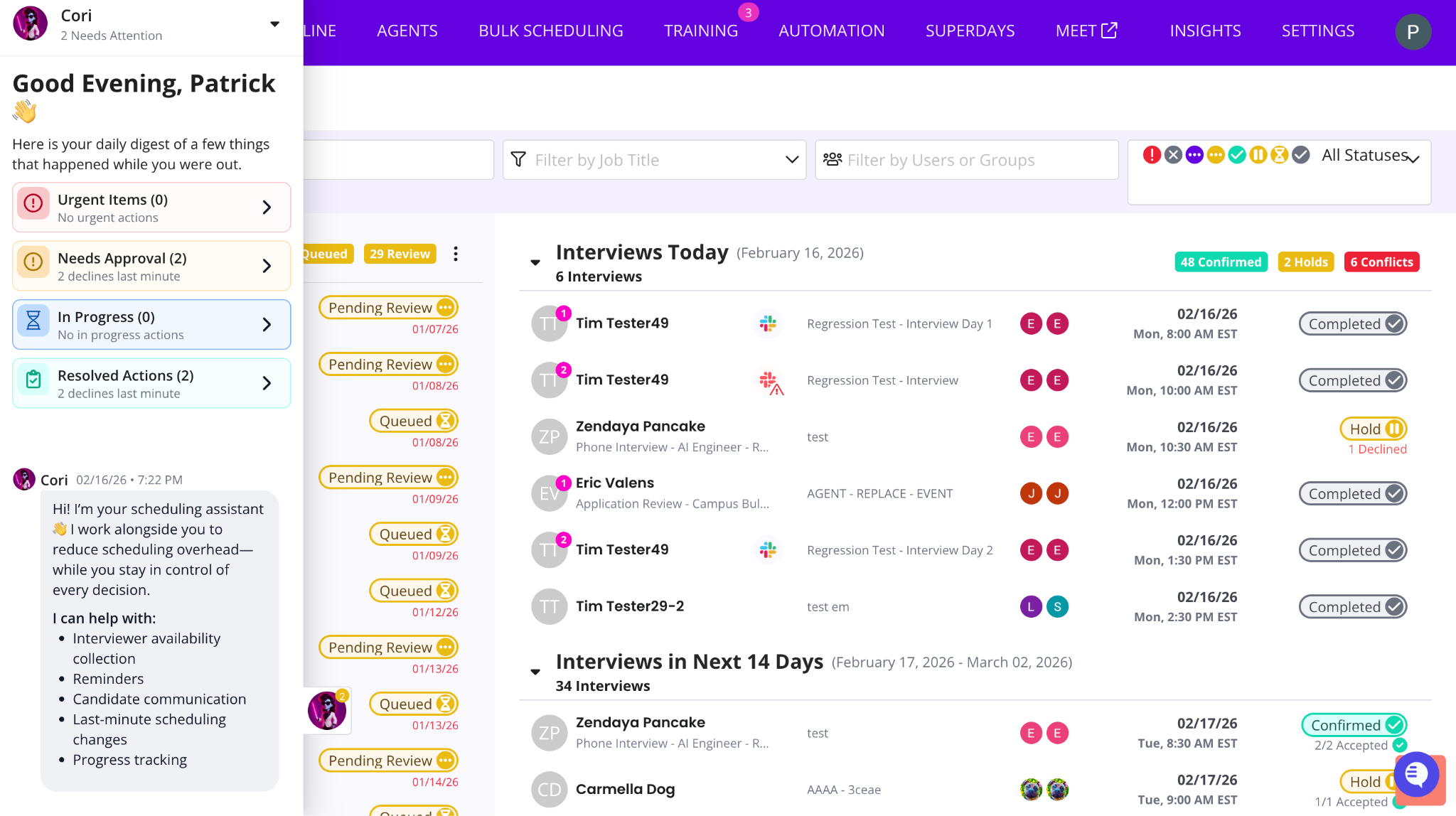
See everything GoodTime is handling in the background in one place. Items that need review or approval are surfaced at the top so you can quickly step in when needed.
Why this is awesome: You stay in control without having to chase activity, dig through emails, or monitor every workflow manually.
Identify and Automatically Replace Declined Interviewers
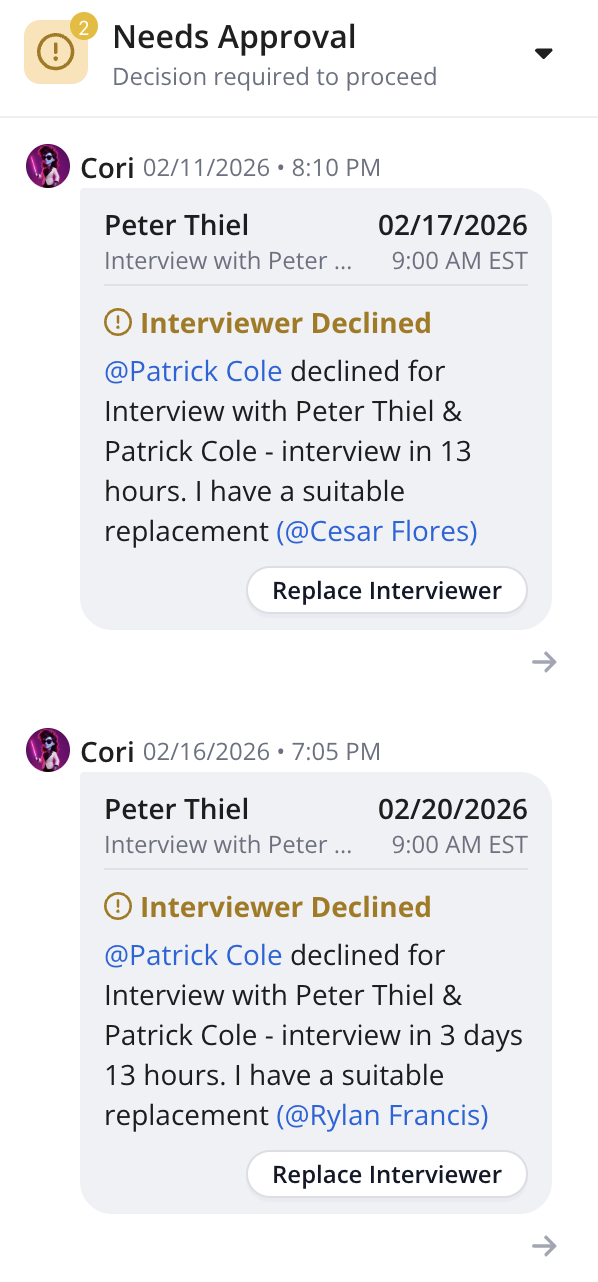
GoodTime now helps you quickly find the best replacement interviewer based on load limits, calendar availability, and interviewer pools — so interviews stay on track even when plans change.
Why this is awesome: Reduce last-minute scrambling and keep interviews moving forward with confident, data-driven replacements.
Confirm Availability with Interviewers Over Slack
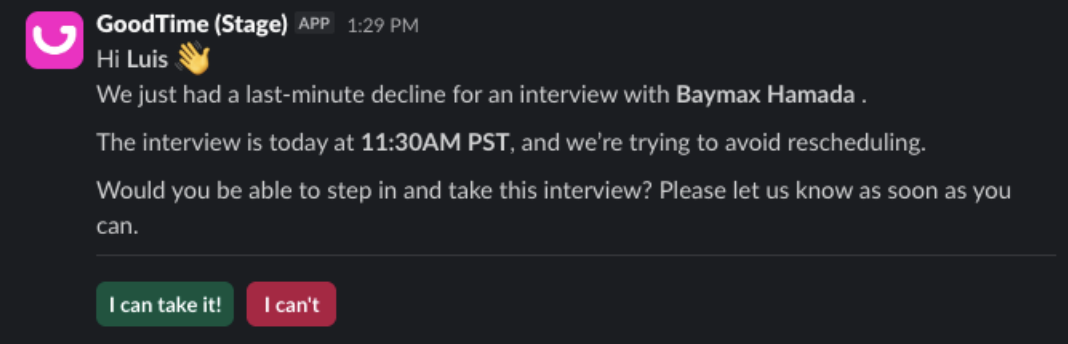
GoodTime reaches out to potential replacement interviewers in Slack to confirm they can attend, then shares the response so you know swaps will stick.
Why this is awesome: No more guessing if replacements will accept, you get confirmation upfront and avoid unnecessary rescheduling.
Start using the latest GoodTime features!
We want to help you evolve and take full advantage of the latest upgrades and improvements to our platform. Check out the GoodTime support center for tutorials and tips to help you stress less and get more done!


