Efficiency
 Experience
 Intelligence
Table of Contents


Join 12,000 TA pros who stress less and crush their goals with our monthly expert-vetted tips and insights.
By submitting this form, you agree to be contacted and to receive the requested information, as well as occasional related insights from GoodTime about our products, services, and content. You may unsubscribe at any time. For details, view our Privacy Policy and Terms of Use.
April brought a new set of product updates focused on improving efficiency, visibility, and AI-driven coordination across the hiring process. From enhanced training paths and smarter dashboard filtering to real-time AI assistant recommendations and continued stability improvements, these updates are designed to help teams move faster — with greater precision and reliability.
Whether you’re scaling interviewer training with more flexible paths, quickly filtering performance data across teams, improving scheduling accuracy with real-time AI recommendations, or relying on AI to manage queued interviews and streamline handoffs, these enhancements help reduce friction and keep hiring running smoothly.
Let’s dive into what’s new — and why it matters.
Watch the full April 2026 GoodTime product updates webinar or keep scrolling for highlights
Training Path Tag Assignment
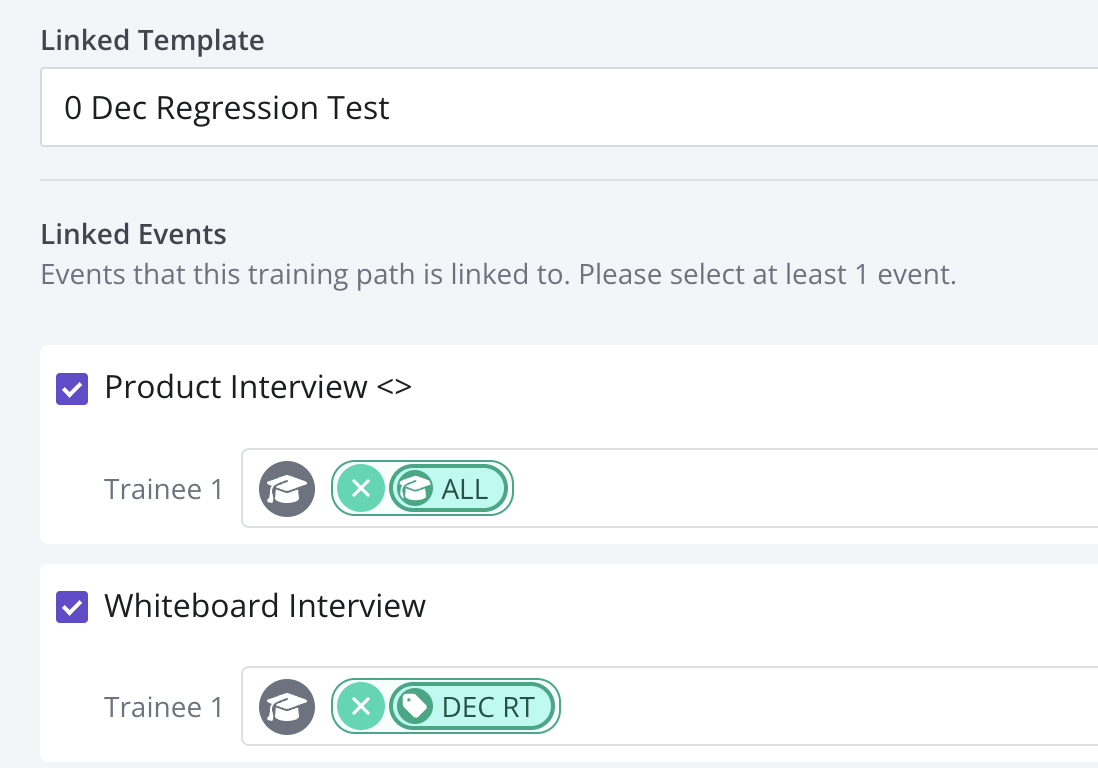
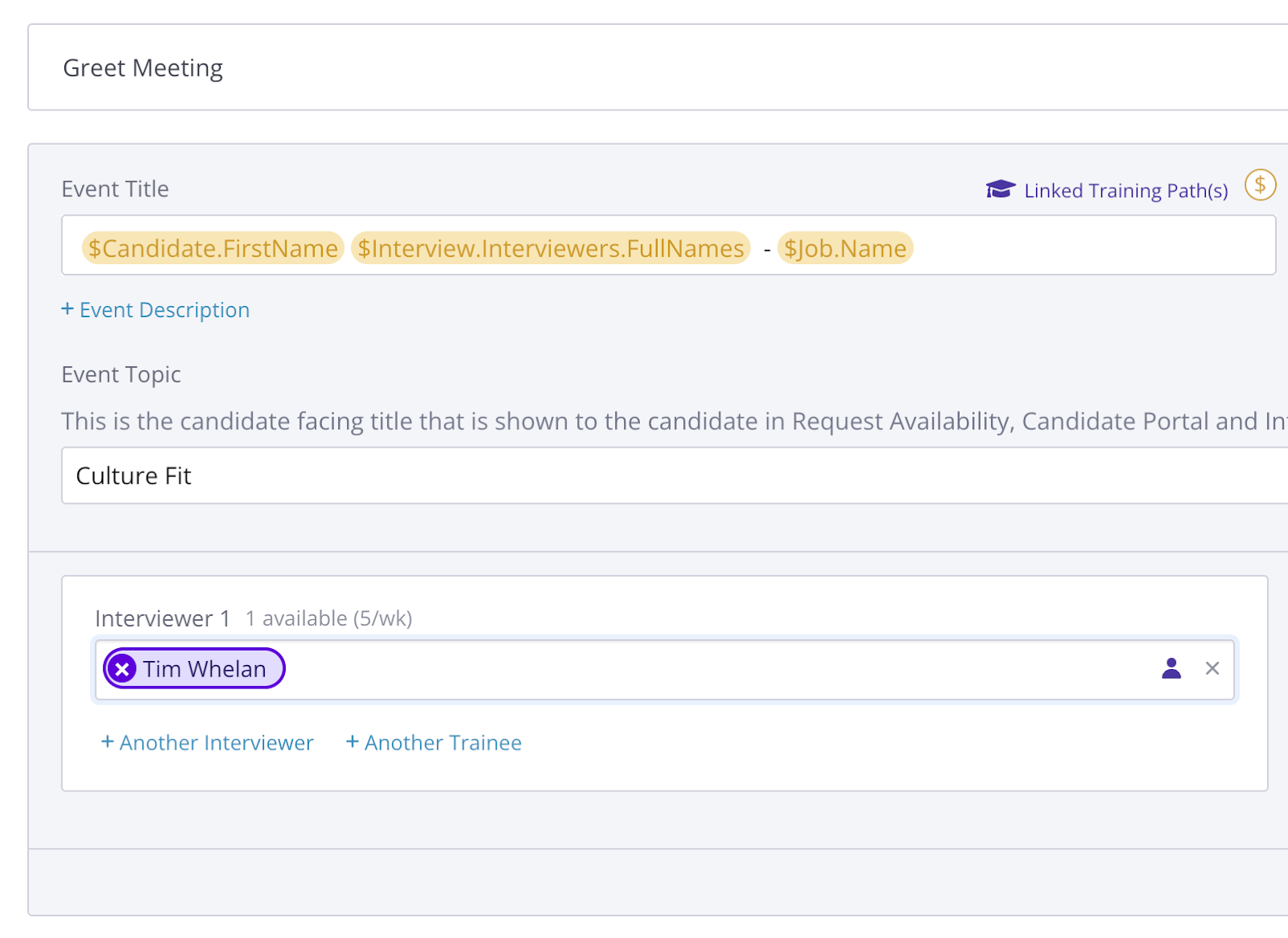
The Training Module is enhanced with fewer clicks and more automation so that when you create or edit a path, you can immediately specify which tags to pull trainees in from, straight from the path.
Why this is awesome: Less clicks, fewer tabs open, and automated tag suggestions → more trainees graduating faster!
Improved Dashboard Filtering
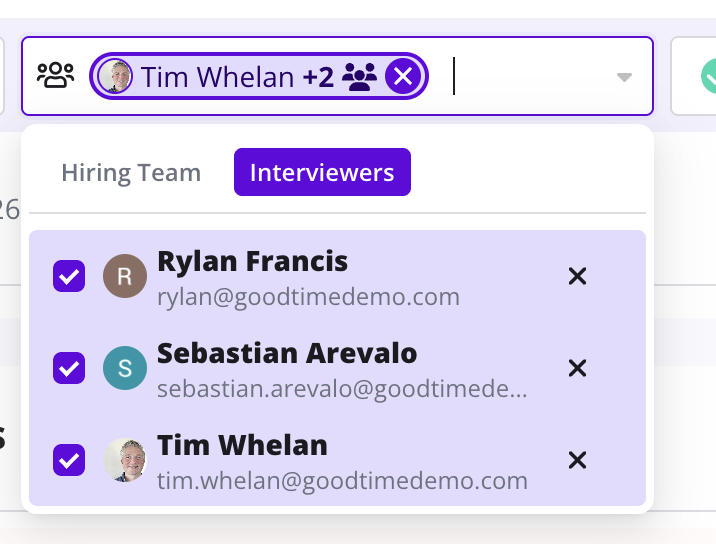
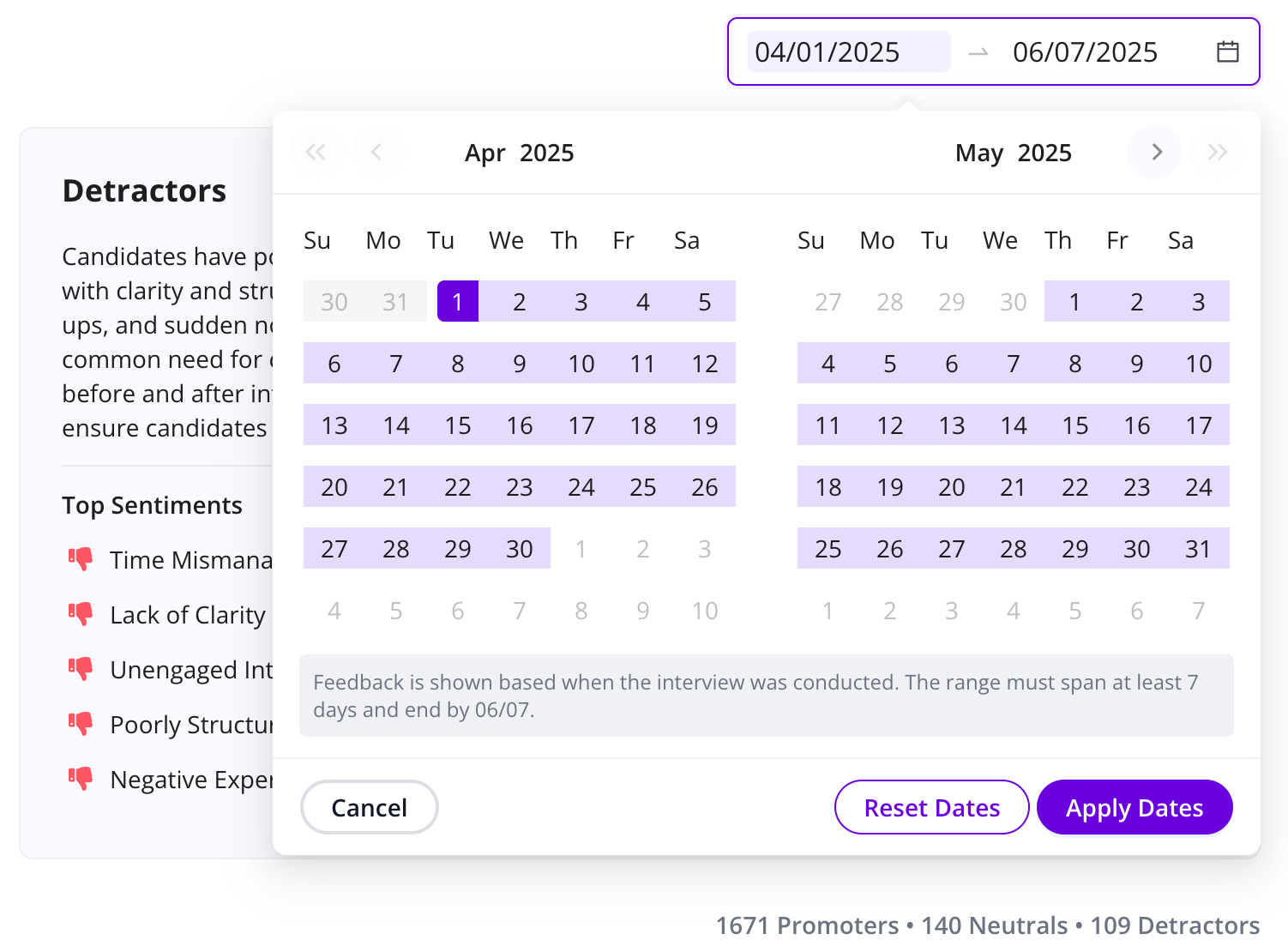
Filtering on the Dashboard has been empowered with a new and improved UI that also lets you filter by specific interviewer(s).
Why this is awesome: The ability to combine interviewer and hiring team filtering makes it all the possible to narrow down more granular interview lists and find specific interviews faster than ever.
Optimized Confirmation Flow
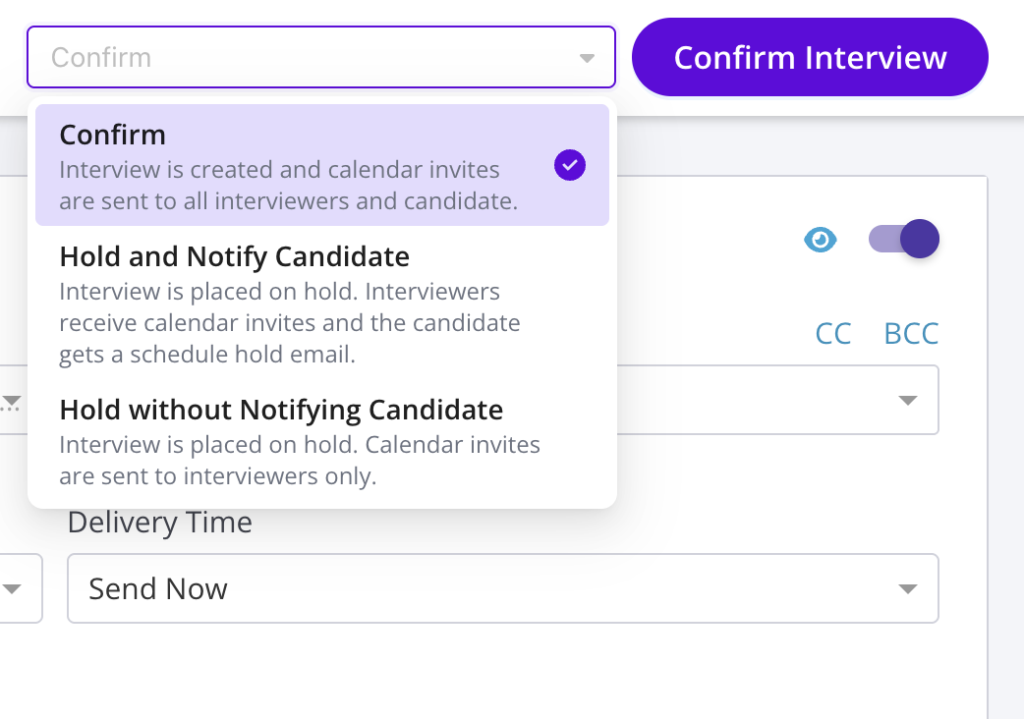
The Confirmation Page for confirming & holding interviews has been refreshed to support all respective email types. This new flow also makes it more clear and controlable what email is sent to candidates and when.
Why this is awesome: This further enhances automation and preconfigured templates so that fewer alterations have to be made and quality is better controlled..
AI Recommendations in Scheduling Workflow
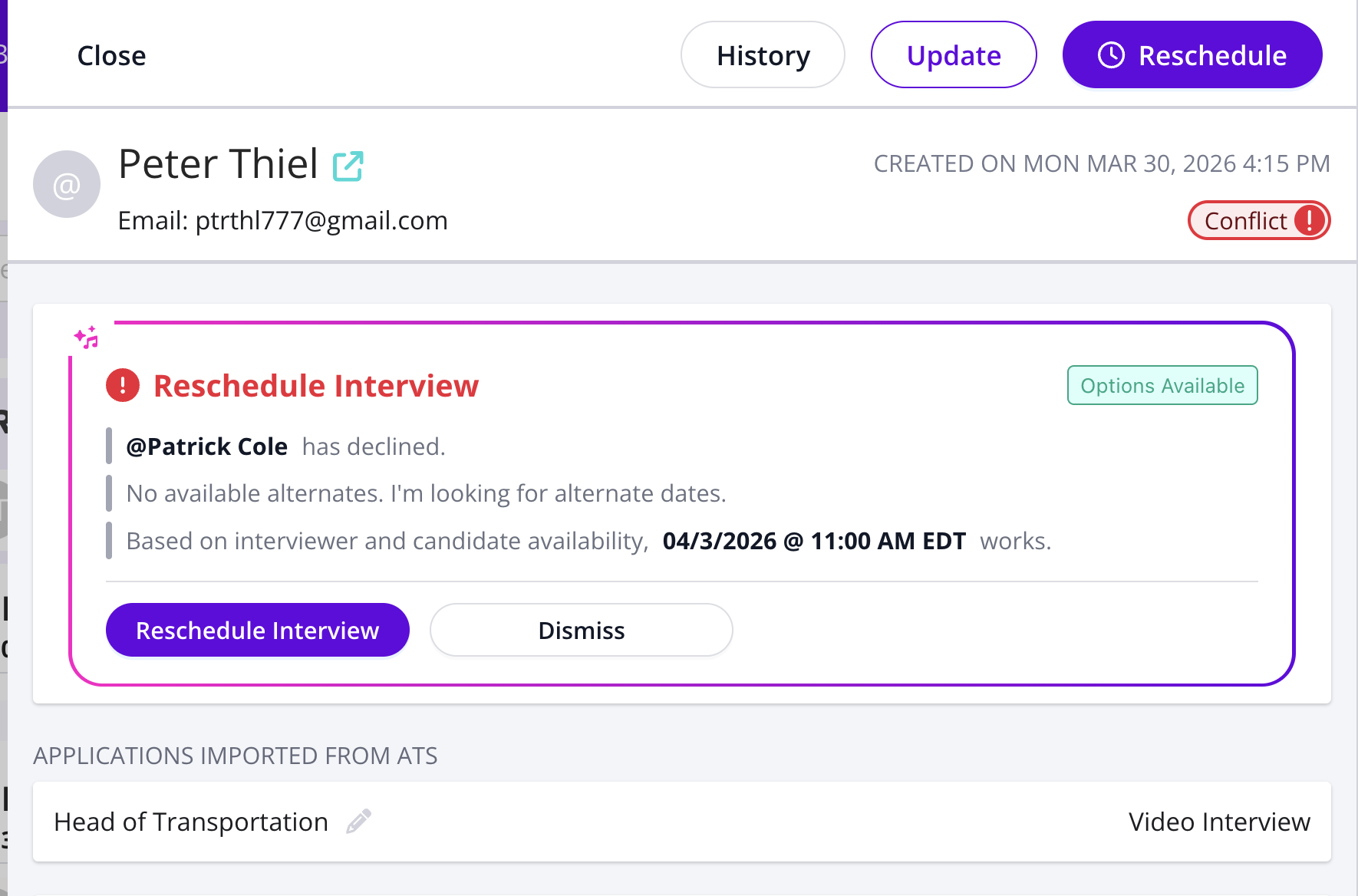
Get real-time recommendations directly inside the scheduling flow, so you can act instantly without switching context.
Why this is awesome: Resolve issues and take action faster with guidance exactly where you’re already working.
AI Interview Prep from Handoff Notes
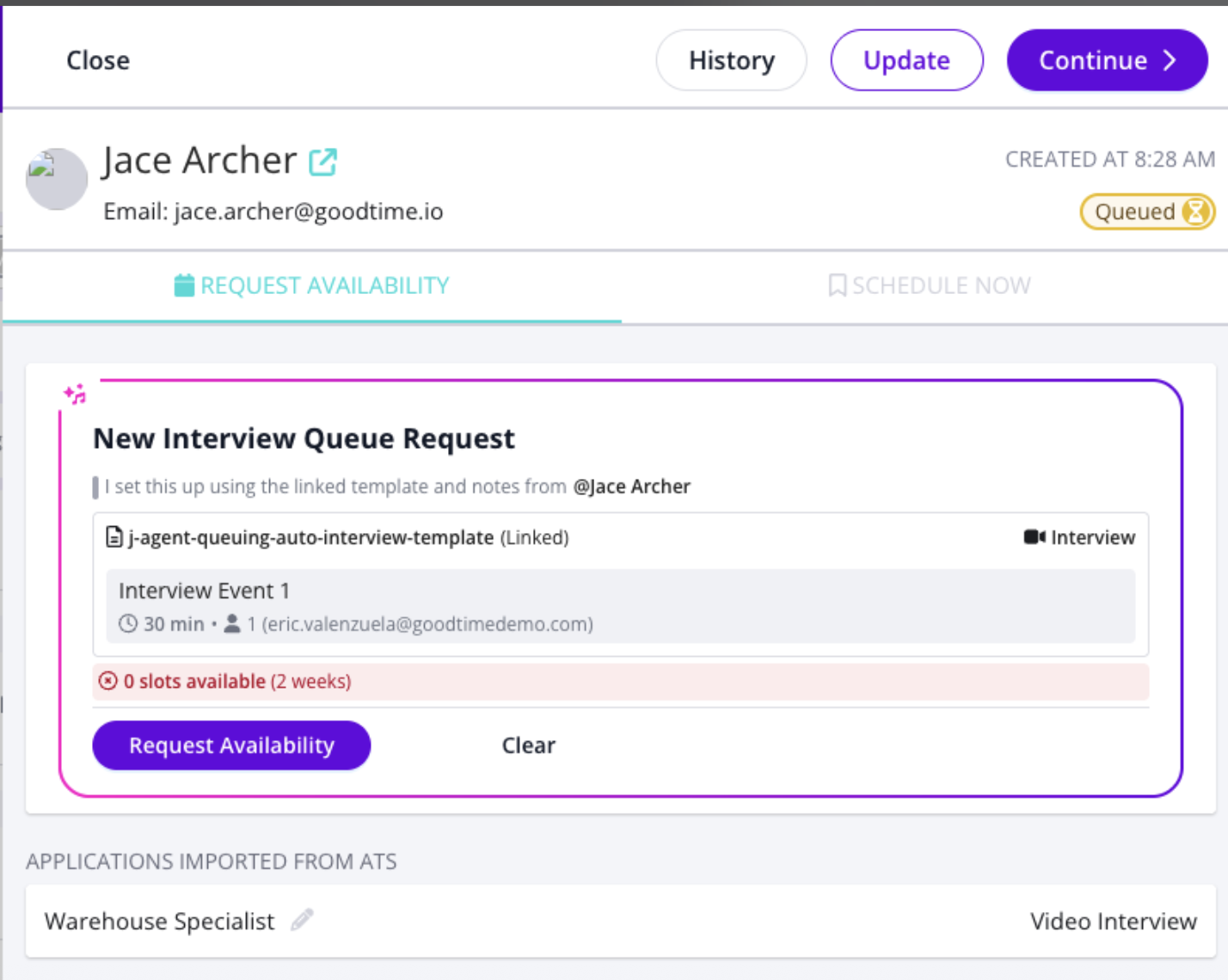
Turn messy recruiter notes and scheduling requests into structured, ready-to-schedule interviews.
Why this is awesome: Eliminate manual cleanup and guesswork. Everything is prepared for you before you even start scheduling.
AI Scheduling from Queued Interviews
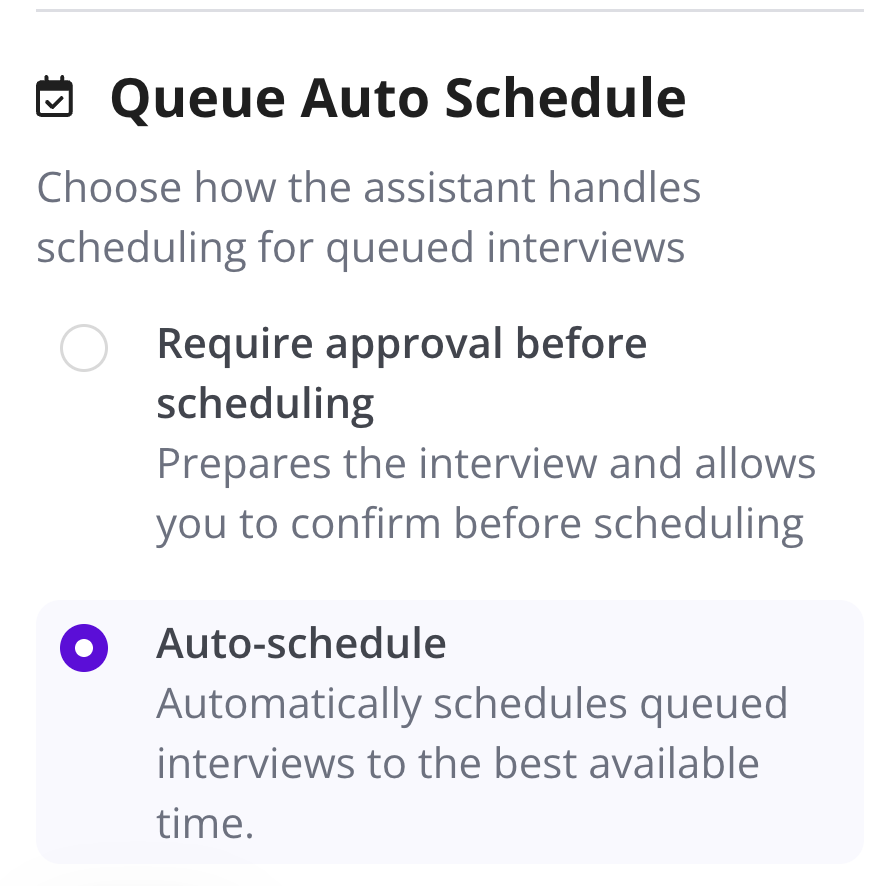
Automatically schedule low-risk, high-confidence interviews—no manual coordination required.
Why this is awesome: Go from queue -> confirmed in seconds, even when handoffs are incomplete or messy.
Start using the latest GoodTime features!
We want to help you evolve and take full advantage of the latest upgrades and improvements to our platform. Check out the GoodTime support center for tutorials and tips to help you stress less and get more done!