
 Efficiency
 Experience
 Intelligence
Table of Contents


Join 12,000 TA pros who stress less and crush their goals with our monthly expert-vetted tips and insights.
By submitting this form, you agree to be contacted and to receive the requested information, as well as occasional related insights from GoodTime about our products, services, and content. You may unsubscribe at any time. For details, view our Privacy Policy and Terms of Use.
March brought a focused set of product updates designed to give talent teams more control, better visibility, and smarter AI-driven coordination across the interview process. From enhanced interview logs and more flexible prep workflows to improved AI assistant rescheduling and greater transparency into AI actions, these updates are all about helping teams move faster — with more clarity and confidence.
Whether you’re tracking interview activity with deeper logs and communication visibility, standardizing interviewer and candidate prep through reusable templates, giving interviewers more control over how they’re notified, or relying on AI to intelligently reschedule interviews and clearly explain its decisions, these enhancements are built to reduce friction, increase trust, and keep hiring running smoothly.
Let’s dive into what’s new — and why it matters.
Watch the full March 2026 GoodTime product updates webinar or keep scrolling for highlights
Chat Reminders in Interview Logs
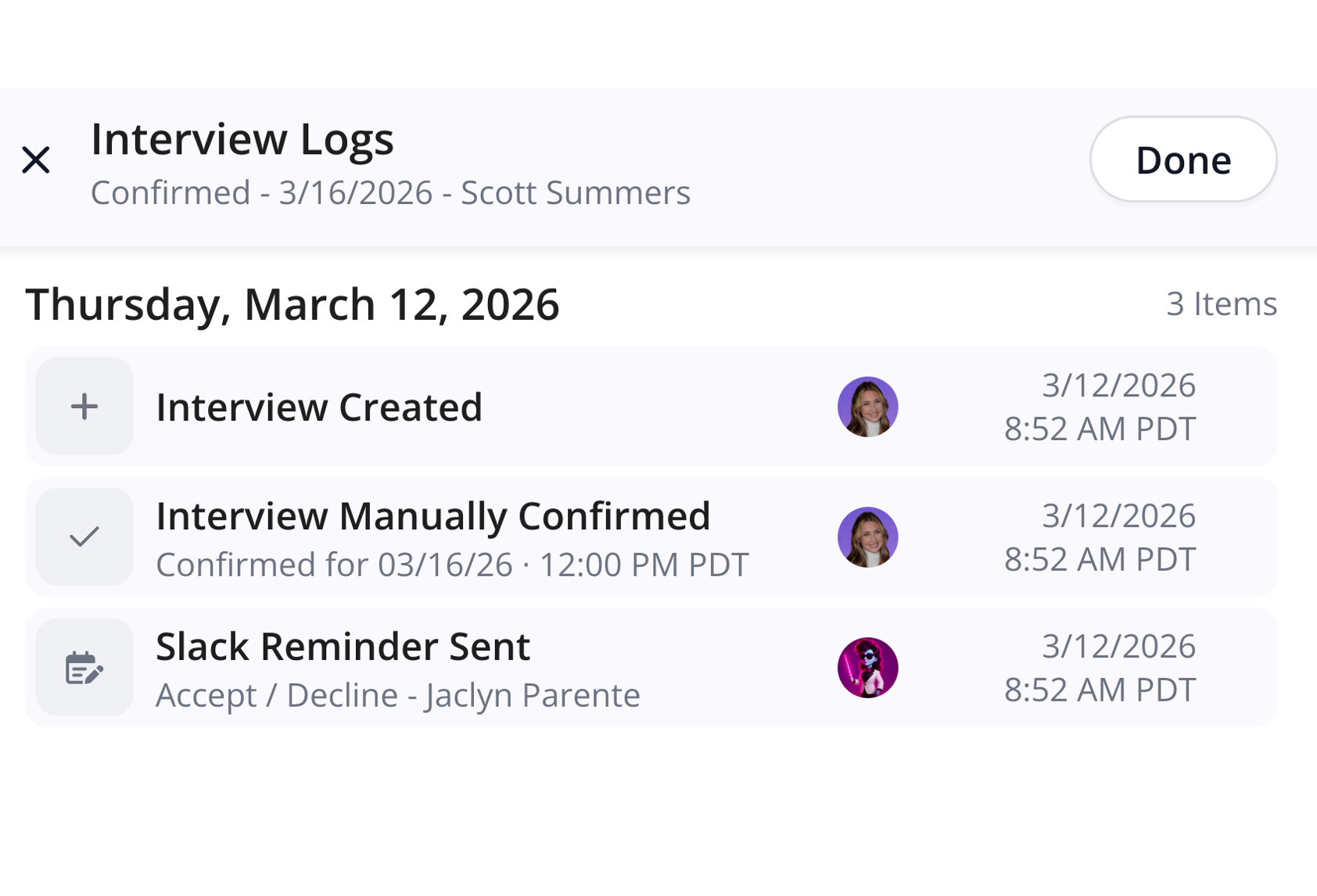
Interview History has been enhanced to show logs of Slack & Teams reminders.
Why this is awesome: These logs help understand when and if interviewers have been reminded to add context on whether or not they have replied or the reminders are configured optimally for your interviews.
Additional Details for Interview Update Logs
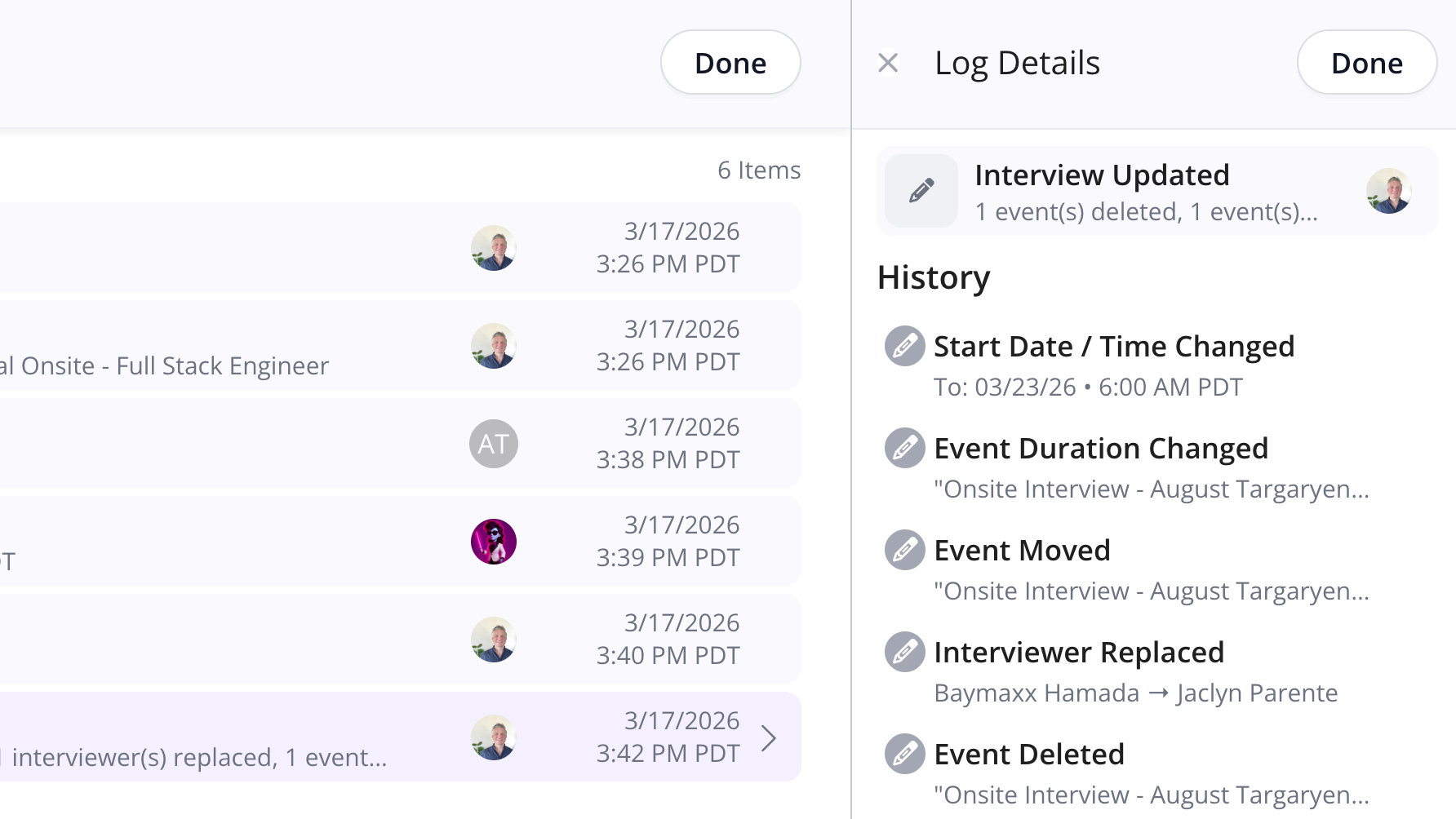
Interview Logs now have an “Additional Details” drawer for Interview Updates that lays out the full details.
Why this is awesome: Interview updates can be comprehensive and many things can be changed at once. The additional details helps coordinators understand exactly what all the changes were and who made them, instantly.
Teams Chat Notification Settings
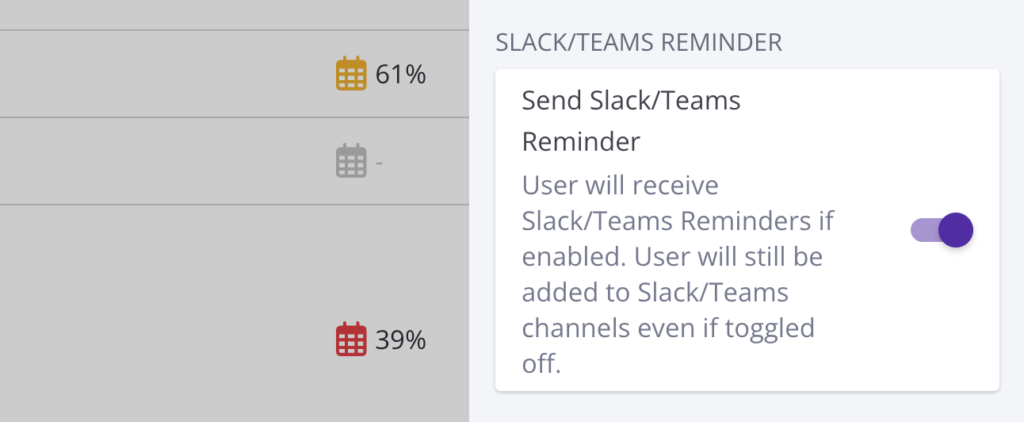
Whether or not to receive MS Teams Chat reminders can now be toggled on or off for individual users on the Company Teams page.
Why this is awesome: This allows for a more customized experience and lets your diligent interviewers who don’t need reminders opt out. It also makes it possible roll out chat reminders for just a part of your company.
Interview Prep On Bases Templates
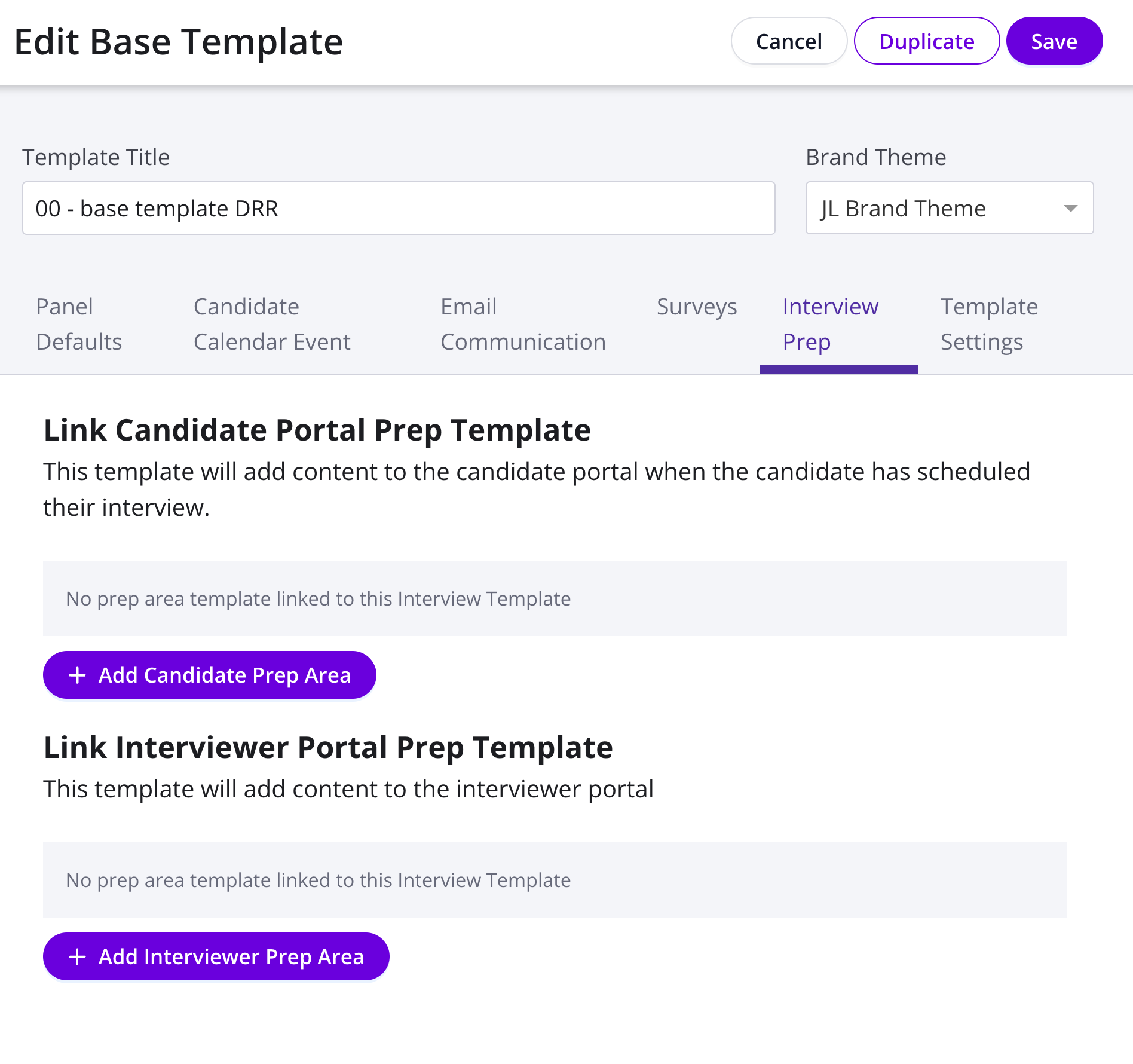
Interviewer & Candidate Prep forms can now be configured on the Base Template level.
Why this is awesome: This enables fast implementation of new prep forms on a truly large scale – Roll out new forms across your orgs in a matter of a few clicks!
Enhanced Customization for Scorecard Integrations
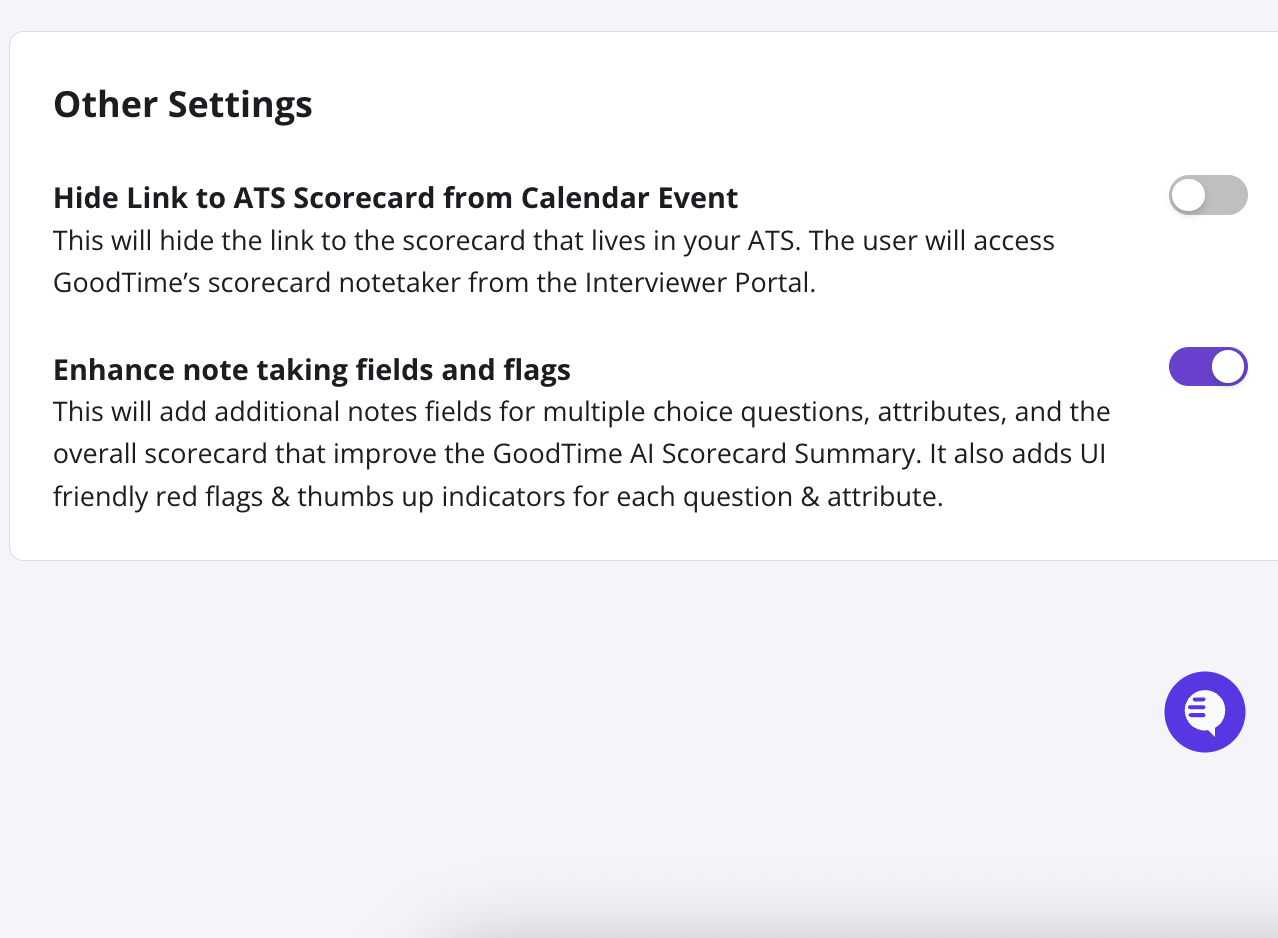
A new toggle is now available for two-way scorecard integrations to control whether the Scorecard Notetaker has the enhanced note-taking fields and attributes or not.
Why this is awesome: This feature gives increased control so that you have the choice between enhancing note taking capabilities or matching the ATS experience closer than ever before.
Start using the latest GoodTime features!
We want to help you evolve and take full advantage of the latest upgrades and improvements to our platform. Check out the GoodTime support center for tutorials and tips to help you stress less and get more done!


