GoodTime Product Updates: What’s New from June 2025

This month, we rolled out new features that make it even easier to automate busywork, unlock insights, and move top talent through your pipeline — all with less lift from your team.

Here’s what’s new: In June, we introduced several updates that help your team move faster, stay in sync, and deliver better candidate experiences with less effort. From smarter reminders and deeper feedback filtering to enhanced scheduling capabilities and next-level AI automation, these updates are all about one thing: helping your team focus on people, not busywork.

Whether you’re looking to speed up training, understand candidate sentiment, or put a branded AI Agent to work 24/7, our latest features — powered by Orchestra, our digital workforce of AI agents — are here to keep hiring fast, human, and in flow.

If you missed the live session, you can catch the full webinar or review the recap below to get up to speed.

First, watch highlights from Orchestra, our workforce of AI agents

Our latest update reveals significant enhancements aimed at improving the recruitment process. These agents can now automatically advance qualified candidates and trigger interview requests, ensuring a more efficient workflow. They facilitate personalized rejections to avoid leaving candidates in the dark and engage in natural conversations to assist with scheduling interviews. Additionally, the agents gather and summarize candidate sentiment, providing valuable insights for hiring teams.

Watch the full June 2025 GoodTime product updates webinar or keep scrolling for highlights

Reminders for Reading Classes & Trainee Feedback

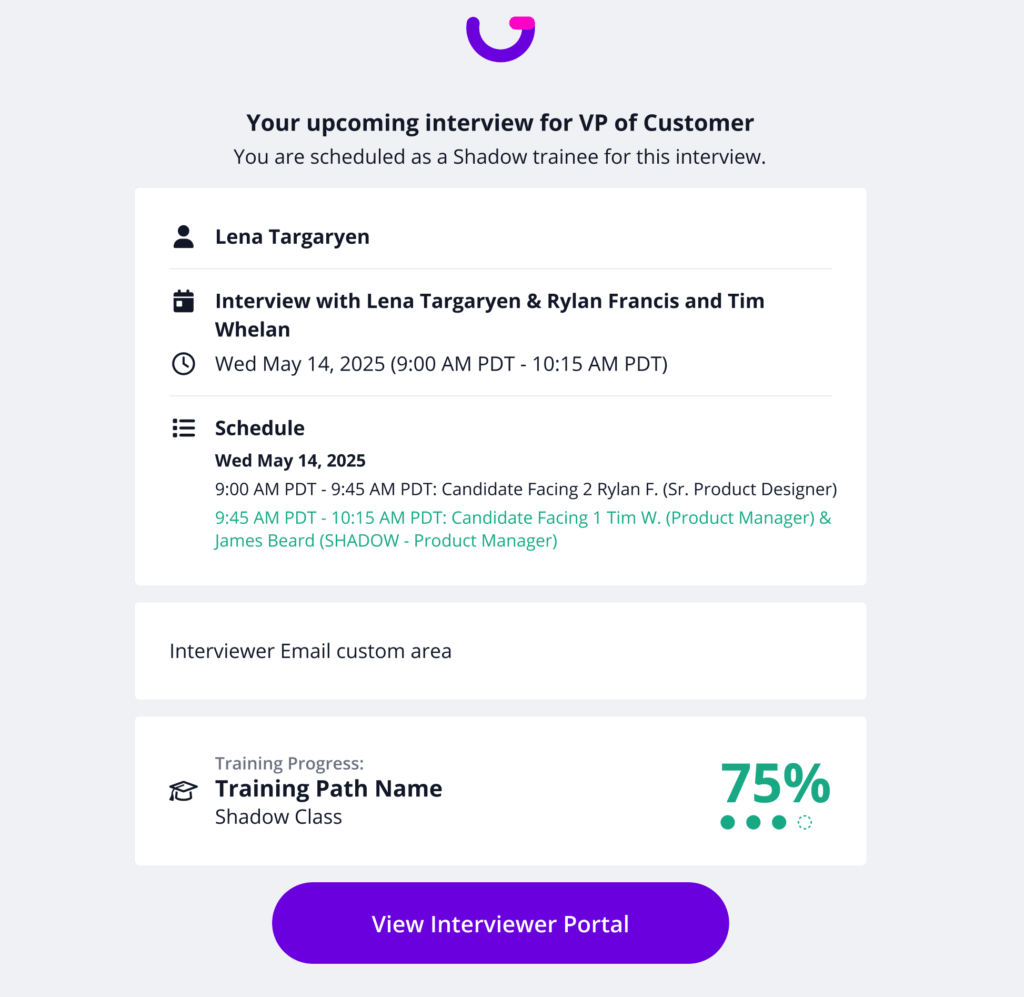
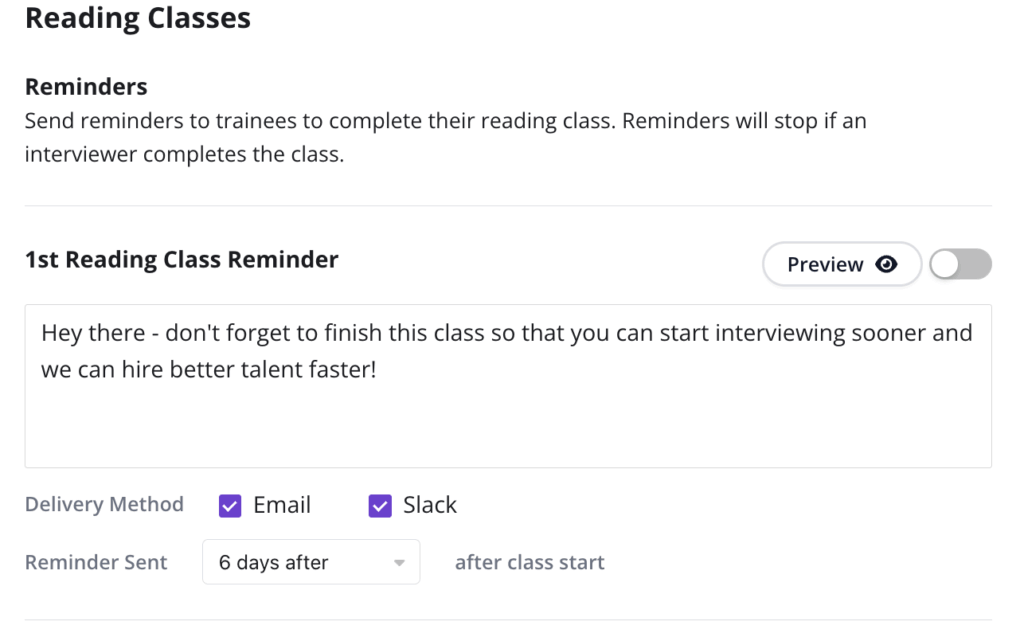
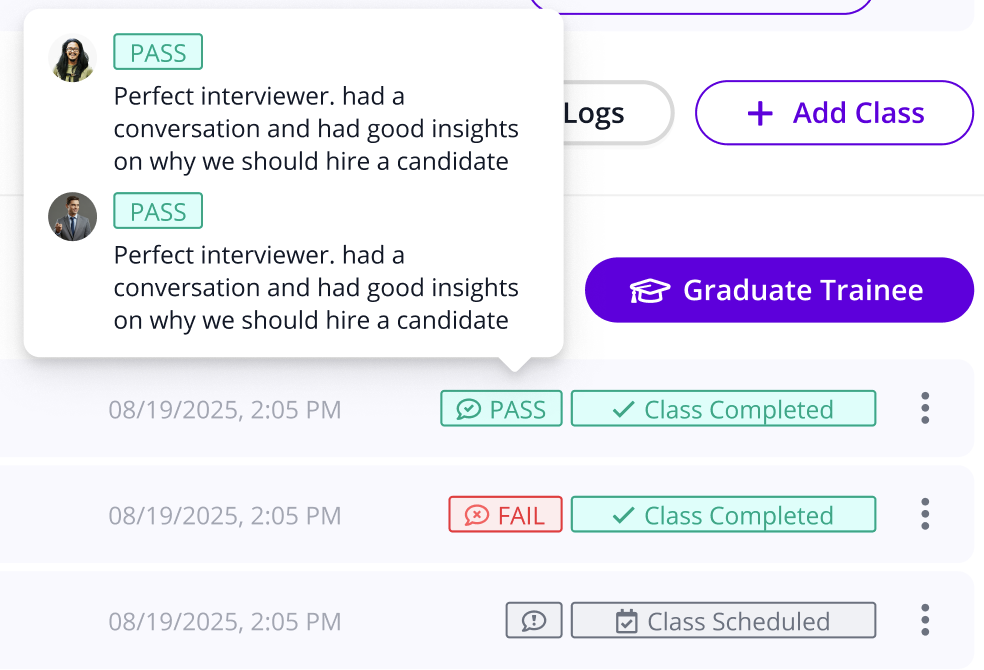
Thanks to great feedback from our valued partners, GoodTime has built out Email & Slack reminders for missing trainee feedback and reading class completion.

Why this is awesome: By automating reminders, trainees graduate faster while requiring less work from your team.

cNPS Feedback Report Filters

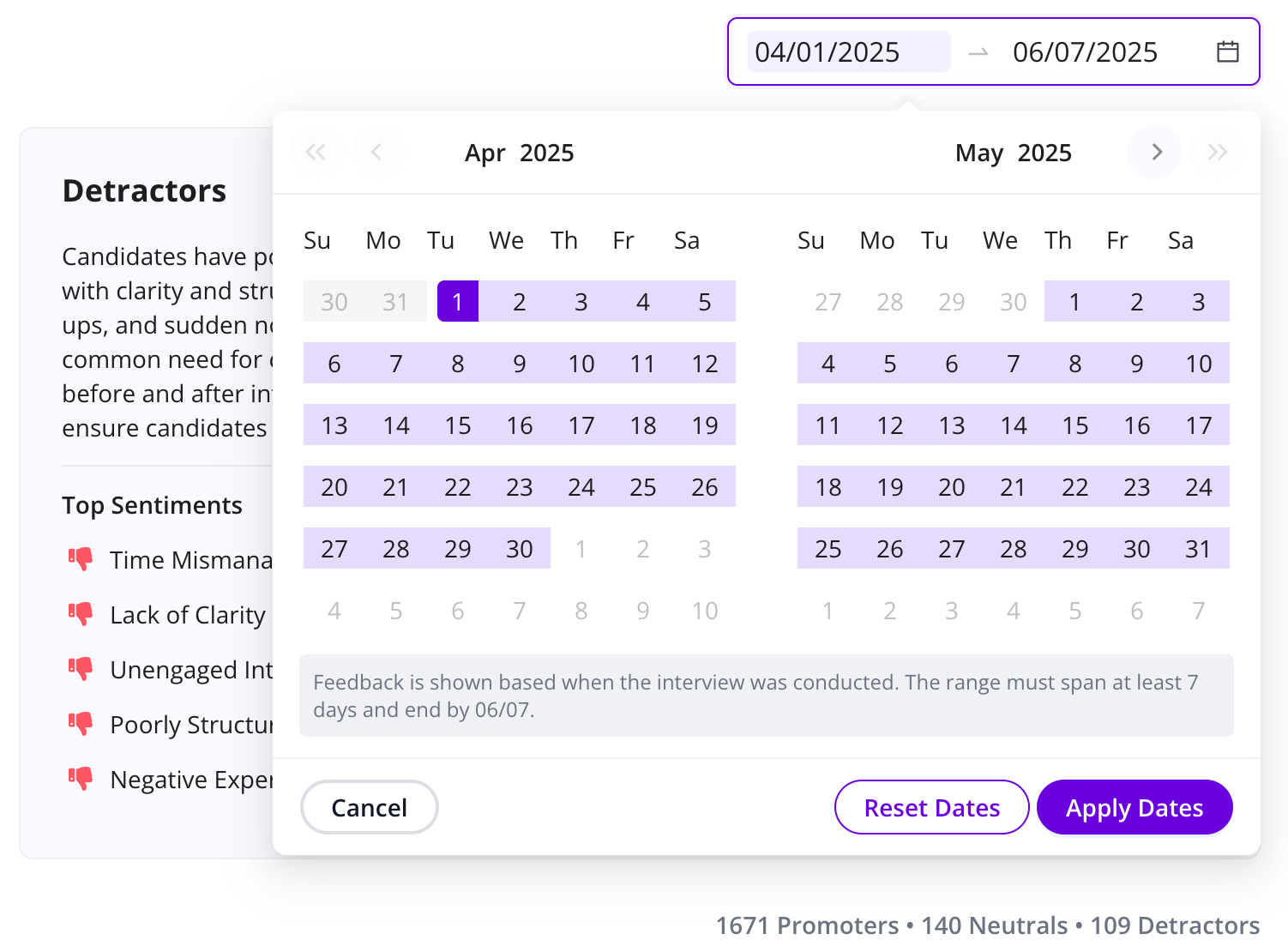
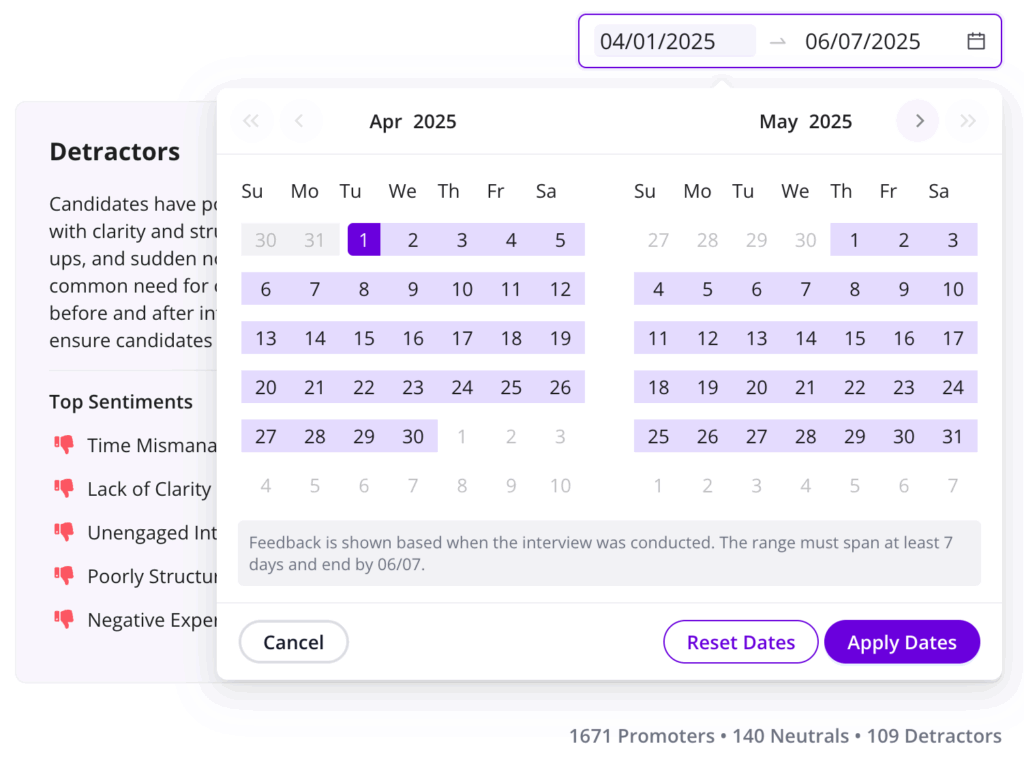
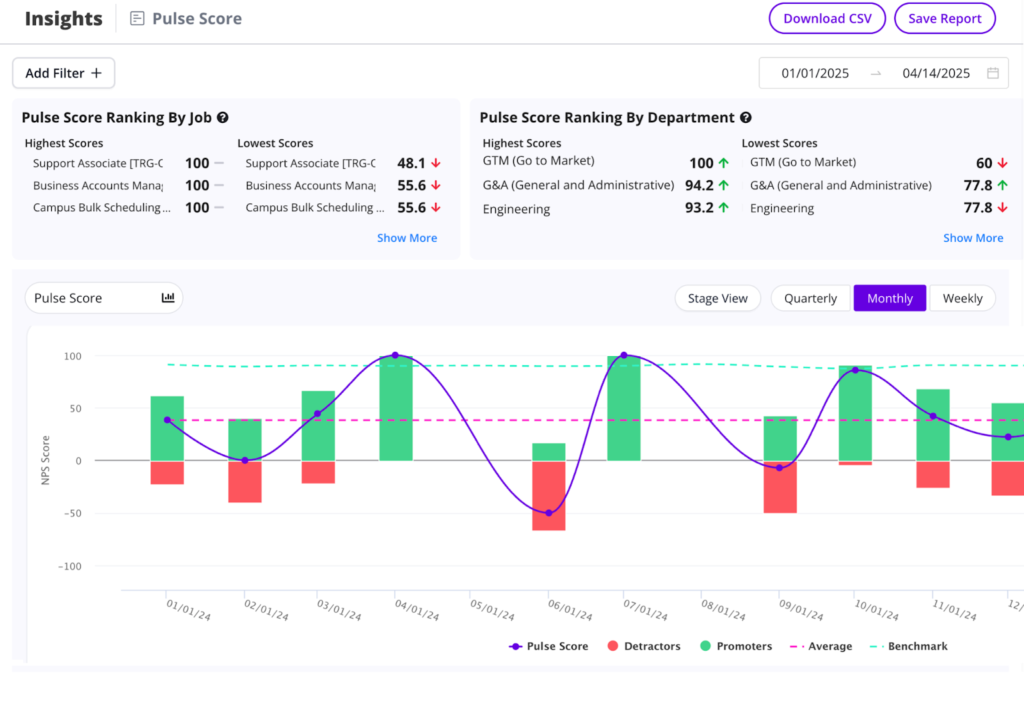
Last month, we announced the all-new AI cNPS Feedback report, which has now been updated with date pickers and department filters so that you can see how sentiments evolve over time and in different areas of your organization.

Why this is awesome: Data like cNPS is designed to tell you where to make changes, and filters like these enable you to see if those changes improve your candidate experience.

Calendar Availability Analysis

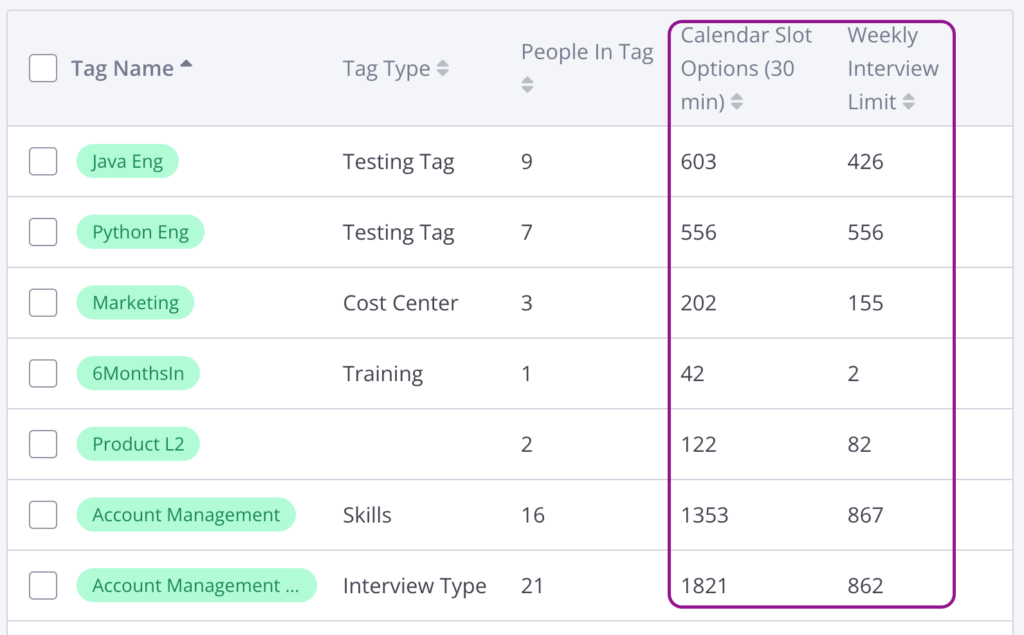
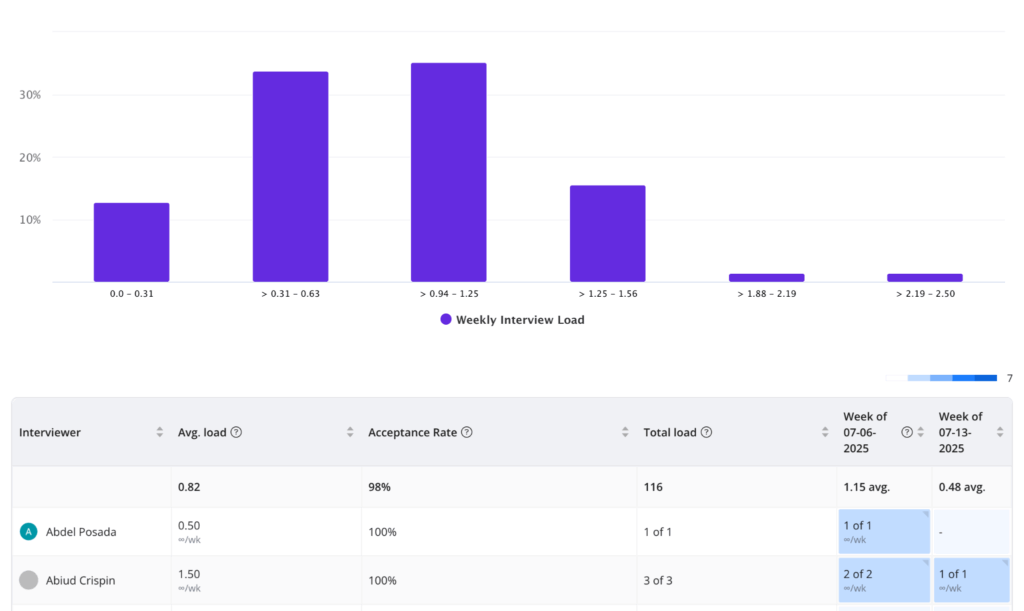
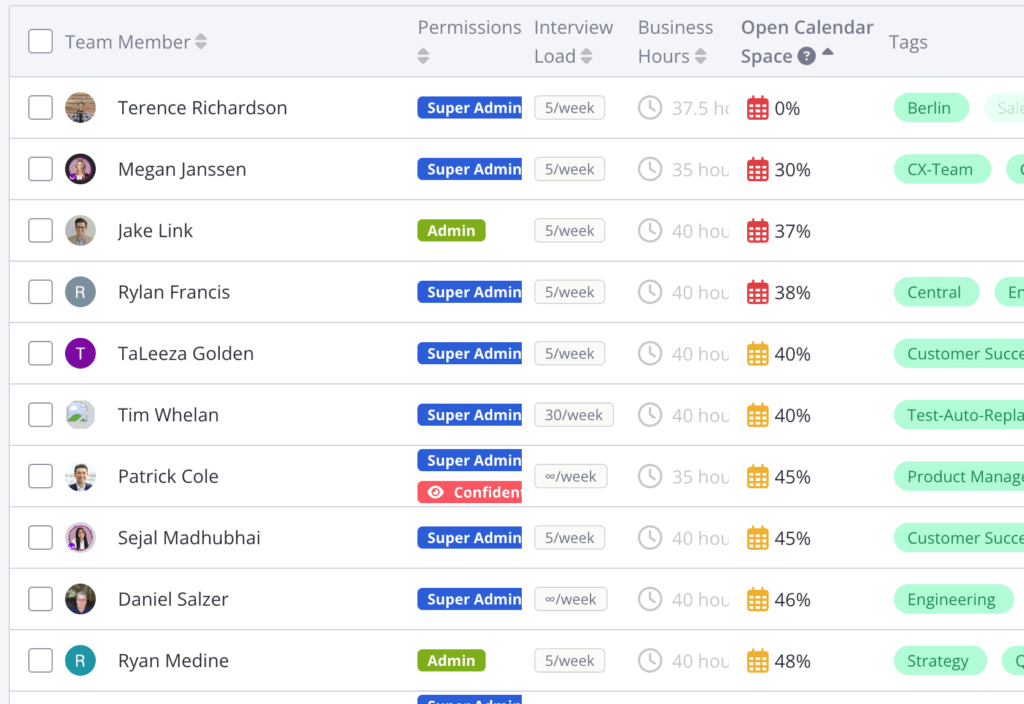
GoodTime now scans & stores the availability for all your interviewers and creates automatic team, tag & interview template capacity analysis.

Why this is awesome: Your interview capabilities are only as capable as your most restricted point in the chain. Calendar Availability Analysis helps find bottlenecks and enables capacity planning required to reach hiring goals.

Candidate-facing AI Agent

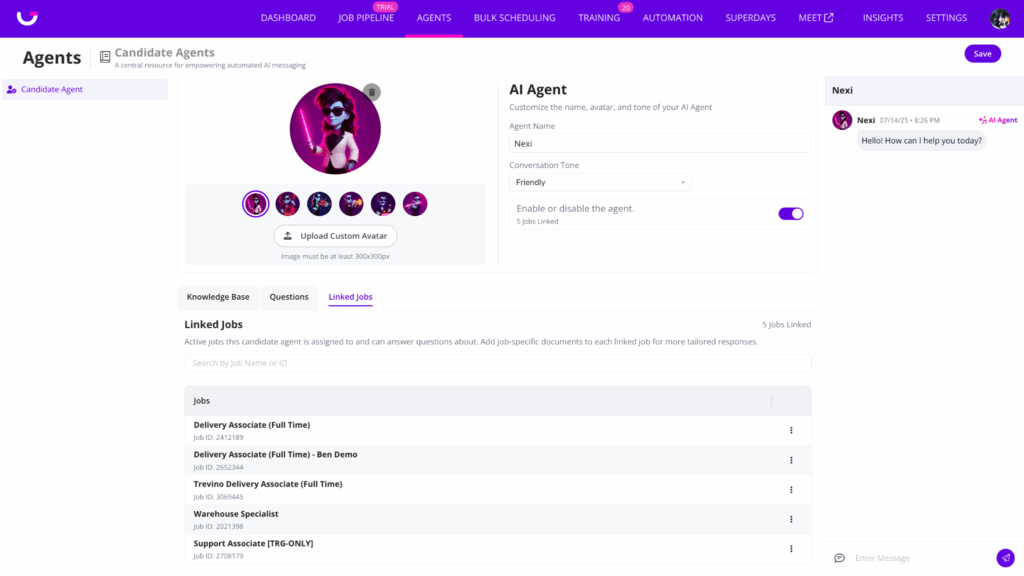
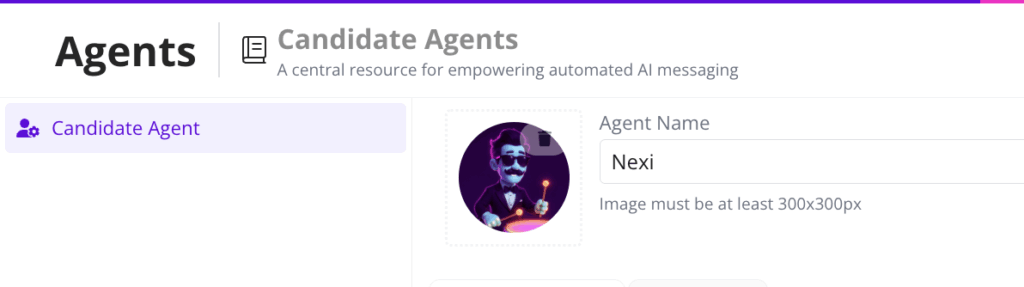
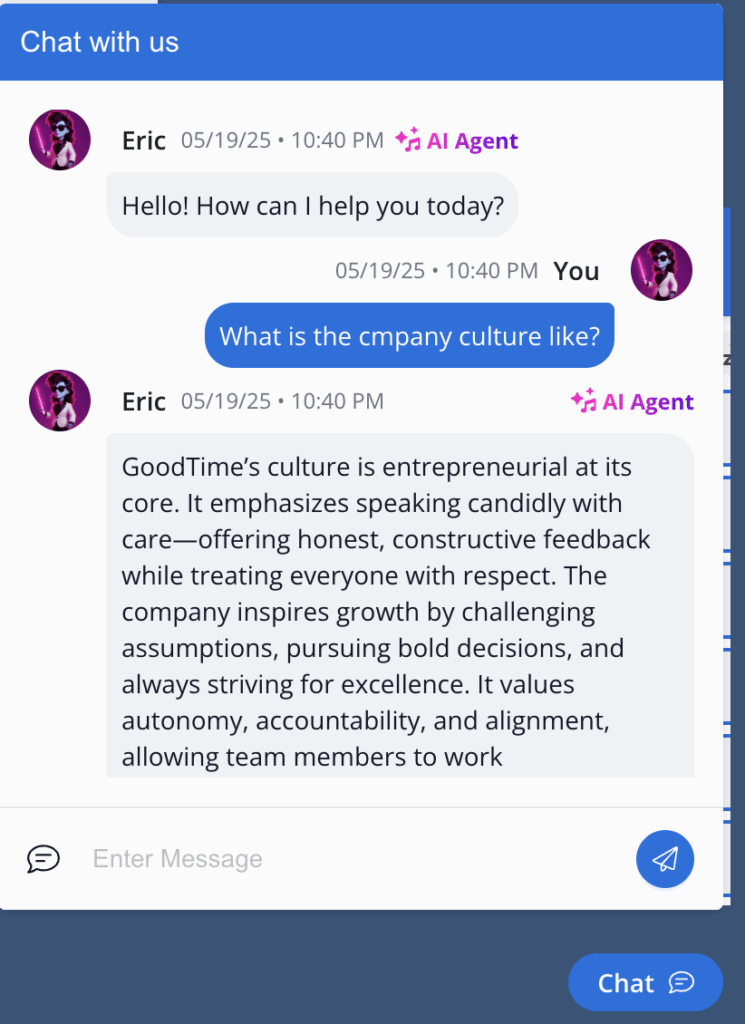
Fully configure a candidate-facing AI Agent —tailored with a custom name, avatar, and tone of voice. Admins can upload PDFs, DOCs, websites, and FAQ data to train the bot, making it an extension of your brand.

Why this is awesome: Answer candidates 24/7 while reducing recruiter workload.

Scheduling Assistance

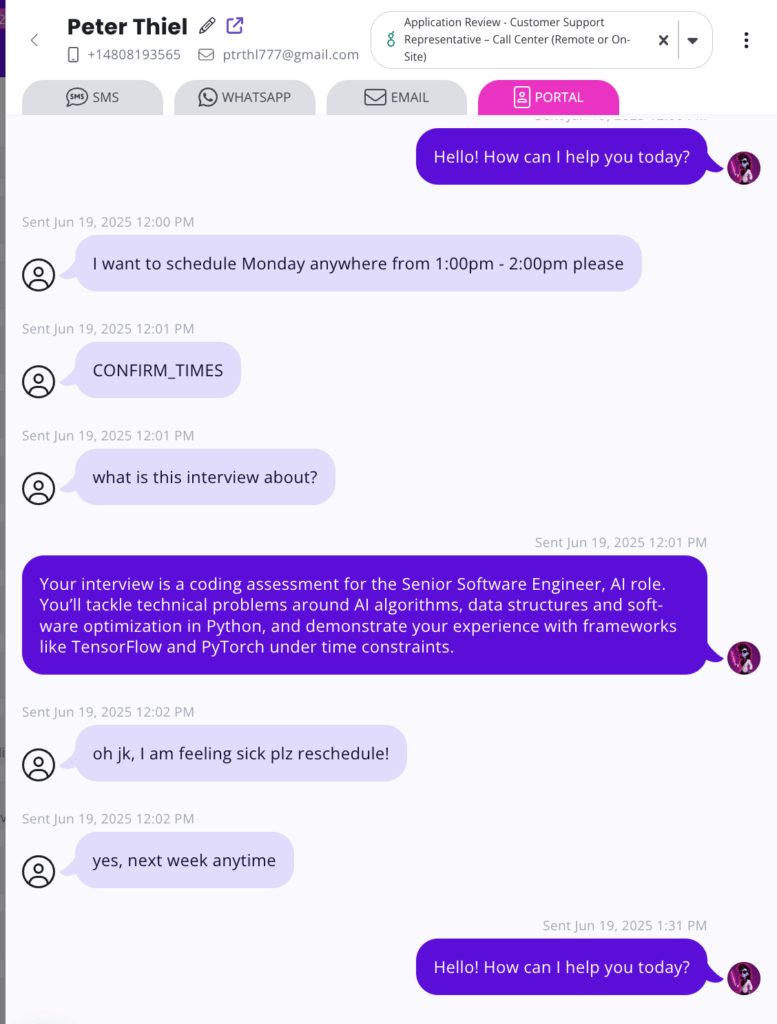
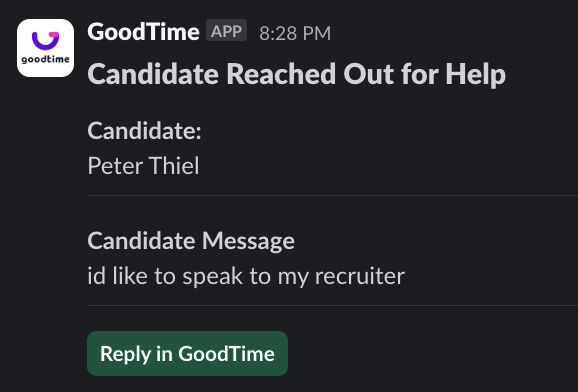
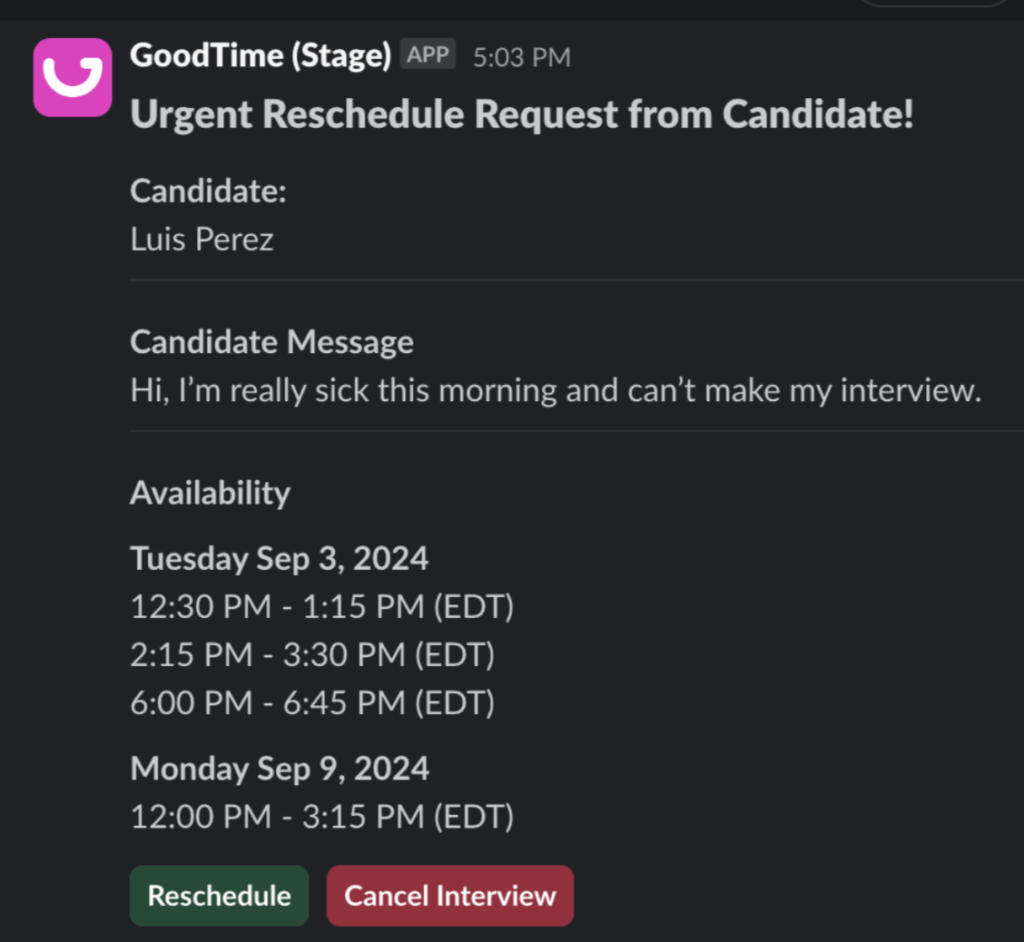
Candidates can now reschedule, share availability, and escalate urgent issues directly through AI chat—no human needed unless it’s critical.

Why this is awesome: Remove back-and-forth emails to speed up scheduling and rescheduling requests.

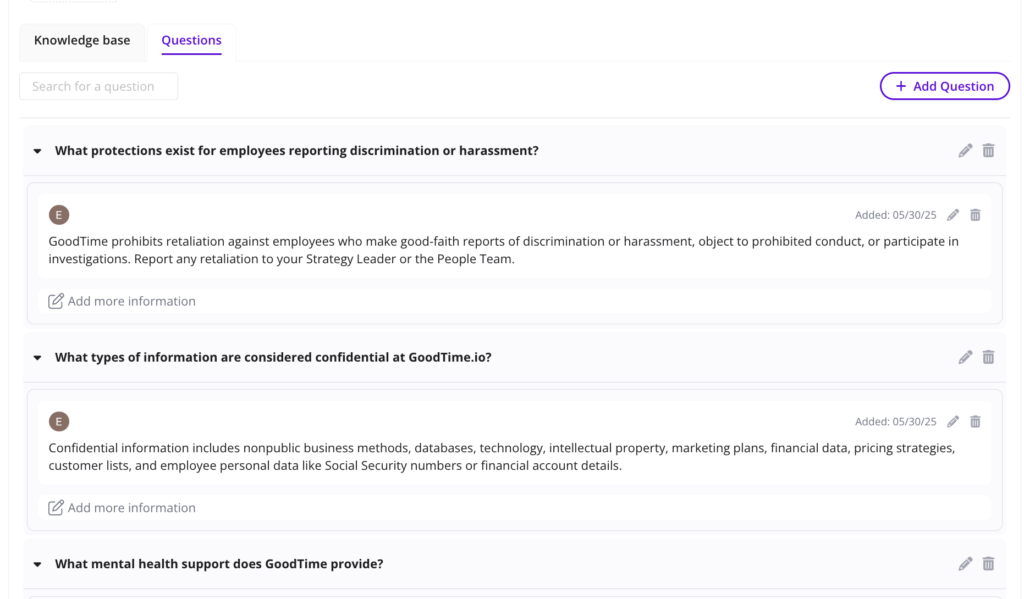
Customized Knowledge Base

Every job post now powers an instant, AI-ready knowledge base—complete with interview prep, role expectations, and FAQs. Recruiters can also inject custom information to reduce repetitive questions.

Why this is awesome: Your AI Agent is available 24/7 to guide candidates with accurate, on-brand answers.

Start using the latest GoodTime features!

We want to help you evolve and take full advantage of the latest upgrades and improvements to our platform. Check out the GoodTime support center for tutorials and tips to help you stress less and get more done!
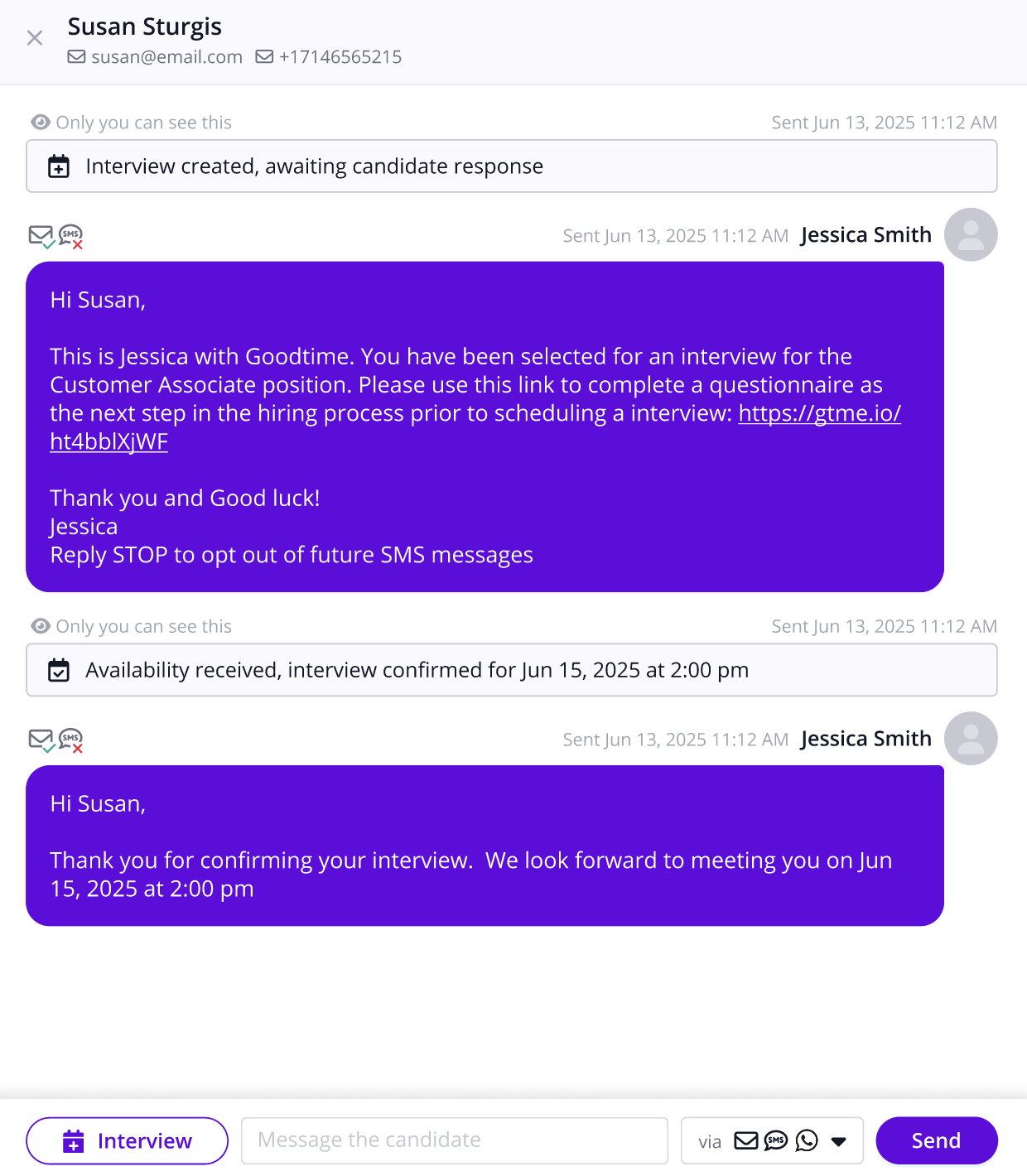
GoodTime Product Updates: What’s New from May 2025

This month, we unveiled a game-changing leap forward in hiring orchestration — and we’re just getting started. From powerful upgrades inside GoodTime Hire to the official launch of Orchestra, our digital workforce of AI agents, this release is all about elevating every moment of your hiring journey.

Here’s what’s new: We expanded our Experience+ capabilities with a refreshed training module that now includes Reading Classes, Training Path KPIs, and custom interviewer prep right inside the Interviewer Portal. You can now also customize reminder emails, delete outdated Training Paths, and tap into updated external API endpoints for better integration.

And then came Orchestra. This bold new layer of human-centric AI brings a smarter, faster, more connected hiring experience — starting with the launch of our Recruiter Agent, offering real-time visibility into activity across the updated Job Pipeline. We also gave a sneak peek at our upcoming 24/7 Candidate Agent, and dropped a long-awaited feature: the candidate Net Promoter Score (cNPS) Sentiment AI Report, which surfaces the hidden insights behind your candidate feedback.

Missed the session? No worries. Keep reading for a full recap of everything we launched — and why this is the most powerful version of GoodTime yet.

Introducing Orchestra

Orchestra is GoodTime’s new identity for our intelligent, always-on digital workforce — a coordinated team of AI agents built to act, not just react. These agents work across the hiring journey to handle tasks like screening, scheduling, updating candidates, and flagging bottlenecks — all while keeping your team in control. Unlike traditional automation, Orchestra agents work in harmony, stepping in at the right moments so your recruiting team can focus on what really matters: building relationships and making confident hiring decisions.

This update marks the official launch of our Recruiter Agent, which now streams live activity directly into the Job Pipeline, giving you unprecedented visibility into what’s happening and why. We also gave a sneak peek at our upcoming Candidate Agent — a 24/7 AI-powered assistant that answers candidate questions, schedules interviews, and keeps them warm and informed without adding work for your team. With Orchestra, we’re not just layering on automation. We’re orchestrating a smarter, more human hiring experience — and this is just the beginning.

Reading classes

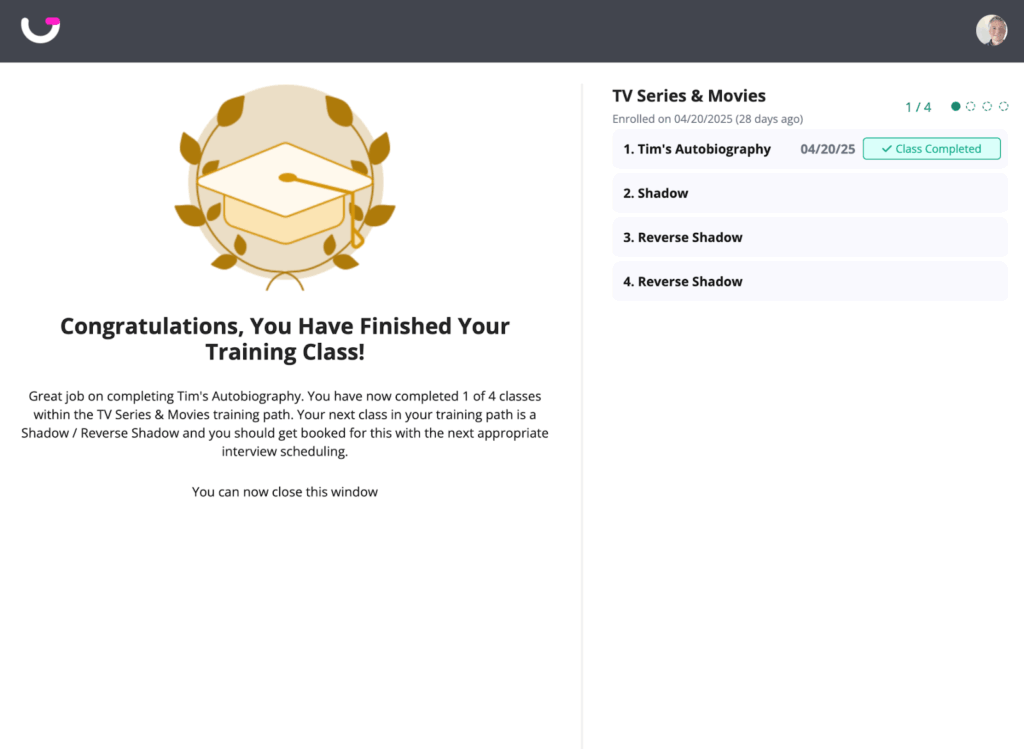
Training classes in GoodTime

The Training Module now has a brand new Class Type for LMS-style Interviewer Training that lets you build out written training material as a part of your Training Paths.

Why this is awesome: Managing interviewer training in one place increases automation, reduces mistakes, and ultimately graduates more interviewers faster,so you can hire better candidates.

Training path KPIs

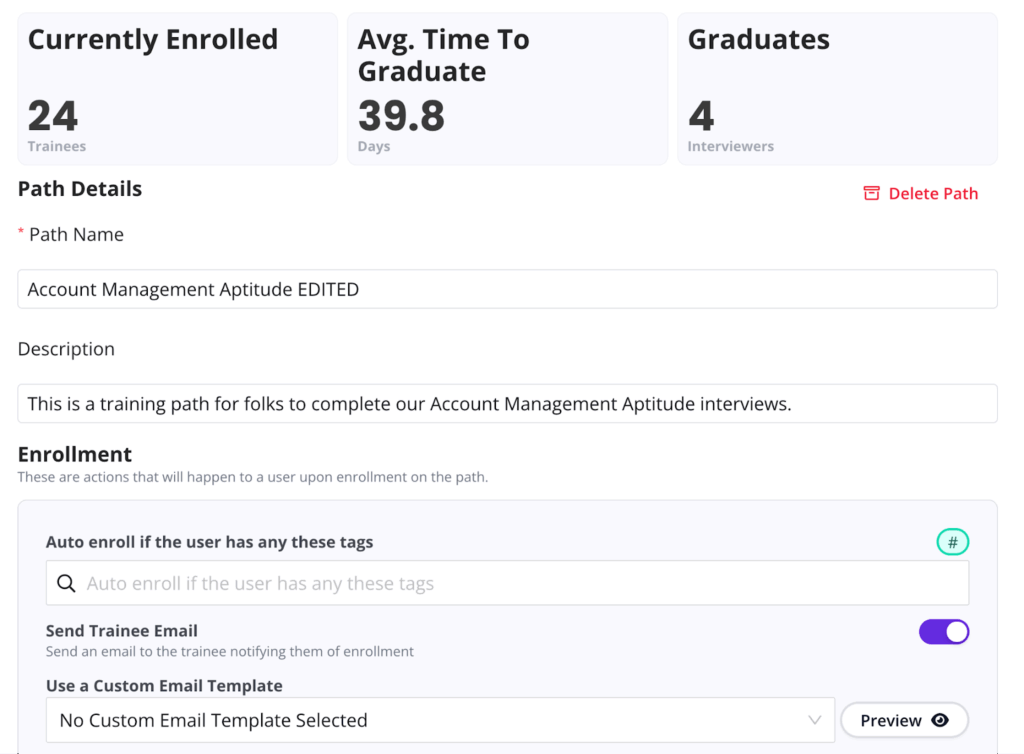
Training path KPIs GoodTime

The most important KPI’s for each Training Path are now highlighted at the top of your Path so you can quickly track its progress and drill down into the numbers behind the stat.

Why this is awesome: You instantly see the progress and performance of your path without applying filters and loading reports, all while saving time with clickable shortcuts to the root data. 

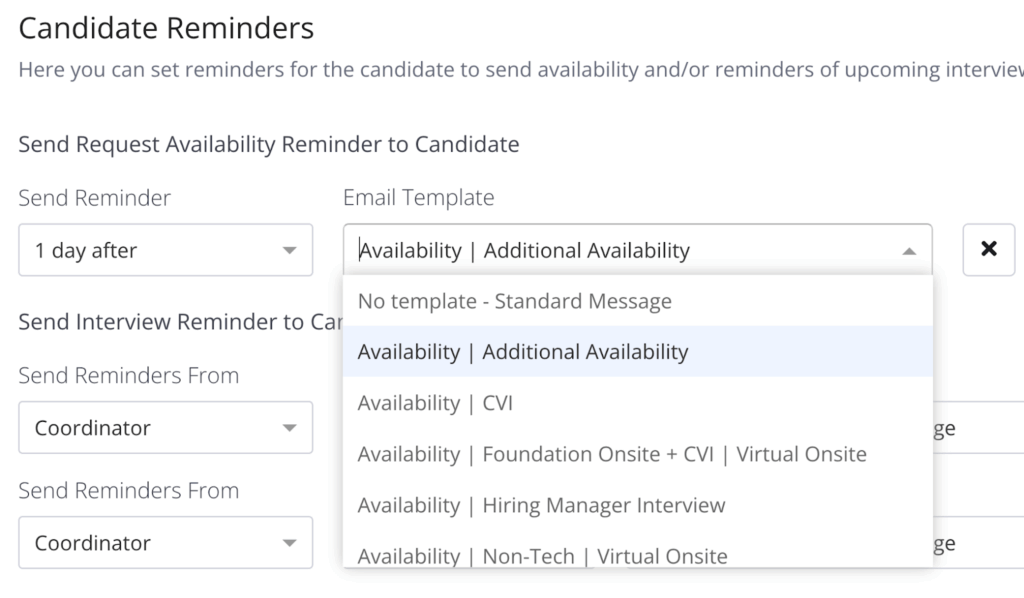
Custom reminder emails

Now you can use email templates to customize the reminder emails that candidates receive for confirmed interviews and availability requests.

Why this is awesome: Users can benefit from including certain preparational information or just adding the specific language and touch that your organization stands for!

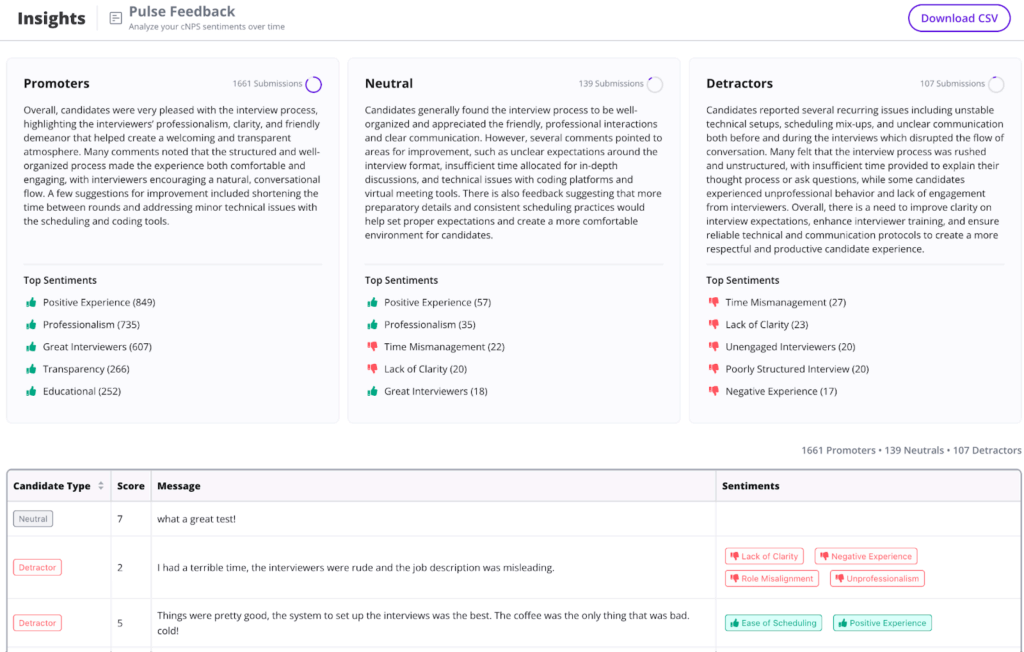
cNPS sentiment AI report

Easily and quickly analyze the Candidate feedback submitted along with Pulse score. AI will not only summarize the feedback, but also categorize it through clickable categories so you can go from summary to detail in a split second.

Why this is awesome: Reading thousands of messages would take hours. Categorizing & quantifying them would take even longer. Now it’s instant & automated, so you can spend your time taking action instead of analyzing.

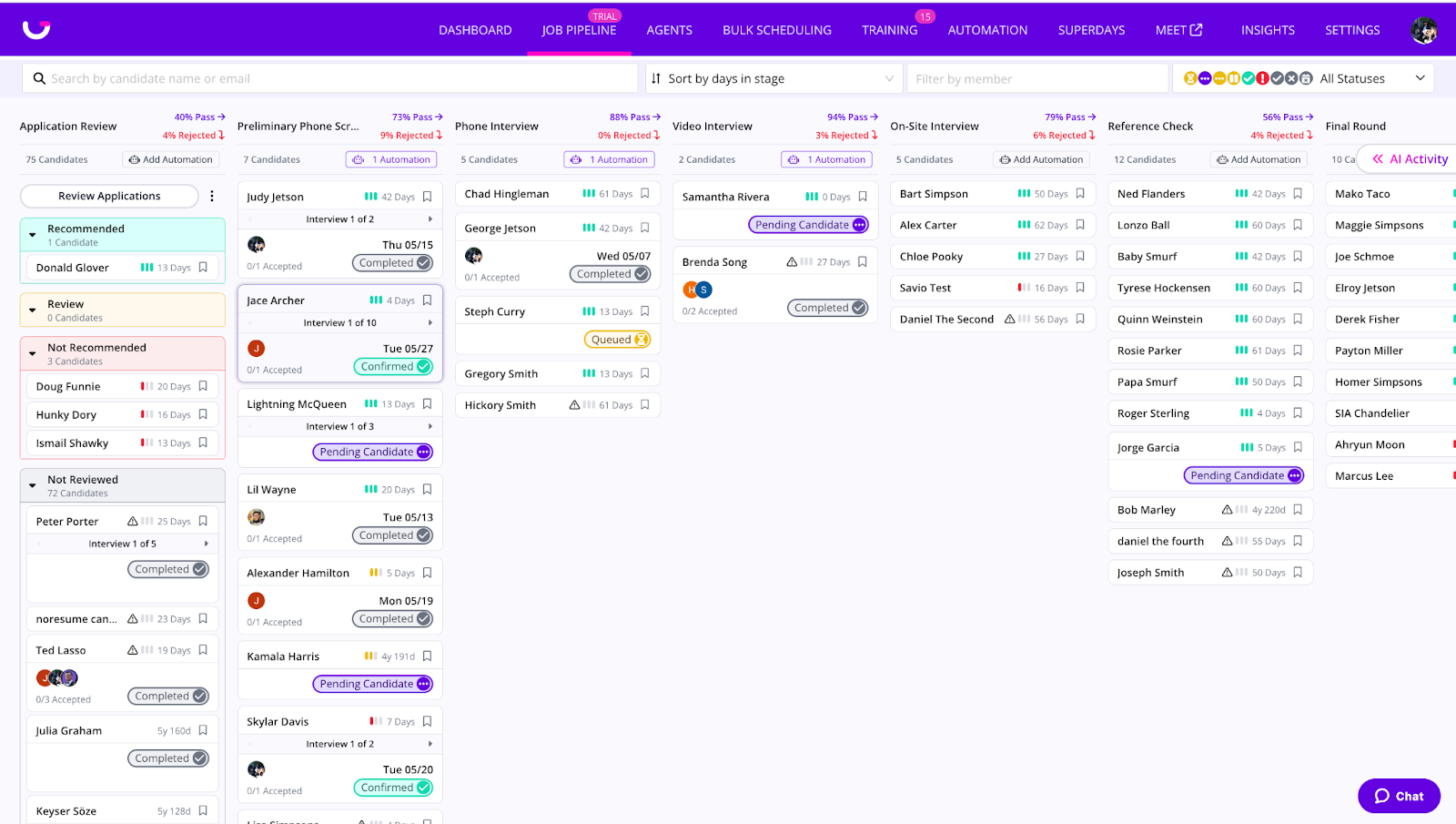
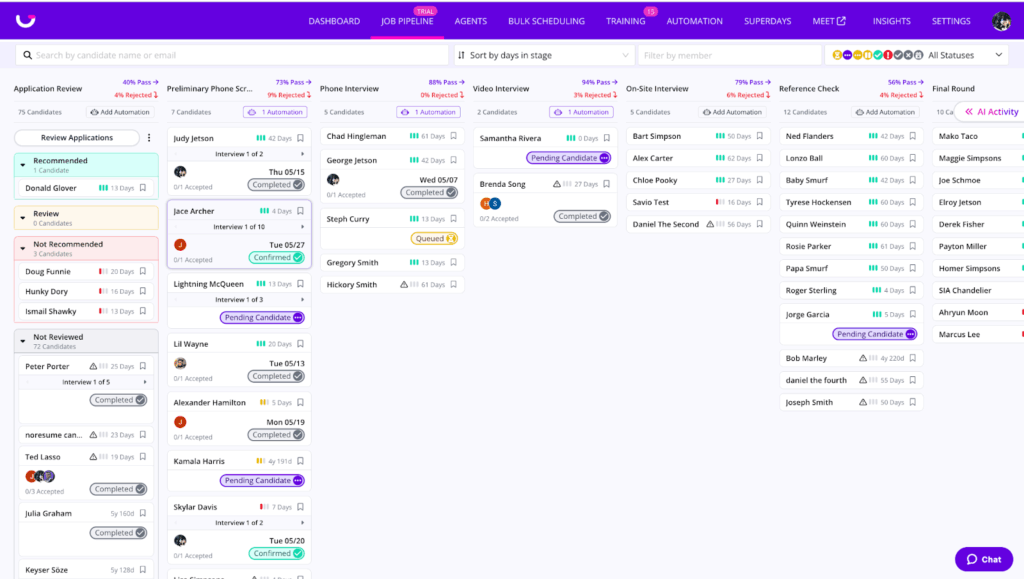
Job Pipeline is now real time

GoodTime job pipeline

See candidates move through stages, live evaluation scores, and track interview logistics in real time—including when interview requests are sent, accepted, declined, and confirmed.

Why this is awesome: Get a live, accurate view of your candidate pipeline without refreshing—saving time and reducing confusion.

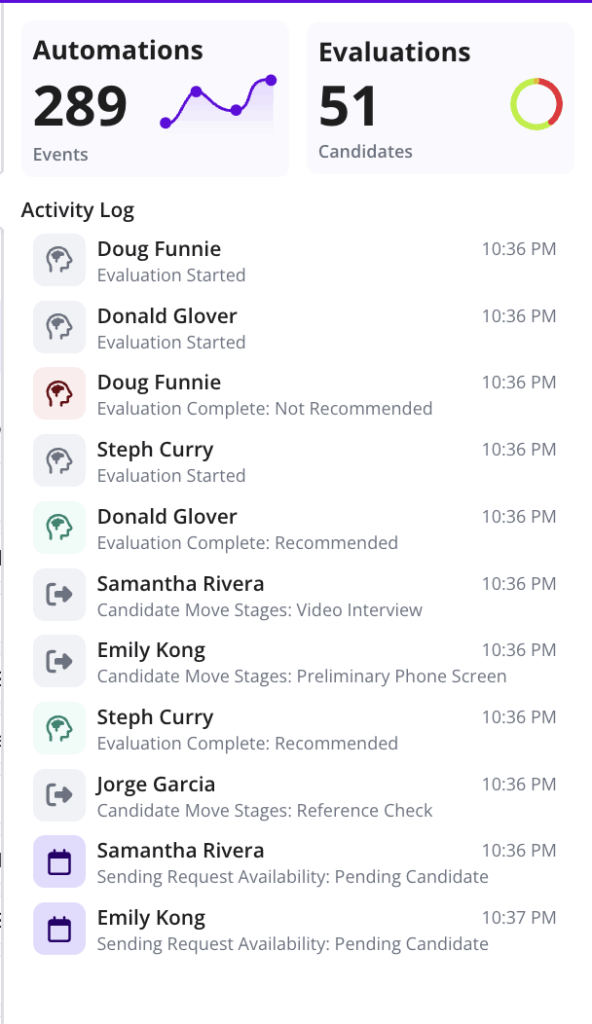
AI activity feed

View a complete timeline of key AI-driven events: when candidates are evaluated, their scores, and every step of the interview coordination process. You can finally see what’s happening and when, all in one place.

Why this is awesome: Full transparency and audit trail of AI activity—making it easier to build trust and understand impact.

Sneak peek at our Candidate Agent

The AI Candidate Agent can help candidates schedule, reschedule, answer questions about the job or company, and guide them through the hiring process—all without recruiter involvement.

Why this is awesome: Saves recruiters hours of repetitive work while giving candidates fast, accurate help—anytime, day or night.

Start using the latest GoodTime features!

We want to help you evolve and take full advantage of the latest upgrades and improvements to our platform. Check out the GoodTime support center for tutorials and tips to help you stress less and get more done!
GoodTime Product Updates: What’s New from April 2025

This month, we’re bringing smarter workflows, sharper insights, and a more seamless candidate experience to GoodTime Hire. From real-time AI candidate matching in your job pipeline to automated workflows and new benchmarking data, these updates are designed to make your team faster, smarter, and more candidate-centric than ever. Whether you’re training new talent, reviewing feedback, or connecting with candidates, it’s all about reducing friction and accelerating great hiring decisions.

Let’s dive into what’s new.

Watch the April 2025 GoodTime product updates webinar or keep scrolling for highlights

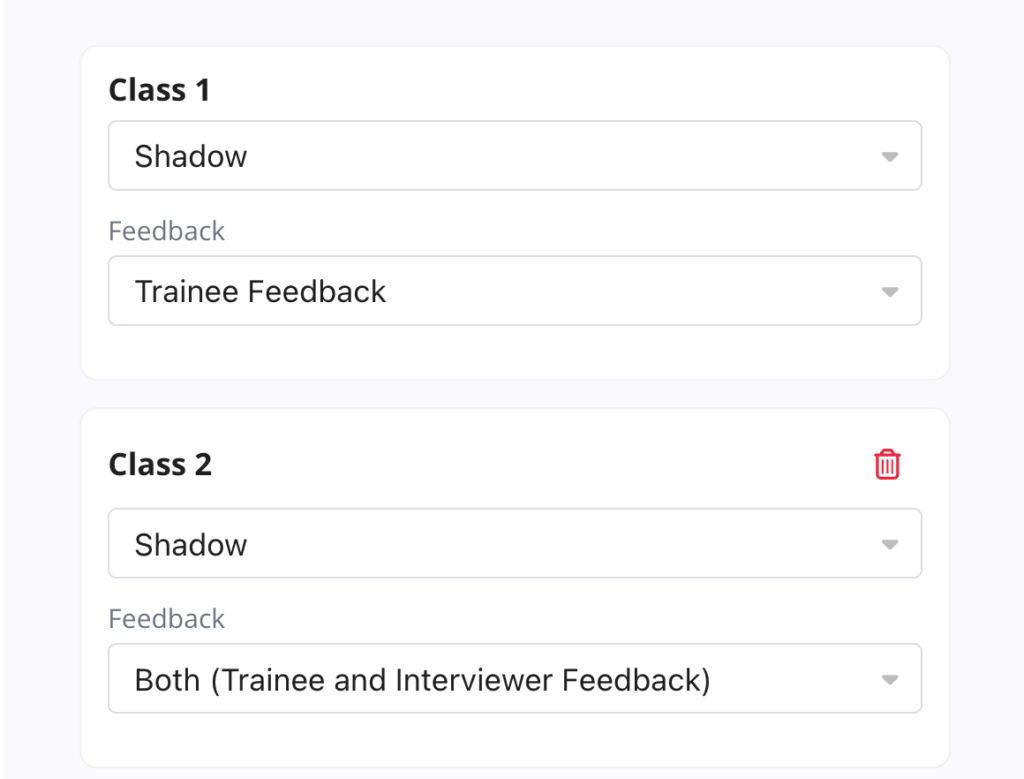
Trainee Feedback

Trainee Feedback

The Training Module continues to grow with the newest addition of automating and collecting feedback on Trainee performance, including automated make-up classes & deadline expiration.

Why this is awesome: Graduating a trainee who isn’t ready & allowing them to conduct interviews is bad for everyone. Quality controlling their performance is now both easy and automated so that you can increase quality and save time.

cNPS Benchmarking & Leaderboards

cNPS benchmarking

The Recently revamped cNPS Report has been expanded with a Job & Department Leaderboard and Industry Benchmarking data.

Why this is awesome: Leaderboards help you immediately see where your org is thriving and where it needs attention. The Industry Benchmark provides metrics on how you perform compared to industry leaders only found on GoodTime.

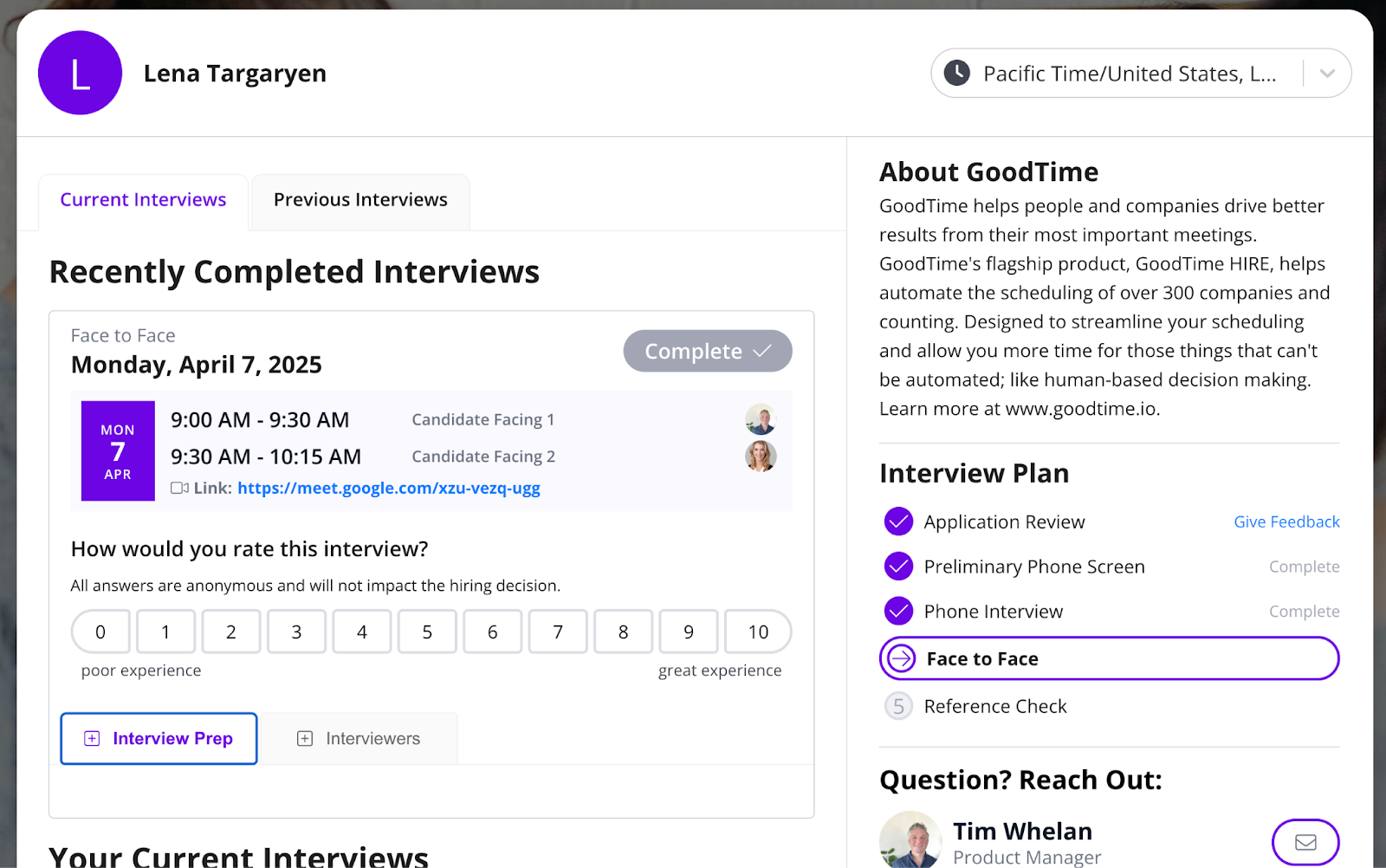
Redesigned Candidate Portal

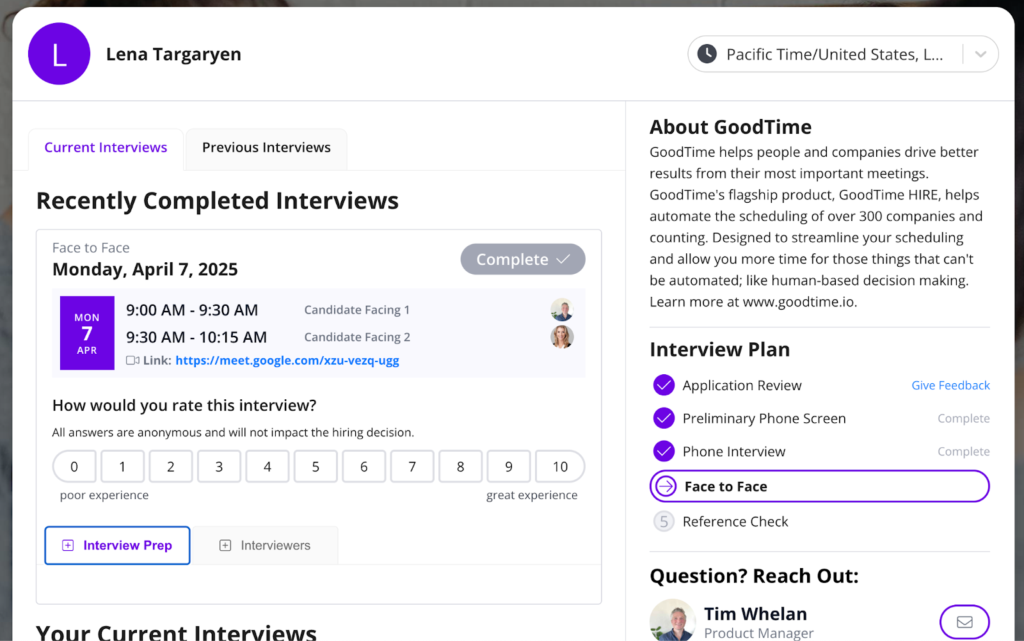
GoodTime Candidate Portal

As the Candidate Portal has grown tremendously in popularity, we have been getting buckets of amazing feedback that has been combined to refresh the Candidate Portal to its greatest version yet!

Why this is awesome: Your organization is now better represented than ever to your candidates, while they can understand and prepare for their interview with total ease and confidence.

Real-Time Matching in Job Pipeline

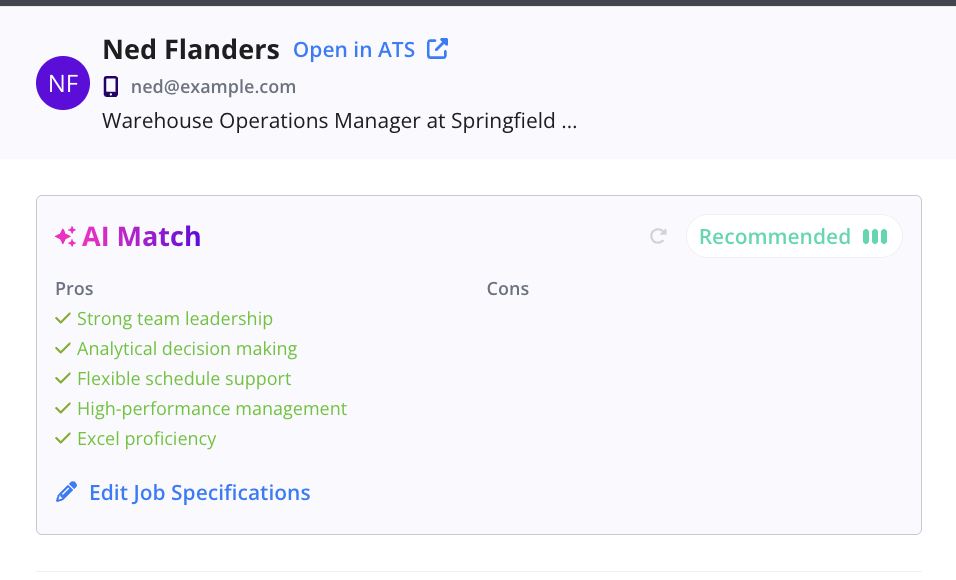
GoodTime AI match

Our AI matching now evaluates every candidate when they apply, and highly recommended candidates are brought right to the top.

Why this is awesome: Save hours in screening resumes every day to focus on the top candidates in your pipeline! Learn more.

Automated Workflows

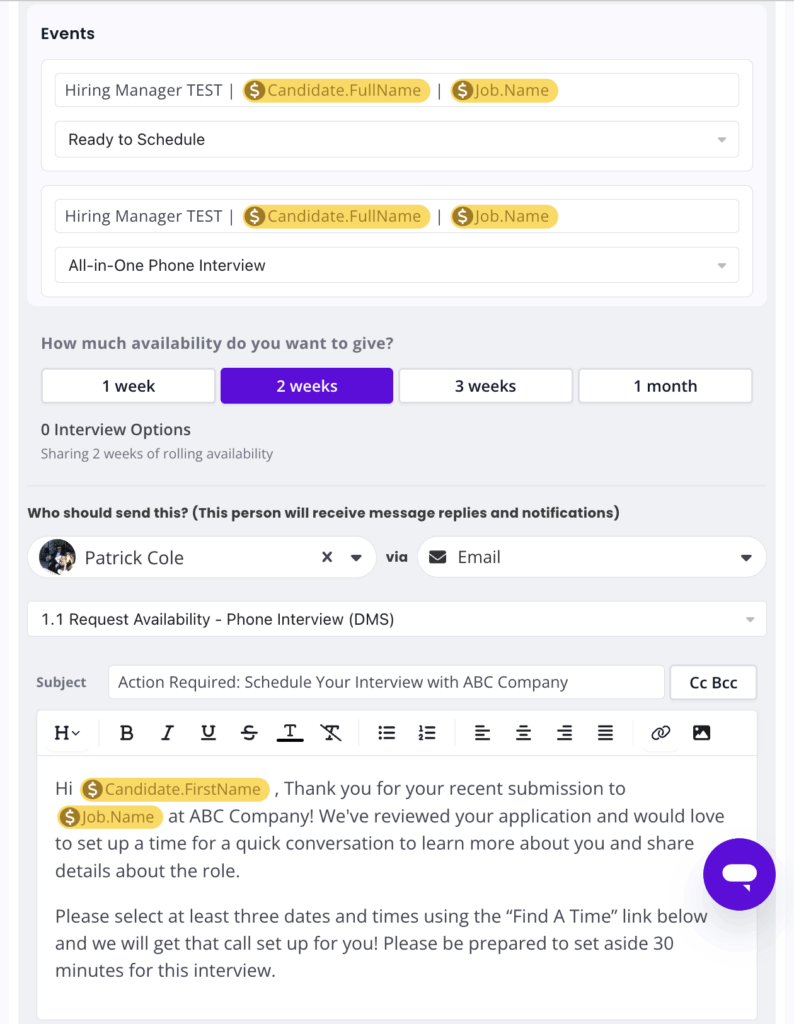
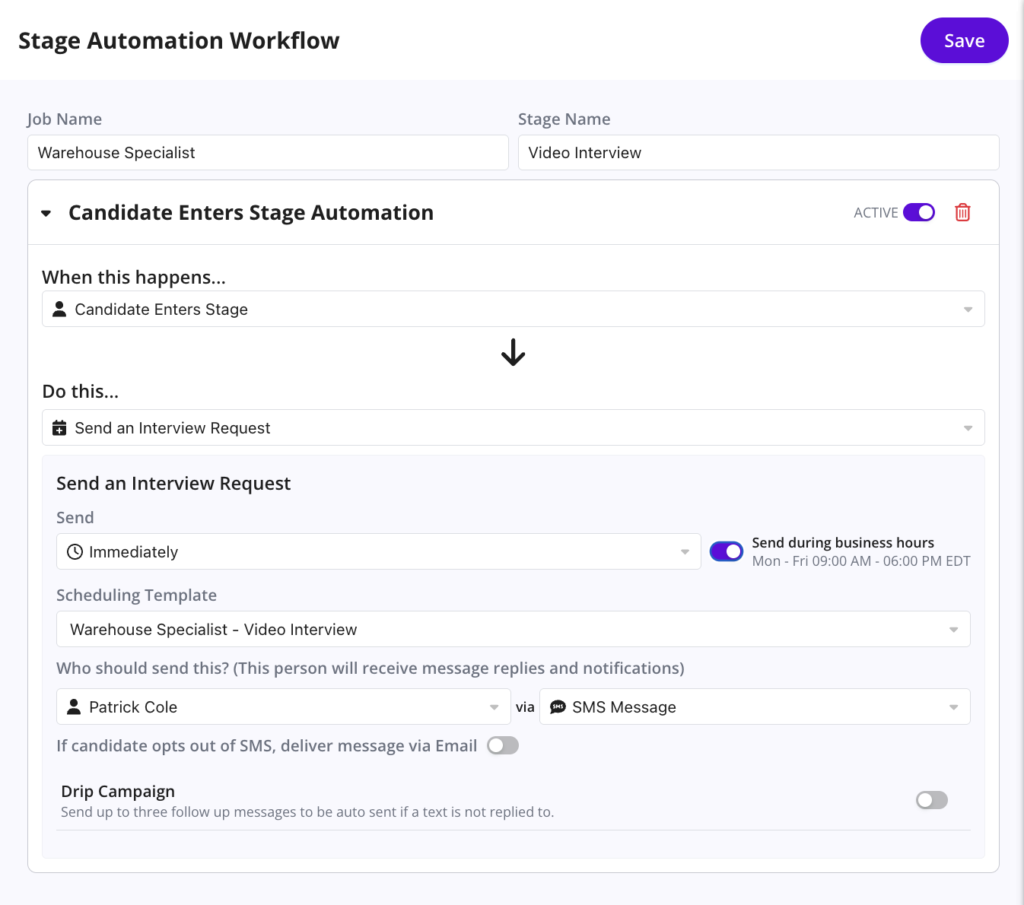
Automated workflows

You can now configure workflow automations inside of Job Pipeline for every stage of the funnel!

Why this is awesome: Auto-progress candidates, send interview scheduling requests, or messages to candidates, all customizable and configurable inside Job Pipeline!

WhatsApp Integration updates

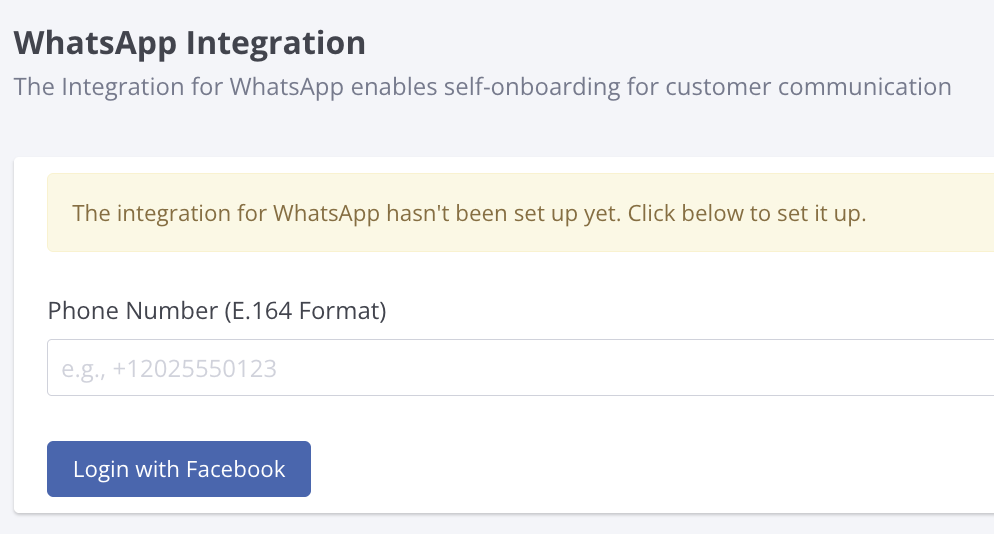
We’ve added WhatsApp to our Company Setting! Now integrating is as easy as clicking a button.

Why this is awesome: Full control over your WhatsApp integration. Set it up or disconnect without needing to reach out to our Customer Support team.

Start using the latest GoodTime features!

We want to help you evolve and take full advantage of the latest upgrades and improvements to our platform. Check out the GoodTime support center for tutorials and tips to help you stress less and get more done!
GoodTime Product Updates: What’s New from February 2025

As we kick off 2025, GoodTime is bringing even more innovation to hiring teams looking to streamline their workflows and create standout candidate experiences. This month, we’re rolling out powerful updates designed to boost efficiency, enhance collaboration, and make every hire more strategic.

  • Candidate Facing Event Titles are now easier than ever to write up and adjust.
  • Recruiting & Interviewer Leaderboards, Lead Time Report & Turnaround Time Reports can now all drill down to individual interviews.
  • Interviewer Portal has been enhanced with an Interviewer Prep Area for Experience+ users
  • Add Logic to your Scheduling Request Forms to create dynamic questions and answers

And that’s not all, so let’s get into it! As always you can watch our full product updates webinar below or scroll for the TL;DR.

Watch the February 2025 GoodTime product updates webinar or keep scrolling for highlights

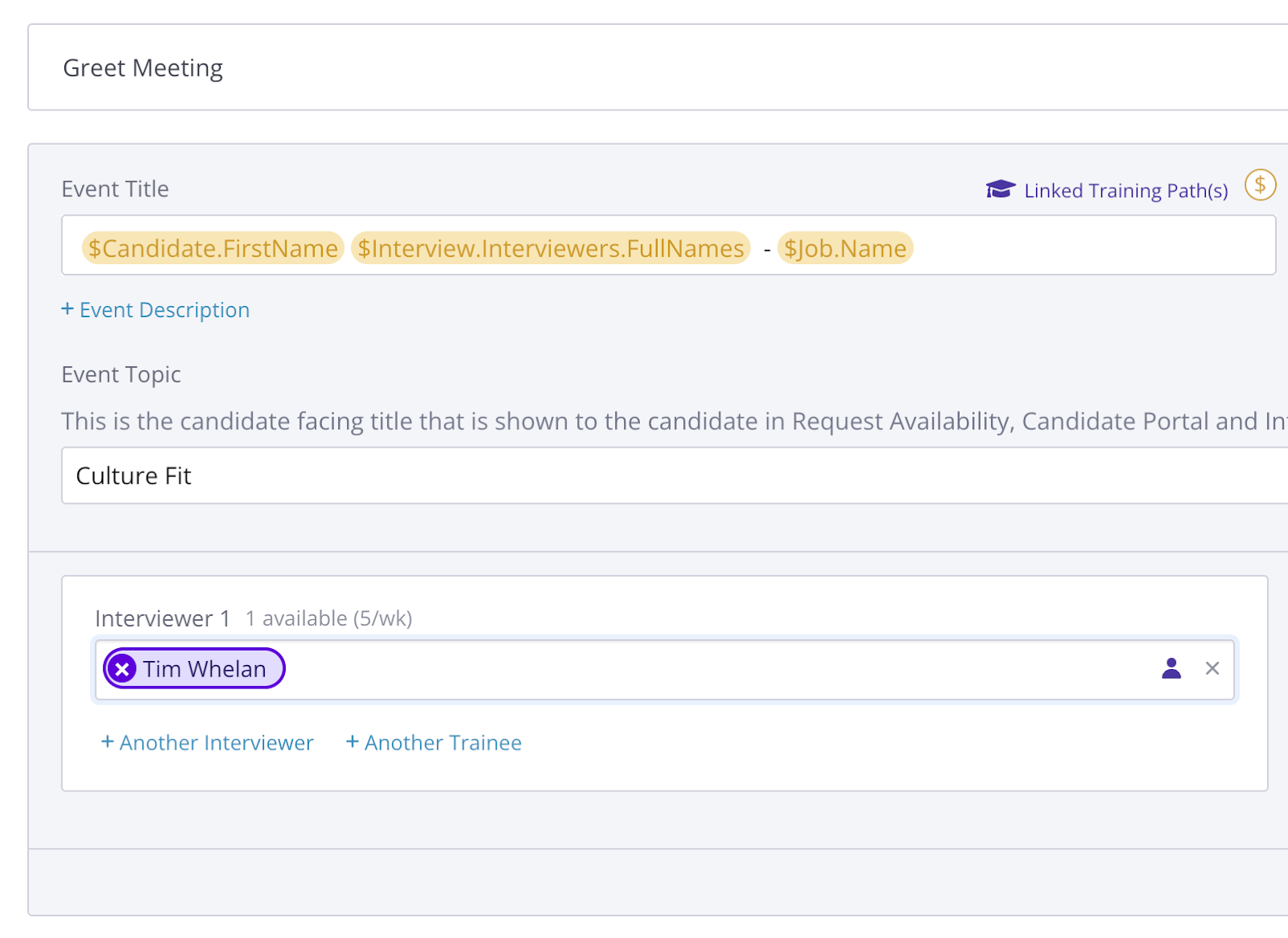
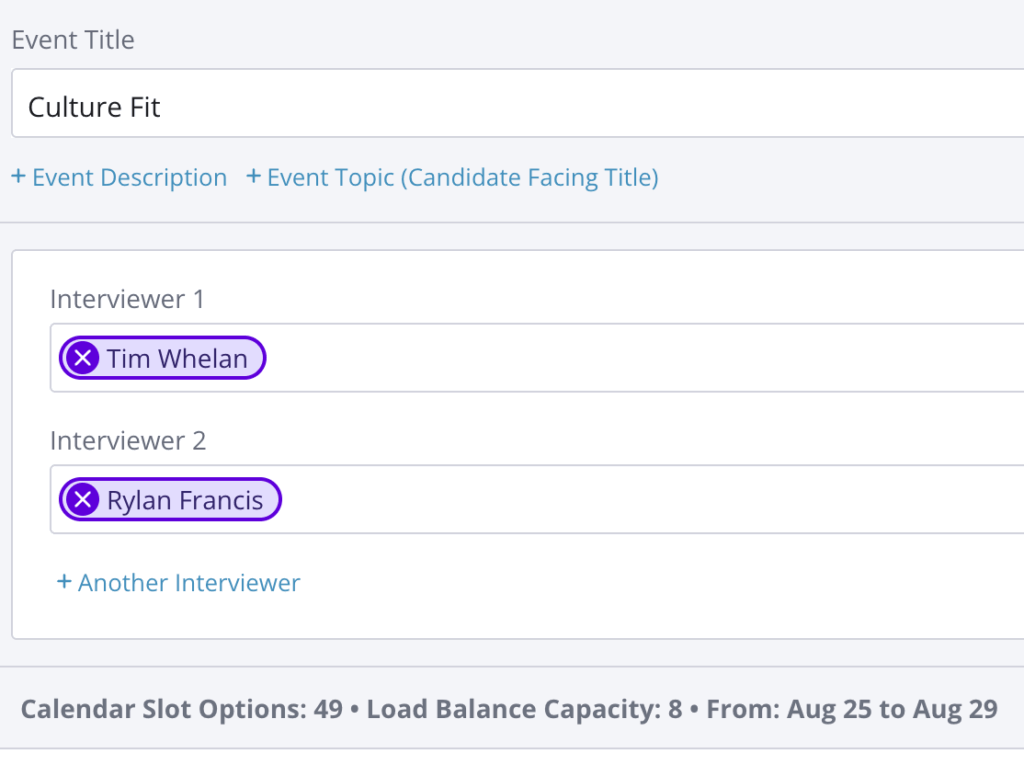
Improved Interface for Event Topics

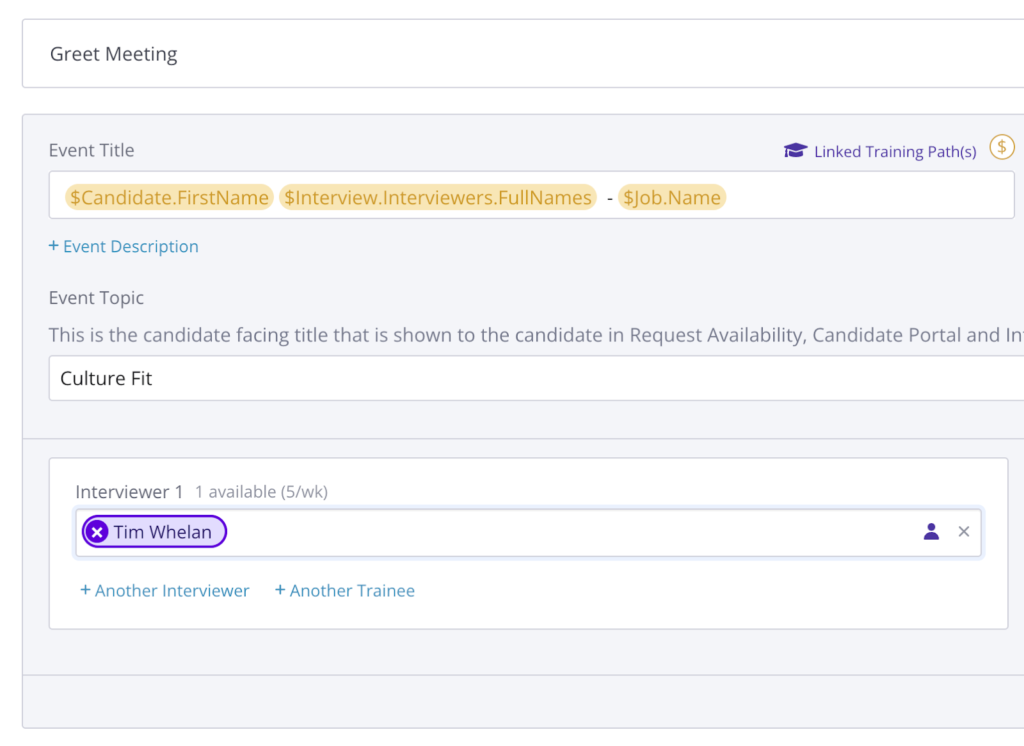
We have made it easier than ever to add or adjust the candidate-facing event titles (aka $event.topic) in your interview templates.

Why this is awesome: Event Topics are used in Request Availability, Candidate Portal, candidate itineraries and calendar events. Setting them up helps candidates have the best experience possible.

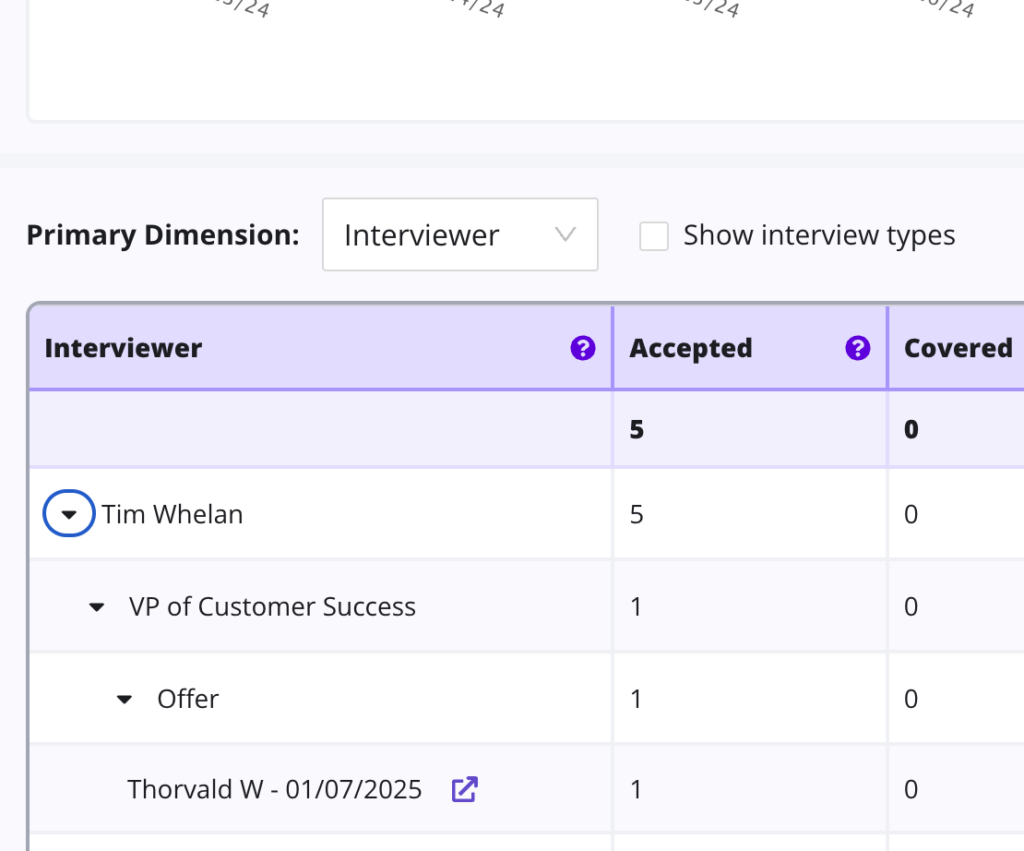
Interview Level Detail on Core Reports

Last month we introduced the ability to drill down the Cancelation & Reschedule Reasons Report to each specific interview and immediately it was requested for other reports in Data & Insights. Today we can announce it’s available in all core reports!

Why this is awesome: Being able to see the exact interviews that build up the data helps to both explain the aggregate sums at a macro level, but also improve issues on a micro level.

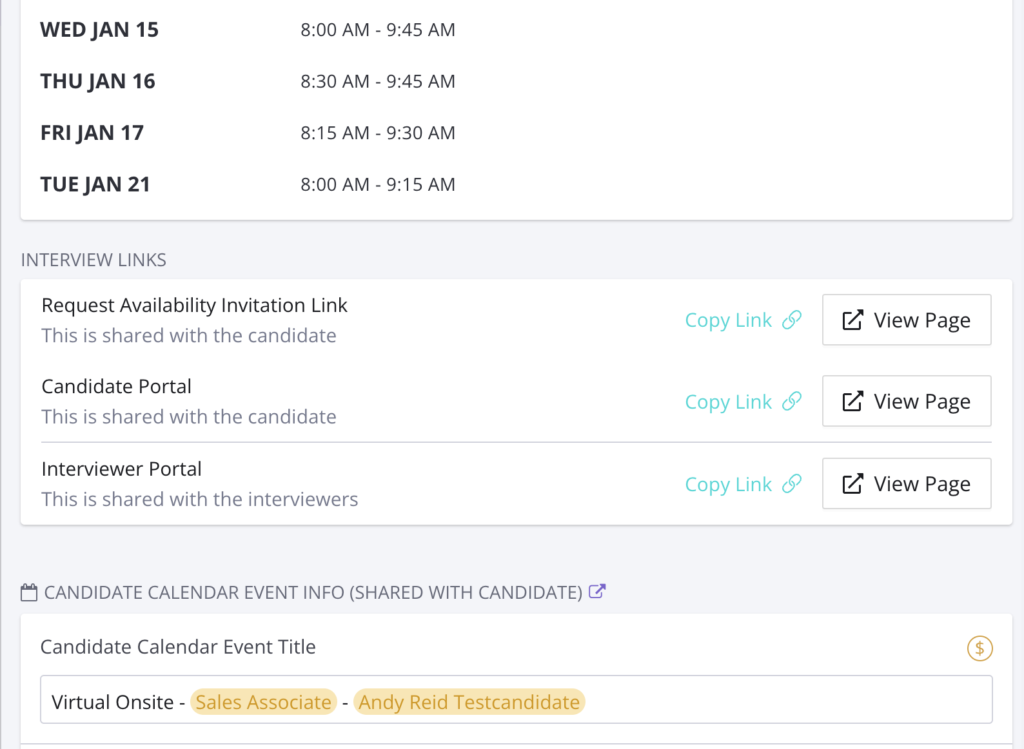
The interview drawer has been updated to include an easy access link to the Interviewer Portal as well as improved handling of the Request Availability & Candidate Portal links.

Why this is awesome: This simple but effective update makes it saves you time in accessing crucial information and increases your ability to quality check what your candidates and interviewers are experiencing.

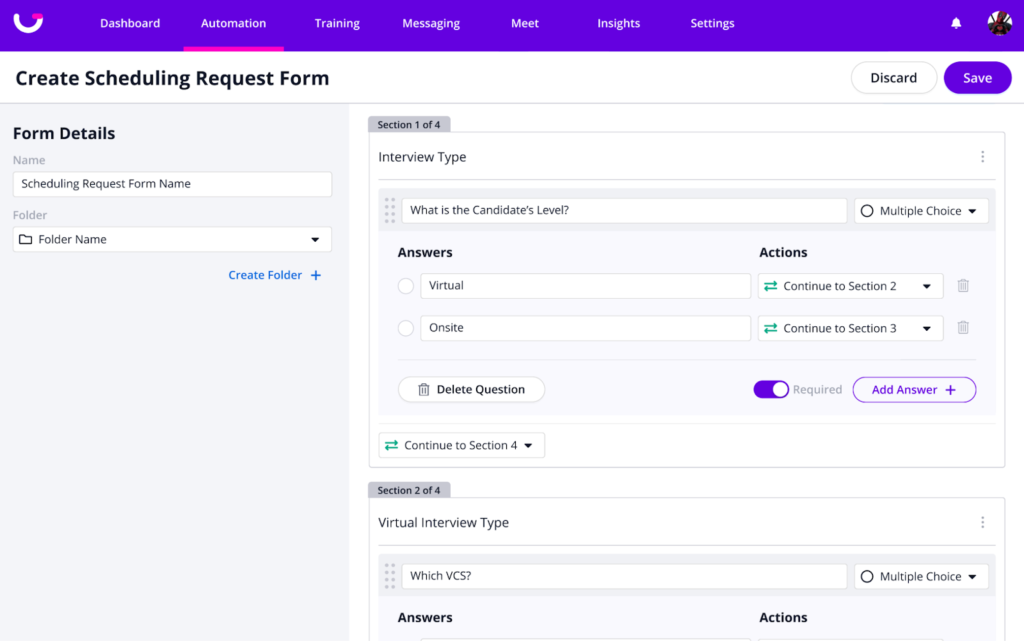
Logic to Request Forms

Create sections to display different sets of questions based on previously answered questions.

Why this is awesome: Add advanced logic to your scheduling request forms.  This allows you to have a robust form that changes questions/answers based on the inputs from recruiters!

Start using the latest GoodTime features!

We want to help you evolve and take full advantage of the latest upgrades and improvements to our platform. Check out the GoodTime support center for tutorials and tips to help you stress less and get more done!
GoodTime Product Updates: What’s New from December 2024

As we wrap up the year, GoodTime continues to redefine what exceptional hiring looks like. This month, we’re thrilled to unveil enhancements that further empower talent teams to work smarter, not harder. From groundbreaking AI features to tools that make the hiring journey more engaging for candidates and teams alike, our latest updates are designed to help you hire faster, better, and with greater confidence. Dive in to explore how these innovations can transform your hiring strategy.

  • The Teams Page has been overhauled with capacity information, sorting and temporary load limits and inactive statuses.
  • Multi-day interviews on hold can now be confirmed in one fell swoop.
  • The Reschedule & Cancelation Reasons Report can now drill down to specific interviews, including the candidate name and date.
  • Scorecards have been enhanced with a settings page to control access, reminders & submission notifications.
  • Superdays have been enhanced with the ability to schedule specific slots, reschedule right on the grid, and export .csv for real-time data.all without leaving your ATS

And that’s not all, so let’s get into it! As always you can watch our full product updates webinar below or scroll for the TL;DR.

Watch the December 2024 GoodTime product updates webinar or keep scrolling for highlights

Teams Page 2.0

GoodTime Teams Page

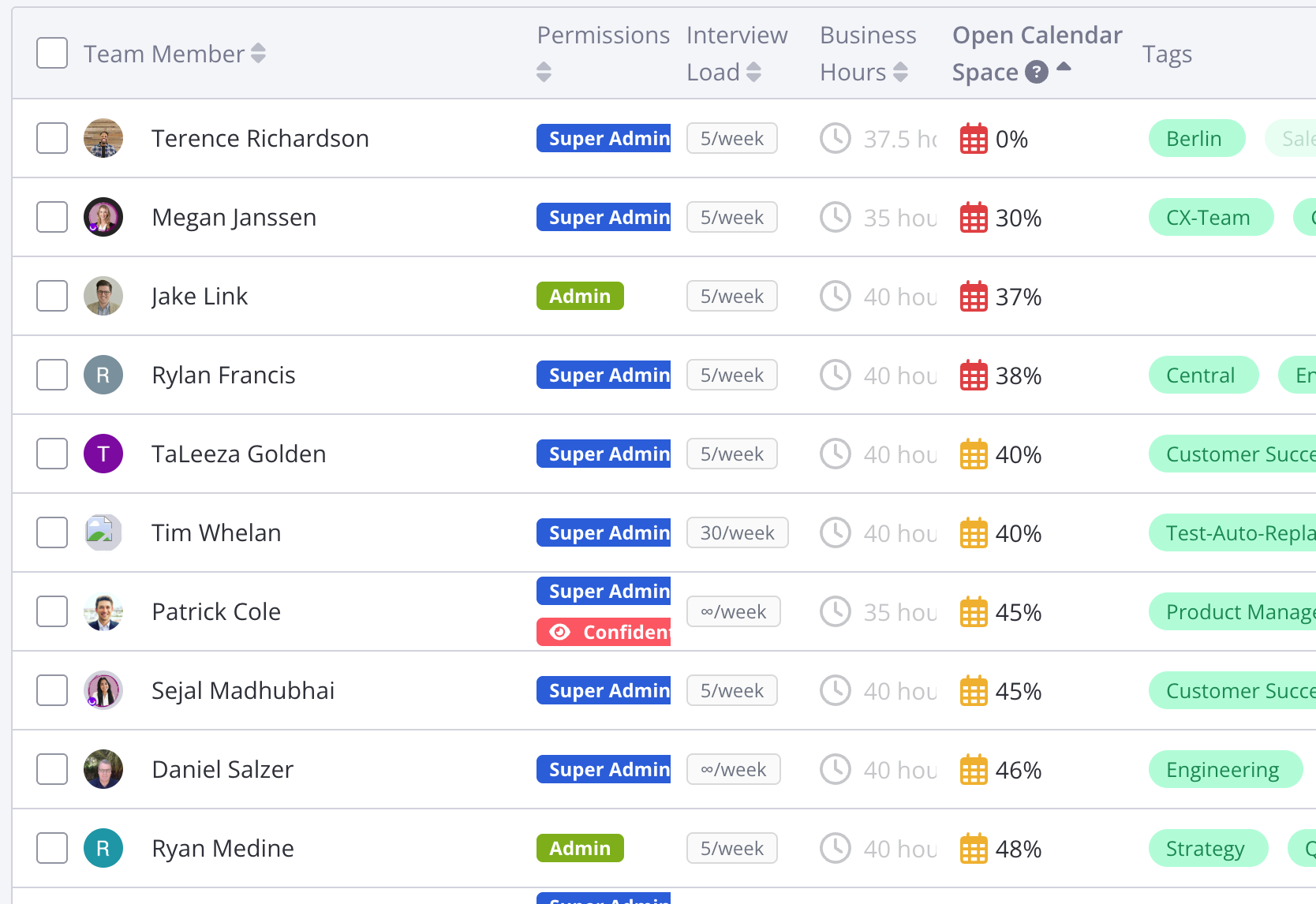
The Teams page in Settings has been revamped with sorting, business hours per week and time-limited inactive status as well as temporary load limits.
Why this is awesome: Sorting lets you find bottlenecks faster and expiring load limits & inactive status reduces mistakes and admin time.

Single Confirmation For Multi-Day Interviews

Multi-day interview confirmation

Now you can confirm all interviews within a multi-day loop in a single step.

Why this is awesome: This enhancement reduces the number of communications to candidates and saves you time when confirming multi-day interviews.

Interview Level Data in Cancelation & Reschedule Reasons Report

GoodTime is excited to announce that you can now drill this critical report down to the specific interview and enjoy a hyperlink straight to the interview drawer for more info.

Why this is awesome: See the exact data points that build your insights and take action to improve your overall scheduling process.

Scorecard Settings

GoodTime scorecard settings

Scorecard settings are now available to control scorecard access, reminder frequency, and submission notifications.

Why this is awesome: Whether you’re using GoodTime Scorecards or integrating the Scorecard Notetaker with your ATS, these new settings will allow you to customize the scorecard process as well as increase and expedite submissions.

Multi Job Support for Superdays

Superday multi job support

You can now select multiple jobs to assign to your Superdays to schedule with candidates across multiple jobs.

Why this is awesome: No more cloning Superdays, schedule all your candidates inside of one workflow

Superdays Rescheduling Workflow

Superdays rescheduling flow

We’re excited to announce you can now schedule candidates for specific slots, reschedule candidates to separate slots, and cancel specific interviews.

Why this is awesome: Schedule candidates in the exact group and slot you want to, or use the same workflow to reschedule, all without leaving the Superdays application.

Superdays Export to .CSV

Superdays csv export

You can now export your Superdays event data to a .csv to review in Excel and Google Sheets.

Why this is awesome: Real-time access to all your Superday and Interview data including candidates, interviewers, and more!

Start using the latest GoodTime features!

We want to help you evolve and take full advantage of the latest upgrades and improvements to our platform. Check out the GoodTime support center for tutorials and tips to help you stress less and get more done!
GoodTime Product Updates: What’s New from November 2024

As the year winds down, the pace of innovation at GoodTime isn’t slowing one bit. Our latest updates focus on enhancing flexibility, improving collaboration, and delivering deeper insights to keep your hiring workflows seamless. Whether you’re navigating complex rescheduling needs, looking for richer analytics, or boosting team efficiency, this month’s updates have something for everyone.

  • Events can now be rescheduled to other existing interviews, and completely new interviews. This new flow reduces admin, collects better rescheduling reasons and shows a better paper trail of event changes.
  • Cancellation & Reschedule Reasons report has been revamped and expanded to include Decline data. This will help understand why interviews require rescheduling and adjust for optimal interviewer planning.
  • Decline Reasons can now be provided in free text when selecting “Other” for the ultimate granularity in Decline data.
  • Searching for candidates and interviews is now multitudes faster, more flexible, and provides more information – all at the same time. Save time by finding your results faster and picking the right interview more often.
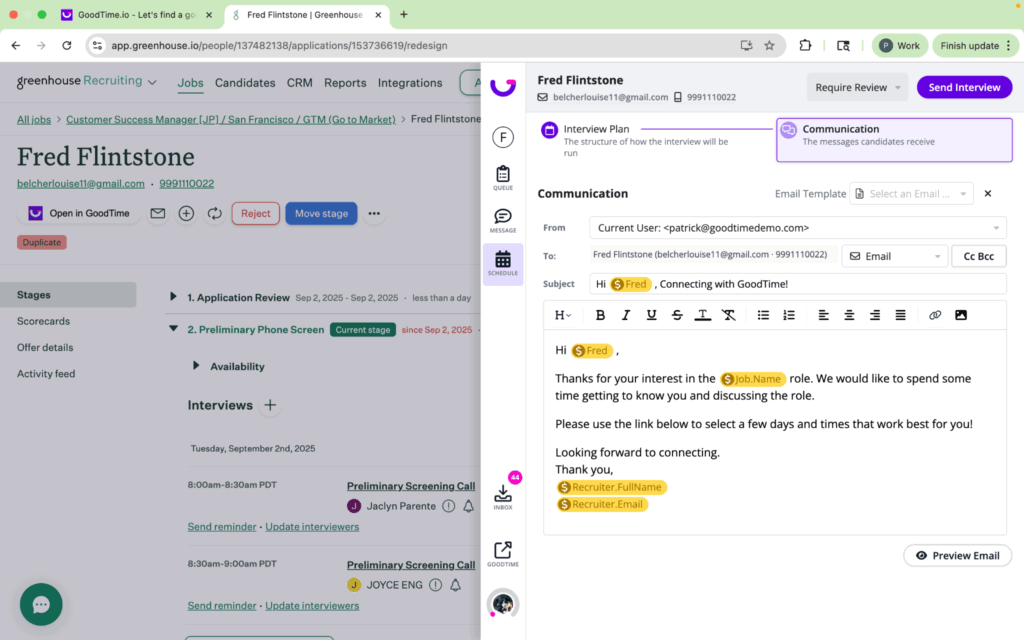
  • Our New GoodTime Chrome Extension provides you with up-to-date candidate & interview information while taking action like messaging or queueing, all without leaving your ATS

And that’s not all, so let’s get into it! As always you can watch our full product updates webinar below or scroll for the TL;DR.

Watch the November 2024 GoodTime product updates webinar or keep scrolling for highlights

Rescheduling events

We are thrilled to announce that you can now simply reschedule individual events with three awesome flows. Add to another interview, search for options or pick the exact time you want.

Why this is awesome: This saves time by reducing steps, eliminates mistakes and makes the necessary communications clearer.

Revamped “Reasons” report

The former Cancellation & Reschedule Reasons report has been revamped with an easier-to-read interface and added Interviewer Decline reasons. It can also be sliced by Department, Job, and Coordinator.

Why this is awesome: This highly popular report is now more granular than ever and includes more data than before. For the first time, you can now dissect the reasons why interviewers are declining.

The main search bar in GoodTime’s Dashboard has been completely rebuilt to make it faster, more flexible, and contain more information than ever before.

Why this is awesome: This improvement saves enormous amounts of accumulated time through faster results and makes it more likely to find the right candidate on the first try.

See Candidate Details from your ATS

Now on candidate pages across all ATS, you will see a GoodTime logo which allows you to quickly see details about the candidate’s interviews.

Why this is awesome: In one button click you can see information such as if the candidate has opened their email(s), see if you’re waiting for interviewers to schedule an interview, or see the details of the candidate’s interview.

Queue candidates from your ATS

After reviewing a candidate and scorecard details, you can queue candidates to be scheduled right from your ATS.

Why this is awesome: Choose things such as priority reason, input availability, and use handoff templates to get your candidate scheduled as soon as possible.

Send messages from your ATS

Our new extension allows you to quickly contact your candidates without leaving the ATS.

Why this is awesome: Quickly send text messages, emails, or WhatsApp messages directly to your candidate right from their candidate page. You can also send request to schedule invites over these communication channels as well.

Start using the latest GoodTime features!

We want to help you evolve and take full advantage of the latest upgrades and improvements to our platform. Check out the GoodTime support center for tutorials and tips to help you stress less and get more done!
GoodTime Product Updates: What’s New from October 2024

End of year slowdown? Not here! We’ve kept cranking out the features you’ve ben asking for and today we’re so excited to share:

  • Scorecard Submissions are now displayed in the Roundup area and generate email notifications with AI-based summaries to critical stakeholders
  • Workday Questionnaires are now supported in the GoodTime Notetaker, complete with AI summaries, grammar correction and auto-save
  • Our New GoodTime Chrome Extension provides you with up-to-date candidate & interview information while taking action like messaging or queueing, all without leaving your ATS
  • Generative AI for Candidate Availability allows you to copy and paste candidate availability and automatically update it in GoodTime
  • Interview Plan Handoff allows recruiters to recommend interview plans when queueing and allows coordinators to import that plan directly into their scheduling workflow

And that’s not all, so let’s get into it! As always you can watch our full product updates webinar below or scroll for the TL;DR.

Watch the October 2024 GoodTime product updates webinar or keep scrolling for highlights

Scorecard submission emails

GoodTime scorecard submission emails

Hiring Managers & Recruiters are now notified by email when a scorecard has been submitted. When all scorecards are submitted, an easy-to-read AI summary is included straight into the email for fast & easy assessment.

Why this is awesome: Immediate notifications enable you to act fast on the sharpest talent without requiring multiple system accesses.

Workday questionnaires in GoodTime Notetaker

GoodTime Notetaker

Our Notetaker now allows Workday Questionnaires to be filled out, polished, and AI-summarized in GoodTime, and it’s all baked into the Interviewer Portal.

Why this is awesome: A one-stop shop for interviewers means faster submissions while AI boosts the quality and quantity of submissions.

Enhanced decline and reschedule reasons flow

GoodTime rescheduling reasons

GoodTime now asks for Interviewer Decline reasons when replacing a declined interviewer and a Reschedule Reason when moving an event.

Why this is awesome: More data captured on time spent administering interviews, empowers you to tighten up the hiring process where time is wasted.

New GoodTime Chrome extension

We’ve overhauled our Chrome Extension to allow every user to see candidate details, queue interview requests, and message candidates!

Why this is awesome: Whether you are in your ATS or other webpages, you can quickly review candidate status or queue interviews without leaving your workflow.

Generative AI for candidate availability

Generative AI for candidate availability

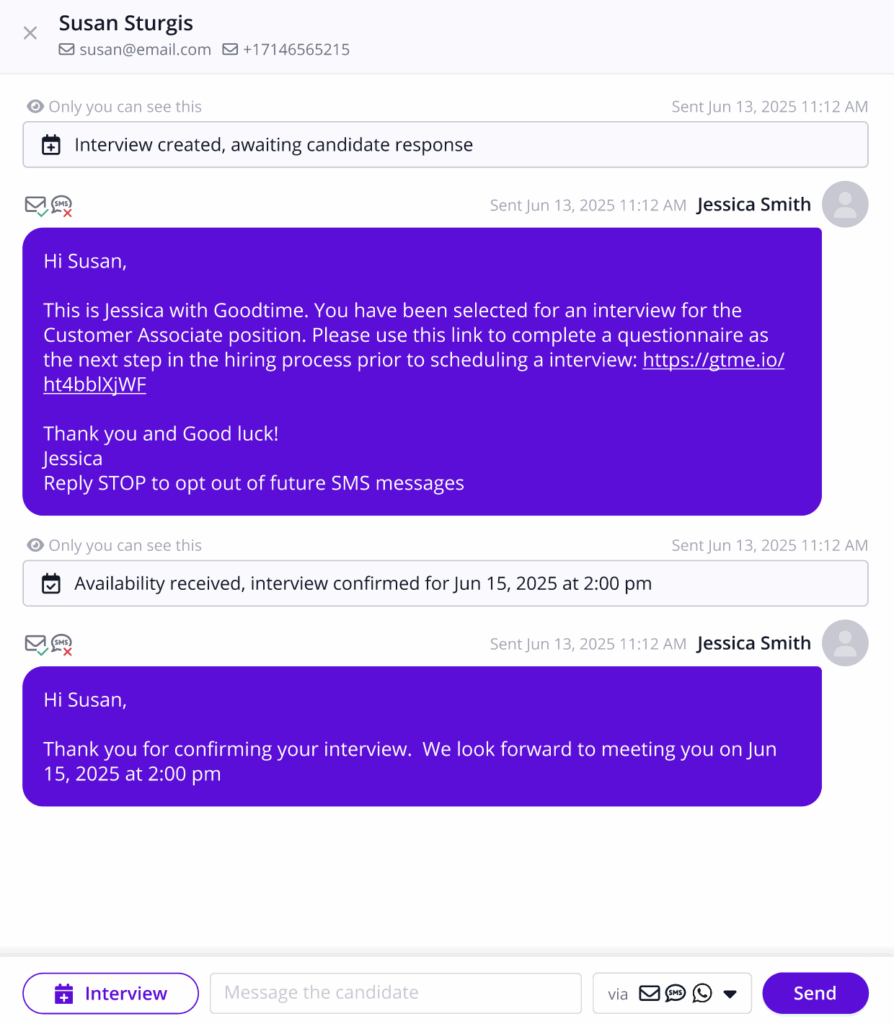
Everyone can now leverage the power of AI when inputting candidate availability! Copy and paste from sources or use contextual writing to have the availability automatically show in GoodTime.

Why this is awesome: No more manually inputting availability — just copy and paste to have availability automatically appear!

Interview Plan Handoff

Recruiters can now recommend interview plans when queueing interviews to the RC team! This makes the handoff process a breeze while allowing the coordination team to import that plan directly into their scheduling workflow

Why this is awesome: No more manually inputting interviewers or asking which interviewer did the recruiter mean!

Other notable enhancements

More Cancelation Reasons

Cancelation Reasons have been expanded to include “Candidate Has Different Career Goals”, “Would Prefer Different Role” and “Unable to move to location”.

Slack Integration Enhancements

– The resume variable $Candidate.Resume.URL ack Channel creation now supports T to include a link in the resume in the welcome message

– Video conference variables are now supported in the Channel Creation welcome messages

– For Slack Channels, multiple notifications are now supported when modifying the interview. Rescheduling, swapping out interviewers, removing/adding events, and changing event times now automatically update the Slack channel with the relevant information about the interview

– When rescheduling or editing interviews, if interviewers are adjusted GoodTime automatically adds the new interviewers to the Slack channel

– When a roundup is scheduled on an interview with a Slack channel, a notification is delivered to the channel indicating a roundup has been scheduled with the date/time

– Support more notifications over Slack including when a candidate sends an email or message via the messenger and also when a candidate submits availability and enters Pending Review status

– Users have the ability to not opt in/out of Slack notifications including receiving candidate messages, receiving candidate availability, when tagged in a note, and when queued to an interview

Start using the latest GoodTime features!

We want to help you evolve and take full advantage of the latest upgrades and improvements to our platform. Check out the GoodTime support center for tutorials and tips to help you stress less and get more done!
GoodTime Product Updates: What’s New from September 2024

September brought a major leap forward with your rollout of Experience+, and now we’re introducing more highly anticipated features you won’t want to miss, like:

  • Scorecard Summaries – Summarizes multiple scorecards so Hiring Managers and TA teams can quickly review all feedback in one place, improving efficiency and accuracy.
  • Interviewer Decline Reasons – Available on Interviewer Portal allowing interviewers to submit their own decline reasons.
  • Interviewer Surveys – Create custom surveys to assess and enhance the interviewer experience.
  • Pulse in Candidate Portal – Increase submission rates and gather Pulse NPS faster, so you can effectively measure candidate satisfaction at every step of the process.
  • Messaging in Candidate Portal – Help candidates get immediate answers and reach the right person on your hiring team.

And that’s not all, so let’s get into it! As always you can watch our full product updates webinar below or scroll for the TL;DR.

Watch the September 2024 GoodTime product updates webinar or keep scrolling for highlights

Scorecard Summaries

GoodTime scorecard summaries

Scorecards submitted through the Scorecard Notetaker are now neatly grouped and summarized for Hiring Managers and TA leaders alike.

Why this is awesome: Accurately assessing scorecard results is faster & more efficient which means you can make more accurate assessments, for more candidates which leads to better hires!

Interviewer Decline Reasons

Interviewer decline reasons

Interviewers can now provide a reason for declining interviews when using the Interviewer Portal.

Why this is awesome: Not all declines are created equal. This data sheds light on why declines and the subsequent administration is occurring. The ability for interviewers to do this themselves also saves RC’s time from chasing and logging this critical metric.

Interviewer Surveys

GoodTime interviewer Surveys

Earlier this year, GoodTime launched Custom Surveys for candidates. The same surveying capabilities have now been extended to Interviewers.

Why this is awesome: Candidate Experience has long been name of the game but healthy TA orgs are equally adamant about a great Interviewer Experience. Interviewer Surveys is the fastest and most structured way to understand how your interviewers are fairing through the hiring processes and how it can be optimized.

Pulse in Candidate Portal

Candidate Pulse in GoodTime's Candidate Portal

As part of the Experience+ package, the Candidate Portal is beefed up by enabling candidates to submit a Pulse Score as soon as their interview has ended.

Why this is awesome: For data to tell a story, volume is key. Increased Pulse score submissions create a better candidate experience and increase the ability to find bottlenecks in the hiring process.

Messaging in Candidate Portal

Messaging in candidate portal

Candidates and recruiting teams can now communicate on the Candidate Portal! Send messages back and forth and help candidates get questions answered in real-time.

Why this is awesome: Candidates can send messages directly through the Candidate Portal with anyone on the recruiting team able to respond through the Shared Candidate Inbox.

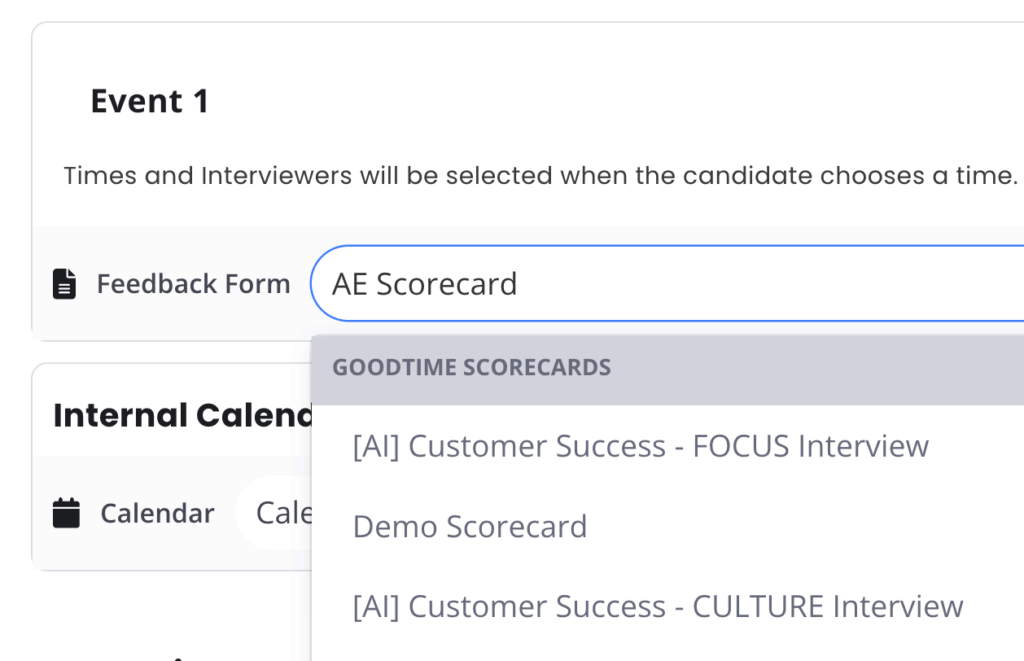
Handoff Interview Settings

Handoff interview settings

Customize the data collected on each interview and see statuses reflected on the dashboard.

Why this is awesome: Collect the reason a candidate is high priority along with if a roundup/debrief is needed after the interview is complete.

Import Interview Plan (Greenhouse)

GoodTime Greenhouse import interview plan

Greenhouse Customers can sync the interview plan directly into GoodTime!

Why this is awesome: You can sync the interview plan when you are creating an interview template, scheduling an interview, or queueing an interview to assign to another team members.

Other notable enhancements

Improved Summary Speed for Resumes in Interviewer Portal

When the Interviewer Portal is opened before resume summary has been completed, the summary is triggered instantly.

Improved Tag Picking Logic

The logic by which interviewers are selected from very large tags has been improved to increase more randomization and a longer lookback of interviewer history.

Superday Enhancements

Email Previews for Request Availability and Confirmation Emails

Improved Filtering/Searching on the candidate selection screen

Send on behalf of other team members now supported

Can now favorite Superdays to see them at the top of the screen

Can now schedule Superday requests to go out in the future at a specific time

Slack Integration Enhancements

Changing interviewers before a channel is created updates the members who are added to the channel

Variables such as candidate resume and VCS links can now be added to the welcome message

Multiday interview support now includes all interviewers across the days and the itinerary accurately supports the full interview

Notifications when a candidate sends a message or submits availability 

Channel notifications when an interview is canceled, rescheduled, or interviewers are changed

Start using the latest GoodTime features!

We want to help you evolve and take full advantage of the latest upgrades and improvements to our platform. Check out the GoodTime support center for tutorials and tips to help you stress less and get more done!
GoodTime Product Updates: What’s New from August 2024

August was huge for GoodTime! With the launch of Experience+, we’re introducing more highly anticipated features than ever to help you elevate your entire hiring experience.

  • Scorecard Notetaker sneak peak. Stop chasing down interviewers to fill out their scorecards by making filling out candidate feedback a breeze
  • Interviewer Portal coming to Lever. Interviewers can prep for interviews in less than 5 minutes to come fully prepared
  • Event Counter in Data & Insights. Now you can track your team’s contributions granularly down to the event level
  • Our new Recruiter to RC Handoff (Queue 2.0) allows teams to create and assign coordinator groups, customize and use handoff forms, and pick up interviews right from the dashboard!

Let’s dive in!

Watch the August 2024 GoodTime product updates webinar or keep scrolling for highlights

Scorecard Notetaker

Scorecards in GoodTime

The GoodTime Scorecard Notetaker is designed to be open and auto saving all your amazing notes taken during the interview, while summarizing and polishing through the use of AI.

Why this is awesome: Faster scorecard submission. Better scorecard insights. Easier scorecard evaluation. This all leads to better quality hires and a great interviewer experience.

Interviewer Portal: Now with Lever support

Interviewer portal

The Interviewer Portal has been a growing essential tool to get interviewers organized for interviews in 2 minutes. This awesome feature is now compatible with Lever.

Why this is awesome: Lever customers can now enjoy having more prepared interviewers who conduct better interviews which leads to a better Experience for candidates and interviewers.

Events In Recruiting Leaderboard

The most popular report in Insights and has now been expanded to include more granular data and now includes the number of events each RC schedules.

Why this is awesome: Being able to track the number of interviews and events opens up a new dimension of how productive RC’s are and the root cause of perceived bottlenecks.

Scheduling Request Forms

scheduling request forms in GoodTime

Create and use customized handoff forms when queueing interviews. Create questions and answers to have recruiters fill out when requesting scheduling so the coordination team has all the information needed.

Why this is awesome: Automate the handoff process and collect information such as a roundup being needed, if the interview is virtual or onsite, the candidate level, and more!

Coordinator Groups

Companies can now create coordinator groups inside of GoodTime without needing to use email aliases. Create your group, assign the users, and pick an emoji or upload an image for your group to show on the dashboard

Why this is awesome:  GoodTime now natively supports coordinator groups. With groups you can now track SLAs and coordinator group data inside of our reports.

Unassigned Interviews

The new unassigned section helps teams to see interviews which have not been assigned to a specific coordinator. RCs can pick up interviews in a single click to assign to themselves from the dashboard.

Why this is awesome: We’ve updated our dashboard to allow for filtering of coordinator group and to track SLAs in the different statuses.

Other notable enhancements

Shared Reports Show Filters

Reports that are shared with other members now have a read only view of which filters have been applied to them.

Department Data Backfilled to Jan 1, 2024

Department dimensioned data was introduced this summer and has now been backfilled to the beginning of the year.

Brand Theme Improvements

The Brand Theme menu has been revamped, making it faster and easier to navigate to the correct one.

Improved Explanatory Texts for Insights

Recruiting Leaderboard and Interviewer Leaderboard have now been updated with texts explaining how they operate as well as links to help articles.

Hover For Name & Trainee Status on Interviewer Portal

Hovering your cursor over interviewers or trainees in the Interviewer Portal now shows the name, position, training path & progress (if applicable).

Workflow Automation Enhancements

Display the total amount of automations that have occurred this week, this month, and this year. Note that the data being tracked started from April 2024

Scheduling Link Enhancements

Greenhouse customers can now track the source e.g. Gem, LinkedIn, etc. when creating candidates using your scheduling link

Superdays Enhancements

  • Smartrecruiters customers can now filter by candidate tags and the Interview sub stage to quickly select the right candidates to schedule for
  • Superdays now sync all email communication back to the ATS
  • Can now schedule/send emails on behalf of teammates
  • Integration with Envoy to automatically create candidates for on-site events

Start using the latest GoodTime features!

We want to help you evolve and take full advantage of the latest upgrades and improvements to our platform. Check out the GoodTime support center for tutorials and tips to help you stress less and get more done!
GoodTime Product Updates: What’s New from July 2024

We’re back with a couple quick, but highly coveted updates for July!
  • Insights: Save and Share Reports makes sharing hiring data easy and transparent, with controlled access
  • Recruiter to RC Handoff (Queue 2.0) sneak peek of upcoming updates to queuing workflows
  • Plenty of enhancements and bug fixes!

Let’s dive in!

Watch the July 2024 GoodTime product updates webinar or keep scrolling for highlights

Saving and Sharing Reports

The Data & Insights module now supports saving reports with any setting possible as well as sharing with anybody in your organization.

Why this is awesome: The best reports often take some time & thought to set up. Saving them saves time and sharing them spreads the knowledge.

Slack integration enhancements

You now have the ability to automate Slack channel creation by adding this inside of the Interview Templates! We’ve also expanded our ability to send reminders to interviewers to accept/decline invites for all interviews, not just interviews on Hold.

Why this is awesome: Our Early Access customers have spoken and we’ve listened! More automation and more customization are now available with our new Slack integration.

Other notable enhancements

Improved handling for Request Availability and slow Internet connections

The RA flow now performs better when the candidate’s Internet connection is slow, particularly for mobile devices.

Upload Cost Center names for Workday

Now you can upload a mapping of cost center numbers and cost center names so that the Insight reports show the names rather than the less intuitive numbers only.

Total feschedules and updates for the Recruiting Leaderboard

In addition to showing the number of rescheduled and updated interviews, the Recruiting Leaderboard now also shows the total number of reschedules and updates.

“Exclude weekends” checkbox moved

This checkbox has been moved to the graph in order to make it more clear that only the graph is updated when the option is selected/deselected.

Ability to suppress Job Title from Candidate Portal

Now you can control whether or not the Candidate Portal shows the Job Title from the ATS or not.

High Volume Enhancements

  • Default event and sender to be the user when creating a new automated workflow
  • Sped up the performance when editing or saving an automated workflow
  • Display the amount of availability in the Interview template and inside of the workflows to proactive alert if there is low availability for the candidate to pick from
  • Added a deep link button that routes you to the candidate page in the ATS right from the messenger
  • More variables supported such as $Job.Name and $Recruiter.Name
  • Superdays now supports generating collaborative coding assessments

Scheduling Link Enhancements

When creating applications and candidates in Greenhouse, the source shows as GoodTime for tracking purposes.

Start using the latest GoodTime features!

We want to help you evolve and take full advantage of the latest upgrades and improvements to our platform. Check out the GoodTime support center for tutorials and tips to help you stress less and get more done!