GoodTime Product Updates: What’s New from April 2026

April brought a new set of product updates focused on improving efficiency, visibility, and AI-driven coordination across the hiring process. From enhanced training paths and smarter dashboard filtering to real-time AI assistant recommendations and continued stability improvements, these updates are designed to help teams move faster — with greater precision and reliability.

Whether you’re scaling interviewer training with more flexible paths, quickly filtering performance data across teams, improving scheduling accuracy with real-time AI recommendations, or relying on AI to manage queued interviews and streamline handoffs, these enhancements help reduce friction and keep hiring running smoothly.

Let’s dive into what’s new — and why it matters.

Watch the full April 2026 GoodTime product updates webinar or keep scrolling for highlights

Training Path Tag Assignment

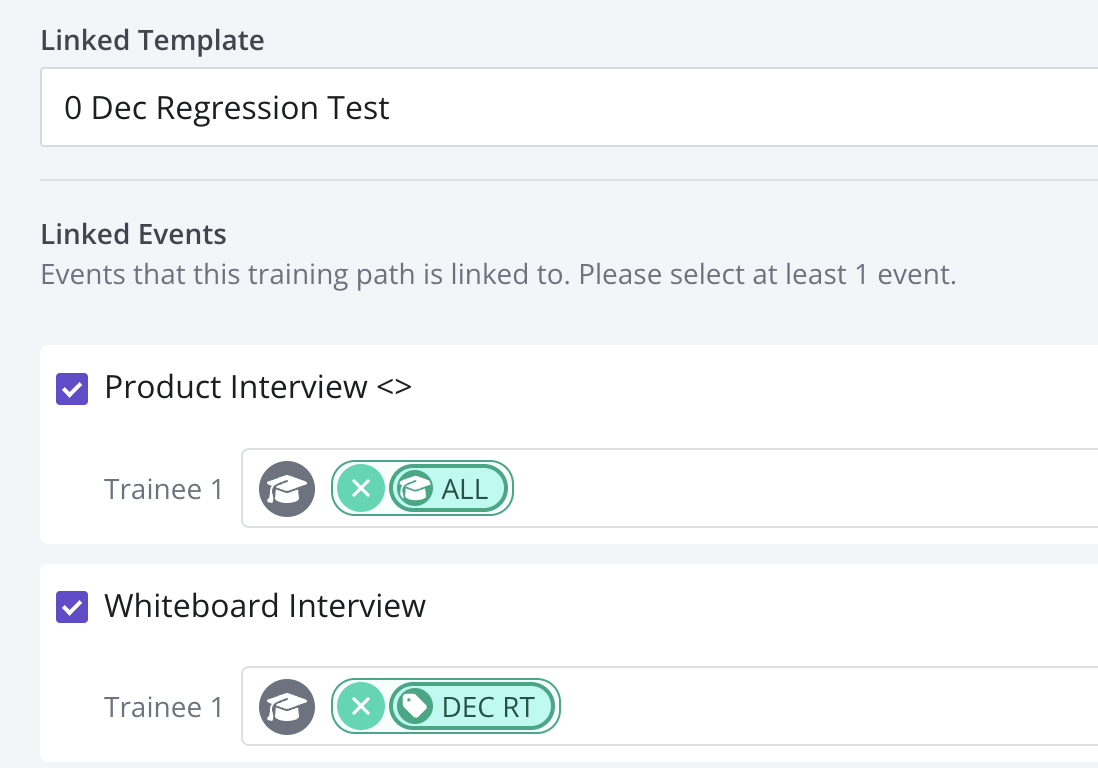
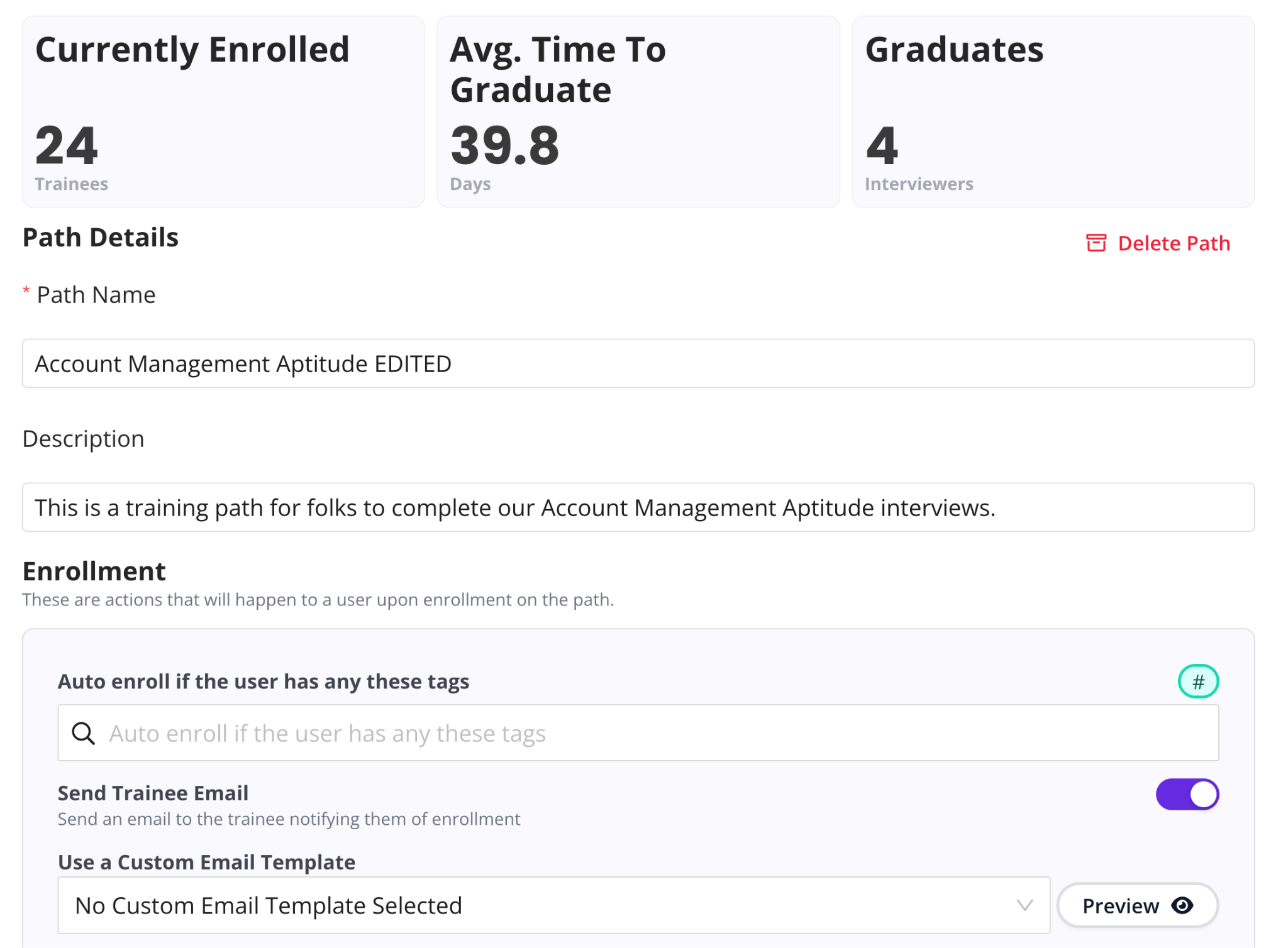
The Training Module is enhanced with fewer clicks and more automation so that when you create or edit a path, you can immediately specify which tags to pull trainees in from, straight from the path.

Why this is awesome: Less clicks, fewer tabs open, and automated tag suggestions → more trainees graduating faster!

Improved Dashboard Filtering

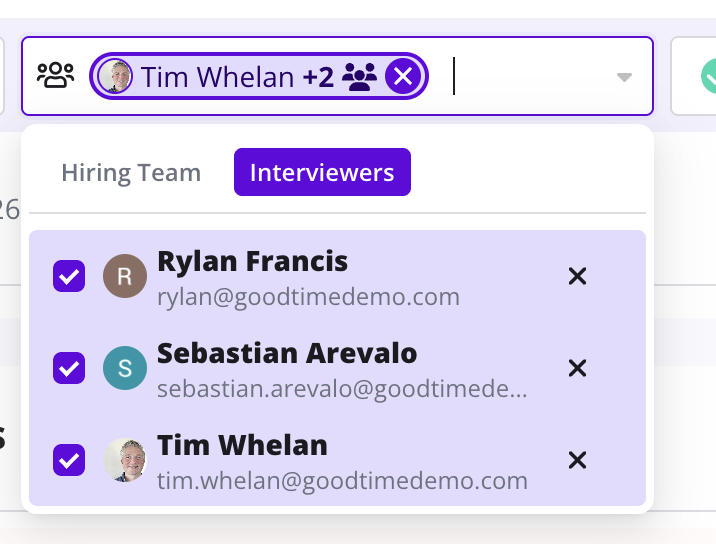
Filtering on the Dashboard has been empowered with a new and improved UI that also lets you filter by specific interviewer(s).

Why this is awesome: The ability to combine interviewer and hiring team filtering makes it all the possible to narrow down more granular interview lists and find specific interviews faster than ever.

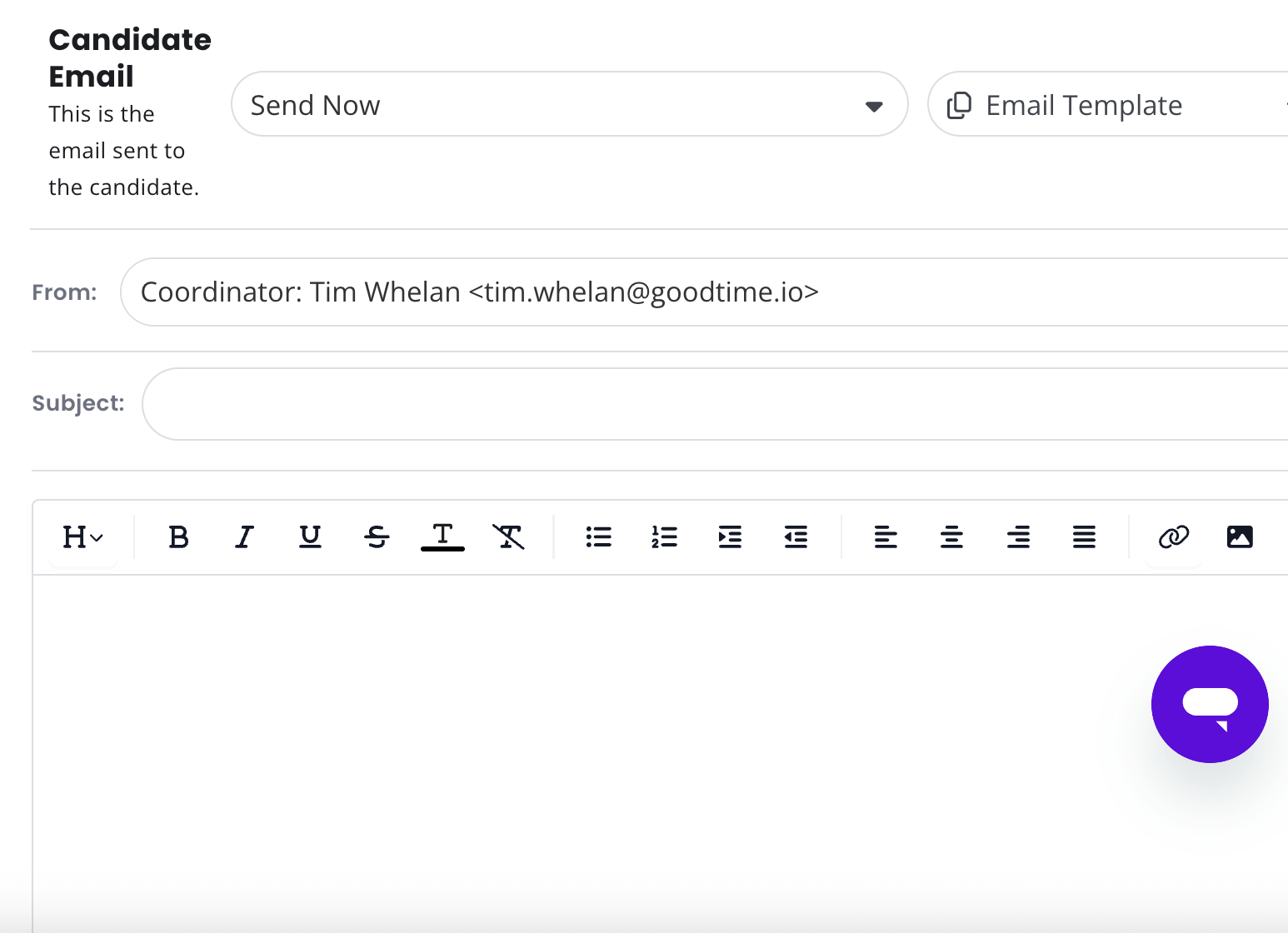
Optimized Confirmation Flow

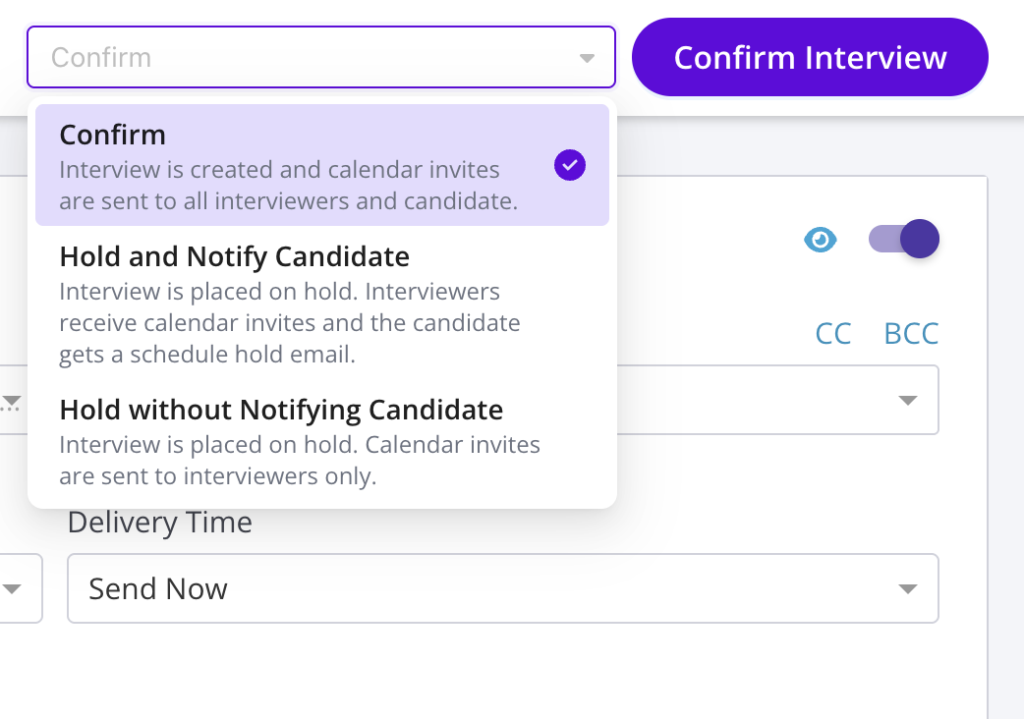
The Confirmation Page for confirming & holding interviews has been refreshed to support all respective email types. This new flow also makes it more clear and controlable what email is sent to candidates and when.

Why this is awesome: This further enhances automation and preconfigured templates so that fewer alterations have to be made and quality is better controlled..

AI Recommendations in Scheduling Workflow

Get real-time recommendations directly inside the scheduling flow, so you can act instantly without switching context.

Why this is awesome: Resolve issues and take action faster with guidance exactly where you’re already working.

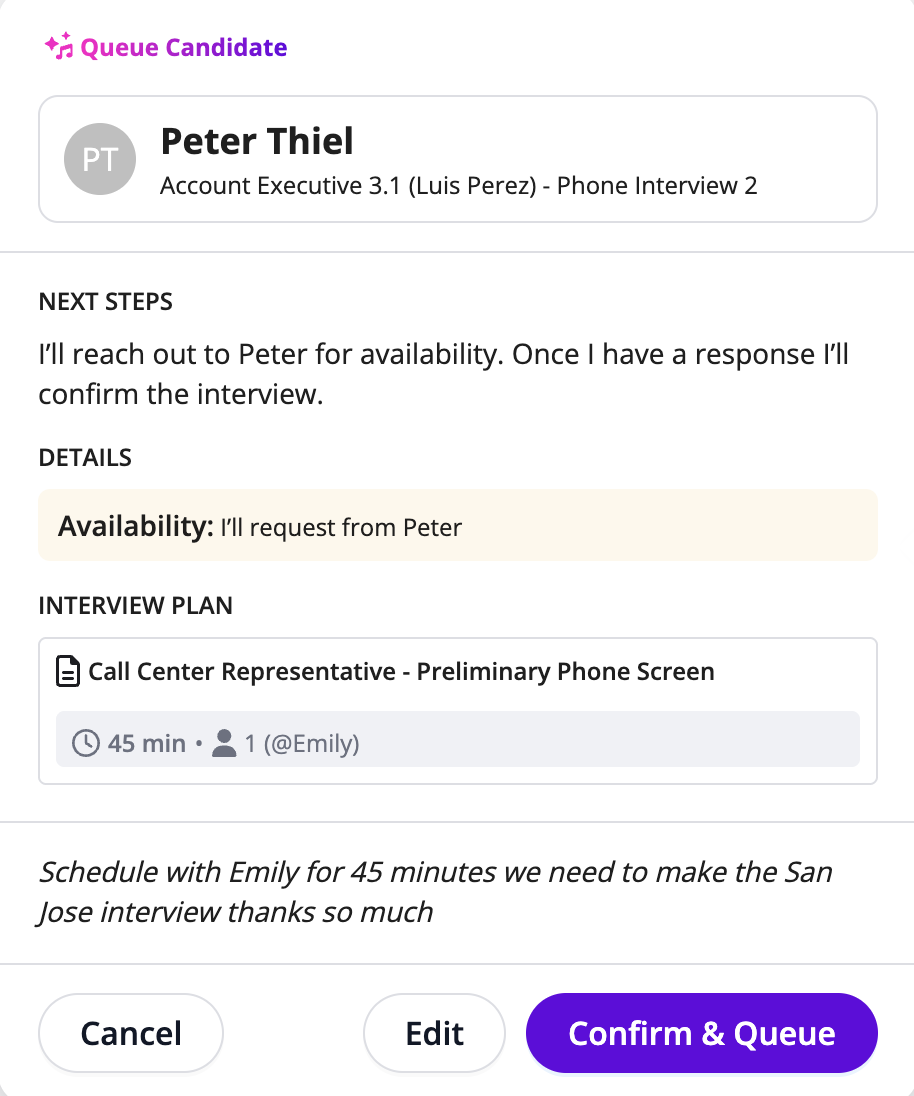
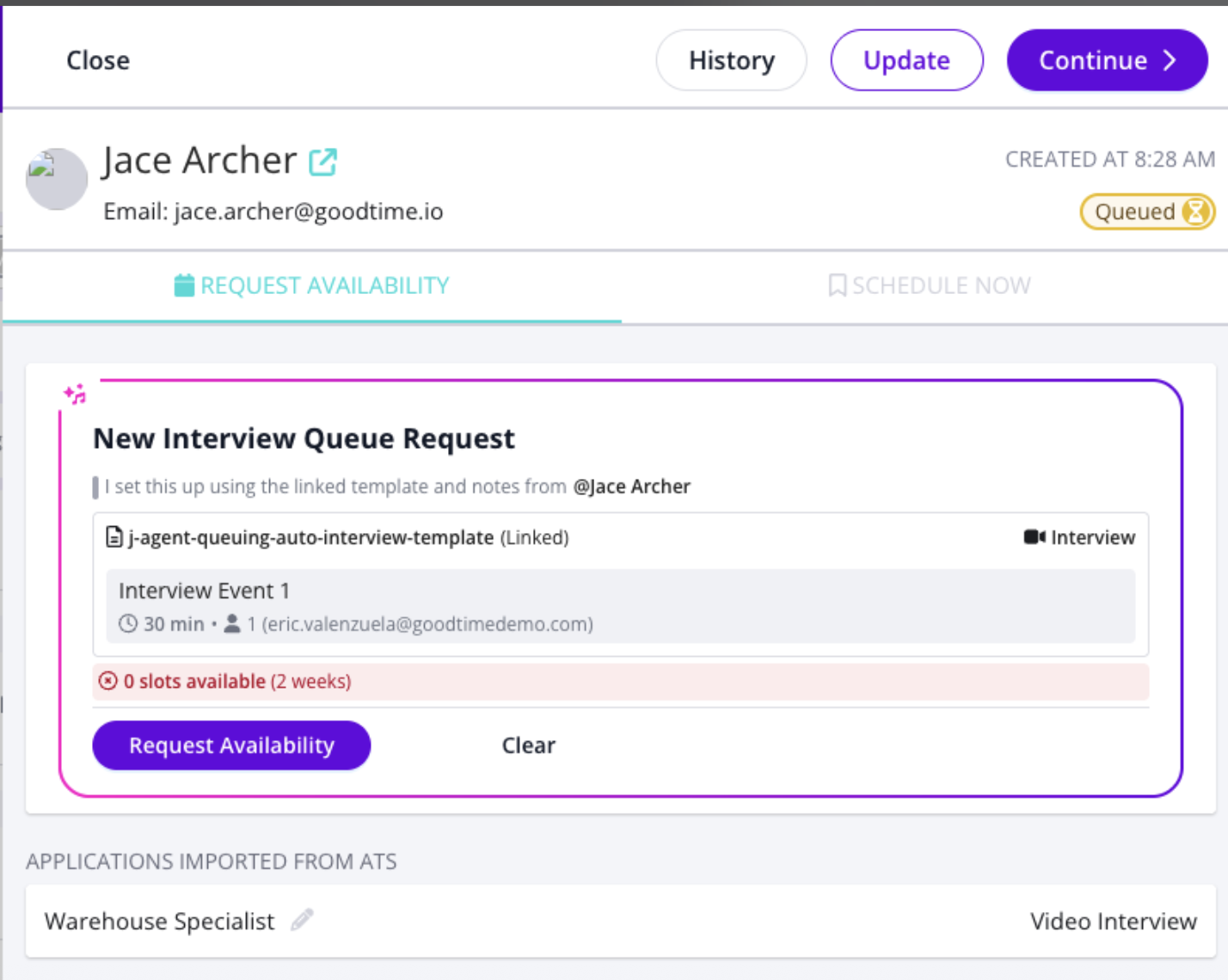
AI Interview Prep from Handoff Notes

Turn messy recruiter notes and scheduling requests into structured, ready-to-schedule interviews.

Why this is awesome: Eliminate manual cleanup and guesswork. Everything is prepared for you before you even start scheduling.

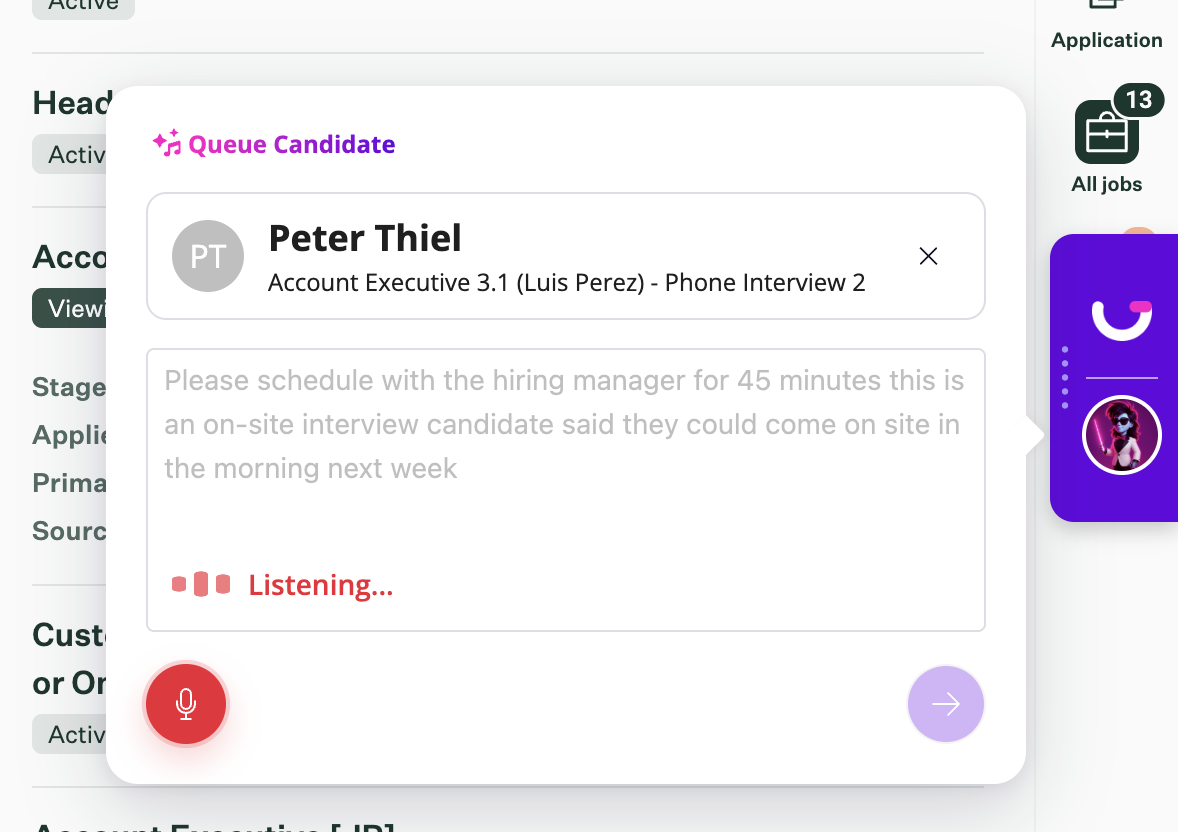
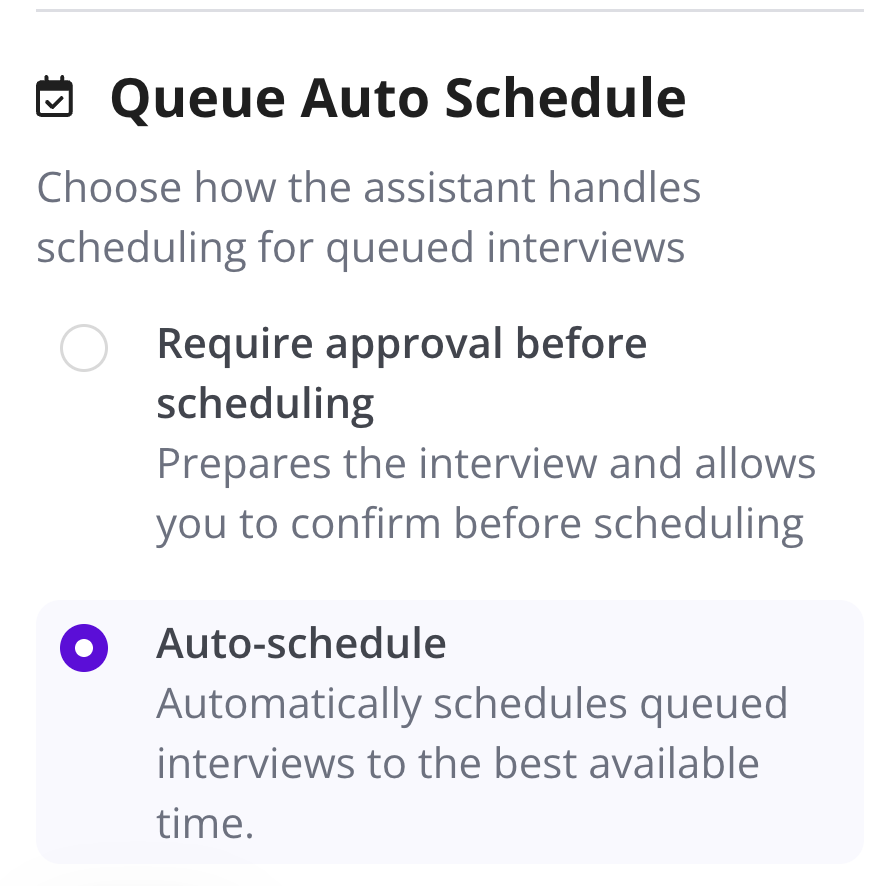
AI Scheduling from Queued Interviews

Automatically schedule low-risk, high-confidence interviews—no manual coordination required.

Why this is awesome: Go from queue -> confirmed in seconds, even when handoffs are incomplete or messy.

Start using the latest GoodTime features!

We want to help you evolve and take full advantage of the latest upgrades and improvements to our platform. Check out the GoodTime support center for tutorials and tips to help you stress less and get more done!
GoodTime Product Updates: What’s New from March 2026

March brought a focused set of product updates designed to give talent teams more control, better visibility, and smarter AI-driven coordination across the interview process. From enhanced interview logs and more flexible prep workflows to improved AI assistant rescheduling and greater transparency into AI actions, these updates are all about helping teams move faster — with more clarity and confidence.

Whether you’re tracking interview activity with deeper logs and communication visibility, standardizing interviewer and candidate prep through reusable templates, giving interviewers more control over how they’re notified, or relying on AI to intelligently reschedule interviews and clearly explain its decisions, these enhancements are built to reduce friction, increase trust, and keep hiring running smoothly.

Let’s dive into what’s new — and why it matters.

Watch the full March 2026 GoodTime product updates webinar or keep scrolling for highlights

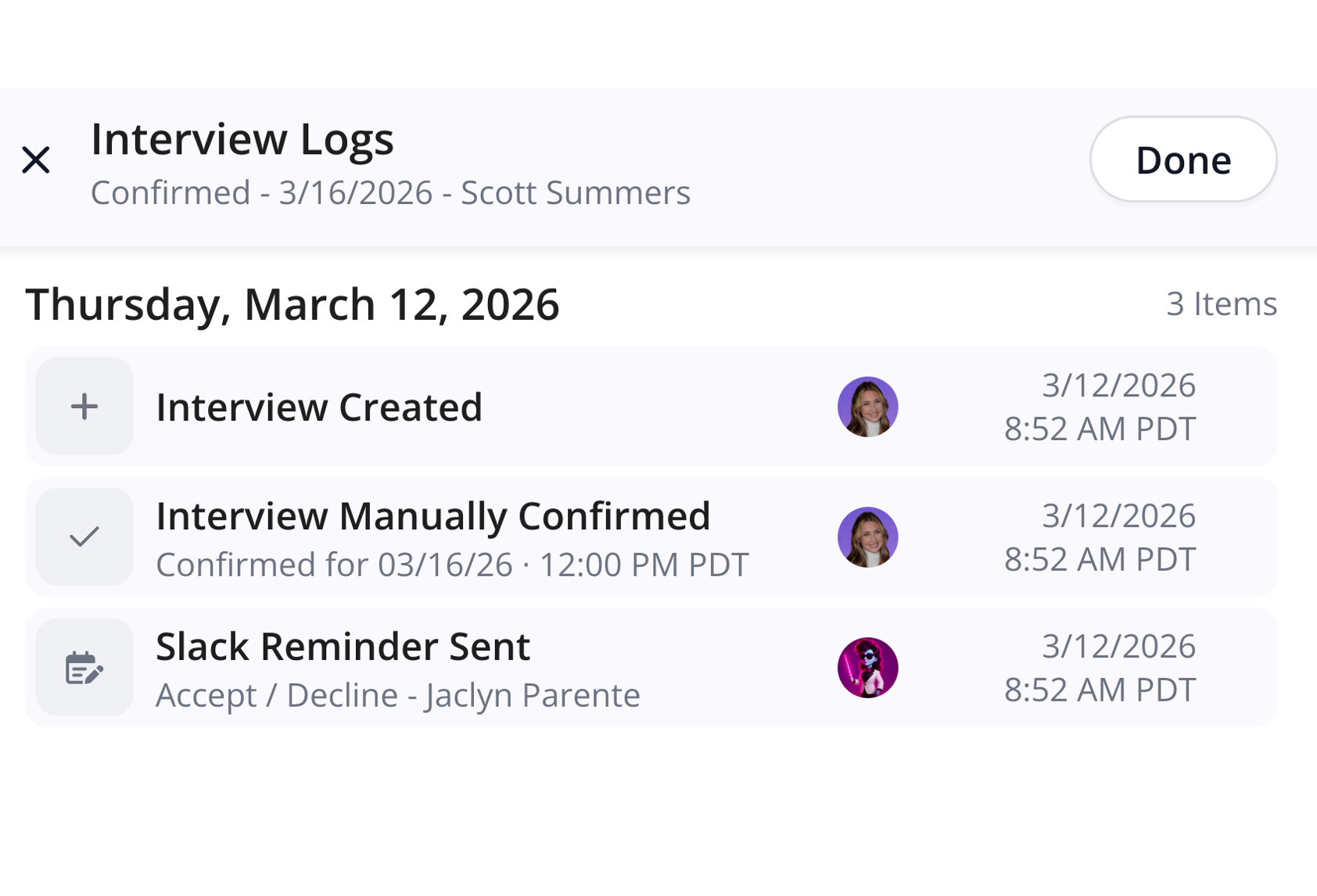
Chat Reminders in Interview Logs

Interview History has been enhanced to show logs of Slack & Teams reminders.

Why this is awesome: These logs help understand when and if interviewers have been reminded to add context on whether or not they have replied or the reminders are configured optimally for your interviews.

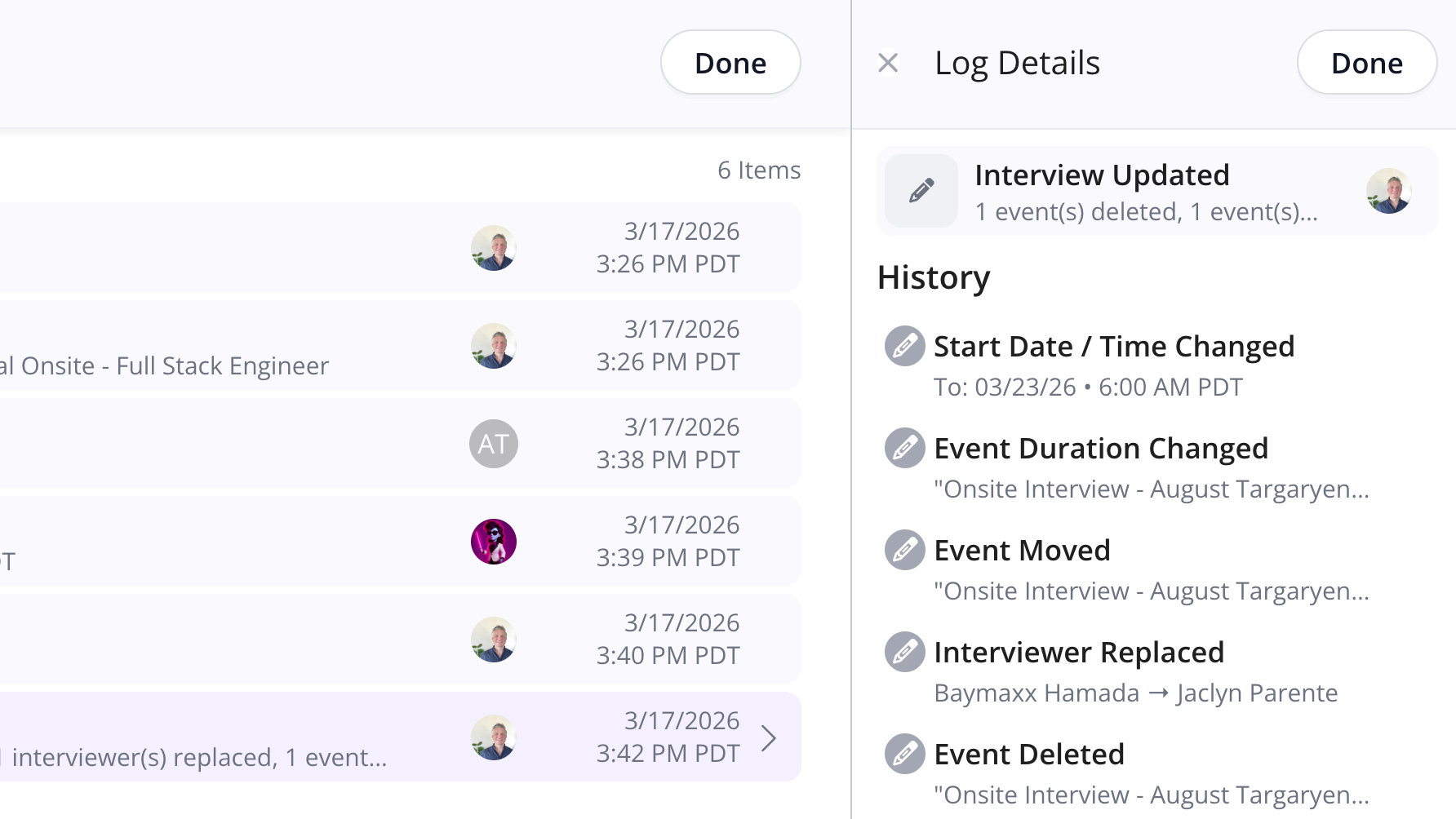
Additional Details for Interview Update Logs

Interview Logs now have an “Additional Details” drawer for Interview Updates that lays out the full details.

Why this is awesome: Interview updates can be comprehensive and many things can be changed at once. The additional details helps coordinators understand exactly what all the changes were and who made them, instantly.

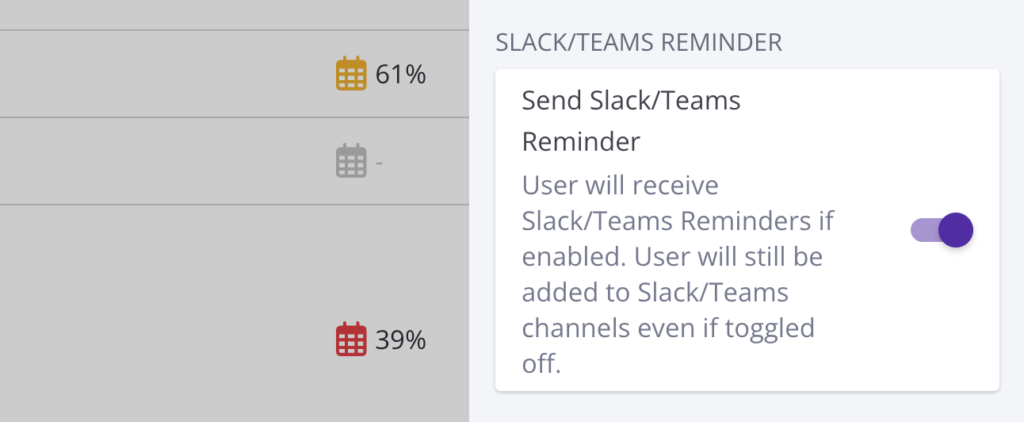
Teams Chat Notification Settings

Whether or not to receive MS Teams Chat reminders can now be toggled on or off for individual users on the Company Teams page.

Why this is awesome: This allows for a more customized experience and lets your diligent interviewers who don’t need reminders opt out. It also makes it possible roll out chat reminders for just a part of your company.

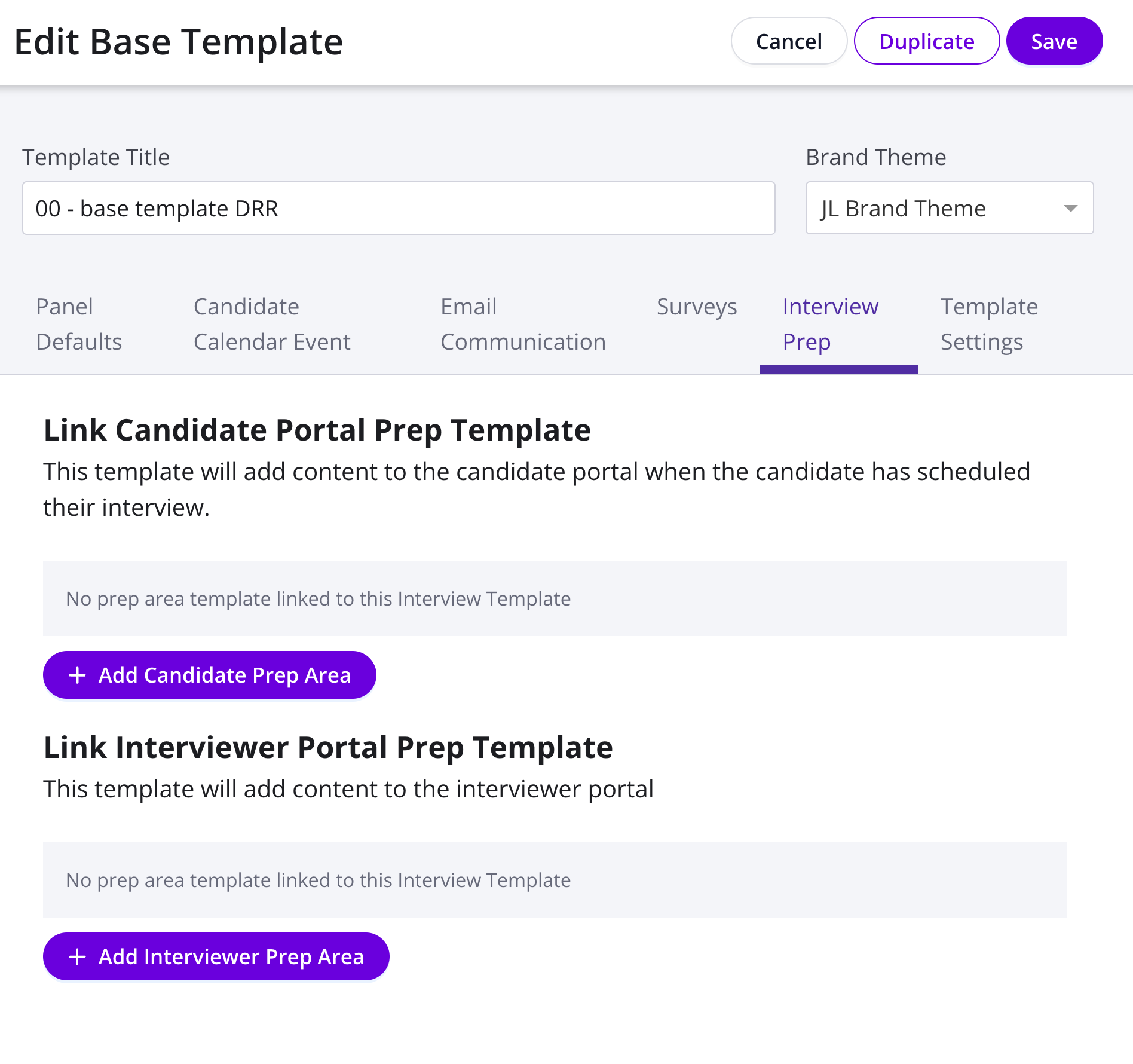
Interview Prep On Bases Templates

Interviewer & Candidate Prep forms can now be configured on the Base Template level.

Why this is awesome: This enables fast implementation of new prep forms on a truly large scale – Roll out new forms across your orgs in a matter of a few clicks!

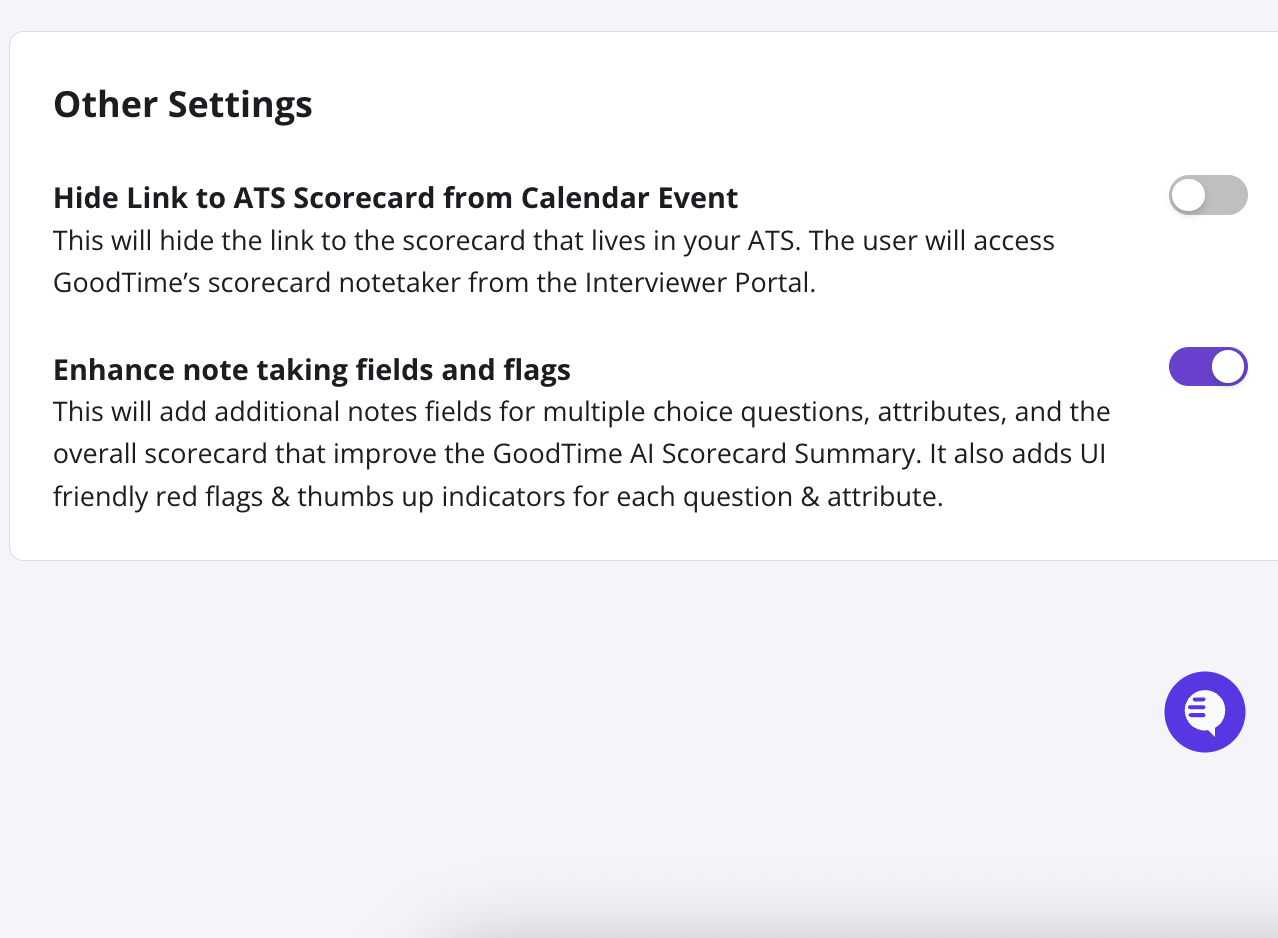
Enhanced Customization for Scorecard Integrations

A new toggle is now available for two-way scorecard integrations to control whether the Scorecard Notetaker has the enhanced note-taking fields and attributes or not.

Why this is awesome: This feature gives increased control so that you have the choice between enhancing note taking capabilities or matching the ATS experience closer than ever before.

Start using the latest GoodTime features!

We want to help you evolve and take full advantage of the latest upgrades and improvements to our platform. Check out the GoodTime support center for tutorials and tips to help you stress less and get more done!
GoodTime Product Updates: What’s New from February 2026

February brings a powerful new set of GoodTime product updates designed to give talent teams more transparency, automation, and control across the interview process. From detailed Interview Logs and smarter email handling to enhanced Assistant Hub capabilities that keep interviews on track, these updates focus on reducing manual work, preventing errors, and improving coordination at every step.

Whether you’re looking for clearer visibility into what’s happening behind the scenes of each interview, streamlining communication when plans change, automating template management, or quickly securing confirmed interviewer replacements in Slack, these enhancements are built to help hiring teams move faster — with fewer mistakes and a better experience for everyone involved.

Let’s dive into what’s new — and why it matters.

Watch the full February 2026 GoodTime product updates webinar or keep scrolling for highlights

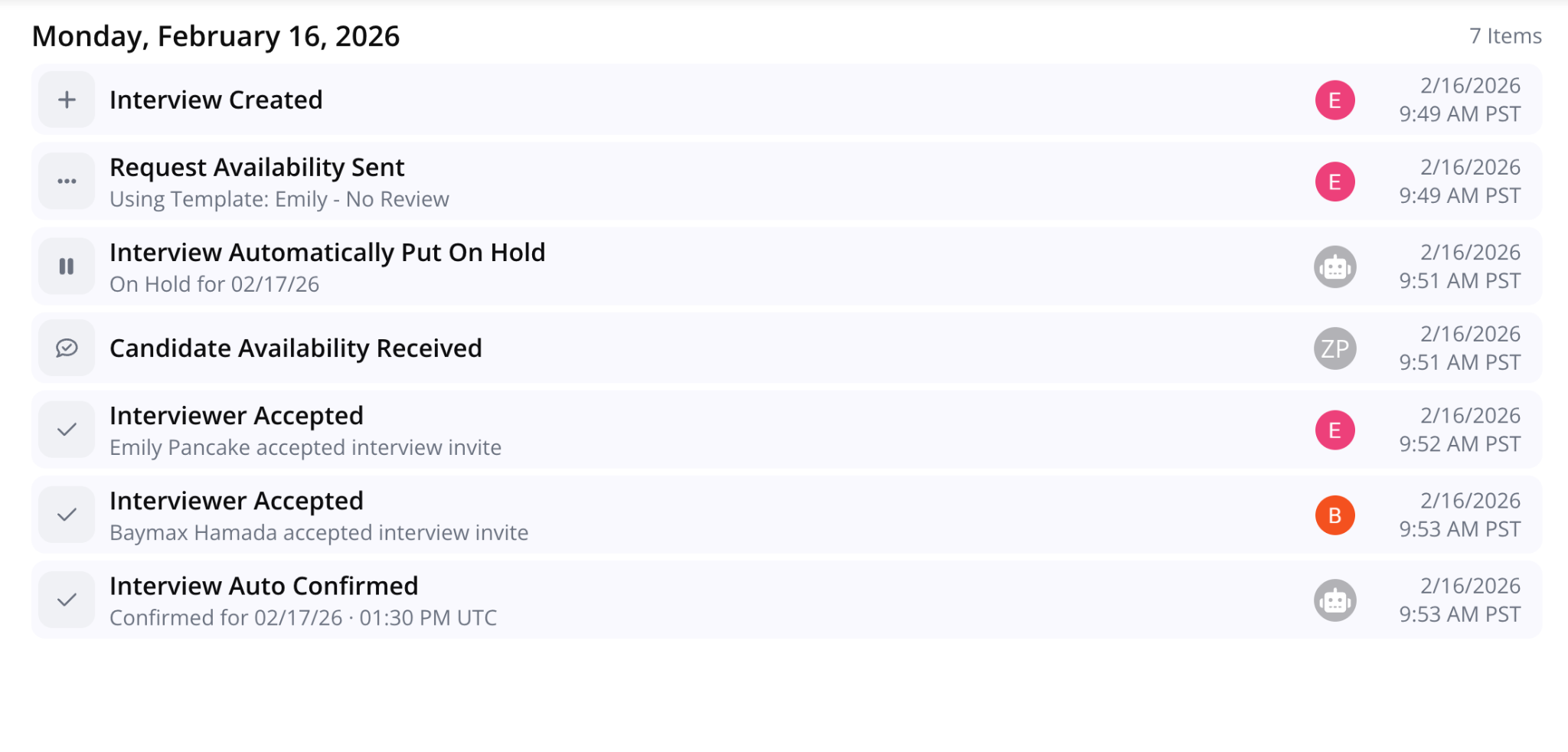
Interview Logs

GoodTime now provides detailed Interview Logs with each interview so you can enjoy full transparency in what happened as well as who did what & when!

Why this is awesome: Immediately understanding the journey of an interview allows things to move faster and reduces mistakes & confusion. The result is less work and a better experience for both interviewers and candidates.

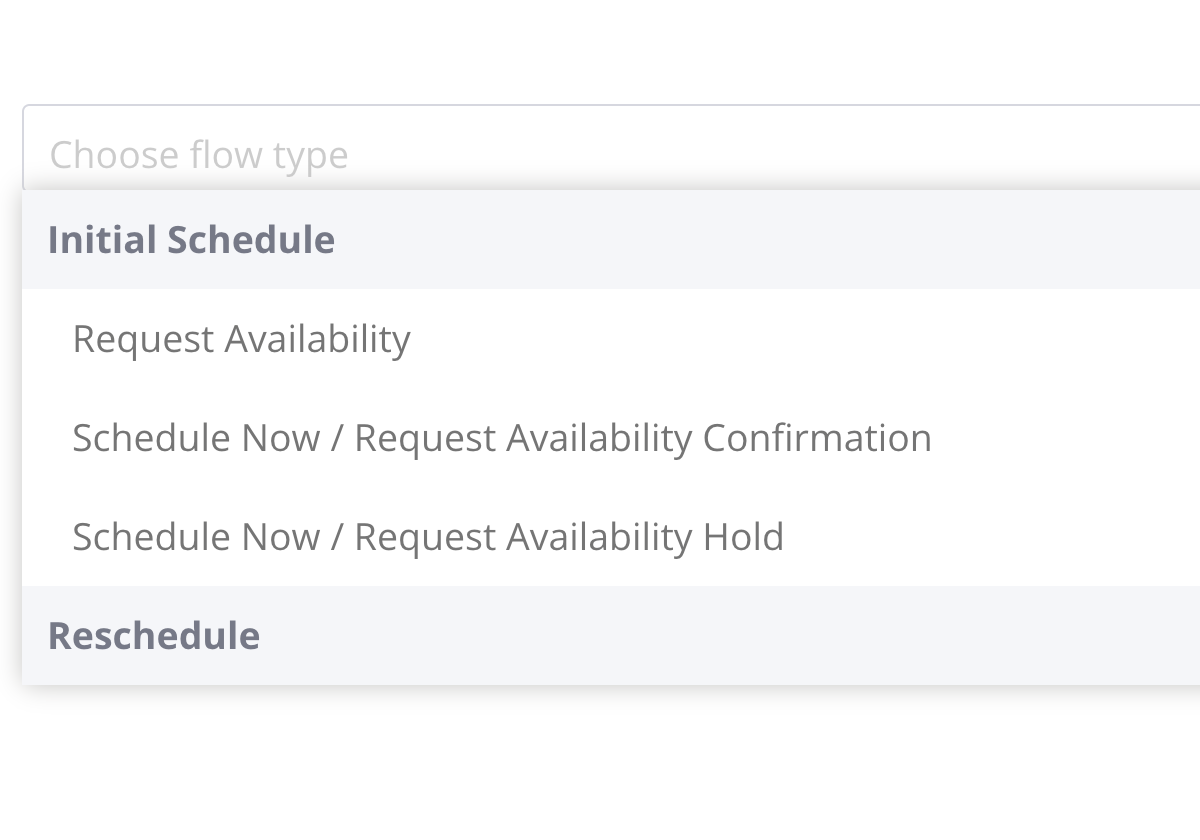
“Hold” Email Type

Instead of making manual adjustments to confirmation email templates, you can now create and assign specific email templates for when interviews are put on hold, manually or automatically.

Why this is awesome: This new email type increases automation and reduces risk for errors.

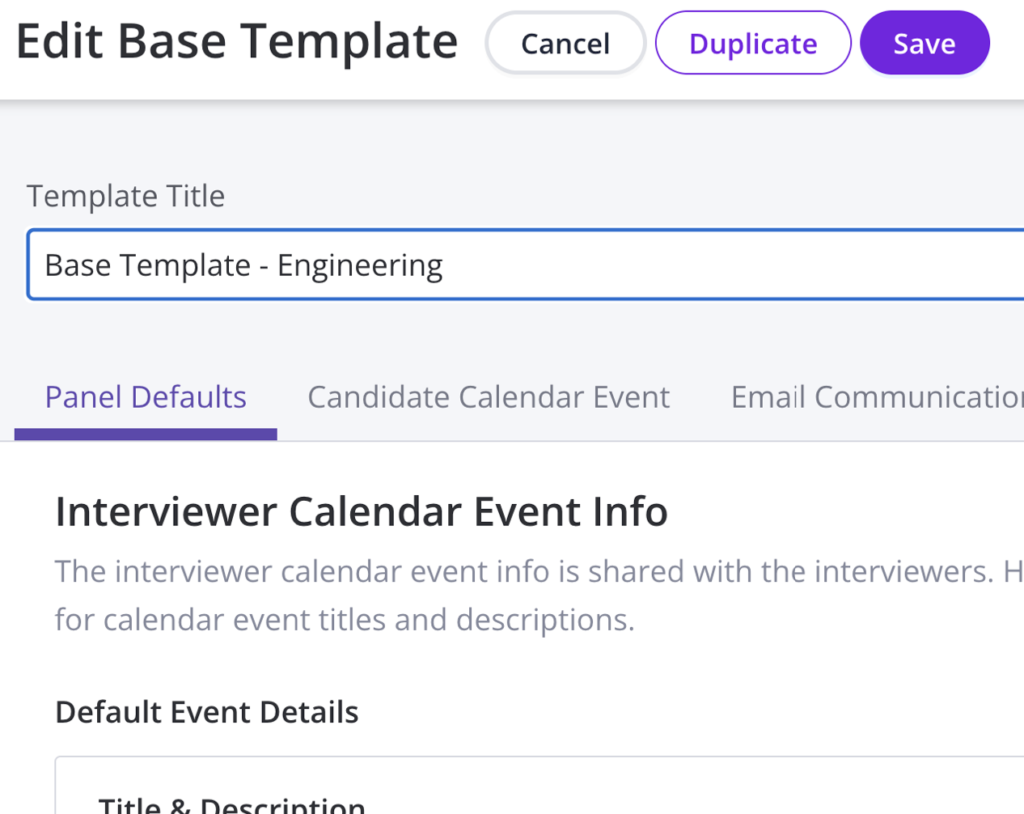
Duplicate Base Template

The ability to duplicate interview templates has now been extended to base templates as well.

Why this is awesome: Auto-duplicating templates not only saves time but it also reduces the risk of mistakes being made when doing so manually.

Assistant Hub

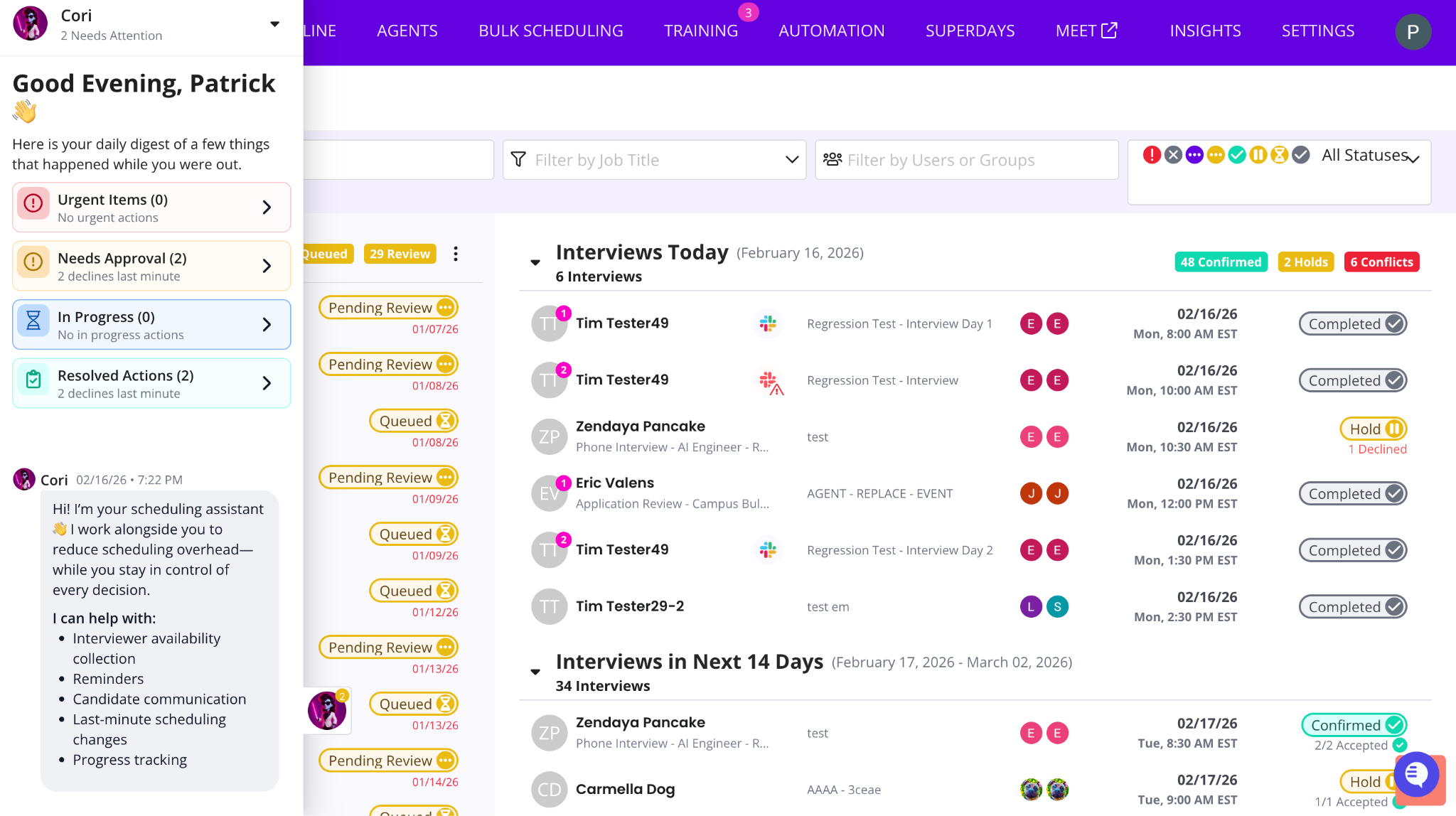
See everything GoodTime is handling in the background in one place. Items that need review or approval are surfaced at the top so you can quickly step in when needed.

Why this is awesome: You stay in control without having to chase activity, dig through emails, or monitor every workflow manually.

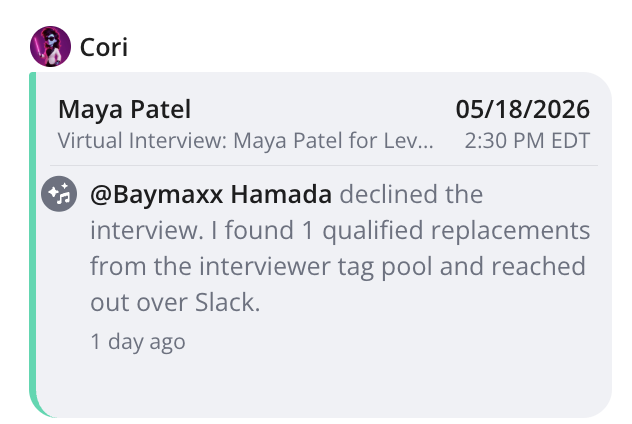
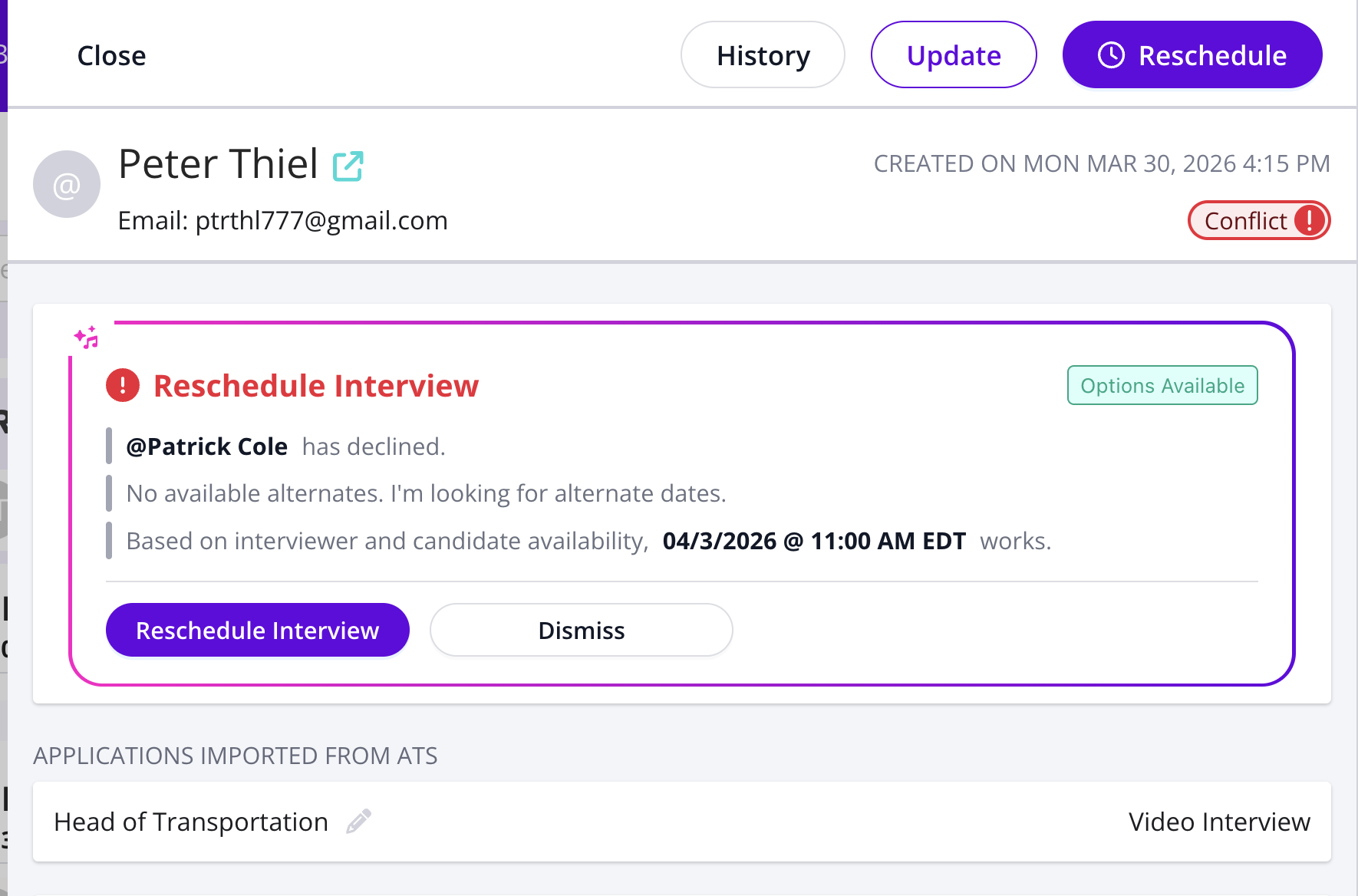
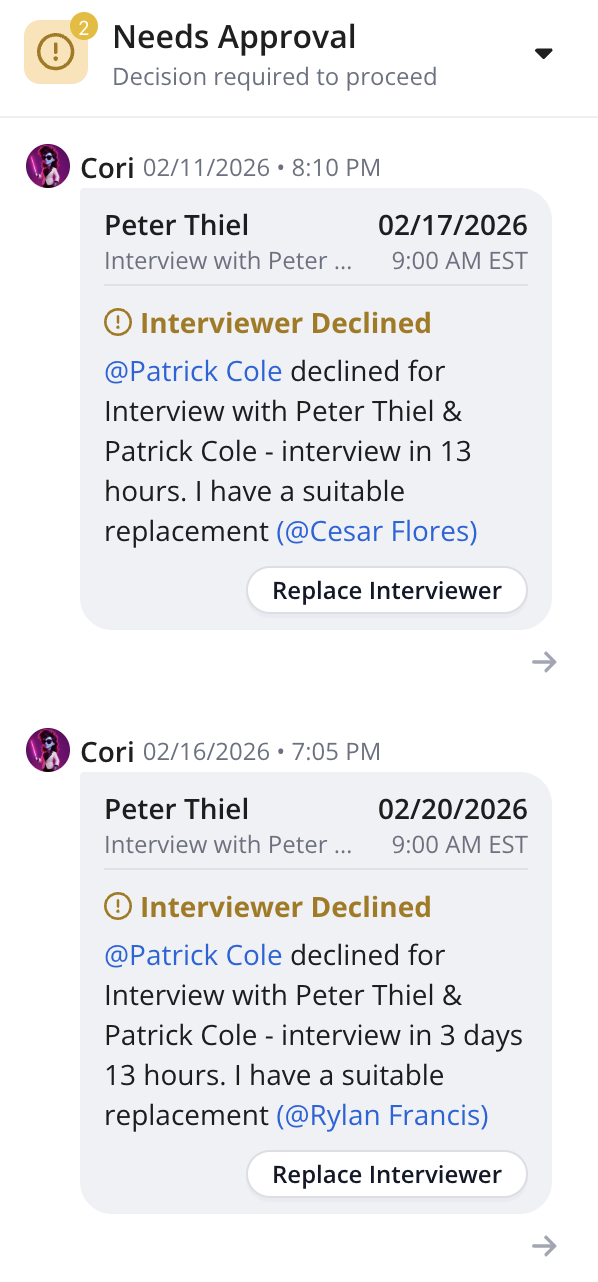
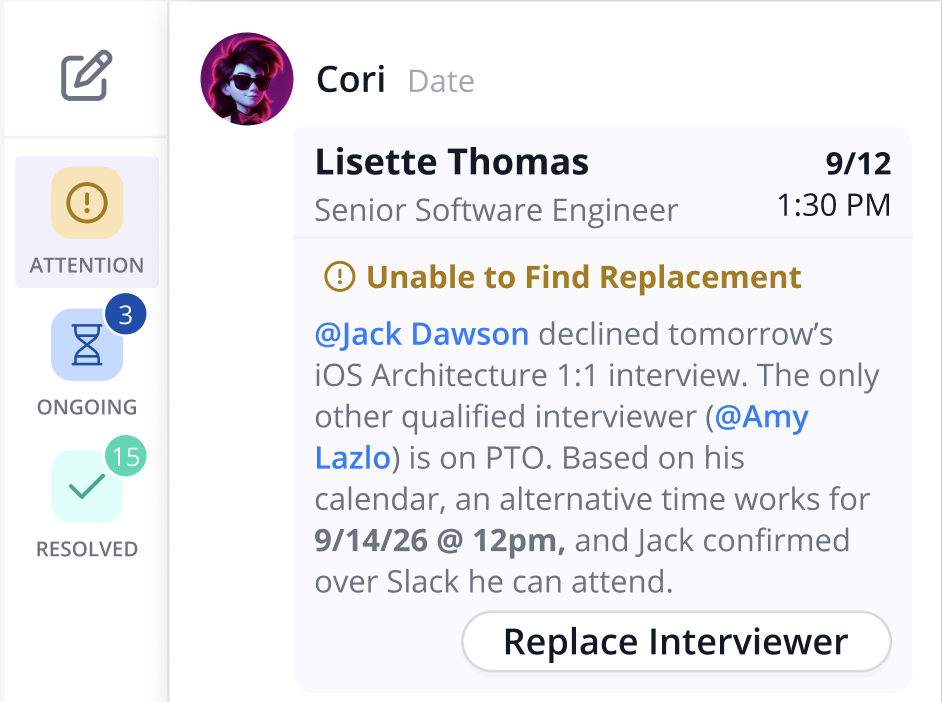
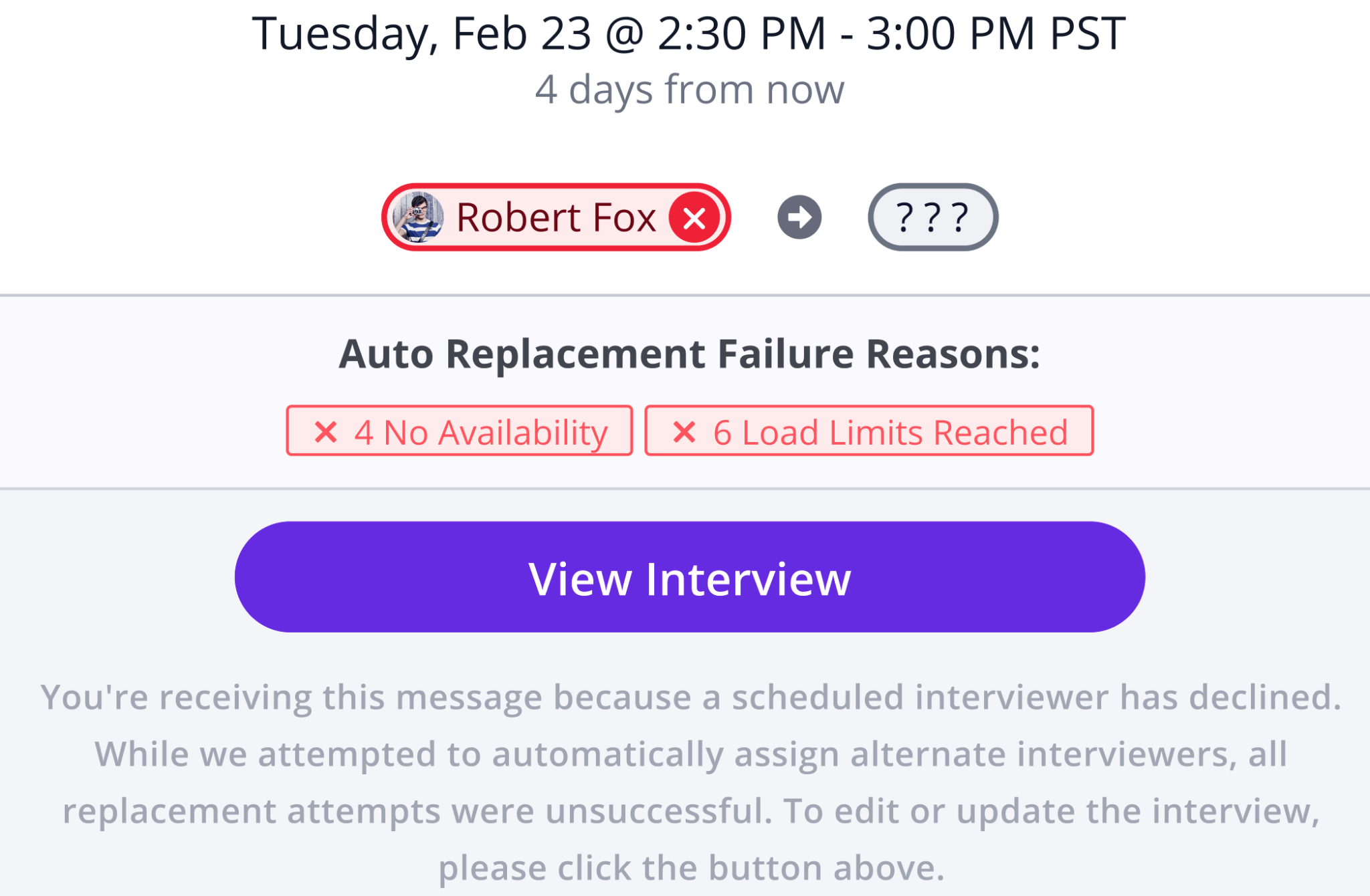
Identify and Automatically Replace Declined Interviewers

GoodTime now helps you quickly find the best replacement interviewer based on load limits, calendar availability, and interviewer pools — so interviews stay on track even when plans change.

Why this is awesome: Reduce last-minute scrambling and keep interviews moving forward with confident, data-driven replacements.

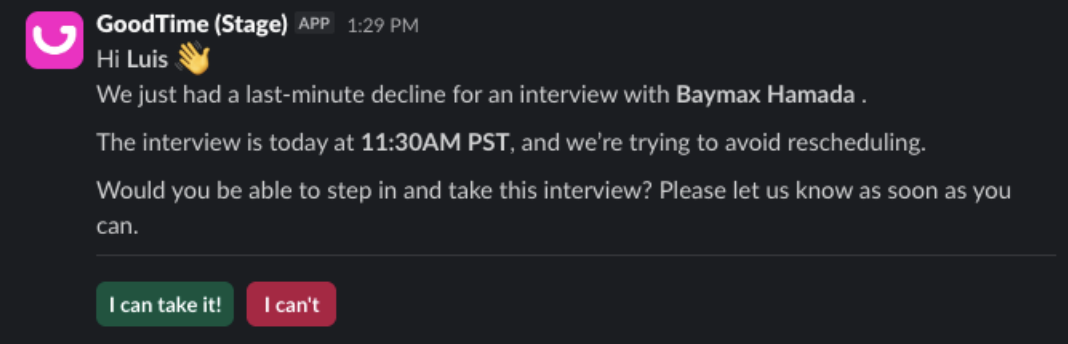
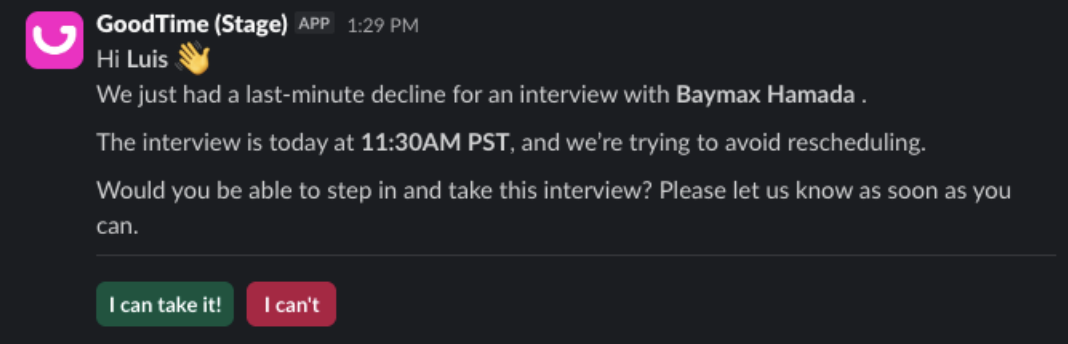
Confirm Availability with Interviewers Over Slack

GoodTime reaches out to potential replacement interviewers in Slack to confirm they can attend, then shares the response so you know swaps will stick.

Why this is awesome: No more guessing if replacements will accept, you get confirmation upfront and avoid unnecessary rescheduling.

Start using the latest GoodTime features!

We want to help you evolve and take full advantage of the latest upgrades and improvements to our platform. Check out the GoodTime support center for tutorials and tips to help you stress less and get more done!
GoodTime Product Updates: What’s New from January 2026

The start of 2026 brought a major set of GoodTime product updates designed to help talent teams hire with more speed, reliability, and control. From expanded scheduling automation and an active Job Pipeline to smarter workflows, embedded Orchestra intelligence, and deeper insights, these enhancements focus on reducing manual work while making it easier to scale hiring with confidence.

Whether you’re keeping interviews on track with end-to-end scheduling automation, actively moving the right candidates forward through automated workflows, improving interview quality with built-in training and intelligence, or gaining clearer visibility into what’s slowing hiring, these updates are built to support modern talent teams facing growing workloads and tighter resources — without sacrificing experience or control.

Let’s dive into what’s new — and why it matters.

Watch the full January 2026 GoodTime product updates webinar or keep scrolling for highlights

Scheduling Automation

In 2025, we automated interview scheduling with auto-confirm, auto-hold, auto-replace, real-time availability, and queue balancing to reduce failures and manual coordination.

Why this is awesome: Fewer breakdowns, faster interviews, less coordinator work.

Job Pipeline

We turned Job Pipeline into an active recruiter workflow with real-time updates, stage-based automation, scorecards, and AI evaluation that moves well qualified candidates forward automatically.

Why this is awesome: Recruiters manage flow, not tools.

Workflow Automation

We introduced a new workflow builder with conditional logic and escalation handling, enabling teams to automate complex hiring processes while maintaining visibility, safety, and control.

Why this is awesome: Powerful automation that scale to thousands of candidates.

Orchestra Agent

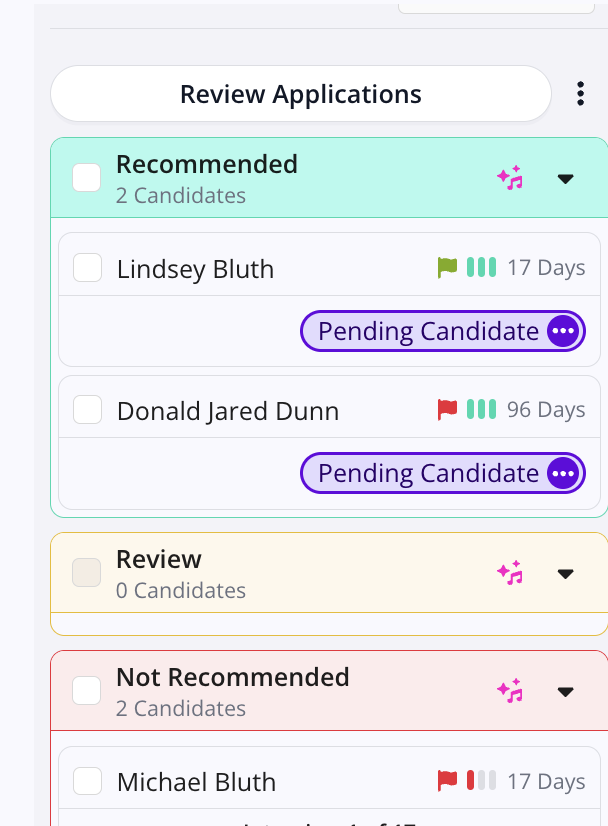
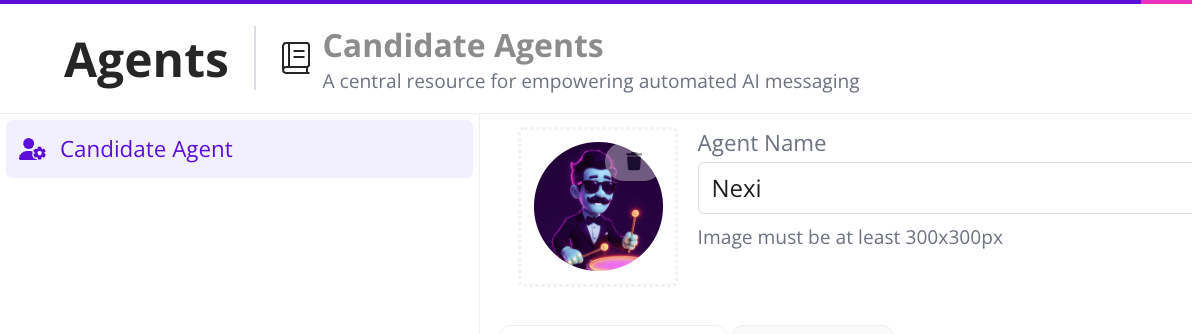
We launched the Orchestra AI Agent to review applications, prioritize candidates with matching skills, and answer candidate FAQs, embedding consistent intelligence directly into high-volume recruiting workflows.

Why this is awesome: Faster decisions with consistent signals.

Interviewer Training

Interview training evolved with reading classes, on-the-fly enrollment, training KPIs, and feedback loops that connect interviewer readiness directly to interview execution.

Why this is awesome: Better interviews, less manual follow up and coaching.

Insights & Reporting

We expanded insights with Interview Time, Load Balance, Capacity Planning, cNPS benchmarking, and Bias Audit reports to give teams actionable, decision-grade visibility.

Why this is awesome: Clear visibility into what slows hiring

Orchestra Agent

Throughout the year, Orchestra Agent will mature from an intern level assistant to a capable member of your team to help automate repetitive tasks and eventually manage complex scenarios with minimum oversight.

Why this is awesome: Directly addresses the growing workload demands and shrinking resources of modern talent teams

Enterprise Essentials

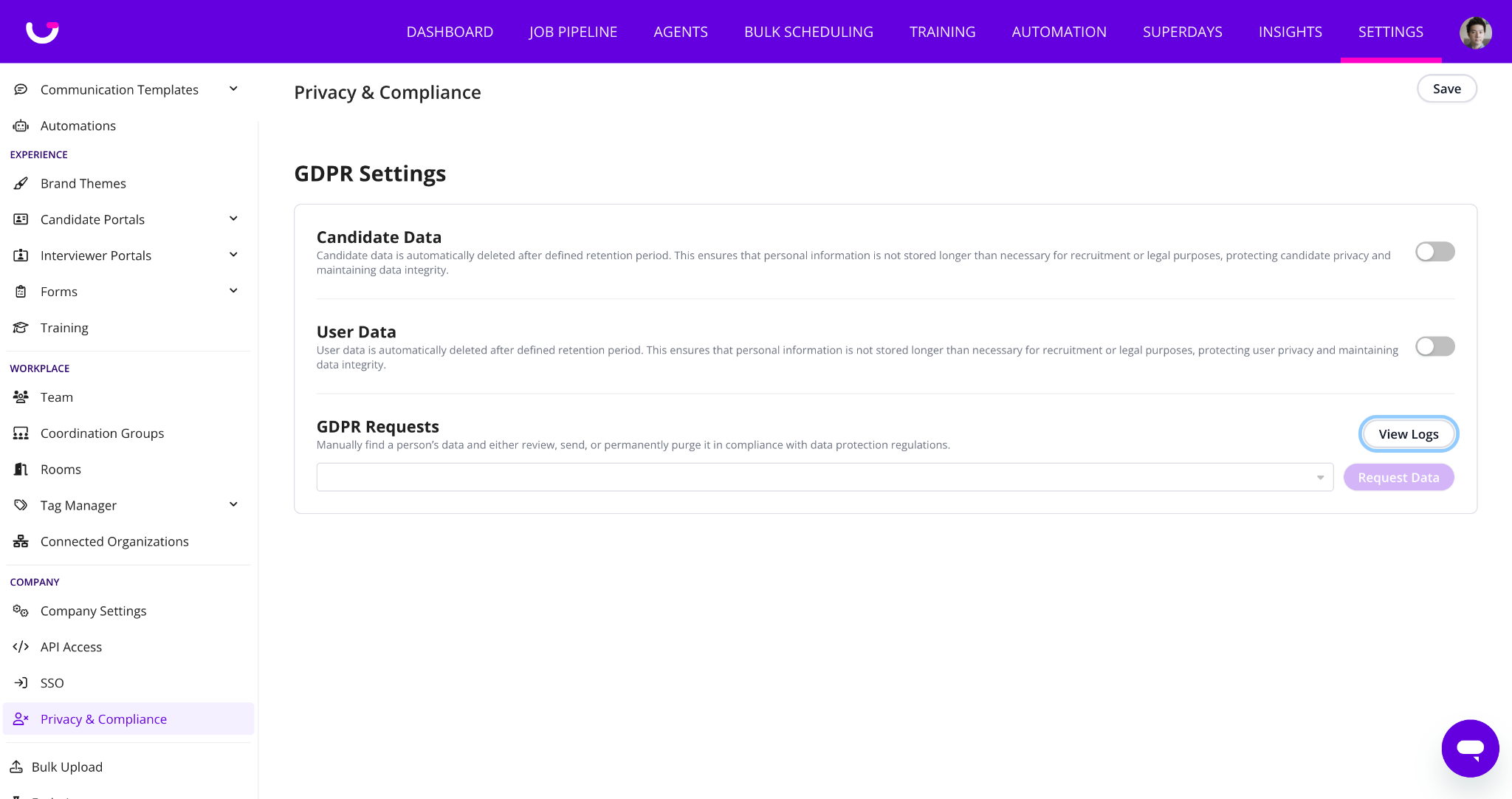
Enterprise Essentials strengthen GoodTime’s foundation with secure access, reliable integrations, and consistent core systems that large organizations depend on at scale.

Why this is awesome: Enterprise reliability, security, and compliance without operational overhead.

Interview Intelligence

Interview Intelligence records, transcribes, and structures interviews so insights improve consistency, reduce bias, save recruiter time, and flow directly into GoodTime’s automation and workflows.

Why this is awesome: Better decisions, less busywork, no extra tools

Start using the latest GoodTime features!

We want to help you evolve and take full advantage of the latest upgrades and improvements to our platform. Check out the GoodTime support center for tutorials and tips to help you stress less and get more done!
GoodTime Product Updates: What’s New from December 2025

December brought a powerful set of product updates designed to give talent teams deeper insight, faster coordination, and smarter automation across the interview lifecycle. From a fully revamped Interview Time Report to real-time interviewer availability and expanded workflow automation, these enhancements are all about helping teams move faster — with more clarity and control.

Whether you’re analyzing how interview time is distributed across roles and teams, nudging interviewers to respond and submit scorecards directly in Microsoft Teams, planning interviews with real-time calendar accuracy, or building sophisticated, decision-based automations that reflect how your process actually runs, these updates are built to eliminate busywork and elevate the experience for coordinators, interviewers, and candidates alike.

Let’s dive into what’s new — and why it’s awesome.

Watch the full December 2025 GoodTime product updates webinar or keep scrolling for highlights

Interview Time Report

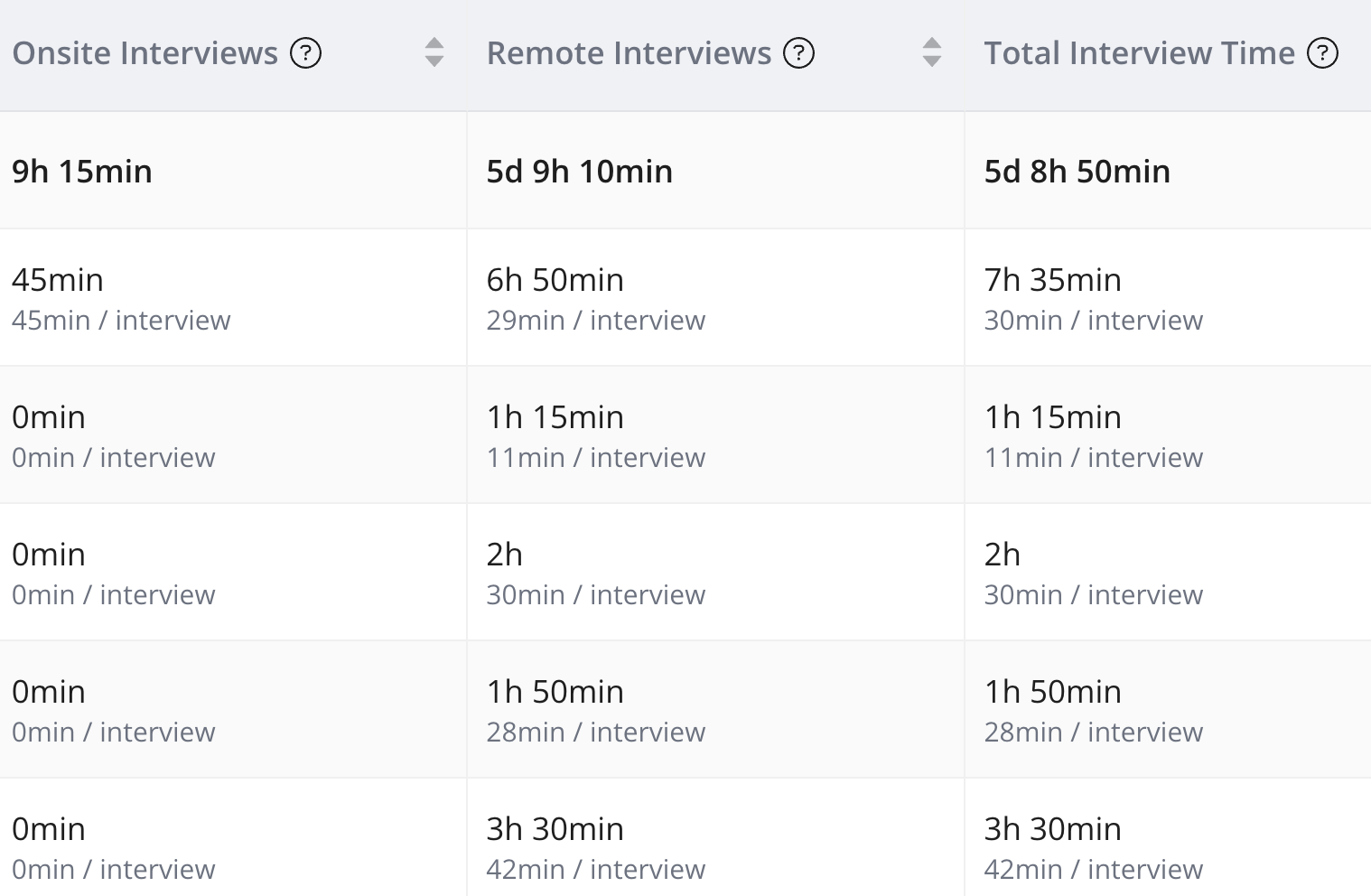
The legacy Interview Time report has been revamped in a new format that loads wider date range with more dimensions and more information.

Why this is awesome: The number of interviews only paints part of the picture. Being able to accurately report on how much time each person or tag spends completes it. It’s also an excellent way to see how much time has been spent on various jobs or departments.

MS Teams Chat Integration

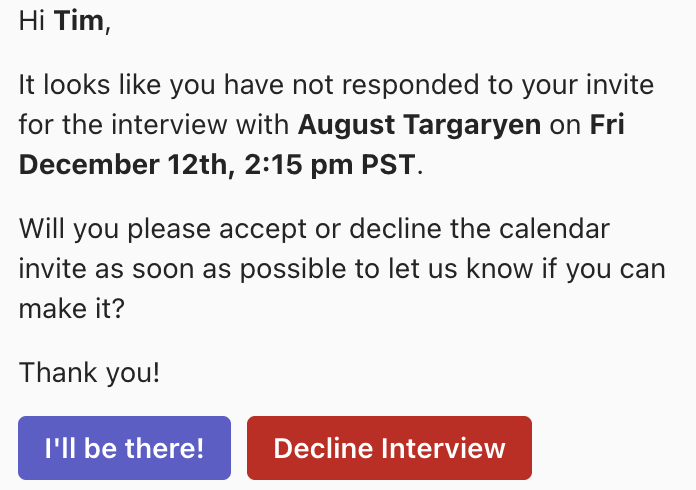
The highly popular Reminder & Chat Integration is now available for Microsoft Teams customers. This integration automates and ensures that interviewers are reminded to respond to interviews and fill out their scorecards.

Why this is awesome: This feature automates dreary coordinator tasks AND increases response & scorecard submission rates, which are both critical for high-performance hiring.

Real Time Interviewer Availability

The calendar availability for interviewers, tags & templates now updates in real time when the calendar of your interviewers are updated.

Why this is awesome: Real-time availability empowers coordinators to do more accurate planning, but also get faster results when searching for interview times or replacing interviewers.

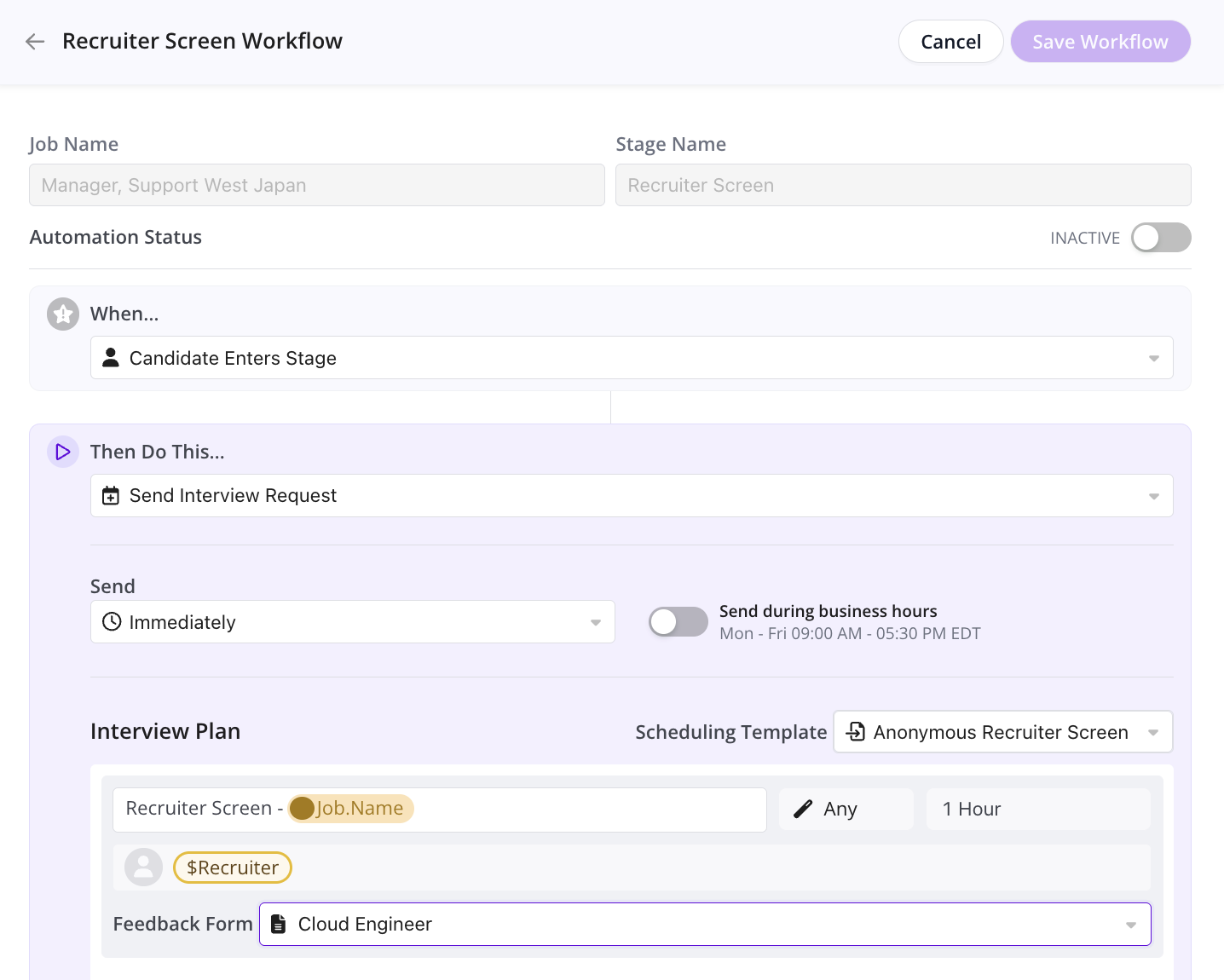
New Automated Workflow Builder

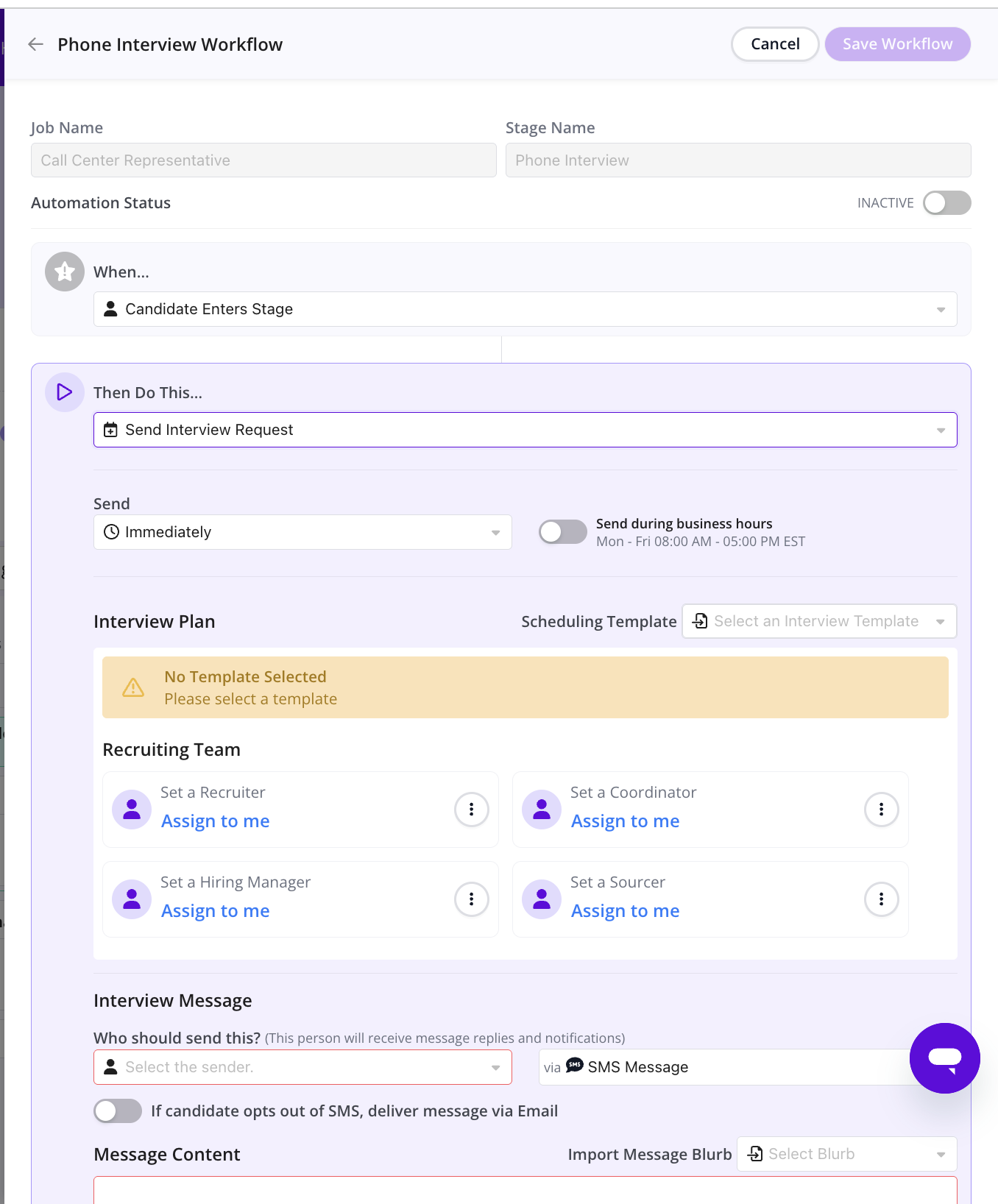
You can now create multiple automated workflows per stage, with a cleaner, more intuitive builder that makes it easy to manage complex automation across the interview lifecycle.

Why this is awesome: Creating and managing complex automations is easier than ever!

Conditional Logic for Automated Workflows

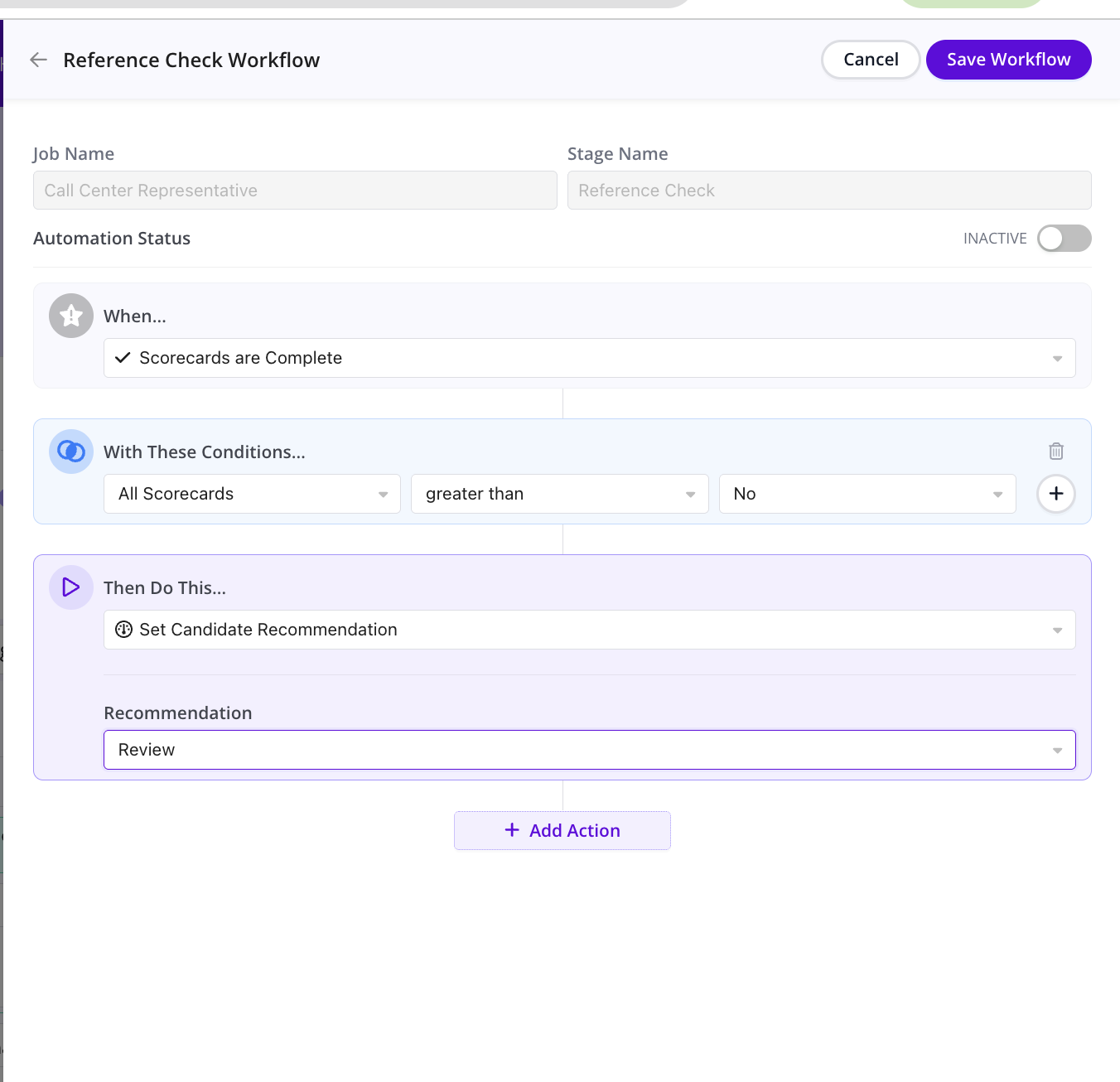
Automations can now trigger actions based on conditional logic, like scorecard outcomes, enabling smarter decisions such as progressing candidates or canceling roundups.

Why this is awesome: This unlocks a whole new class of sophisticated, decision-based automations that mirror how your process actually operates

Start using the latest GoodTime features!

We want to help you evolve and take full advantage of the latest upgrades and improvements to our platform. Check out the GoodTime support center for tutorials and tips to help you stress less and get more done!
GoodTime Product Updates: What’s New from November 2025

November brought a powerhouse lineup of enhancements designed to make hiring more efficient, equitable, and effortless. From brand-new compliance safeguards to smarter automation and richer communication tools, this month’s updates are all about helping teams move faster and make better decisions.

Whether you’re monitoring the fairness of your AI-driven candidate matching, keeping coordinator workloads balanced, or fine-tuning interview plans and templates, these updates are built to streamline your workflow and elevate the candidate and coordinator experience.

Let’s dive into what’s new—and why it’s awesome.

Watch the full November 2025 GoodTime product updates webinar or keep scrolling for highlights

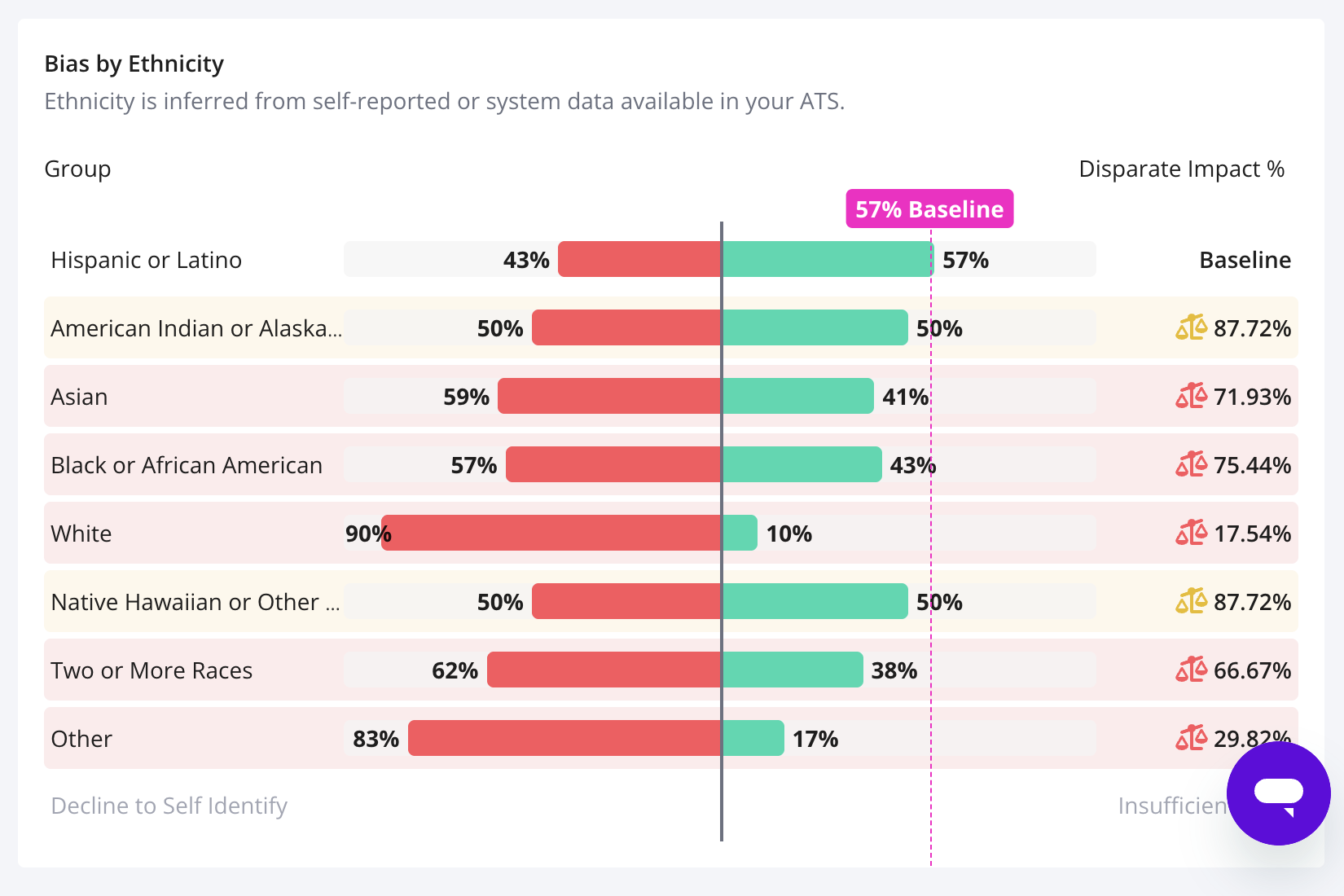
AI Bias Audit Report

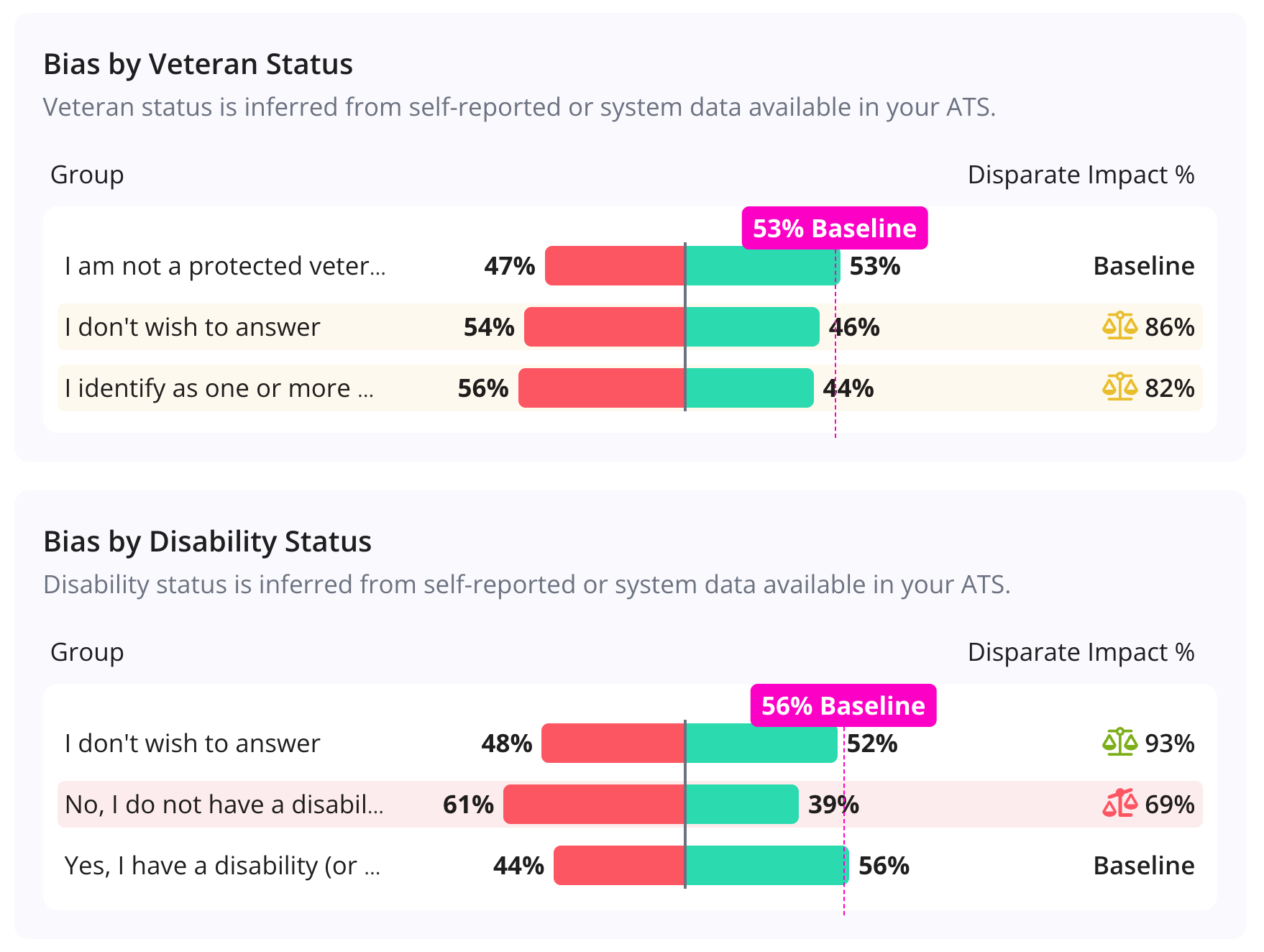
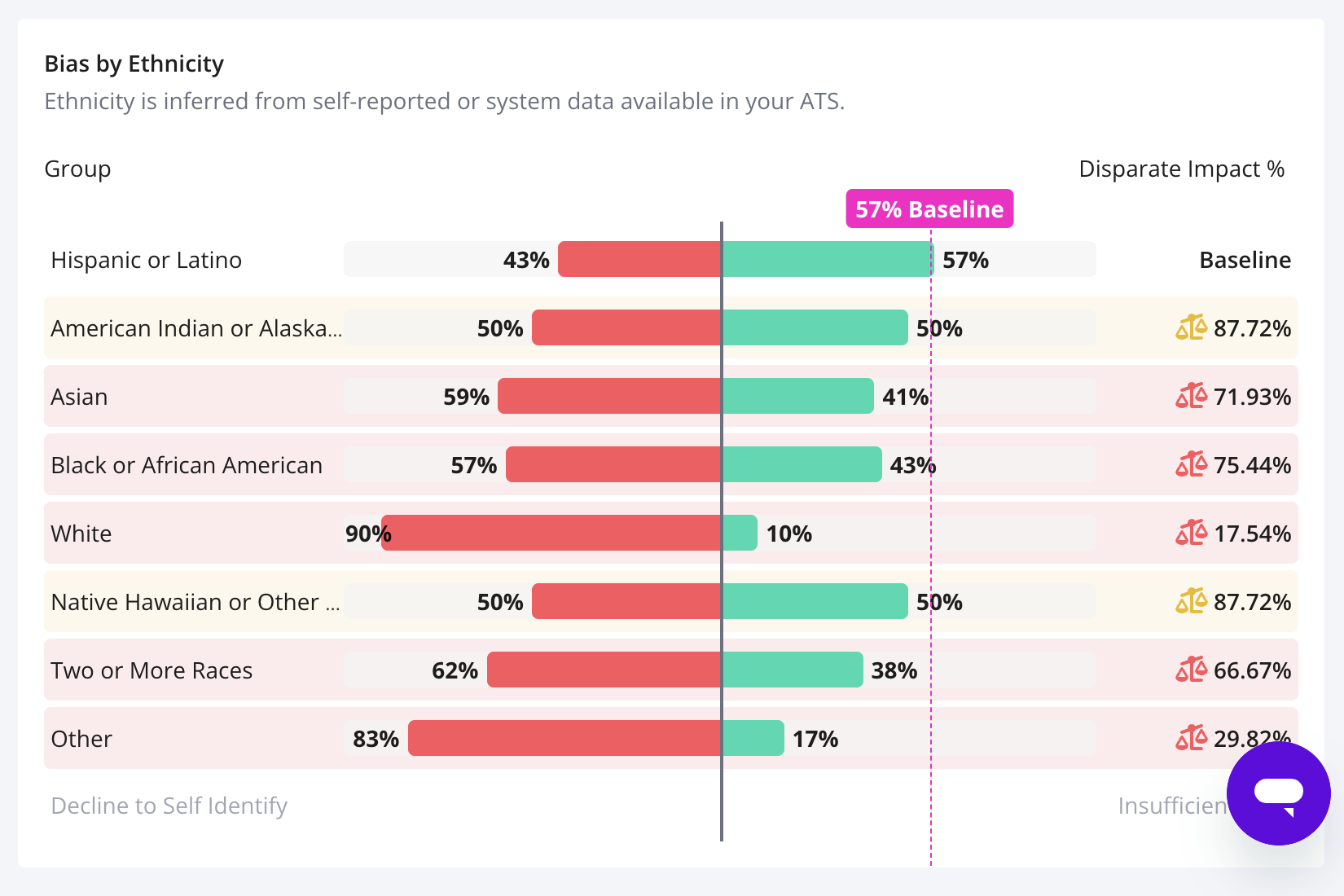
The all new AI Bias Audit report allows you to monitor GoodTime’s AI Matching suggestions by gender and ethnicity to ensure compliance in accordance to New York Local Law 144 and similar regulation.

Why this is awesome: As GoodTime’s AI Match helps find the absolute most ideal candidates in your tall stack of applications, it’s vital to stay compliant and ensure that your automated screenings are not biased.

On The Fly Training Enrollment

We’ve all scheduled an interview and wanted to add a trainee last minute, only to remember that the trainee has not been enrolled in their training path yet. Now you can do it on the fly!

Why this is awesome: This update makes it way faster to enroll the new trainee and avoids having to disrupt your scheduling flow. A smoother user experience that also saves you a ton of time.

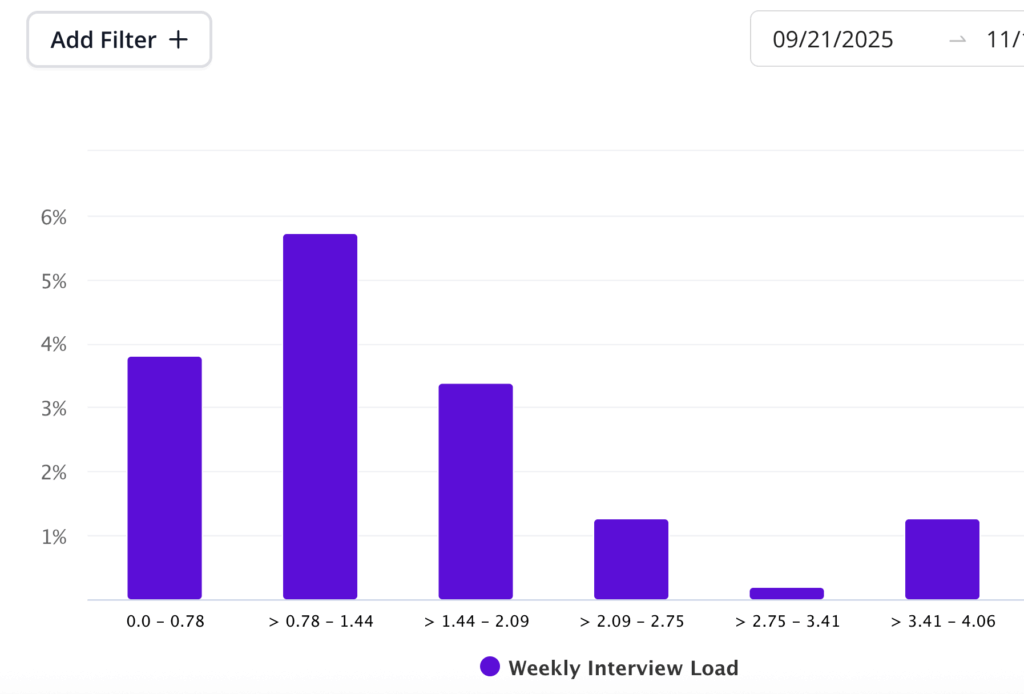
Interview Load Balance Report Updates

The Interviewer Load Balance Report can now see into the future. Monitor the planned, but not yet completed workload for your different teams in order to make any necessary adjustments (up to 4 weeks into the future).

Why this is awesome: This update helps keep an eye on workload distribution not just for what has happened, but what is coming in the future so that you can take action before it’s too late.

Rename & Delete Folders

Last month we introduced folders to GoodTime’s Interview Templates. As a small update, we want to make sure you know that you can rename and / or delete these folders as well.

Why this is awesome: Mistakes happen and things change. Renaming and delete capabilities just make things easier.

New Rich Text Editor for Superdays

Superdays is one of the best ways to schedule and communicate large volume of interviews in one go. Now it’s possible to do with the all new Rich Text Editor from GoodTime that supports embedding of images, more formatting than ever and much more.

Why this is awesome: This new update ensures that your Superdays scheduling conform to your other GoodTime communications and leverages your upgraded templates.

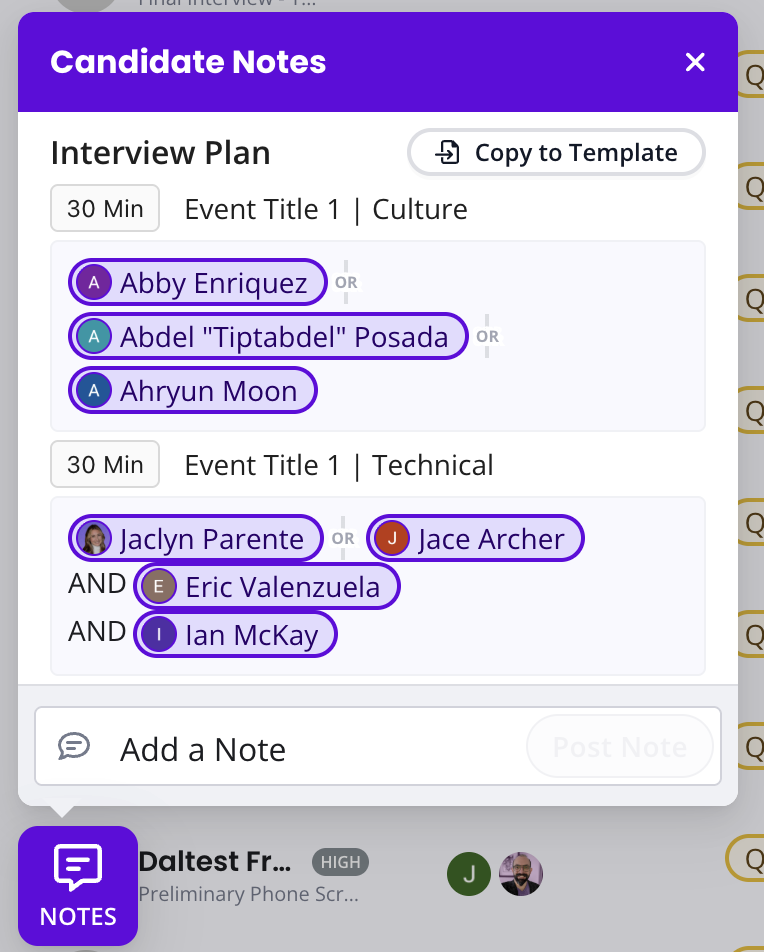
Handoff Interview Plans

Recruiters can now create structured interview plans directly in GoodTime including topics, event order, duration,

number of events, interviewers, and even tags. No more buried Google Docs or note-hunting, everything is captured in a clean interface that coordinators can instantly import into their interview templates.

Why this is awesome: Interview plans are finally centralized and actionable resulting in clearer recruiter → coordinator communication and fewer scheduling mistakes.

Queue Balancing

A new automation that distributes interviews evenly across coordinator groups using round-robin assignment, with an optional mode that only assigns to coordinators during their working hours which prevents interviews from landing on someone who’s off and reduces the need for manual pickup.

Why this is awesome: Handoffs become balanced, fair, and predictable. Teams avoid accidental weekend/after-hours assignments and coordinators get an equal, workload-aware distribution of interviews.

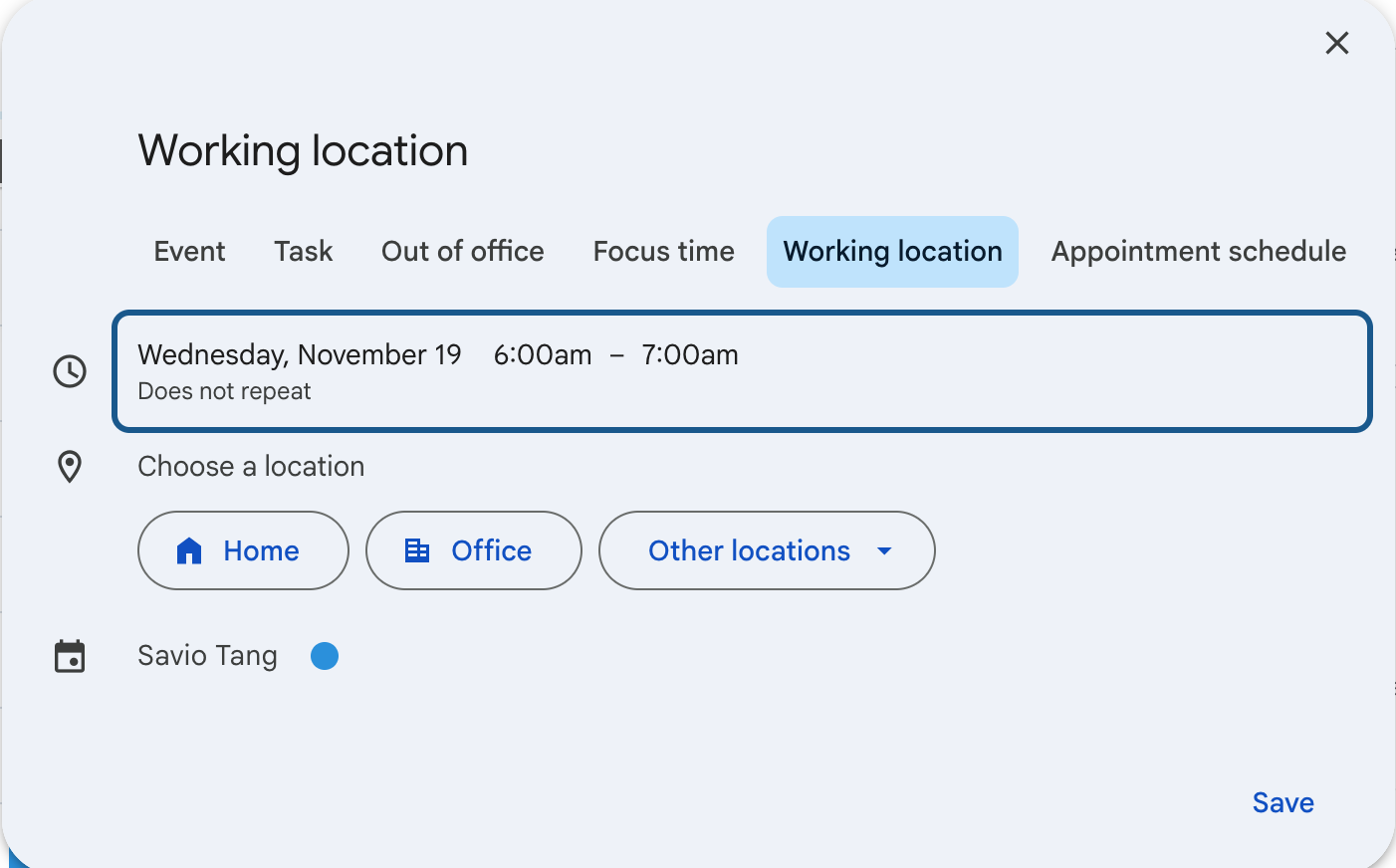
Support for “work from elsewhere”

Why this is awesome: Both Google Calendar and Microsoft Outlook support a setting that indicates a person working from home or elsewhere.  GoodTime is adding support for those settings.

CodeSignal Integration

We enhanced our Integration with CodeSignal.

Why this is awesome: Easily generate a Coding Test session that is linked to predefined Coding Test Template in CodeSignal.

Start using the latest GoodTime features!

We want to help you evolve and take full advantage of the latest upgrades and improvements to our platform. Check out the GoodTime support center for tutorials and tips to help you stress less and get more done!
GoodTime Product Updates: What’s New from October 2025

Our October Product Update Webinar introduced smarter scheduling and stronger insights to make hiring more efficient. Highlights included On-the-Fly Template and Training Path Linking to streamline interviewer training, and a redesigned Candidate Surveys page that gives clearer visibility into response rates and overall candidate sentiment.

Let’s dive into what’s new this month.

Watch the full October 2025 GoodTime product updates webinar or keep scrolling for highlights

On the Fly Template<>Training Path Linking

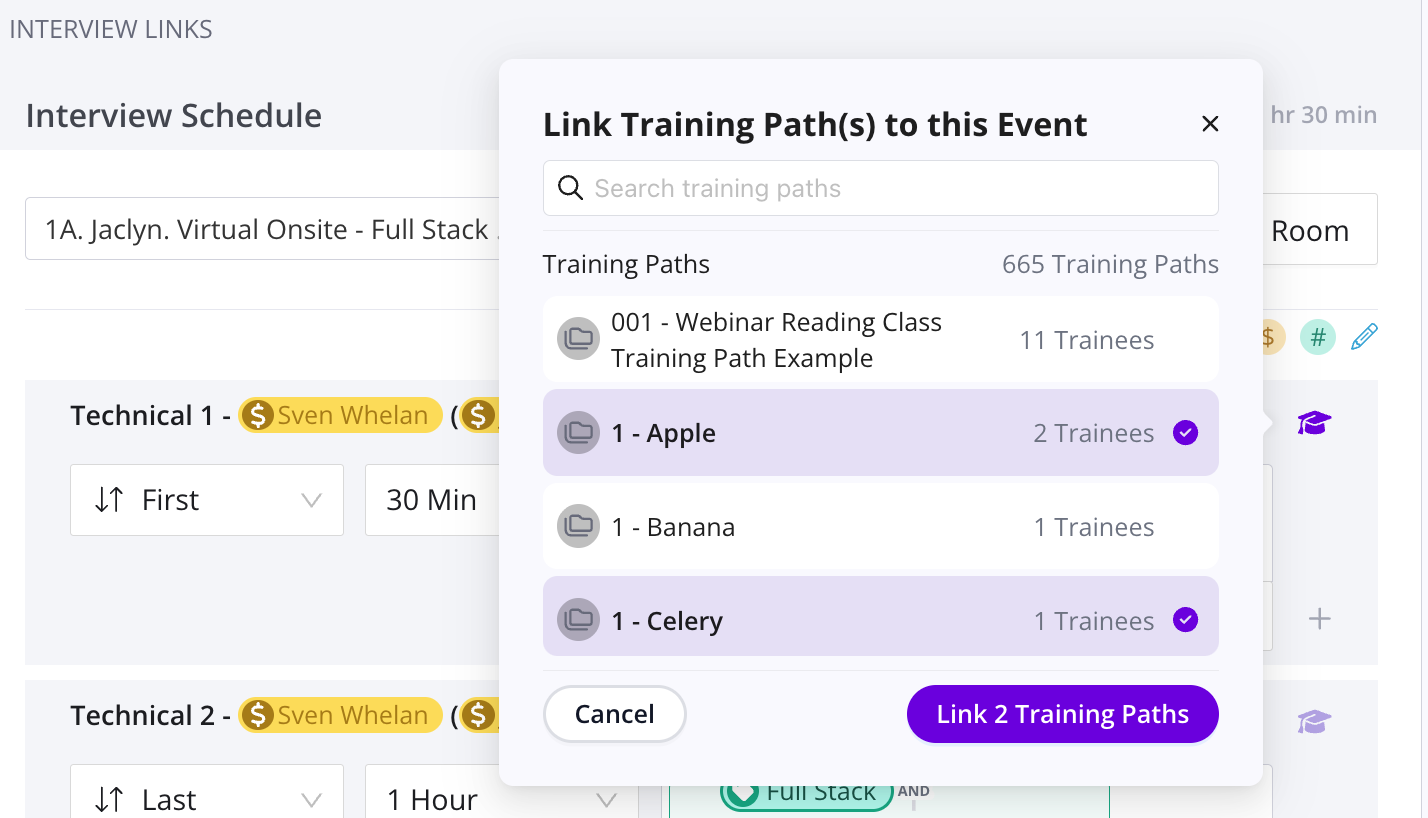
Sometimes everything doesn’t go as planned. Like when you want to schedule a trainee and you haven’t linked your path to your template. Now this problem disappears with On the Fly Template linking!

Why this is awesome: Achieve your scheduling goals and crank out more trained interviewers without slowing down to leave your scheduling flow.

Job Pipeline Scorecard Results

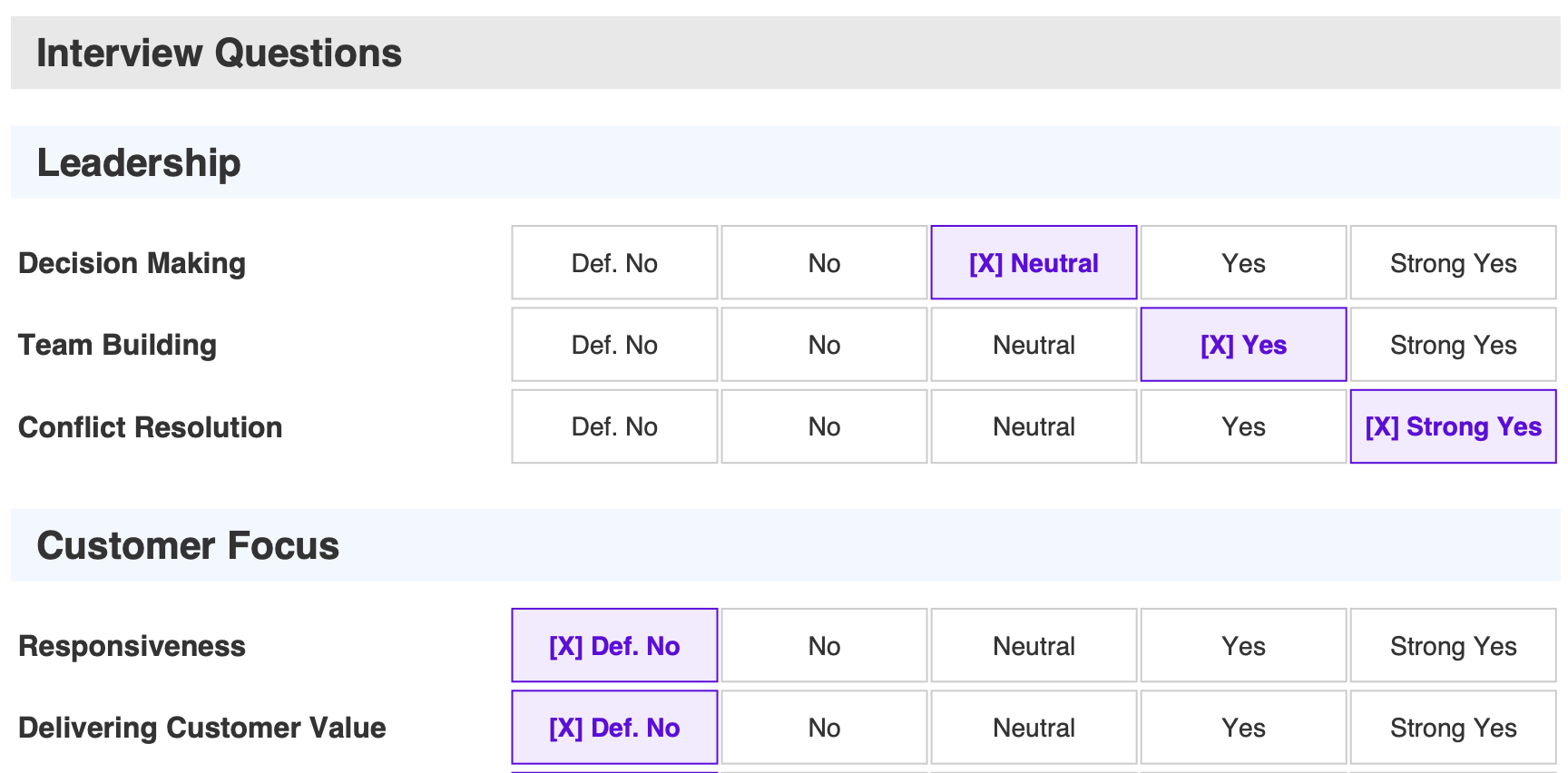
Scorecard results from Greenhouse and Questionnaires / Competencies from Workday now show up automatically in the Job Pipeline so that you can make critical decisions faster with more certainty.

Why this is awesome: The number one way to secure top talent is to move fast and that starts with quick decision making and  stage advancement / rejection.

Interview Template Folders

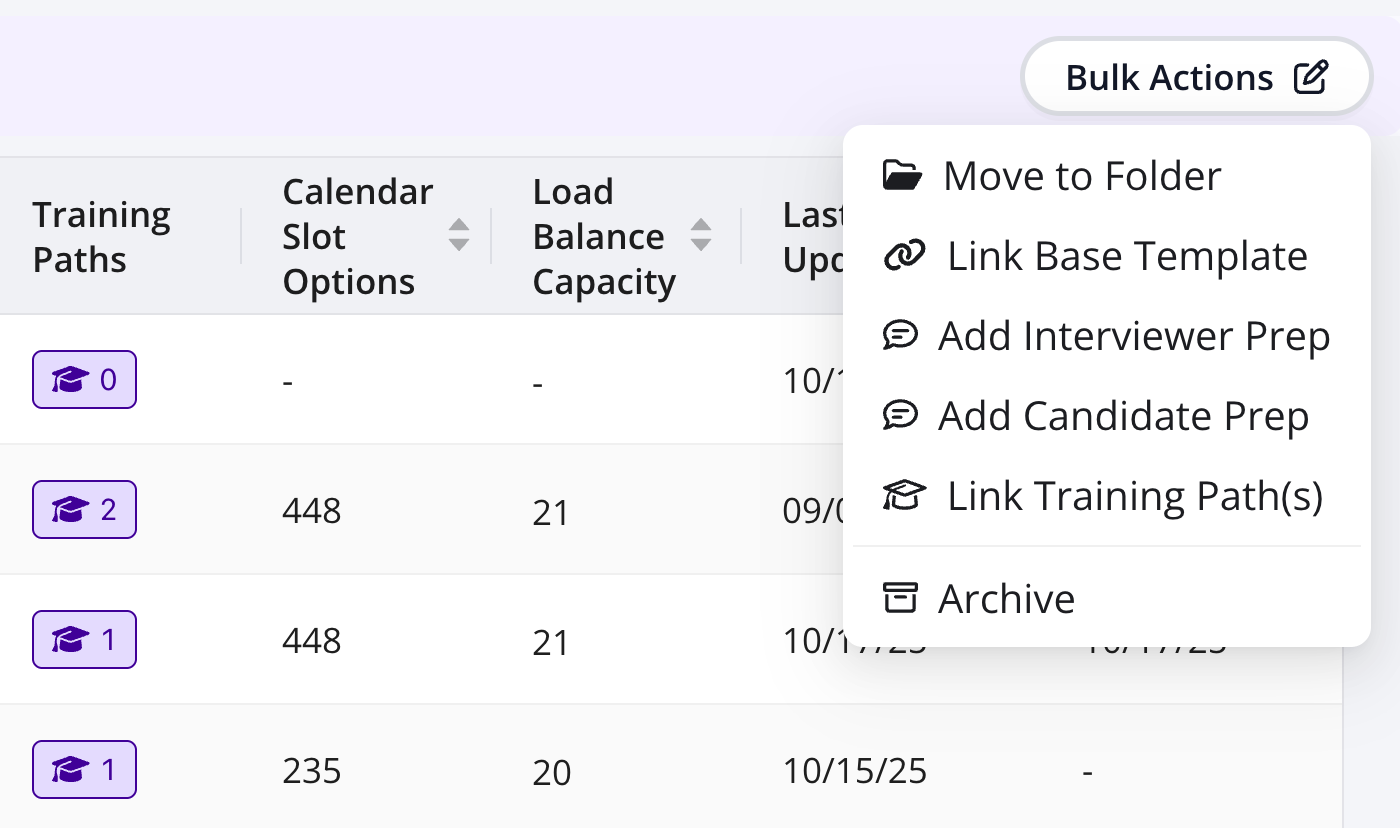
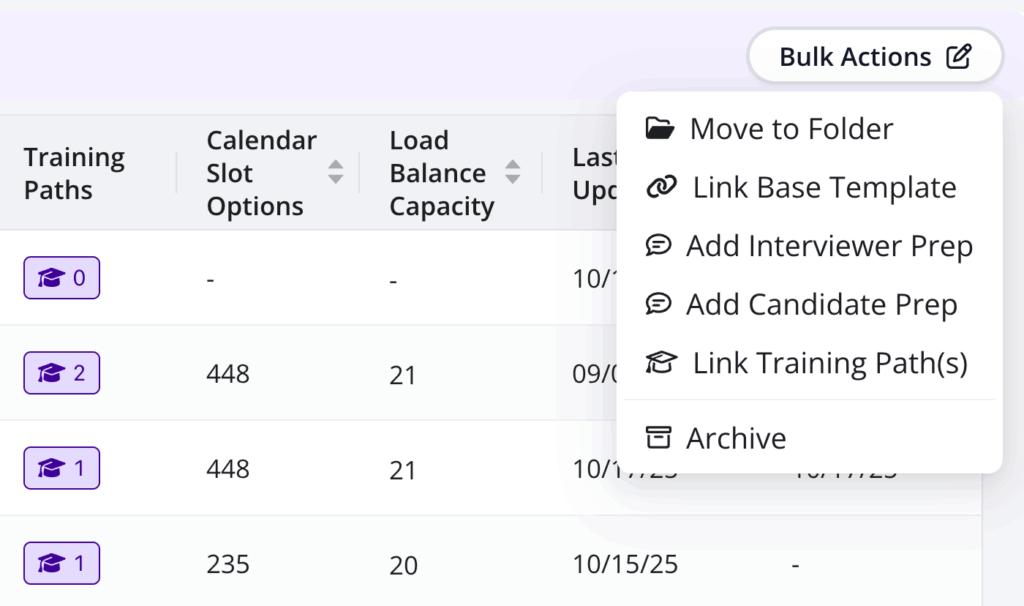
Brought to you by popular demand, Interview Templates now have folder organization, last used data and bulk actions.

Why this is awesome: These tools will not only enable you to focused on your used folders and clear out the clutter of the non used ones, but also let you assign surveys, prep forms and training paths to hundreds or thousands of templates in seconds.

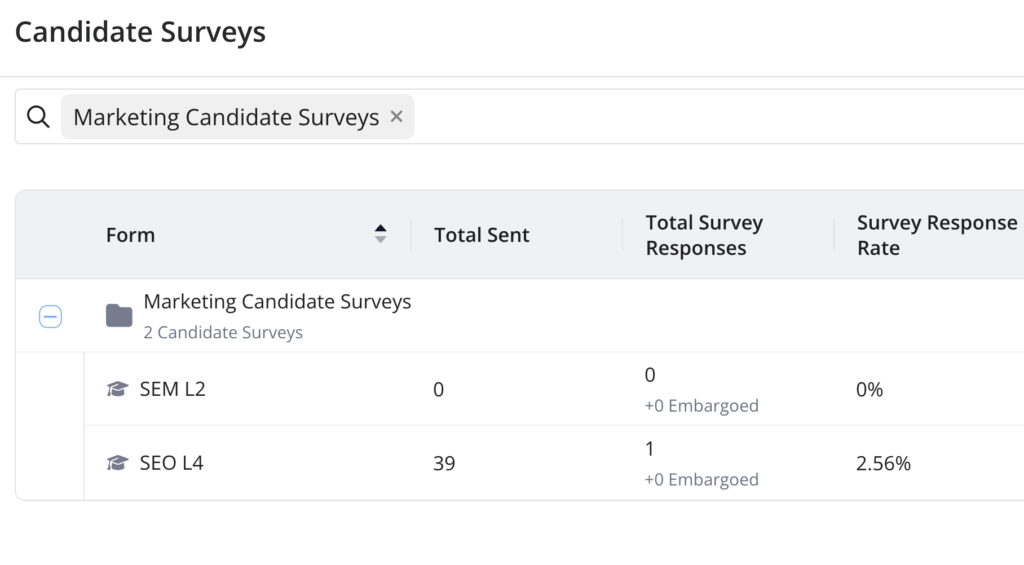
New Survey Page

The Candidate Surveys page has been revamped to provide all the necessary insights such as number of sends, response rates, embargo volume and associated cNPS score.

Why this is awesome: This data brings clarity to where surveys responses are high, where there may be survey fatigue or if a certain cluster of surveys has unusually high or low performance.

Start using the latest GoodTime features!

We want to help you evolve and take full advantage of the latest upgrades and improvements to our platform. Check out the GoodTime support center for tutorials and tips to help you stress less and get more done!
GoodTime Product Updates: What’s New from September 2025

September has been a month of powerful upgrades at GoodTime, all designed to take the busywork out of hiring and give teams a faster, more seamless experience. From fully automating complex interviews and training feedback to richer email customization, sharper reporting accuracy, Superday scorecards, and scheduling directly inside your ATS, this release is packed with features that help recruiters move faster, grow stronger interview pools, and focus on what matters most — people.

Let’s dive into what’s new this month.

Watch the full September 2025 GoodTime product updates webinar or keep scrolling for highlights

Automatically Hold Interviews

A new automation workflow is now available where you can configure interviews to automatically Hold after candidate provides availability.

Why this is awesome: This feature automates the step of the Coordinator having to manually look at each submitted availability in order to put the interview on Hold. It pairs perfectly with the recently released Auto Confirm Hold Interviews feature.

Requisition ID in Insights

All CSV downloads from Insights, that show a Job name, now also include the requisition or job ID from your ATS. This helps definitively measure jobs with names that are not unique, and track jobs whose names have changed over time.

Why this is awesome: More accuracy than ever before with the ability to measure the whole job journey or just a part of it.

New Rich Text Editor for Emails

Email templates (both candidate & interviewer facing) are now equipped with the all new GoodTime Rich Text Editor.

Why this is awesome: Take your email format to that ultimate level where you can embed images, use your corporate font colors and much more.

Enhanced Training Feedback

The automation of Training assessments continues and you can now automatically share the interviewer feedback with the trainee, and also ask the trainee whether they are comfortable advancing.

Why this is awesome: Our design partners have demonstrated that doing this manually not only takes up a huge amount of time but also slows down training and leads to mistakes. Grow your interview pools faster & hire the best candidates!

Superday Scorecards

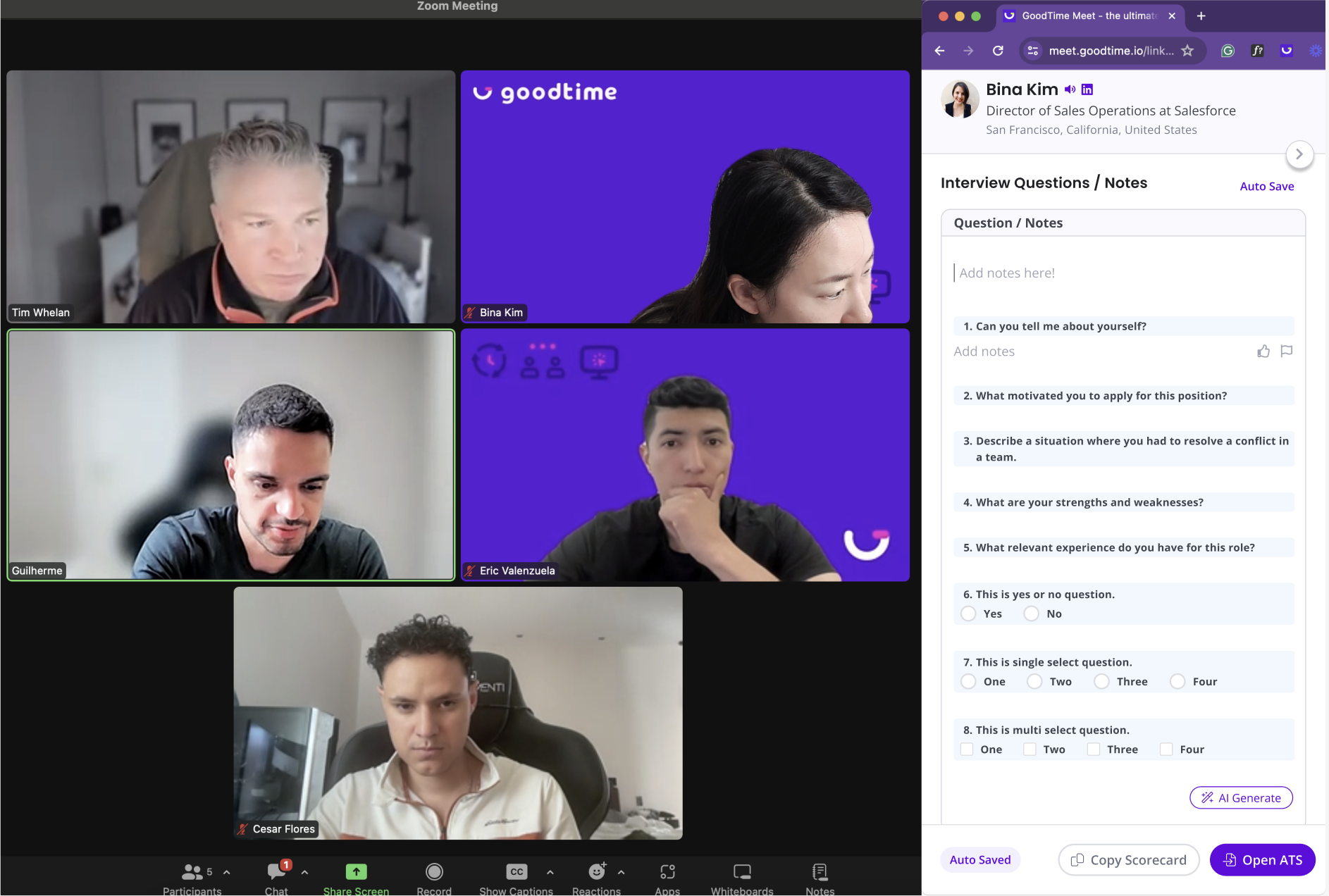
Experience+ customers can now enjoy GoodTime’s scorecards in Superday interviews. After your Superday, access each interview result individually with the AI summary, or download a CSV with all feedback in one place.

Why this is awesome: Faster evaluations lead to less administrative work and faster hiring.

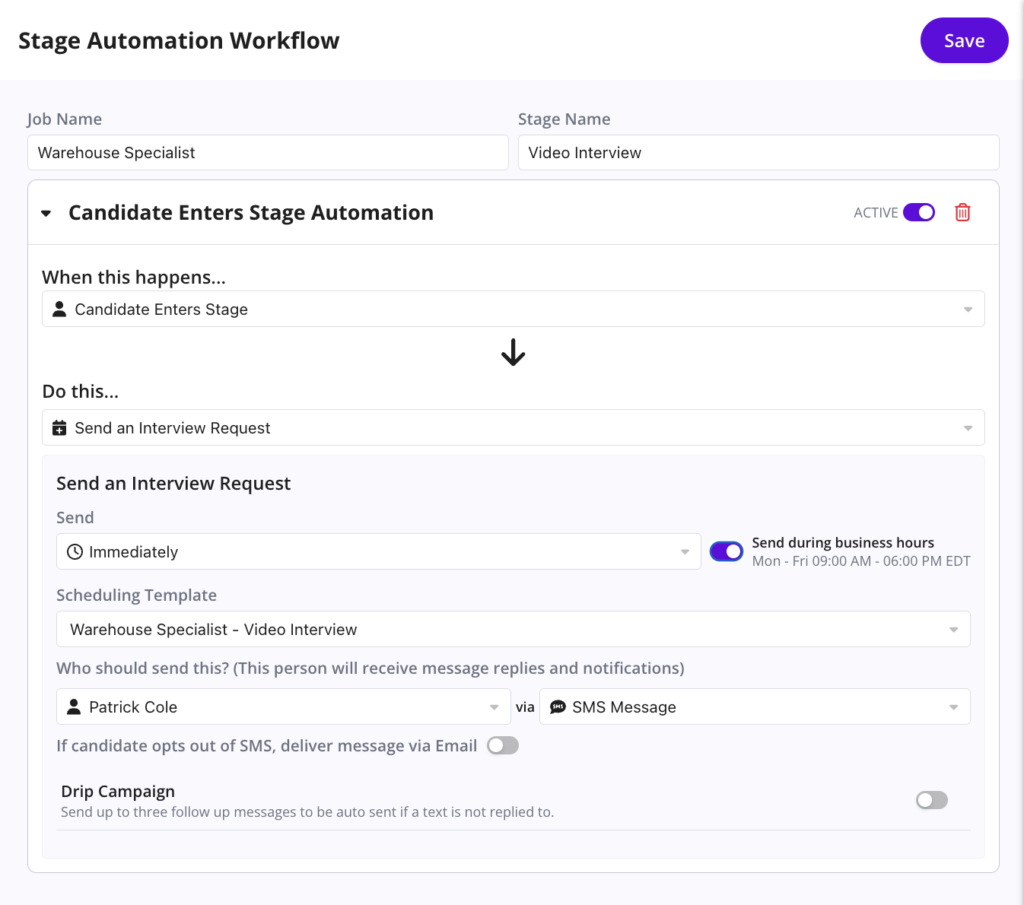
Stage Change Automation for Complex Interviews

Complex interviews are now fully automated! You can assign the hiring team, select any interview or email template, and streamline the entire process from hello to hire.


Why this is awesome: Teams can eliminate manual clicks and workflows, saving hours while ensuring every step is consistent and error-free.

Schedule Interviews Inside your ATS

Our Chrome extension now lets you request candidate availability and schedule, all without leaving your ATS. No more switching tabs or extra clicks.

Why this is awesome: Eliminate context-switching and speed up scheduling will save recruiters and coordinators valuable time.

Start using the latest GoodTime features!

We want to help you evolve and take full advantage of the latest upgrades and improvements to our platform. Check out the GoodTime support center for tutorials and tips to help you stress less and get more done!
GoodTime Product Updates: What’s New from August 2025

August has been a month of powerful upgrades at GoodTime, all designed to give recruiting teams more control, more insight, and a smoother experience from start to finish. From brand-new scheduling flexibility to deeper reporting filters, enhanced prep tools, and a completely reimagined Candidate Inbox, this release is packed with features that make every step of the hiring process smarter and more seamless.

Let’s dive into what’s new this month.

First, watch highlights from Orchestra, our workforce of AI agents

This month’s Orchestra Agent Update is all about making interviews more human-centric while fully automating the process end-to-end. From smarter scheduling that leverages executive interview blocks and white space on calendars, to a unified inbox for every candidate message across channels, Orchestra is redefining efficiency with a personal touch. Beautifully designed prep guides, rich training content, and location-based reporting give teams and candidates an elevated experience without extra work—because great hiring should feel seamless.

Watch the full August 2025 GoodTime product updates webinar or keep scrolling for highlights

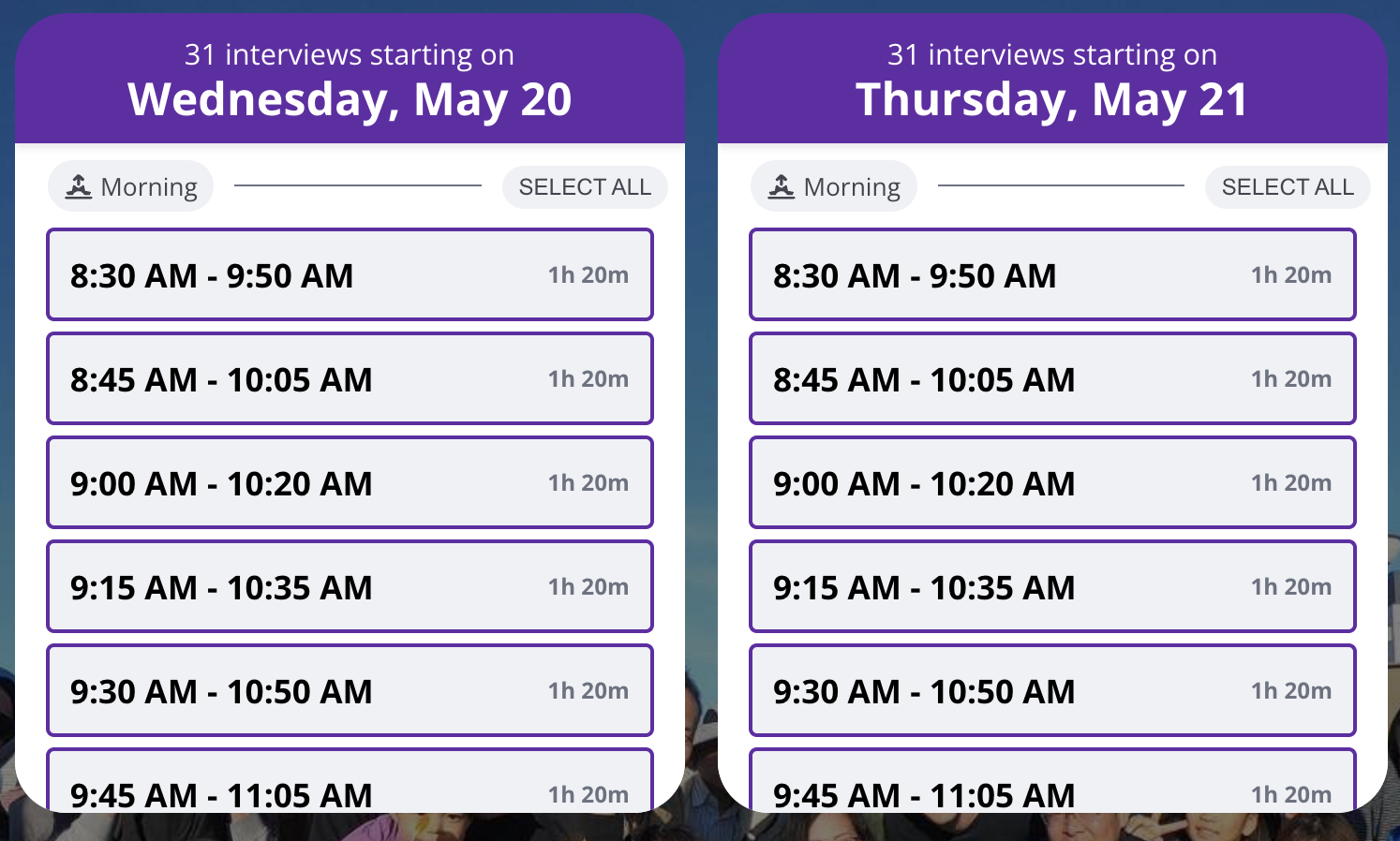
Until now, Interview Blocks could be on or off for the whole interview template. Today GoodTime is excited to launch the ability to leverage Block availability for some interviewers and white space for others, in the same search!

Why this is awesome: This granularity creates the ultimate flexibility and lets you adjust on the fly while scheduling.

Office / Location Filters for Insights

The major Insights reports can now be filtered on the ATS Office or Location assigned to jobs.

Why this is awesome: This allows you to create, save and share custom reports that pertain to specific locations, compare performance by location and the best part is that it’s all automatically ingested from your ATS data so no effort is required to use the filters.

Rich Text Editor

Training Classes, Interviewer Prep & Candidate Prep have all been leveled up with GoodTime’s all new Text Editor that supports image & video embedding, color pickers and much more.

Why this is awesome: Besides being able to match the esthetics and designs of your company branding, embedding video and photo really takes the capabilities of Interview Prep and Training Classes to the next level.

Overlap Analysis in Capacity Planning

GoodTime’s Capacity Planning now considers only the overlapping availability when 2 or more interviewers are required in the same event, as well as Interview Block availability.

Why this is awesome: This updates in real time and gives an early forecast on what the true scheduling capacity of templates is.

New Candidate Inbox

The Candidate Inbox has been completely overhauled for a smoother, more unified experience. See all candidate communications—text, email, and portal—in a single thread, whether you’re in the Chrome extension or the GoodTime app.

Why this is awesome: One inbox, all your messages—so you never miss a candidate update again

Start using the latest GoodTime features!

We want to help you evolve and take full advantage of the latest upgrades and improvements to our platform. Check out the GoodTime support center for tutorials and tips to help you stress less and get more done!
GoodTime Product Updates: What’s New from July 2025

We’re excited to roll out a powerful set of updates across GoodTime — all designed to give your team more visibility, control, and automation where it counts.

Load Balance Reporting has been completely reimagined to deliver faster insights, visualized distribution, and new context for edge cases like packed calendars and decline patterns. Capacity Planning now includes real-time updates, custom availability windows, and downloadable views. Auto Replace gets smarter with custom cutoff settings and failure analysis. And HOLD interviews can now auto-confirm when all interviewers are in — saving your team even more time.

On the Candidate AI side, you’ll now see full conversation visibility in Messenger, get real-time escalation alerts via email or Slack, and assign agents by job for more targeted support.

Let’s dive into what’s new.

Watch the full July 2025 GoodTime product updates webinar or keep scrolling for highlights

New Load Balance Report

The traditional Load Balance Report has been completely revamped. It loads more data, faster than ever, adds graph representation and detailed context such as calendar availability, decline rates & interviewer pick determination.

Why this is awesome: True load balance analysis requires larger datasets and more context than just interview statistics. This update enables just that.

Capacity Planning Updates

GoodTime’s new Capacity Planning has been enhanced with custom availability window, click in calendars, CSV downloads and real time updates to templates & tags.

Why this is awesome: All these enhancements make it easier to find bottlenecks in your hiring process as well as plan & justify to the business what’s needed to reach critical hiring goals.

Auto Replace Updates

Auto Replace now lets you set your own custom cutoff window and easily understand the reason why when a replacement is not possible.

Why this is awesome: Get more automated replacements and let the data help you avoid replacement failures in the future..

Auto Confirm Interviews

GoodTime’s latest automation will move your HOLD interviews to CONFIRMED when all required interviewers have accepted.

Why this is awesome: Coordinators spend less time manually confirming interviews and fewer interviews get “left behind”.

New Interviewer & Trainee Confirmation Email

We’ve updated the way the confirmation email to interviewers & trainees looks like. It’s easier to read, contains more information about relevant Training Path progress and makes it easier for Experience+ customers to access the Interviewer Portal.

Why this is awesome: This small but mighty update makes interviewing easier for every participant of every interview. 

AI Message Visibility


All candidate-AI conversations are now fully visible in the Candidate Messenger, with every message tracked. Recruiters and coordinators can jump in and respond directly when needed.

Why this is awesome: Gives your team full transparency and control to step in at the right moment.

Escalation Notification Alerts


When a candidate asks to speak with a recruiter or coordinator, your team is immediately notified via email or Slack—ensuring no request for human help goes unnoticed.

Why this is awesome: Provide a world-class candidate experience by quickly connecting them with a real person when needed.

Job-Based Agent Assignment

You can now turn on the AI Agent for specific jobs only—perfect for piloting usage with a few roles or tailoring support by department (like sales or engineering).

Why this is awesome: Roll out the agent gradually and strategically, with more control over where it’s deployed.

Start using the latest GoodTime features!
We want to help you evolve and take full advantage of the latest upgrades and improvements to our platform. Check out the GoodTime support center for tutorials and tips to help you stress less and get more done!