Efficiency
 Experience
 Intelligence

Table of Contents



Join 12,000 TA pros who stress less and crush their goals with our monthly expert-vetted tips and insights.
By submitting this form, you agree to be contacted and to receive the requested information, as well as occasional related insights from GoodTime about our products, services, and content. You may unsubscribe at any time. For details, view our Privacy Policy and Terms of Use.
Most TA teams don’t have a talent problem. They have a coordination problem.
In GoodTime’s 2026 Hiring Insights Report, a study of more than 500 U.S. talent acquisition leaders, 90% of companies missed their hiring goals. The reflex fix is a new coordinator req. But the teams that actually hit their numbers did something different. They were significantly less likely to add headcount at all.
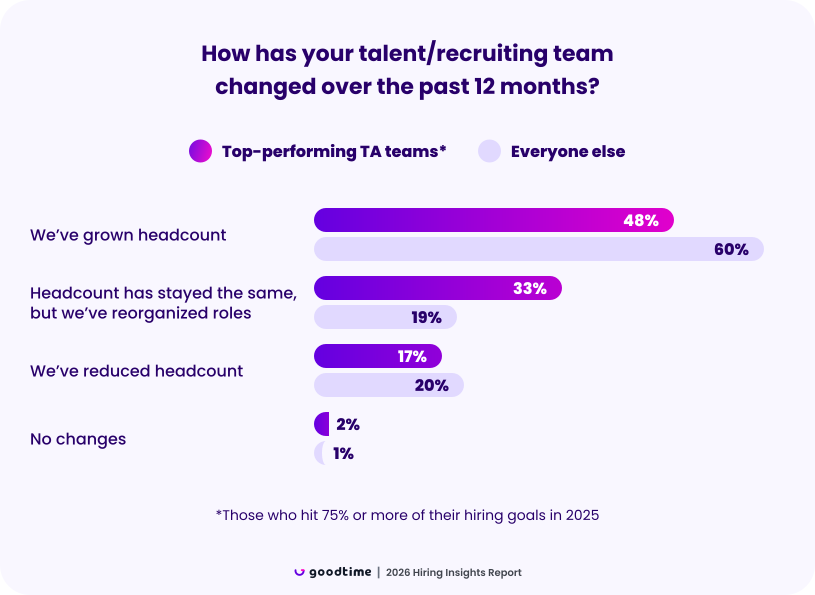
They automated the coordination layer instead. Scheduling. Rescheduling. Reminders. Interviewer swaps. Follow-ups. The repeatable work that quietly eats a recruiter’s week.
This guide is for TA leaders who’ve been asked to hire more without a bigger team, and for the coordinators holding it all together in the meantime. Here’s what recruitment automation covers, what to automate first, and how to build the business case against one more headcount request.
What is recruitment process automation?
Recruitment process automation is the use of software to run the repeatable, rules-based steps of hiring without a person doing each one by hand. Think interview scheduling, confirmations and reminders, rescheduling, interviewer selection, feedback requests, and candidate status updates.
The point isn’t to take people out of hiring. It’s to take people out of the busywork around hiring. A recruiter shouldn’t spend 20 minutes cross-checking five calendars to book one panel. Software can do that in seconds, every time, without double-booking anyone.
Recruitment automation usually shows up in three layers:
- Task automation. Single actions triggered by rules, like sending a reminder 24 hours before an interview.
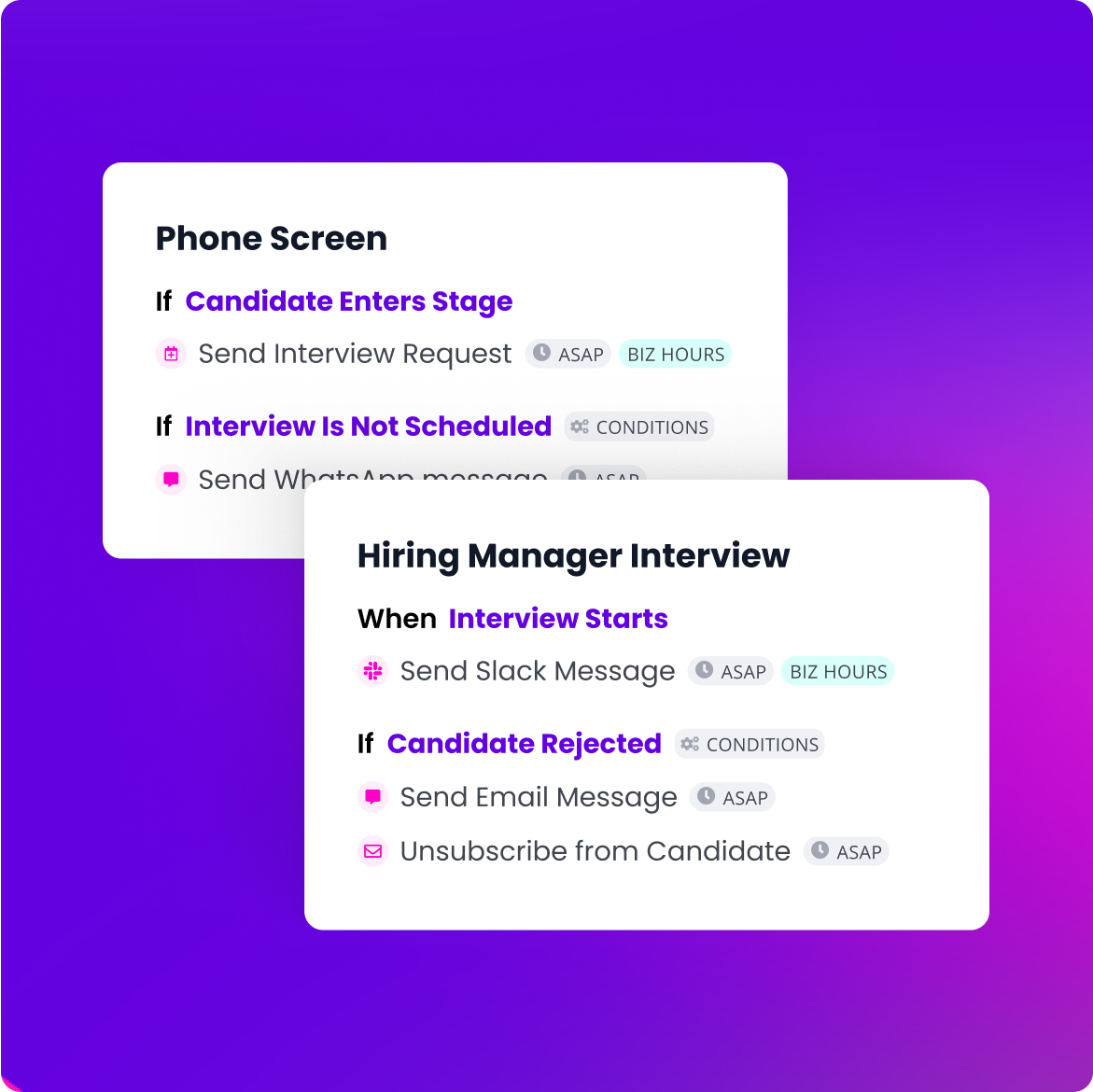
- Workflow automation. Multi-step sequences that move a candidate from one stage to the next, like scheduling a panel, confirming it, and requesting feedback afterward.
- AI agents. Software that watches for coordination gaps and acts on them, like spotting a declined invite and finding a qualified replacement interviewer before anyone notices.
If you’re new to the topic, our primer on recruitment process automation covers the fundamentals, and the benefits of automating your recruitment process goes deeper on the upside. The rest of this guide focuses on one question: how to get more hiring done with the team you already have.
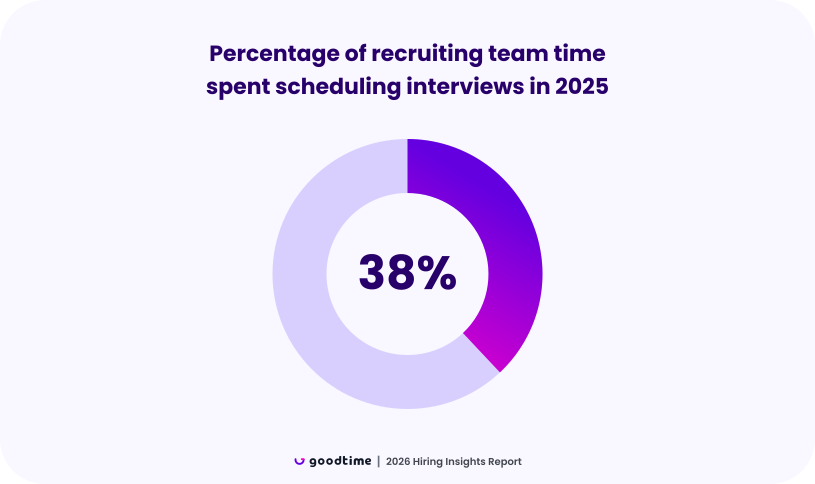
Manual coordination is the single biggest operational tax on recruiting teams. According to the 2026 Hiring Insights Report, recruiters spend 38% of their time scheduling interviews. That’s nearly two days of every work week spent on calendars instead of candidates.
It rarely looks expensive in the moment. One interview, a few emails. But it compounds.
“Our scheduling process was ultra-manual, which meant looking into people’s calendars, going back and forth with hiring managers, and trying to move meetings to make things work. Sometimes that meant one or two touchpoints — but sometimes it meant 10.”
— Robbie Simpson, Head of Talent Acquisition, Glovo
At Nubank, Candidate Experience Lead Renata Mojola described the same grind. Each interview meant going calendar by calendar, and it would “likely take around 20-25 minutes before we had confirmation from everyone,” she said in Nubank’s story. “Doing that one by one was nightmarish.”
What that time actually costs
Run the numbers on a team booking 1,000 interviews a quarter. At 20 to 25 minutes each, that’s roughly 330 to 420 hours of coordination. One full-time coordinator works about 520 hours a quarter. So most of a full role goes to booking meetings, before a single reschedule.
Now put a price on that role. The average recruiting coordinator salary in the U.S. is $56,258 in base pay, according to PayScale’s 2026 data. Wages make up 70% of total compensation costs for private-industry workers, per the Bureau of Labor Statistics, with benefits making up the rest. That puts the fully loaded cost of one coordinator near $80,000 a year, before recruiting fees, onboarding, and ramp time.
Why another coordinator doesn’t fix it
Headcount adds capacity. It doesn’t change the process. A new coordinator inherits the same calendar Tetris, the same reschedule loops, and the same error rate. At Glovo, errors like accidentally booking an interviewer for three interviews a week instead of two triggered extra touchpoints and rescheduling.
The work grows with every req. Manual coordination scales linearly with hiring volume, which means your cost per hire grows right along with it. That’s the trap, and it’s why GoodTime has long argued for investing in recruitment tech before hiring more recruiting coordinators. For a closer look at how coordination gaps slow hiring down, read Hiring has a coordination problem.
Coordinators are much more than interview schedulers. The goal is to give them their time back. See how GoodTime supports recruiting coordinators.
Which coordination tasks should you automate first?
Start with interview scheduling. It’s the biggest time sink, it’s highly rules-based, and every other coordination task depends on it. Then work outward in this order:
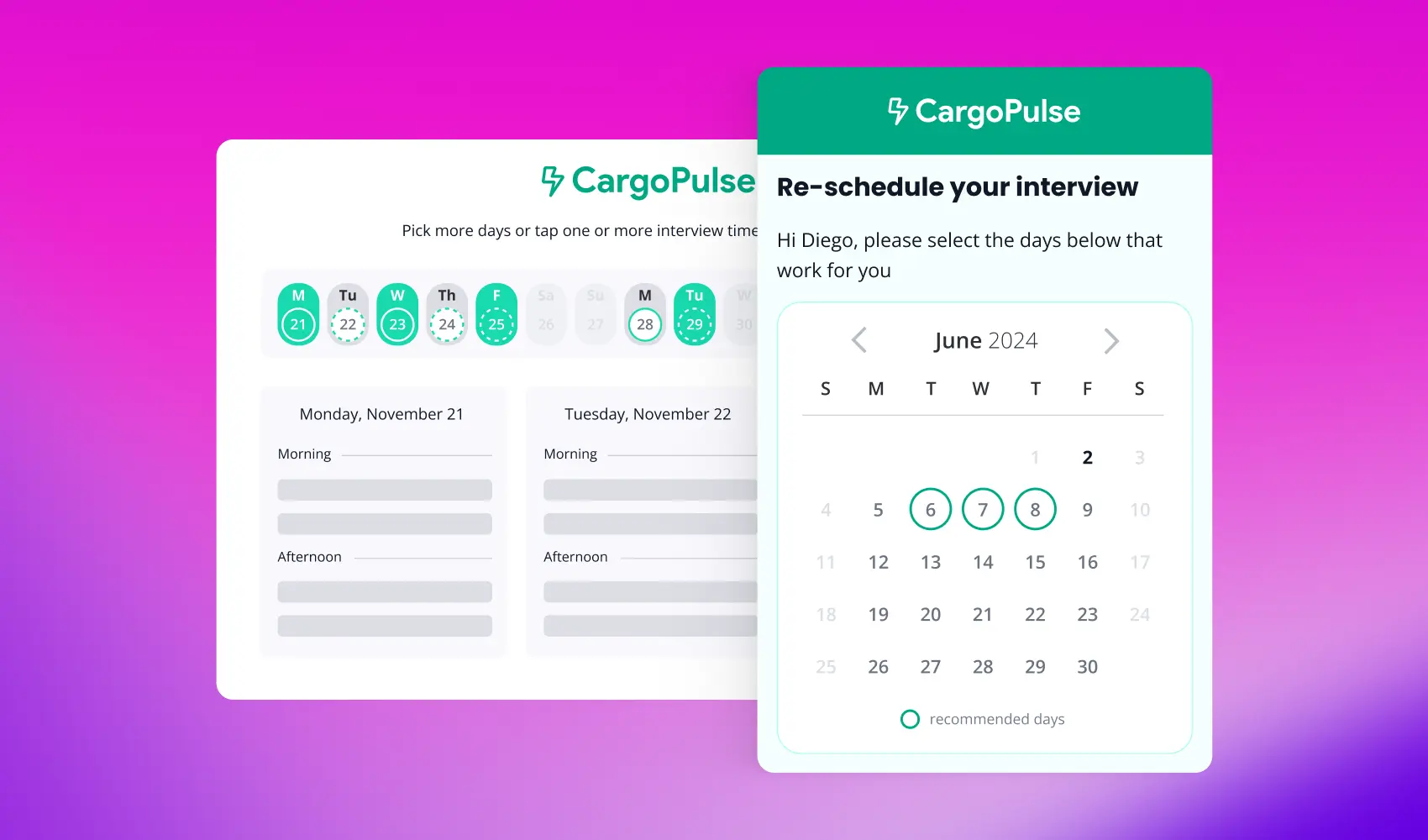
- Interview scheduling and self-scheduling. Let candidates pick from real availability, and let software build single-day, multi-day, and panel interviews across time zones.
- Rescheduling and interviewer replacement. When someone declines, the system finds the next qualified interviewer automatically instead of restarting the email chain.
- Confirmations and reminders. Automated email, SMS, and WhatsApp messages keep candidates and interviewers on track and cut no-shows.
- Interviewer selection and load balancing. Rules spread interviews fairly across qualified pools so your best interviewers don’t burn out.
- Feedback collection. Automatic nudges after each interview keep scorecards moving and decisions on schedule.
- Candidate status updates. Stage-change messages keep candidates informed without a recruiter typing every note.
Nubank’s TA team found the compounding value in the items further down that list. “The training features, the tags, the ability to reschedule and replace someone automatically — those also help us to save a lot of time and be able to work better and provide a better candidate experience,” said Fernanda Goncalves, who leads talent operations at Nubank.
What to keep human
Automation should handle logistics, not judgment. Keep people on hiring manager intake and calibration, offer conversations, sensitive candidate moments, and the true exceptions a rule can’t anticipate. A good setup makes those exceptions obvious instead of burying them.
GoodTime’s workflow automation covers each of these tasks, with configurable rules for every interview type.
How recruitment automation improves recruiting efficiency without adding headcount
Recruiting efficiency means hiring output per unit of team capacity: more interviews, faster decisions, and fewer errors with the same people. Automation improves it by taking coordination off the team’s plate, so the same headcount covers more volume.
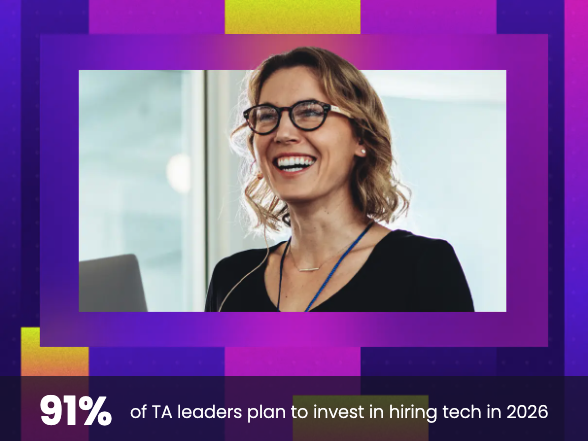
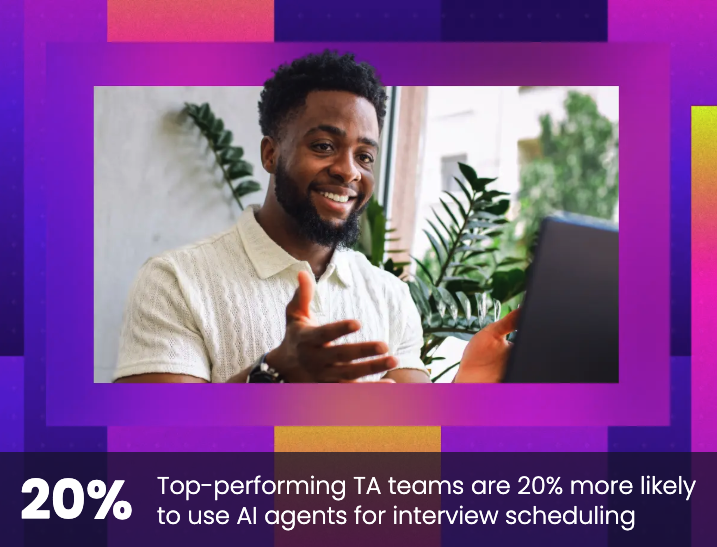
The data backs this up. High-performing TA teams in the 2026 Hiring Insights Report, those that reached 75% or more of their hiring goals, were significantly less likely to increase headcount. And teams using automated or AI-driven interview scheduling were 1.6 times more likely to achieve near-perfect hiring goal attainment.
“The hiring challenge in 2026 isn’t about adding more people or cutting teams. It’s about redesigning how hiring work gets done.”
— Ahryun Moon, CEO and Co-Founder, GoodTime
Here’s where the capacity comes from.
More volume per coordinator
At Miro, recruitment coordinators became 3 to 4 times more productive and now schedule more than 1,500 interviews each per year.
“We have a small team of recruitment coordinators, and they’re able to maintain global coverage between Australia, Japan, the US, and Europe. They are scheduling more than 7,000 unique candidates a year, which is insane. That’s something we wouldn’t be able to do without GoodTime.”
— Rico Habraken, Talent Operations Manager, Miro
Less friction across the team
Automation removes the back-and-forth that drags on hiring managers and interviewers too. At Toast, interview scheduling got 50% faster and cancellations fell 55%. “When you zoom out, what’s great about that is we’re getting people scheduled faster with less internal friction,” said Jeff Moore, VP of TA Operations and Workspaces.
A better candidate experience, not a colder one
Speed is part of candidate experience. So is control. Self-scheduling, a branded candidate portal, and instant confirmations give candidates the transparency they expect while freeing your team for real conversations. Learn more about GoodTime’s candidate experience tools.
Miro’s Justyna Michalik, a recruiting coordinator, put the trade-off plainly: “By implementing GoodTime, we were able to eliminate a massive piece of manual work and streamline coordination activities around recruitment journeys. Because of that, we were able to commit to delivering a top-notch candidate and hiring team experience.”
For the broader HR picture beyond recruiting, see the benefits of HR automation.
Building a scalable automation workflow for your TA team
You don’t need a big-bang rollout. The teams that scale fastest start with their highest-volume interview path, prove it works, and expand from there. Here’s a sequence that holds up:
- Measure your baseline. Track time to schedule, time spent scheduling per interview, reschedule and cancellation rates, and admin errors. You’ll need these numbers for the business case later.
- Standardize your interview loops. Document each interview type, who’s qualified to run it, and in what order. Automation amplifies whatever process you feed it, so clean it up first.
- Automate your highest-volume path first. Screens and 1:1s usually come first. Panels and multi-day loops follow once the rules are proven.
- Build interviewer pools and training paths. Tag interviewers by skill and stage, set load limits, and let shadowing and reverse-shadowing run automatically.
- Connect it to your ATS. Automation that lives outside your system of record becomes one more thing to manage.
- Define the exceptions. Decide which situations route to a human, such as executive interviews or accommodations, and make them easy to spot.
- Review and expand monthly. Use hiring analytics to find the next bottleneck, then automate it.
The ATS step matters more than most teams expect. When Glovo rolled out GoodTime on top of Greenhouse, some recruiters and hiring managers didn’t notice the switch until messages started arriving.
“That’s great because it shows that we’re not being disruptive, and the recruiters and hiring managers haven’t had to adapt dramatically. Integrating a new tool without a huge adoption curve is super beneficial, and it allows us to use that change management capital in other areas.”
— Robbie Simpson, Head of Talent Acquisition, Glovo
Example: Nubank’s high-volume setup
Nubank, the largest fintech bank in Latin America, needed different experiences for early screener interviews and later culture interviews. The team split them into separate, tailored scheduling flows, then let automation handle rescheduling and interviewer replacement. The result: more than 3,000 meetings scheduled and a 50% reduction in time spent scheduling.
“We were able to save a lot of time and speed up the process, especially in these high-volume positions that we have,” said Renata Mojola, Candidate Experience Lead.
Measuring ROI: Automation vs. additional coordinator headcount
The fairest comparison is capacity per dollar. A new coordinator adds one person’s worth of capacity at a fixed cost. Automation adds capacity across the whole team, and that capacity grows with volume instead of staying flat.
| Add a recruiting coordinator | Automate coordination | |
|---|---|---|
| Annual cost | About $80,000 fully loaded (salary plus benefits), before recruiting and onboarding | Platform subscription; varies by volume and scope |
| Time to impact | Weeks to months to hire and ramp | Days to weeks once integrated with your ATS |
| Scales with volume | Linearly; more reqs eventually mean another hire | Handles spikes without new headcount |
| Error rate | Unchanged; same manual process | Lower; Glovo saw 62% fewer admin errors |
| Where human time goes | Mostly more scheduling | Candidates, hiring managers, and decisions |
A simple way to size the savings
Start with hours. Multiply interviews per year by the minutes each one takes to coordinate today. Then apply a realistic reduction from a peer: Nubank cut time spent scheduling by half.
Using the earlier example, a team booking 1,000 interviews a quarter spends roughly 375 hours on coordination. Halving that frees about 750 hours a year, or more than a third of a full-time coordinator. At a loaded cost near $39 an hour, that’s capacity worth roughly $29,000 a year, recovered without a new req. Plug your own numbers into GoodTime’s ROI calculator.
Metrics to track after you automate
- Time to schedule. Hours from interview request to confirmed booking.
- Time spent scheduling. Coordinator minutes per interview.
- Interviews per coordinator. The clearest recruiting efficiency signal for capacity planning.
- Reschedule and cancellation rates. Fewer means less rework.
- Admin errors. Double-bookings, wrong interviewers, missed invites.
- Time to hire. The downstream number leadership cares about most.
- Recruitment cost per hire. Total internal and external recruiting costs divided by total hires.
Glovo’s results show how quickly these move. In the first four weeks, the team saw a 62% reduction in admin errors and a 73% improvement in time to schedule, and overall time to hire dropped by 20 to 25%. Just as important, the numbers changed the conversation with leadership.
“Going back to them with these data points helps us speak the same language and get great buy-in.”
— Robbie Simpson, Head of Talent Acquisition, Glovo
For benchmarks to compare against, the 2026 Hiring Insights Report breaks down how top-performing teams operate versus everyone else.
Start automating your recruiting coordination with GoodTime
GoodTime automates the coordination layer of hiring, so your team can scale without scaling headcount. It handles complex interview scheduling from high-volume 1:1s to multi-day panels across time zones, and it works on top of the ATS you already use, including Greenhouse, Workday, iCIMS, Lever, Ashby, SmartRecruiters, SuccessFactors, and Jobvite.
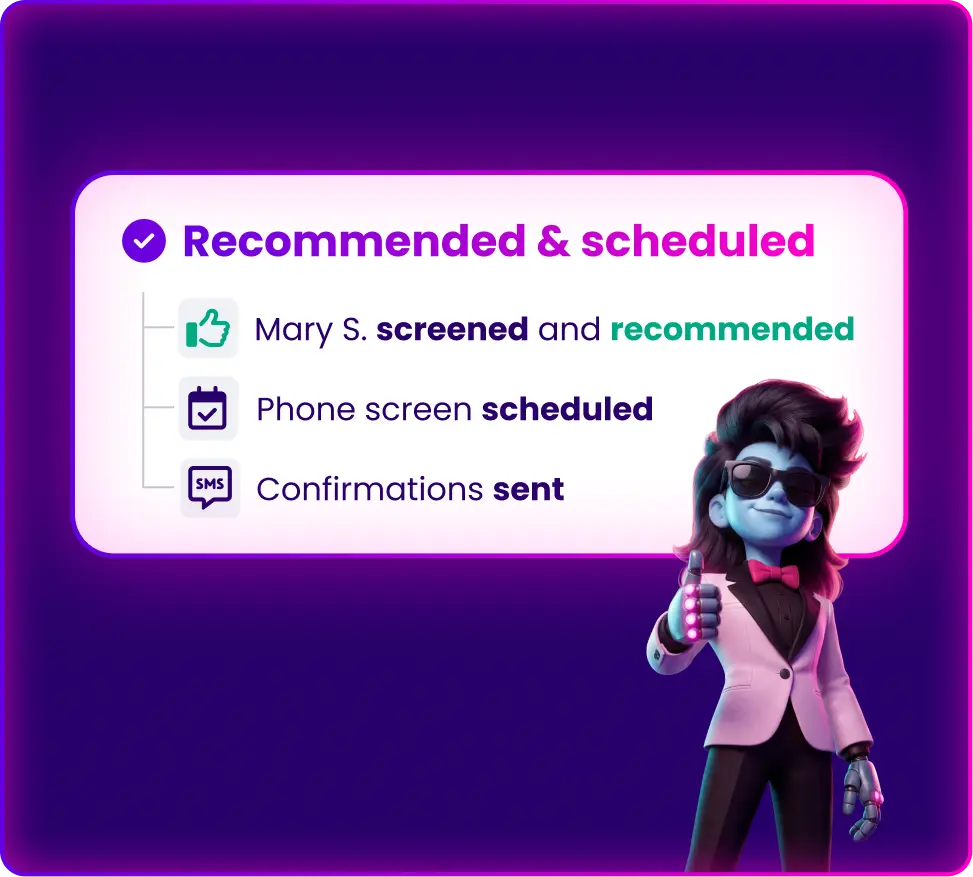
At the center is Cori, GoodTime’s AI agent. Cori schedules and reschedules interviews, swaps in qualified interviewers when someone drops, keeps candidates and hiring teams updated, and flags conflicts before they become delays. Your team stays in charge of every decision.
“Hiring teams don’t need another agent to babysit. An AI agent should feel like a teammate, handling coordination across platforms, people, and time zones.”
— Ahryun Moon, Co-Founder and CEO, GoodTime
The result is what teams like Glovo, Miro, Nubank, and Toast describe: coordinators who spend their days on candidates and hiring managers instead of calendars.
Explore GoodTime’s interview scheduling platform or get a demo.
Frequently asked questions
What is recruitment process automation?
Recruitment process automation is the use of software to run repeatable hiring tasks without manual effort. That includes interview scheduling, reminders, rescheduling, interviewer selection, feedback collection, and candidate updates. It frees recruiters and coordinators to focus on candidates and decisions.
Which recruiting tasks can be automated without adding headcount?
The best candidates are rules-based coordination tasks: interview scheduling and self-scheduling, rescheduling, interviewer replacement, confirmations and reminders, load balancing across interviewer pools, feedback nudges, and stage-change messages. Automating them lets the same team handle more interviews.
How does recruitment automation improve recruiting efficiency without hiring more staff?
It removes coordination work from each hire, so capacity grows without new headcount. In GoodTime’s 2026 Hiring Insights Report, teams using automated or AI-driven scheduling were 1.6 times more likely to achieve near-perfect hiring goal attainment. Less manual work per hire also lowers recruitment cost per hire.
What should a talent acquisition team automate first?
Start with interview scheduling. Recruiters spend 38% of their time on it, and every other coordination task depends on it. Next, automate rescheduling and interviewer replacement, then reminders, then feedback collection. You don’t need to automate everything at once.
Can recruitment automation replace a recruiting coordinator?
No, and it shouldn’t. Automation replaces the repetitive parts of the job, not the person. With the average recruiting coordinator salary around $56,000 in base pay, the better return is helping existing coordinators do more strategic work. “GoodTime is helping me as a leader build our future recruiters,” said Robbie Simpson, Head of Talent Acquisition at Glovo.
How is recruiting efficiency measured after implementing automation?
Track time to schedule, coordinator time spent per interview, interviews per coordinator, reschedule and cancellation rates, admin errors, time to hire, and recruitment cost per hire. Compare each against your pre-automation baseline.
What is the difference between AI recruiting tools and recruitment workflow automation?
Workflow automation follows rules you set, like sending a reminder 24 hours before every interview. AI recruiting tools and agents go further, interpreting context and acting on it, such as spotting a declined invite and finding a qualified replacement. Most teams benefit from both: rules for predictable steps, AI for the exceptions that used to need a human.