As the year winds down, the pace of innovation at GoodTime isn’t slowing one bit. Our latest updates focus on enhancing flexibility, improving collaboration, and delivering deeper insights to keep your hiring workflows seamless. Whether you’re navigating complex rescheduling needs, looking for richer analytics, or boosting team efficiency, this month’s updates have something for everyone.
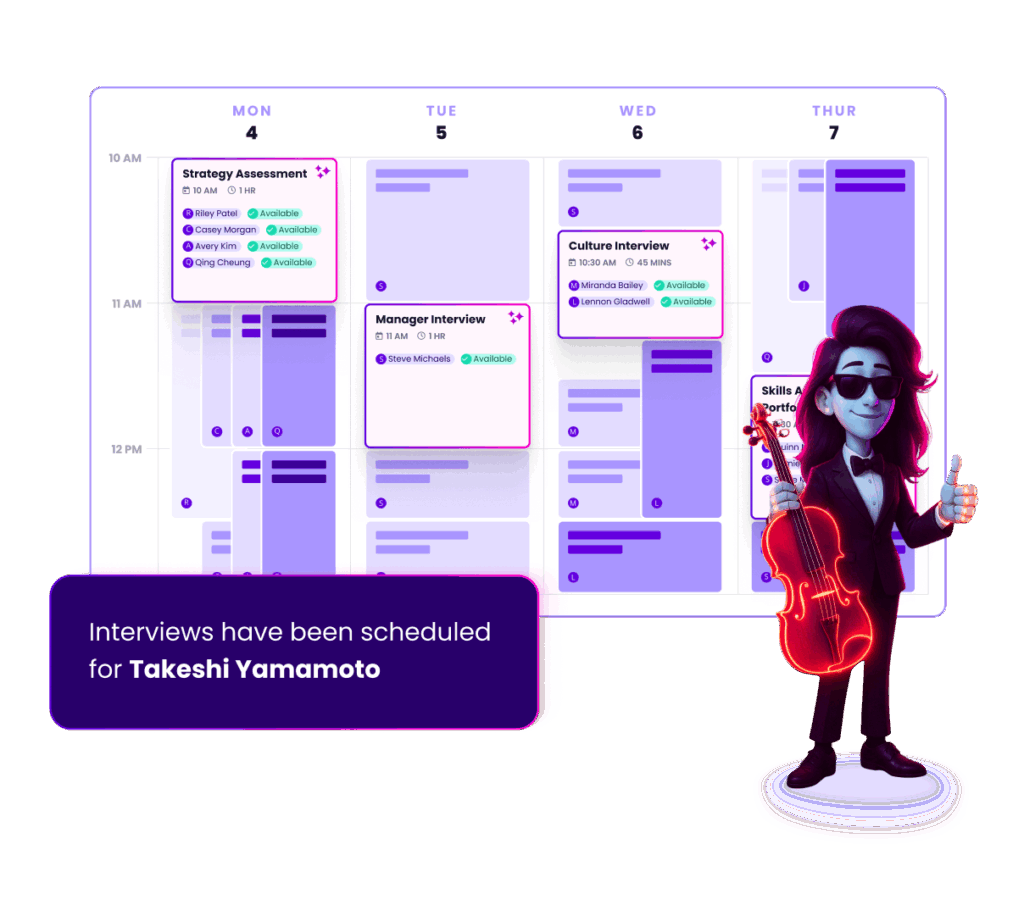
Events can now be rescheduled to other existing interviews, and completely new interviews. This new flow reduces admin, collects better rescheduling reasons and shows a better paper trail of event changes.
Cancellation & Reschedule Reasons report has been revamped and expanded to include Decline data. This will help understand why interviews require rescheduling and adjust for optimal interviewer planning.
Decline Reasons can now be provided in free text when selecting “Other” for the ultimate granularity in Decline data.
Searching for candidates and interviews is now multitudes faster, more flexible, and provides more information – all at the same time. Save time by finding your results faster and picking the right interview more often.
Our New GoodTime Chrome Extension provides you with up-to-date candidate & interview information while taking action like messaging or queueing, all without leaving your ATS
And that’s not all, so let’s get into it! As always you can watch our full product updates webinar below or scroll for the TL;DR.
Watch the November 2024 GoodTime product updates webinar or keep scrolling for highlights
Rescheduling events
We are thrilled to announce that you can now simply reschedule individual events with three awesome flows. Add to another interview, search for options or pick the exact time you want.
Why this is awesome: This saves time by reducing steps, eliminates mistakes and makes the necessary communications clearer.
Revamped “Reasons” report
The former Cancellation & Reschedule Reasons report has been revamped with an easier-to-read interface and added Interviewer Decline reasons. It can also be sliced by Department, Job, and Coordinator.
Why this is awesome: This highly popular report is now more granular than ever and includes more data than before. For the first time, you can now dissect the reasons why interviewers are declining.
New and improved search
The main search bar in GoodTime’s Dashboard has been completely rebuilt to make it faster, more flexible, and contain more information than ever before.
Why this is awesome: This improvement saves enormous amounts of accumulated time through faster results and makes it more likely to find the right candidate on the first try.
See Candidate Details from your ATS
Now on candidate pages across all ATS, you will see a GoodTime logo which allows you to quickly see details about the candidate’s interviews.
Why this is awesome: In one button click you can see information such as if the candidate has opened their email(s), see if you’re waiting for interviewers to schedule an interview, or see the details of the candidate’s interview.
Queue candidates from your ATS
After reviewing a candidate and scorecard details, you can queue candidates to be scheduled right from your ATS.
Why this is awesome: Choose things such as priority reason, input availability, and use handoff templates to get your candidate scheduled as soon as possible.
Send messages from your ATS
Our new extension allows you to quickly contact your candidates without leaving the ATS.
Why this is awesome: Quickly send text messages, emails, or WhatsApp messages directly to your candidate right from their candidate page. You can also send request to schedule invites over these communication channels as well.
Start using the latest GoodTime features!
We want to help you evolve and take full advantage of the latest upgrades and improvements to our platform. Check out the GoodTime support center for tutorials and tips to help you stress less and get more done!
Having multiple positions to fill in a short period can be seriously stressful. The main challenge you might encounter during this process is screening applicants quickly while maintaining candidate quality.
That’s why developing a high-volume hiring strategy is essential. Though it requires lots of time and resources, this strategic approach can help you meet your recruitment goals. For example, you can leverage artificial intelligence (AI) tools for candidate assessments and use automation to screen job seekers.
Below, learn more about creating a high-volume hiring strategy by centralizing all your data and hiring workflows and using the right software.
Unlock 2026’s top hiring strategies: Insights from 500+ TA leaders
Be the first to uncover deep hiring insights specific to your sector — straight from the highest-performing TA teams.
Some of the problems with managing large-scale recruitment include:
Screening a high volume of applications
Managing an overwhelming number of candidates is the top hiring challenge that talent acquisition leaders think they will experience over the next 12 months, according to our 2024 Hiring Insights Report. The average corporate job, for example, receives 250 applications. As you can imagine, that number skyrockets for high-volume roles.
If you advertise multiple open roles, you could potentially hear back from thousands of candidates. Screening such a high number of applications, as is required in industries like healthcare, can put a lot of stress on your talent acquisition teams, requiring a lot of their time, effort, and resources.
If time is tight, you might not be able to screen multiple resumes or conduct background checks as thoroughly as you’d like. However, rushing through high-volume hiring can reduce the quality of candidates in your recruitment funnel, resulting in bad hires and increased turnover.
Scheduling and coordinating interviews efficiently
Talent acquisition teams spend 35% of their time scheduling interviews, according to our report. This percentage might rise during high-volume recruiting periods, meaning your hard-working team has to work even harder!
That’s just the start of it. After scheduling, your talent acquisition team needs to carefully coordinate interviews to identify the best talent, which can take up even more time.
High-volume hiring can be tough for any recruitment team. However, with the right high-volume hiring strategies in place, you can reduce the time to hire without sacrificing quality.
Automating screening and application processes
Research shows that while the ideal resume length is 475-600 words, many exceed this range. In fact, around 10% of resumes are 1,000 words or more. Now, imagine reading through all these documents during a period of high-volume recruiting!
Automatic resume screening can make your life so much easier. It involves using the latest technology to scan documents for keywords related to skills, experience, or other factors. As a result, you can save time and quickly find qualified candidates to progress to the interview stage.
Leveraging AI tools for candidate assessment
Candidate assessments let you evaluate job applicants based on their skills, background, and other criteria. However, this manual process can take weeks or even months, especially if you’re trying to fill multiple roles.
AI recruitment tools automatically check assessments for you, reducing your workload. They review candidates’ answers and compare them to your job description and other information, helping you find qualified applicants in a fraction of the time.
Building talent pools and pipelines
A talent pool or pipeline is a database that contains the names and contact info of the people most qualified for different job roles. It might consist of current job applicants, former employees, people in your professional network, and referrals from existing staff.
Building a talent pool is a great way to quickly access talent during high-volume hiring. You’ve already vetted these people, so you might find it easier to find a match for an open position, improving the time to fill.
Streamlining interview scheduling
Simplifying interview scheduling frees up time to focus on higher-value tasks, such as candidate engagement. Automation tools can help you achieve this goal.
GoodTime, for example, lets candidates schedule interviews without contacting your team, speeding up this part of the recruitment workflow. Our software has other features specifically designed for high-volume hiring, including the ability to contact multiple applicants simultaneously through SMS, WhatsApp, and email.
Using data-driven hiring metrics
High-volume hiring is almost impossible without the latest data-driven recruitment metrics. Analytics tools can help you track candidate performance at different stages, such as interviews and assessments, and find out if they’d be a good fit for a role. You can also make real-time adjustments to your recruitment processes by identifying patterns and trends in candidate data.
Some of the best metrics for high-volume recruiting strategies include:
Qualified candidates per opening (the number of candidates who have the appropriate skills, background, and experience for a role)
Source of candidate (where job applicants heard about your job)
Candidate Net Promoter Score (cNPS) (measures how satisfied job applicants are with your recruitment process)
Building a scalable process for high-volume hiring
High-volume hiring is often temporary. However, you’ll want to create a repeatable and scalable workflow to make this process easier in the future. Here are ways to handle spikes in recruitment more effectively:
Optimize job descriptions
Clear job descriptions help candidates understand what you’re looking for. That can reduce confusion early on in the hiring process and prevent your team from having to provide more information, which can slow everything down. For example, listing all key responsibilities for a role will set clear expectations and discourage unqualified job seekers from applying for that position.
Use the right ATS
An applicant tracking system (ATS) is one of the most powerful weapons in a recruiter’s arsenal when creating high-volume recruiting strategies. As the name suggests, it tracks applicants at different hiring stages, allowing you to manage job applications and find high-quality candidates. Plus, most of these systems have resume screening tools, so you can spend less time wading through documents.
Some of the best applicant tracking systems right now include:
Workday
Greenhouse
SuccessFactors
Lever
iCIMS
SmartRecruiters
Jobvite
BambooHR
Use interview scheduling tools
Interview scheduling tools like GoodTime are just as essential as application tracking systems. Because they allow applicants to schedule their own interviews, you can improve the candidate experience and reduce administrative tasks.
These tools also allow you to view interview schedules in your organization, helping you plan your time and know when to bring in additional staff. This results in a more effective talent acquisition strategy.
Prepare your team
You’ll need all the people power possible during high-volume recruiting periods, so teach your team key skills like time management and problem-solving to help you achieve your goals. Also, make sure everyone understands their responsibilities when filling multiple roles. You could delegate critical tasks to more experienced team members at this busy time so your workflows run more smoothly.
Best practices for efficient high-volume recruiting
Although high-volume recruiting involves filling roles as quickly as possible, you’ll still want candidates to have a good experience. Here are some ways to achieve this balance:
Communicate clearly with candidates
Keeping applicants updated with the latest information can help you build trust throughout the recruitment process. For example, be transparent about how long it will take to complete certain tasks, such as reviewing resumes and setting up interviews. This can result in a better impression of your company.
Centralize data and hiring workflows
Keeping all the data you use during high-volume hiring in a single location can make it easier for team members to access the information they need for talent operations. For example, instead of using several analytic tools, you can invest in a single system for recruitment insights that helps you manage high-volume workflows.
Creating a positive candidate experience
It might be difficult with so many applicants, but try to personalize your communications with candidates as best you can — even if you just include someone’s first name in an email. Personalization can go a long way with job applicants because it makes them feel valued.
Also, respond to queries from candidates as quickly as you can. Job applicants often expect fast responses from hiring teams, and taking too long to answer a message could cause someone to drop out of your recruitment funnel. If possible, aim to reply to communications within a business day.
Overcoming the obstacles of high-volume hiring
Filling multiple roles in your company at the same time doesn’t have to be challenging. Consider adopting a structured, technology-driven approach to high-volume hiring to make this process easier for everyone involved.
A good high-volume hiring strategy includes leveraging AI tools, using data-driven insights, and streamlining tasks like resume screening. That way, you can improve the time to hire without negatively affecting the candidate experience.
We believe high-volume hiring success comes down to the technologies you use. GoodTime, for example, automates the entire interview scheduling process, allowing you to focus on more critical tasks in your recruitment workflow.
Our high-volume hiring software fully streamlines interview coordination for corporate and high-volume roles, helping you schedule one-on-one meetings, multi-day panels, and more. We even handle messaging, reminders, and interview selection. Plus, candidates can schedule their own interviews for a day and time that suits them.
Human-centric AI to crush your high-volume hiring goals
Engage candidates immediately via SMS and WhatsApp, harness instant bulk scheduling, and automate hiring workflows.
The clock starts ticking as soon as your organization decides to hire new talent. You must complete dozens of hiring process steps, from writing an intriguing job description to negotiating the final offer. Even the most efficient recruiters can face roadblocks along the way — from minor scheduling conflicts to losing top candidates to competitors. So, how can you reduce the time to hire without sacrificing the quality of your hires?
Dallas Frazer, Customer Success Coach at GoodTime and former Recruiter Operations Lead at Shopify, believes long hiring timelines often indicate inefficient processes. He explains:
“One of the key metrics recruiters will want to track is time-to-hire. If you find your process dragging on for longer than necessary, it’s a clear sign you might be investing too much time and effort in certain stages.”
This article explores common recruitment inefficiencies to help you understand how to reduce the time to hire. We’ll also share practical tips to streamline the recruitment process so you can get the best candidates on board quickly.
Unlock 2026’s top hiring strategies: Insights from 500+ TA leaders
Be the first to uncover deep hiring insights specific to your sector — straight from the highest-performing TA teams.
In a perfect world, you’d share a job posting, and highly qualified candidates would immediately submit applications. You’d organize a few interviews, make an offer within a week, and voila — your new hire is ready to start.
In reality, the hiring process often takes longer than expected. According to GoodTime’s 2024 Hiring Insights Report, 44% of businesses experienced a longer time to hire in 2023 than the previous year. Here are five challenges that can cause unexpected delays.
1. Lack of qualified candidates
Companies want to hire the best candidates, but finding people with the right skills and experience isn’t always easy. The Hiring Insights Report found that 24% of businesses struggled to find qualified candidates in the past 12 months.
A lack of suitable candidates can significantly extend the hiring process. You may spend weeks or months wading through resumes and interviewing individuals who aren’t quite the right fit.
2. Inefficient interviewing practices
Some businesses have outdated or time-consuming interviewing processes. For example, multiple interview rounds or extensive assessments often lead to delays. Slow feedback loops and unclear hiring criteria — like not knowing if candidates need specific certifications or technical skills — can also prolong the interview process.
3. Scheduling conflicts
Here’s a familiar scenario for any human resources (HR) professional: You propose a few interview slots, but the candidate isn’t available for any of them. They suggest alternatives, but now one of your team members is on vacation. You go back and forth over email until you finally find a slot that works for everyone — or the candidate stops responding.
Conflicts like these can turn a simple scheduling task into a time-consuming ordeal. You may even lose your favorite candidates to competitors and need to restart the whole process, significantly extending your hiring time.
4. Poor candidate experience
HR technology makes it easier than ever to apply for jobs online, but many platforms are difficult to navigate. Candidates may feel frustrated if they must re-enter information into multiple fields or complete lengthy assessments. Factor in the possibility of glitches or technical issues, and the process becomes even more demoralizing.
A stressful candidate experience can cause even the most qualified individuals to give up before submitting their applications. As your talent pool shrinks, the time to hire can increase exponentially while the quality of candidates decreases.
5. Unrealistic compensation expectations
Businesses and candidates may have drastically different numbers in mind regarding salary and benefits. According to our 2024 Hiring Insights Report, 24% of talent acquisition leaders reported that unrealistic compensation expectations had prevented them from reaching their hiring goals.
This disconnection can lead to lengthy negotiations as you try to bridge the gap between the candidate’s expectations and the company’s budget. If you can’t reach a compromise, the candidate may reject your offer, forcing you to start the hiring process over again.
Effective strategies to reduce the time to hire
Recruiting talent fast can be challenging, but there are ways to streamline the hiring process. These tactics will help you find the most qualified candidates efficiently and decrease the time to hire.
Automate scheduling tasks
Nothing slows down the hiring process like playing phone or email tag with a candidate. Coordinating availability and rescheduling interviews can quickly overwhelm recruiters’ to-do lists.
Mike Joyner, Founding Partner of Growth by Design Talent, highlights the impact of scheduling tasks on the time to hire. He remarks:
“If you don’t automate some of those higher volume tasks, recruiters simply aren’t going to be able to hire as many people given the finite amount of time that would be available for higher impact recruiting work.”
Automating tasks with interview scheduling software can significantly decrease the time to hire. GoodTime, for example, uses human-centric artificial intelligence (AI) to help businesses schedule interviews 78% faster. It also sends interviewers and candidates personalized reminders, reducing the risk of miscommunications and missed interviews.
Improve communication
Every second counts when communicating with potential hires. Text recruiting software allows you to get in touch with candidates instantly and keep them in the loop throughout the hiring process.
GoodTime lets you message candidates individually or in bulk through SMS, email, and WhatsApp. You can use this tool to filter applicants with pre-built screening questions tailored to your role. Once you’ve identified the most qualified candidates, you can message them directly to coordinate interviews.
Plus, the platform lets you personalize your communications with intelligent text automation. For example, you can send a candidate a personalized text when they move to the next stage of the interview process or an email if they get rejected. Tailoring your messages strengthens your relationship with candidates and keeps them engaged.
Frequent communication also helps you manage candidates’ expectations. For instance, sending a brief text message outlining the compensation range before scheduling interviews improves transparency and helps filter out disinterested candidates.
Explore your recruiting processes through your candidates’ eyes
Candidates may encounter barriers during the recruitment process that aren’t immediately obvious to recruiters. For instance, you may not realize that your application doesn’t display properly on mobile devices or that one of your application questions contains a typo. These seemingly minor issues can cause potential candidates to abandon their applications or take longer to finish them.
Amanda Richardson, CEO and Head of People at CoderPad, recommends investigating your application process from a candidate’s point of view:
“I would challenge every recruiter to apply to a job on their website and then apply to a job on their competitor’s website. Just spend the time going through and understanding what your process is already and you will immediately find ways to improve your candidate experience.”
This simple process will help you identify bottlenecks or obstacles that may deter candidates. Additionally, GoodTime allows you to collect role-specific feedback from candidates about every step of the hiring process. Use these insights to improve the user experience and attract more qualified applicants.
Track and analyze recruiting metrics
Analytics platforms can help you gather data about your hiring processes and identify areas for improvement. GoodTime also offers AI-powered recommendations to streamline processes. Dallas Frazer explains:
“Platforms like GoodTime massively increase our visibility into key recruiting metrics like time-to-hire. They allow recruiting teams to not only see overall time-to-hire, but also pinpoint specific areas that might be causing delays, whether those delays are caused by the candidates, the recruiters, or the interviewers.”
The benefits of reducing the time to hire
Reducing the time to hire is about more than just filling a desk sooner. It also has significant benefits for your entire business.
Top talent often gets snatched up quickly by leading companies. By decreasing the time to hire, you can engage the most desirable candidates and move them through the hiring pipeline faster. That way, you’ll secure your preferred candidates before they accept offers somewhere else, giving your business a huge competitive edge.
A shorter time to hire also improves the candidate experience. No one wants to spend weeks or months in limbo, unsure if they’ve landed the job. Streamlining the recruiting process decreases frustration and gives your candidates the peace of mind they deserve.
Cost savings are another key benefit of reducing the time to hire. The recruitment process involves many expenses, such as paid job advertisements, background checks, and recruiter salaries. By completing your search faster, you’ll cut these costs and get the most out of your recruitment budget.
Accelerate the recruiting process
The hiring process has become increasingly complex as employers compete for top talent. Optimizing your workflows will help you connect with qualified candidates faster and find the right fit for your company.
Take the guesswork out of recruiting with GoodTime. Our user-friendly platform allows you to track critical recruiting metrics actively in a recruiting analytics dashboard. It also analyzes this data to pinpoint inefficiencies and recommend improvements.
With GoodTime, you’ll boost productivity and land your ideal candidates faster — and reduce stress for your recruiting team.
Upgrade your hiring journey with AI
GoodTime’s AI agents orchestrate the entire hiring journey — screening, scheduling, messaging, and more — so talent teams hire faster with a better candidate experience.
Talent acquisition (TA) teams are facing mounting pressure to identify top talent at greater speeds than ever before. AI adoption is growing, and companies can no longer afford to create bottlenecks that risk business productivity—or let competitors snap up high-potential candidates first.
However, hiring efficiency isn’t just about speeding up the process. It requires companies to uncover the best opportunities for improvement, whether that means automating workflows or implementing human interactions at the right times. This starts with tracking hiring metrics that offer rich insights into your performance.
This article will explain how to leverage hiring key performance indicators (KPIs) to accelerate recruitment and reduce associated costs. It will also provide actionable solutions for boosting hiring efficiency, including tips from industry experts.
Unlock 2026’s top hiring strategies: Insights from 500+ TA leaders
Be the first to uncover deep hiring insights specific to your sector — straight from the highest-performing TA teams.
There’s an abundance of recruitment metrics that can help you understand your recruitment success. However, each one will tell a different story about your hiring efficiency. Here’s what you need to know about eight hiring metrics that can be powerful KPIs to track.
Time to fill
Time to fill tells you the number of days that pass between the initial job requisition and the job offer acceptance. This hiring metric directly outlines your ability to secure talent before competitors, as well as the level of risk you face when a position opens up.
Slow hiring naturally leads to productivity roadblocks within your operations. It delays important projects and leads to customer discontent. Plus, it can cause recruiting expenses to stack up. If you identify that your time to fill is at or above 47.5 days—the average across industries—or increasing over time, you need to make improvements.
Time to hire
Time to hire can similarly help you identify inefficiencies in your hiring process. However, it does so from the candidate’s perspective.
This metric measures the average amount of days between the candidate’s application and the job offer acceptance. If this time frame is long, your company may need to analyze where your recruiting team is spending too much time—whether it’s reviewing applications or evaluating interviewees—to prevent candidate disengagement.
Cost per hire
If you want to understand the cost-efficiency of your recruiting processes, you need to track your cost per hire (CPH). This metric tells you the average spend required to fill an open position, accounting for all internal and external recruiting expenses. These include:
Recruiter salaries
Referral bonuses
Applicant tracking software subscriptions
Training expenses
Background check costs
Job ads
Over time, CPH tells you how changes to your recruitment process, like automated resume screening or outsourcing, impact your total costs. As a result, you can optimize your resource allocation by prioritizing high-impact, low-cost initiatives.
Employee turnover rate
There’s no better way to cut hiring costs than by reducing the need to hire. According to Gallup, replacing an employee can cost:
200% of their salary for leadership and management roles
80% of their salary for professional and technical roles
40% of their salary for frontline positions
Employee turnover rate, which tracks the percentage of employees who leave your organization, helps you proactively identify and address retention pitfalls that result in hiring inefficiencies. This can specifically include turnover in your recruitment team, which is causing candidate pipeline delays for 43% of companies.
Quality of hire
Fast recruitment processes are beneficial to your hiring efficiency—but only if they continue to generate the high-quality candidates you need. Quality of hire (QoH) is a metric that scores employees on a set of performance indicators such as:
Job performance
Engagement
Cultural fit
Training time
Client feedback
Retention
High-quality employees should effectively reduce your average turnover rate, improving hiring efficiency while driving projects and business goals forward. It’s no wonder why our 2024 Hiring Insights Report shows that QoH is the most important hiring metric for companies today.
Offer acceptance rate
Do your top candidates view your organization as their ideal employer? Your offer acceptance rate, which measures the percentage of professionals who accept the offers you extend, can tell you if you need to reevaluate your employer brand, compensation packages, or candidate experience.
Steady improvements to this metric are critical to hiring efficiency. If you frequently get a “no” after an entire hiring cycle, you probably have spent a lot of time and resources on one candidate alone. And you may miss out on other high-quality professionals while waiting to hear back from or negotiating with your top choice.
Application completion rate
When potential candidates often start applications but leave before completing them, it’s a sign that your application process might be too cumbersome or uninviting. Application completion rate is a hiring metric that reflects how user-friendly and engaging candidates find your process or how complex and difficult it may be.
A large candidate pool can be key to hiring efficiency, so if your application completion rate is low, you must make improvements to your form.
Common challenges in measuring hiring efficiency
The process of measuring hiring efficiency isn’t always straightforward, even if you know the definitions of every potential metric. Here are two common challenges your team may face and how to overcome them.
Unclear priorities
Talent acquisition professionals often track a wide range of hiring metrics without considering what efficiency goals they actually want to achieve. The result is unclear priorities and mismatched initiatives across the recruiting team.
Prioritizing hiring KPIs that directly correlate to your hiring and business objectives is key to achieving your desired outcomes. Consider this example from Dallas Frazer, Customer Success Coach at GoodTime and former Recruitment Operations Lead at Shopify:
“Retention is always the fastest and most cost-efficient way to staff a company. That’s why employee turnover should be a key recruitment metric. Of course, sometimes you simply need to hire someone new to fill a role. In that case, you’ll want to keep a close eye on time-to-hire, because hiring slowly is hiring expensively.”
Low-quality data
Inconsistent and incomplete data can lead to flawed insights by distorting your hiring KPIs. The presence of data silos, which occur when information is scattered across disconnected systems, exacerbates this issue by making it difficult to get a holistic view of your hiring efficiency.
To address this, companies can implement a centralized recruiting analytics platform like GoodTime to ensure transparency and identify bottlenecks across the entire candidate pipeline. Training teams on data best practices can also reinforce stronger decision-making.
Strategies to improve hiring efficiency
Once you know what aspects of your recruiting process are holding you back, how do you actually go about improving hiring efficiency? Here are four strategies that can help.
Leverage technology
Manually accelerating hiring efforts isn’t easy. Modern technology solutions can help your recruiting team make faster, more informed decisions by instantly turning hiring metrics into rich insights.
Charles Mah, Chief Customer and Operations Officer at GoodTime, says, “Talent Acquisition can manage supply and demand through AI, Analytics, and AI-driven customer practices for its candidates.”
Technology can also help hiring teams build a seamless, delay-free candidate journey that ensures efficiency correlates with a great experience. Charles suggests leveraging digital tools to:
“Ensure that all interactions are part of one journey, with automated alerts for necessary changes, backup interviewers, and load balancing to ensure every interviewer is adequately supported.”
Optimize hiring workflows
Boosting hiring efficiency doesn’t mean automating your entire recruiting process. Face-to-face interactions are still valuable for the hiring process, helping recruiters build rapport, which can improve efficiency metrics like offer acceptance rates.
Rather than jumping for the quickest, cheapest option, recruiting teams need to consider how implemented changes will have a long-term impact on the candidate experience and, as a result, the company’s overall growth and reputation. According to Charles Mah, Chief Customer and Operations Officer at GoodTime: “Taking a ‘success’ mindset means adopting a business-first approach to talent acquisition and elevating the value talent acquisition offers.”
Focus on retention
There’s no low-cost replacement for the professionals who leave your team. As we previously mentioned, turnover can cost thousands of dollars, which means investing in retention is one of the most cost-efficient “hiring” strategies. Take time to figure out what culture and retention initiatives your workforce responds to, such as:
Career pathing
Flexible work options
Employee resource groups
Employee recognition programs
Mentorship and coaching
Don’t forget to track employee turnover rates along the way.
Build a supportive culture
Does your company culture allow high-impact hiring initiatives to occur? Charles emphasizes that:
“Digitalizing or going semi-manual doesn’t cut it—it just doesn’t work because it’s masking a significant operational problem when budgets and resources are being questioned.”
Business leaders need to develop a culture of trust and support, providing the resources recruiters identify as necessary to their efficiency goals. Dallas says:
“In my experience working with various customers, the most successful TA teams are those supported by company leadership who recognize recruiting as an integral part of the company’s growth and success strategy.”
Elevating hiring efficiency for business success
As talent acquisition grows more fast-paced and competitive, continuously measuring hiring efficiency is key to identifying opportunities for faster, more cost-effective, and higher-quality recruiting processes. Hiring KPIs that are well-aligned with your goals can help you win top talent while contributing directly to business goals like improved return on investment (ROI).
Be sure to leverage full-cycle recruiting technologies that enhance the visibility and quality of data. With AI-driven hiring solutions, instant intelligent insights are one integration away.
Start leveraging thoughtful AI that provides powerful recommendations and helps clarify the next step in your hiring process optimization.
Upgrade your hiring journey with AI
GoodTime’s AI agents orchestrate the entire hiring journey — screening, scheduling, messaging, and more — so talent teams hire faster with a better candidate experience.
Seeking the best talent can be a humbling experience. Job-seekers watch you as closely as you watch them, evaluating candidate communication to learn what it’s like to work for your organization.
In a competitive environment, talent acquisition (TA) teams can only afford for candidate experience to be stellar. If a top candidate doesn’t get the best possible impression, they may drop out of the race. According to GoodTime’s 2024 Hiring Insights Report, 20% to 21% of TA leaders expect to see even more no-shows and dropouts during this year’s hiring process.
Quality candidate communication keeps job seekers engaged, improving the candidate experience process and enhancing the impression of your employer brand. With a better candidate experience, you can attract and retain more top candidates.
Unlock 2026’s top hiring strategies: Insights from 500+ TA leaders
Be the first to uncover deep hiring insights specific to your sector — straight from the highest-performing TA teams.
Quality communication builds genuine, mutually productive connections, a key theme for today’s recruiters. Our 2024 Hiring Insights Report revealed that increasing importance of relationships was one of the biggest changes in the hiring landscape in the past year, alongside the need for quick connections and more candidate touchpoints:
Effective communication helps meet these challenges. The key is creating a regular message cadence that begins at the first application touchpoint.
Candidates want to be in the loop throughout the process. In one Indeed survey, 48% of respondents said that waiting to hear back from employers is “highly frustrating.” A CareerArc survey revealed that when candidates don’t hear back, 85% doubt a human even saw their application.
Plan to message candidates within a day or two of each touchpoint and before each next step. Each message should be:
Concise: Straightforward language and short sentences make your emails and texts easier to read.
Action-oriented: Clearly convey the next steps. Provide a link for any necessary candidate actions, such as scheduling an interview.
Personalized: Address the candidate by name. Include your name and the organization’s name in each message.
Positive: Convey excitement about the opportunity. If you’re declining the candidate, express gratitude for their time.
Professional: Use formal language without being stilted or stuffy. Make it clear that this email or text comes from a potential employer.
Pro tip: If you use templates for your standard messages, such as application confirmations and interview follow-ups, you only have to write these messages once.
Candidate communication templates: Email and text
Templates work well for text and email. Texting has quickly become the industry standard, with 100% of respondents to our 2024 Hiring Insights Report saying they use either standard SMS or WhatsApp.
“Timely effective communication impacts the candidate experience, and reducing response time is key to staying ahead of the competition. Texting gives us a 78% better chance of a candidate responding to our outreach. That’s huge. It’s also a non-intrusive form of communication [compared to] phone calls, especially from an unknown number.”
Email is also crucial, especially for more in-depth and less time-sensitive messages. Candidates may feel more at ease taking their time with an email, and emails can be easier to refer to later.
Ultimately, the recruiting team gets to decide what platform is best for a message. These candidate communication templates each have a targeted format — two email, two text — but you can easily switch them up as needed.
Initial outreach: Email template
Email is an effective format for cold candidate messaging. Recipients can take their time to research the company and choose their next steps.
Subject: Exciting Opportunity at [Company Name] – Let’s Connect!
Body:
Hi [Candidate Name],
I came across your profile and was impressed with your background. We have an exciting opportunity for a [Job Title] role at [Company Name], and I think you could be a great fit. I would love to chat with you and learn more about your experience.
Please let me know if you’re available for a quick call, or feel free to suggest a time that works for you.
Best,
[Your Name]
Pro tip: If you’re sending these kinds of messages, pay attention to your employer branding. You only have one chance to make a first impression!
Interview invitation: Text template
This text template is concise and to the point, encouraging timely action.
Hi [Candidate Name], this is [Your Name] from [Company Name]. We’re excited to invite you for an interview for the [Job Title] position. Please let us know your availability or use this link to schedule: [Link]. Looking forward to meeting you!
Post-interview follow-up: Email template
Most candidates understand that hiring takes time, but they still feel better with a quick message after an interview. Feel free to add a general time frame for hearing more (if you have it), but it’s not necessary.
Subject: Thank You for Your Time – Next Steps for [Job Title] at [Company Name]
Body:
Hi [Candidate Name],
Thank you for taking the time to interview with us for the [Job Title] role. We enjoyed learning more about your skills and background. We’re currently reviewing candidates and will keep you updated on the next steps.
Feel free to reach out if you have any questions in the meantime.
Best,
[Your Name]
Rejection/offer update: Text template
Rejections aren’t anyone’s favorite, but a polite decline is important hiring etiquette. It demonstrates respect for the candidate and leaves the door open for other possibilities. Use this text template to turn them down:
Hi [Candidate Name], thank you for your interest in the [Job Title] role at [Company Name]. We’ve decided to move forward with another candidate but will keep your profile in mind for future opportunities. Wishing you all the best!
Leveraging technology for better communication
Technology is essential to staying competitive in the current market. According to our 2024 Hiring Insights report, technology upgrade was the top focus area for 38% of TA leaders this year:
Additionally, top-performing TA teams are 40% more likely to focus on improving technology in the coming year. These improvements help teams align with hiring best practices, such as elevating the candidate experience, enhancing your employer brand, and facilitating seamless communication.
Centralized communications
Centralized text and email communications are safer and more effective than personal or company cell phones, which 48% of surveyed TA leaders still use. Switching to a software solution improves the experience on multiple levels, including:
Consistency: A centralized platform with shared messaging helps recruiters adhere to employer branding and provide a comparable experience to all candidates.
Efficiency: Software gives recruiters shared access to message threads so they can pick up where others left off.
Security: Personal and company cell phones are more susceptible to data breaches. Centralized platforms help keep candidate and company information safe.
According to GoodTime’s 2024 Hiring Insights Report, 52% of organizations use a centralized platform to send and receive candidate text messages. That number is 58% for enterprise-level companies. Our candidate experience platform lets you provide this higher-level experience with integrated candidate communication tools, including personalized dynamic messaging over email, SMS, and WhatsApp.
Automated messaging
With automation-enhanced solutions, recruiting teams can stay in contact with candidates throughout the application process. GoodTime’s text recruiting software lets you schedule and send SMS and email messaging and pre-built screeners, based on what you’ve learned to be effective.
As Parikh pointed out at the For Recruiters By Recruiters conference:
“You can send out messages to your candidates during business hours, so they’re not interrupted in the evening or early morning. You can really control the messaging and do three- or five-level drip campaigns. They’re not always going to respond on the first campaign you send out, but they might on the second or third.”
A drip campaign is a sequence of emails or texts with an automated sending schedule. They work well as reminders and as a way of engaging passive candidates.
However you use automated messaging, staying in touch throughout the candidate selection process is crucial. GoodTime’s platform helps by providing a dynamic candidate portal and integrated messaging so you can take advantage of every opportunity to connect.
Implementing templates and tools to improve hiring outcomes
Effective communication takes your candidate experience to the next level. Job seekers feel much better about a company when they know where they stand, and regular candidate communication keeps that connection open.
Regularly touching base is essential, especially after key moments like application receipts and interviews. Whether someone is moving on to the next step or not, a quick message tells them, “Hey, this employer values my time.”
Templates and centralized communication platforms make this communication easy. Check it out for yourself by putting one of the above templates into action. Explore tools like GoodTime to simplify the process and wow your top talent so they choose you over the competition. Schedule your demo today to see GoodTime in action.
Upgrade your hiring journey with AI
GoodTime’s AI agents orchestrate the entire hiring journey — screening, scheduling, messaging, and more — so talent teams hire faster with a better candidate experience.
As a recruiter, you’re always looking for ways to improve hiring workflows for your candidates and the rest of your team. That might mean working to make tasks more efficient, optimizing the candidate experience, automating different hiring stages, or using data and metrics for continuous improvement.
Learning how to improve the recruitment process can create more successful hiring outcomes, especially in the competitive job market we’re experiencing right now. Even small changes to your workflow can decrease time-to-hire and help you find top talent to join your organization.
These expert-informed strategies can teach you how to improve the recruitment process and find the best candidates for the job.
Unlock 2026’s top hiring strategies: Insights from 500+ TA leaders
Be the first to uncover deep hiring insights specific to your sector — straight from the highest-performing TA teams.
Why streamlining the recruitment process is crucial
Here are just a few reasons why you should start thinking about how to streamline your recruitment process.
Save time
When a role becomes available in your company, it can take weeks or even months to fill it. You probably have hundreds of tasks you need to do as a recruitment coordinator, including posting job ads, screening resumes, contacting applicants, and conducting background checks. According to our 2024 Hiring Insights Report, talent acquisition leaders say their recruitment teams spend 35% of their time just on scheduling interviews. Automating this job could give them back more than a day per week to focus on more critical tasks.
Speeding up this process frees up time for you and your colleagues to focus on higher-value tasks, such as building meaningful relationships with applicants and onboarding. Automating resume screening, for example, can help you identify qualified candidates quicker, ultimately improving time to hire. With ongoing automation, you can speed up other recruitment stages and maximize output.
Reduce costs
According to our report, 25% of talent acquisition leaders say that reducing cost per hire is an area they want to improve in the next 12 months. Recruitment coordinators who streamline tasks can help achieve this goal. By simplifying and automating various aspects of the hiring process, your team can make the most of their current resources and reduce their reliance on additional staff, meaning you can save labor hours and bring down hiring costs.
Streamlining also reduces hiring mistakes by ensuring candidates are qualified for positions. For example, AI resume screening tools can help you identify top talent based on their skills, resulting in fewer bad hires. This can reduce the costs associated with turnover and rehiring employees for a job role.
“Everything we do behind the scenes as recruiting coordinators is about hiring the best talent,” says Jennifer Walker, Global Recruiting Coordination Manager at Hubspot.”Our role is crucial because we directly impact the efficiency and effectiveness of the hiring process.”
Enhance the candidate experience
Streamlining your recruitment process can help make candidate experiences as positive as possible, no matter who you end up hiring. For example, automated interview scheduling allows applicants to choose an interview time that suits their schedule, meaning they don’t have to wait for you to contact them. That can result in a smoother experience which not only satisfies candidates but reduces workloads for your hiring team.
Improving the candidate experience can reflect well on your company too: Job applicants could be more likely to leave a good review online after a positive experience.
Key steps to improve the recruitment process
Enhancing your recruitment process requires attention to multiple areas. For the best outcomes, start by focusing on a handful of improvements rather than implementing everything at once.
“We have to pick our battles and prioritize the most important process changes because there are always so many options available,” says Ellie Harvey, Community Program Manager at GoodTime and former Candidate Experience Coordinator at Atlassian. “It’s crucial to focus on changes that will make the biggest impact.”
Here are a few of the most important steps to concentrate on.
Clear communication
Communicating clearly with job applicants at different recruitment stages can manage their expectations and help them understand your hiring procedures. For example, you can tell someone how long it will take to review their resume or carry out a background check. Keep in mind that 81% of job seekers say continuous status updates would greatly enhance their overall experience.
Optimizing job descriptions
Overly long, complex, or vague job descriptions might prevent job seekers from applying for positions in your company. That’s why making your descriptions as clear, concise, and engaging as possible is so essential—it helps increase the number of applications you get and raises your chances of finding the perfect person for the job.
Instead of just listing roles and responsibilities, think about how your job descriptions can attract the highest-quality talent. For example, consider highlighting growth opportunities that allow employees to progress in your organization or telling job seekers about your company’s culture, missions, and values.
Including salary information in your optimized job descriptions can be a good idea too. Four out of five workers are unlikely to apply for a position that doesn’t provide a pay range, while 77% said it should be illegal to not include salary details in a job posting. Making this information clear earlier rather than later can also prevent candidates from dropping out of your recruitment workflow.
Collaborative hiring techniques
Collaborative hiring is a recruitment technique that’s recently gained popularity among some HR leaders, and for good reason. This process involves an entire group of people deciding whether or not to hire a candidate rather than an individual hiring manager, with the goal of limiting unconscious bias during the recruitment process.
Panel interviews are one useful way to make the recruitment process more collaborative. In panel interviews, different team members meet a candidate and ask them questions. These team members might consist of representatives from HR, the head of the department the chosen hire will join, and perhaps an even more senior leader. This allows for different perspectives to be heard when reviewing a candidate’s experience and skills after an interview.
Enhancing candidate experience
Improving the candidate journey is one of the best ways to optimize the recruitment process. Here are a few ways to do it:
Provide timely communication
Eighty-one percent of job candidates want continuous communication throughout the hiring process. By providing timely insights to applicants, you can prevent them from losing interest or getting frustrated with your hiring team. The result? You can create a more positive impression of your company.
Feedback loops
Feedback loops involve getting feedback from job applicants at different stages, which might benefit both candidates and your organization. Applicants can share any grievances with your company’s hiring procedures. You can then use this information to improve your overall recruitment process.
Also, consider sharing your thoughts with members of your team to improve recruitment outcomes.
“You should feel empowered to report on your area of the hiring process because nobody knows it better than you,” says Lauren Rupert, Staff Talent Acquisition Project and Program Manager at Cruise. “Your expertise can directly influence how we optimize and enhance our recruiting efforts.”
Process transparency
The more transparent you are with applicants, the better. Clearly explaining every stage of your recruitment process can keep candidates engaged and help them plan their schedules. For example, telling someone you don’t plan to review their resume for another month sets clear expectations and prevents them from contacting you about their application in the interim.
Using data and metrics for continuous improvement
One of the best ways to track recruitment performance and identify areas for improvement is by leveraging data insights. The latest analytics tools generate intelligence about your hiring process so you can streamline various tasks and engage with candidates more effectively.
Data-driven AI recruitment tools are a good choice. GoodTime, for example, provides instant visibility into various hiring metrics, including time to schedule. Our software lets you compare performance data against built-in benchmarks and continually improve how you hire new employees.
Make your recruitment process more effective
Enhancing the recruitment process is a complex process that involves streamlining tasks and enhancing candidate experiences. You can start by making small but impactful changes, such as optimizing job ads and setting up panel interviews.
Ultimately, making your recruitment process more effective should be a group effort, so call on the rest of your team to help. Also, talk to your talent acquisition team manager if you need certain technologies or other support to achieve your goals.
“Empowering recruiting coordinators to own their business means giving them the tools and confidence to drive change,” Rupert says. “It’s about influencing the hiring pipeline at every stage and ensuring we bring in the best candidates.”
GoodTime Hire might be one of those tools. It combines AI and human hiring experiences, allowing you to automate tasks such as scheduling an interview and workflow management. Our software doesn’t replace human recruitment coordinators but supports them, resulting in more successful hiring processes for both candidates and organizations. Get a demo now.
Upgrade your hiring journey with AI
GoodTime’s AI agents orchestrate the entire hiring journey — screening, scheduling, messaging, and more — so talent teams hire faster with a better candidate experience.
Interviews reveal a job candidate’s skills, background, and cultural fit. However, knowing what to say and do when meeting applicants can be tough. A comprehensive interview schedule can help guide you through this process.
Interview schedules are documents that include a series of questions and reminders, helping you gather valuable information about candidates and improve efficiency. A good interview schedule can also optimize candidate experiences, creating a good impression of your company.
To get the most out of these documents, create an interview schedule template. This framework can make it easier to format your interview schedules across roles and departments, improving communication with your team and your potential hires.
Here, you’ll discover the benefits of using an interview schedule template and get some free ones to use, while gaining insight from hiring experts across sectors.
Unlock 2026’s top hiring strategies: Insights from 500+ TA leaders
Be the first to uncover deep hiring insights specific to your sector — straight from the highest-performing TA teams.
Instead of creating an interview schedule from scratch, you can use a template to speed up the process, improve coordination, and enhance candidate experiences.
Time-saving
By using an interview schedule template, you can spend less time creating interview schedules for different candidates. A good template outlines the overall structure of your interviews, helping you stay organized and focused.
Improve coordination
These templates ensure everyone on your team knows the structure of an interview and how it will flow, resulting in a well-coordinated interview process.
Better candidate experience
Sudatta Gautham, Director of Engineering at Intuit, says “Providing an excellent interview experience for a candidate is very important as it reflects on your company and your personal brand as well.” In fact, 66% of candidates say that a positive candidate experience increases their chances of referring others to a company from their professional networks. Interview schedule templates can help you create more standardized interviews, which make it easier to offer that kind of excellence to every candidate.
66% of candidates say that a positive candidate experience increases their chances of referring others to a company from their professional networks.
Examples of interview schedules
A standard interview schedule format might include the following:
The name of the candidate
The name and role of the interviewer/interviewers
An opening statement (what you will say to the candidate at the beginning of the interview)
Questions to ask candidates
Time slots (how long each section on the schedule will take to ensure the interview runs smoothly)
Spaces for notes
A closing statement (what you will say to the candidate at the end of the interview)
Here are some basic interview schedule examples for different interview formats that you might use in your talent acquisition strategy.
One-on-one interviews
Opening statement: Hi, I’m the hiring manager for this position. Thanks for agreeing to this interview. I’m going to ask a few questions and take notes.
Question 1: Why do you want to work for our company?
[Room for notes]
Question 2: What skills do you think you can bring to this role?
[Room for notes]
Question 3: Tell me about a challenge you encountered in your last role and how you overcame it.
[Room for notes]
Closing statement: Thank you so much! Someone on our hiring team will be in touch in the next seven days.
This is just a basic example of an interview schedule that you might want to incorporate into your hiring funnel. However, it gives you an idea of how to structure interview questions and communicate with candidates in a one-on-one setting.
Panel interviews
Opening statement: Hi, I’m the hiring manager for this position. I’m joined by our head of HR and our diversity, equity, and inclusion (DEI) officer. We’re going to ask you a few questions.
Question 1 (hiring manager): Can you tell me about yourself and your work experience?
[Room for notes]
Question 2 (head of HR): Why are you leaving your current employer?
[Room for notes]
Question 3 (DEI officer): Can you explain why diversity, equity, and inclusion is important in the workplace?
[Room for notes]
Closing statement: I think that’s all we need for now! We’d all like to thank you for your time today. You’ll receive an email from our company in the next seven days.
Multi-day interviews
Day 1
Opening statement: Hi, I’m the hiring manager for this position, and I’m going to ask you a couple of questions today.
Question 1: What are your salary expectations?
[Room for notes]
Question 2: What are your greatest strengths and weaknesses?
[Room for notes]
Closing statement: Thank you! Tomorrow, you’ll meet the head of the department, who will ask you a few more questions.
Question 3: What is your ideal work environment?
[Room for notes]
Day 2
Opening statement: Hi, thank you for meeting our hiring manager yesterday. As the head of the department, I’ve got a couple more questions for you.
Question 1: What is your greatest accomplishment in your career?
[Room for notes]
Question 2: What are your biggest strengths and weaknesses?
[Room for notes]
Question 3: Tell me about a time you had to overcome adversity in your job role.
[Room for notes]
Closing statement: I really appreciate your time today. Our HR team will be in touch with more information.
Free interview schedule templates you can use
Here are some templates you can use to create interview schedules:
Interview itinerary template example 1:
Name of candidate:
Name of interviewer:
Date/time of interview:
Opening statement:
Question 1:
Possible follow-up question:
Notes:
Question 2:
Possible follow-up question:
Notes:
Question 3:
Possible follow-up question:
Notes:
Question 4:
Possible follow-up question:
Notes:
Closing statement:
Template 2:
Name of candidate:
Name of interviewer:
Date/time of interview:
Opening statement:
Questions about background/experience
Question 1:
Question 2:
Follow-up questions:
Notes:
Questions about skills
Question 1:
Question 2:
Follow-up questions:
Notes:
Questions about cultural fit
Question 1:
Question 2:
Follow-up questions:
Notes:
Closing statement:
Customizing interview schedule templates
You can adapt the interview schedule templates above for different roles and interview types. For example, add a section for leadership questions if you’re interviewing a candidate for a management or C-level role.
Here are some other ways to customize your interview schedule template:
Create a section in your template for candidates to ask you questions.
Tailor your template based on whether an interview is taking place virtually or in person.
Include back-up questions to ask candidates if they can’t provide answers or their responses aren’t detailed enough.
The most important thing is that your template facilitates a better interview experience, both for candidates and your hiring team.
Managing and adjusting interview schedules
Interview schedules shouldn’t be set in stone. You can tweak these documents before and even during an interview if last-minute changes happen or you need to reschedule a meeting with a candidate.
Last-minute changes
Adjusting your interview schedule might be necessary after meeting a candidate or finding out more information about them. For example, you can change or add questions to your schedule if you notice something on an applicant’s resume before an interview you had previously overlooked.
Rescheduling
You might need to change your schedule after rearranging an interview with a candidate. For example, questions about current developments in your industry might no longer be relevant if you reschedule an interview for the future. Be sure to review your schedule right before a rescheduled meeting to make sure all the planned questions are still useful.
Automation tools
AI-powered automation tools can help you come up with questions for interview schedules and ensure you ask the right questions. Some AI platforms will create interview schedule templates for you based on your particular hiring needs.
Also, consider tools that make it easier to arrange interviews with applicants. The best ones allow candidates to book their own interviews, reducing strain on your hiring team. According to our 2024 Hiring Insights Report, talent acquisition leaders say their recruitment teams spend 35% of their time scheduling interviews. Automating this task could give them back more than a day every week to concentrate on higher-value jobs.
“Automated interview scheduling software offers numerous features and benefits that can significantly improve the recruitment process for both recruiters and candidates,” says Jack Whatley, an AI recruitment strategist and Forbes speaker. “By leveraging advanced technology and AI algorithms, these systems can streamline interview scheduling and overcome common challenges faced by recruiters, resulting in a more efficient and productive hiring process.”
Optimize your interview scheduling
A good interview schedule template helps you structure your interviews and ask the right questions to applicants, boosting your overall efficiency and improving the candidate experience/
You can further streamline interviews with AI-powered interview scheduling automation software. GoodTime, for example, lets you coordinate single-day, multi-day, and Superday interviews for different roles. Candidates can also schedule interviews at a time that suits them, reducing workloads for your team. Our tool sends applicants automated reminders and follow-up messages to keep the recruitment process moving.
We believe AI should support HR professionals, not replace them. Our human-centric AI software lets you maintain the human touch throughout the interview process, leading to better outcomes for both candidates and your colleagues. Get a demo of GoodTime now.
Upgrade your hiring journey with AI
GoodTime’s AI agents orchestrate the entire hiring journey — screening, scheduling, messaging, and more — so talent teams hire faster with a better candidate experience.
As AI continues to become an integral part of HR processes, how can you keep up and adopt a system that helps your business stay competitive and attract top talent?
You need automation tools that do the heavy lifting for your recruitment team by qualifying candidates, scheduling interviews, and sending follow-ups.
Recruitment process automation involves automating repetitive tasks and enhancing overall efficiency. It completely revamped how companies hire. Competing for top talent now means adopting automation tools that streamline workflows, reduce human error, and speed up your time-to-hire.
Unlock 2026’s top hiring strategies: Insights from 500+ TA leaders
Be the first to uncover deep hiring insights specific to your sector — straight from the highest-performing TA teams.
Recruitment process automation is the use of technology to automate redundant tasks within the recruitment process like screening, scheduling, and communication. The goal is to find more efficient ways to complete tasks that have been traditionally handled manually, saving companies time and financial resources.
The terms automation, process automation, and workflow automation are used interchangeably when referencing recruitment process automation, but the terms are technically different and include unique functions.
Differentiating automation types
To identify an AI tool that helps you streamline your recruitment efforts, you need to know the major types of HR automation. Understanding their differences can help businesses apply the right tools where needed, maximizing efficiency and improving the candidate experience throughout the hiring process.
General automation
These types of AI tools take over the general tasks your team handles daily. Think payroll processing, sending reminders for performance reviews, or managing employee benefits. It’s a broad application of AI technology to eliminate tasks that typically require human intervention.
The general purpose is to eliminate redundant tasks for your team, saving them time and allowing them to focus on more important HR duties. You’ll also reduce the frustrating human errors that come with monotonous tasks.
While general automation makes daily life more efficient for your staff, it doesn’t directly address your subtle and intricate recruitment needs.
Process automation
A process automation tool takes a piece of your HR system and automates multiple tasks to create an end-to-end solution. Where general automation focuses on individual tasks, process automation takes over the entire flow within one area.
Your onboarding process is a good example. After accepting the job offer, new hires need to receive and sign documents, access credentials, and complete training modules. A process automation tool will automatically move the new hire through each onboarding step when an action is completed.
With process automation applied to more than one task, entire sections of your recruitment system can be handled by reliable and accurate AI tools.
Workflow automation
You’ll use workflow automation for areas of the HR process that involve several stakeholders. It’s a multi-step, complex solution when emails and messages are sent back and forth between teams.
A promotion approval process often requires managers, HR leaders, and finance teams to work together to decide what a salary increase should look like. A workflow automation tool automatically notifies each team member of the required hiring process steps and moves the process along without HR manually following up with each party.
Collaboration is improved, and HR leaders no longer need to micro-manage each step or deal with delays from unresponsive team members.
How recruitment process automation works
When we talk about recruitment process automation, we’re referring to simplifying and accelerating the various hiring stages. CEO and co-founder of Humu Laszlo Bock notes, “Refocusing your resources on hiring better will have a higher return than almost any training program.”
Here are the key areas of the recruitment process that can be automated.
Candidate screening
The quicker your team identifies qualified candidates, the faster you can onboard them on the team to increase productivity. Recruitment process automation filters resumes automatically using your specific preferences.
Tools like GoodTime scan each resume in seconds for specific skills, educational backgrounds, and experience to instantly eliminate unqualified applicants.
Interview screening
Scheduling and confirming interviews with candidates is often the most time-consuming part of your hiring process. Not because it involves complex or overwhelming amounts of tasks but because people are slow to respond.
Automating this process gets rid of back-and-forth communication by allowing candidates to select available interview time slots and sending automatic reminders. Even rescheduling interviews happen automatically, cutting down on time conflicts or double bookings.
Upgrade your hiring journey with AI
GoodTime’s AI agents orchestrate the entire hiring journey — screening, scheduling, messaging, and more — so talent teams hire faster with a better candidate experience.
Your communication is integral to keeping your candidates engaged throughout the hiring process. One slip and interested candidates may look to competitors for more reliable communication.
Automated systems send interview confirmations, reminders, and even personalized rejection emails to give all candidates a good experience, regardless of the outcome. Only 7% of candidates in a recent survey were notified they were not chosen for a position they applied for.
Making this adjustment in your business can help leave a good impression and entice candidates to apply for open positions in the future.
Examples of recruiting process automation with GoodTime
GoodTime’s recruiting automation addresses how companies are getting in touch with specialized talent. As Mads Faurholt-Jorgensen highlights in his TedTalk, “For a leader to succeed, they have to be able to hire the right people for their team.”
Each feature we designed is meant to streamline your staff’s workflows and reduce your organization’s administrative tasks as you scale. Get a complete look at all of GoodTime’s features using our Product Tour, which highlights each feature in quick 1-4 minute videos.
Automate your HR process using the features below to keep candidates engaged throughout the process and increase your chances of hiring the best talent in the world.
Automated interview scheduling
The automated interview scheduling feature from GoodTime gives you more time in your day to focus on tasks that actually move the needle. We wanted to make the back-and-forth coordination between your top candidates more efficient by building an entire calendar scheduling feature for you and your team.
Teams spend about 35% of their time scheduling interviews. Our interview scheduling software makes it easy by letting you set your own availability and displaying an open calendar for candidates that automatically adjusts time zones to eliminate any confusion. The process can be set for any department or team member, so you don’t have to monitor each step.
You’ll have an intuitive dashboard to work from and find all the scheduling information you need in one central location. Our system even recommends intelligent solutions when there’s a conflict or cancellation, so action is immediately taken without draining your mental capacity.
Screening and knockout questions
There’s often a sense of dread at the thought of hundreds of applicants flooding your inbox when you post a new job. While having lots of options gives your business the opportunity to hire the best and most talented candidate for the job, you know it takes a lot of work to find the right person.
Instead of drowning in a sea of applicants, you can automatically filter out unqualified candidates. Our screening and knockout questions make sure you focus on experience levels, certifications, or specific skills to keep only the best of the best moving forward.
You can customize each question to fit the exact needs of your business to ensure you’re only filtering out candidates that don’t meet your specific criteria.
Candidate-driven scheduling
We’ve made our tool specifically to put the power in the candidate’s hands. At their convenience, they can schedule interviews at the exact times you are available. Any candidate who schedules a time blocks it out so that others can’t double-book your schedule.
Our tool allows you to schedule at scale if you’re dealing with hundreds or thousands of applicants at a time. Message candidates in bulk with our text recruiting software using WhatsApp or SMS, or email using our pre-built templates from your browser.
Benefits of automating recruitment processes
Instead of manually sending reminders to candidates or adjusting scheduling conflicts, you can focus on strategic tasks like building relationships with potential hires using automated recruitment processes.
Candidates will also move faster through your hiring process, reducing the time to hire. A typical interview process takes about 44 days, on average, to complete.
Automation sifts through resumes and sends follow-up reminders to you, speeding up your candidates’ travel through the hiring funnel. You won’t have to worry about candidates losing interest and moving on to competitors since you’ll secure top talent faster.
All of these aspects of automation improve the overall experience for applicants. Timely communication and fewer errors are benefits of automation and signal to potential hires that your company is organized, serious about hiring, and respectful of their time.
We believe automation is your key to making smarter hiring decisions and keeping the process manageable for your team. Becoming proficient in recruitment process automation allows the business to scale and turns hiring into a reliable process that requires little oversight.
Overcoming challenges in implementing recruitment process automation
Implementing a recruitment process automation has the potential to transform your hiring process for the better, but it comes with a series of challenges your team will need to address. These challenges create friction with your team, delay results, and could even derail the project completely.
Tool Integration: Chances are, you’re already using a labyrinthof HR tools to manage daily operations. Before introducing new technology, you need to ensure it’s compatible with your existing system. Poor integration leads to fragmented data, duplicated efforts, and miscommunication between your team. Tools like GoodTime come with helpful customer support to assist with the setup.
Staff Training: Not everyone on your team will be familiar with using AI tools, and new technology can feel overwhelming. When you’ve picked the right tool, provide comprehensive training sessions and materials on how to use the tool effectively. The right tool will have its own knowledge base or training modules to help get you started.
Team Adoption: Decision-makers will want to know how new tools will impact the team and improve business operations. You’ll want to track the time your team spends on recruitment processes and compare it with the time saved using an automation tool.
Each new tool comes with its set of new challenges, but preparing in advance and having a system that addresses these challenges head-on gives your team a better chance at success.
The future of recruitment process automation
Process automation is transforming how HR teams recruit candidates and hire top talent. Workflows are streamlined, time-to-hire is reduced, and candidates are more engaged throughout the process.
Integrating AI tools into your recruitment process saves your team time and improves the experience for candidates. Your brand maintains consistency, improves its reputation, and attracts better talent. Tools like GoodTime are an essential part of modern HR tech stacks and help teams focus on building strong candidate relationships instead of tedious administrative tasks.
Part of running a successful business is managing the employee lifecycle. But what is it exactly?
The employee lifecycle is the complete journey an employee experiences with their employer, from hiring to exit and beyond. Hiring and recruitment may get the most attention, but top business leaders know how important optimizing every phase in the employee lifecycle is. That’s one of the best ways to boost employee engagement and productivity in your workplace.
This guide will discuss best practices for employee lifecycle management at your business, including tips from HR experts in a YouTube discussion.
Unlock 2026’s top hiring strategies: Insights from 500+ TA leaders
Be the first to uncover deep hiring insights specific to your sector — straight from the highest-performing TA teams.
The employee lifecycle has more key phases than you might expect — seven in total. Let’s break down each phase so you know what to expect.
Attract
The first of the employee lifecycle phases occurs before you hire the workers and before they even apply. To staff your business with the best employees, you first need to attract top job candidates.
Job seekers often find many positions that might be a good fit. They have to decide which job listings are worth applying to based on the limited information they have about each job and employer. Your ability to attract the best job seekers to your company comes down to your employer brand.
An employer brand is the perception job seekers have of your company as a workplace. It includes your reputation as an employer, company culture, and values. The stronger your employer brand is, the easier it will be to get excellent candidates to want to work for you.
Recruiting
The next step is recruiting candidates. At this stage, you’re finding and evaluating candidates for your job opening. It’s time to determine who the best person for the job is through the interview process.
Start by thinking about what kind of candidates you want. Nearly 25% of talent acquisition teams report a lack of qualified candidates as a top hiring challenge. Beyond improving your employer brand, adjusting your job listing will also help you attract more qualified candidates for your job openings. A job listing for a senior-level role should look different in style and tone from an entry-level job listing.
Use inclusive language in your job listings by avoiding gender-coded words like “dominate” or “nurture” and unnecessary references to national origin. Over 90% of job seekers don’t finish some online job applications they start. If you want to make sure interested candidates complete your application, make the process as straightforward as possible.
Lotus Buckner, Founder and CEO at LB Talent Solutions, says, “Don’t just try to measure everything you see as HR metrics. Focus on what will give the biggest impact, and make sure to keep inclusion in mind as you develop your employee life cycle strategies.”
Once you have your list of candidates, you need to conduct interviews. Consider different interview styles and go through several rounds as necessary to identify your top choice for the job. Then, make an offer to that candidate. Remember to notify unsuccessful candidates about your decision so they’re not left in the dark.
Onboarding
So, you found the right person for the job, and they accepted your job offer. Now, you have to onboard your new employee. Onboarding is all about setting your new employees up for success in the role and integrating them into your organization.
Your new hires will need to fill out paperwork, get set up with your systems and technology, and receive some training on transitioning into their role. There’s also a personal element of onboarding — you should try to make your new employees feel as welcome as possible. Developing a sense of belonging will make them more effective in their roles.
Development
Learning doesn’t end with the onboarding phase. Even once your new hires are up to speed in their roles at your company, they can always learn something new.
As an employer, you should support your employees’ continuous learning and growth. When your employees further their professional development, your company also benefits. Your investment in employee development will likely pay off for your company’s productivity and employee satisfaction.
Reward and recognition
Some employers only point out when employees make mistakes or fail to meet expectations, but that is its own mistake. Instead of only calling out employees for negative things, emphasize their positive performance, too.
Take it one step further and reward those employees for their good work. Implementing a system of recognition and rewards makes your employees feel valued. They’ll be more engaged, loyal to your company, and more likely to perform at a high level.
Progress and perform
Employers need to evaluate their employees regularly and provide feedback. Many managers dread performance reviews, but they don’t need to be painful.
Instead, consider performance reviews an opportunity to check in and ensure that everyone is making progress toward their goals. You can offer actionable advice to employees to help them improve and acknowledge what they’re doing well. Also, ask employees to provide feedback on you as an employer. You might be missing something that you could change to make the workplace much better for your employees.
Retention and exit
The final stages of the employee lifecycle are retention and exit. Hiring top talent is great, but companies across industries often struggle to retain those great employees. Make adjustments to keep your best employees happy, including paying them fair wages for their growing skills and experience.
When people do leave the company, you need a clear offboarding process to make the transition as smooth as possible for both your organization and the exiting employees.
How to create a positive experience at every stage
Focus on optimizing each phase of the employee lifecycle to enhance employee satisfaction. Stephen Farber, the “Talent Retention Sherpa,” points out that “The ideal is that everybody joins and nobody leaves, right? But in every stage of that life cycle, we need to be playing to the employee experience, making sure it’s positive for the employee.”
Start by strengthening your employer brand. Ask current employees to review you as an employer on top websites like Glassdoor and LinkedIn. Make your company culture and values clear.
As you’re recruiting, try to simplify your hiring process. Using recruiting automation technology like GoodTime will help you reduce time-to-hire and optimize the recruitment process. During onboarding, use a checklist to ensure managers complete all the necessary tasks for your new employees.
Encourage employees to learn new skills, attend workshops, network with other professionals, or take courses for their professional development. When they perform well at work, acknowledge and reward them. Measure their progress and share feedback during regular performance reviews.
Don’t assume your best employees will automatically want to stay. You need to continually support them and make sure you’re a competitive employer for them. When employees do leave, use a smooth offboarding process to maintain those relationships.
Offboarding and maintaining relationships after exit
Your relationship with employees doesn’t have to end entirely when they leave your company. Top employers know that they should avoid burning bridges whenever possible and even take steps to maintain relationships with former employees. Those relationships could still serve your business well in the future.
For example, a former employee might eventually be interested in working for your company again. Or, they might refer someone they know for an open position in your workforce. These things can only happen if you end on a positive note and keep up good relationships with employees after they leave.
Implement a thoughtful offboarding process for when employees leave. Make sure employees have a clear timeline of what needs to happen before their last day, including completing paperwork, handing off their responsibilities, and doing the exit interview. Getting feedback from employees as they leave is crucial because you can get honest insights about how to improve your workplace and the organization as a whole.
As Latonya Howell, VP of People and Culture at Taffy, says, “If they leave and they’re still rooting for you as a company, still referring people, still have positive things to say — that’s a successful employee life cycle.”
Measuring success in employee lifecycle management
Tracking and reviewing concrete metrics will help you understand how well you manage the employee lifecycle. If some of these metrics aren’t as high as you’d like them to be, that’s a sign you should make some adjustments.
Application completion rate: The percentage of candidates who complete your job application after starting it
Offer acceptance rate: The percentage of candidates who say yes when you make them a job offer
Time-to-hire: The time between when a candidate applies for your open job listing to when they accept your job offer
Voluntary turnover rate: The percentage of employees who choose to leave your company over a given period
Employee net promoter score (eNPS): The likelihood that an employee would recommend your organization as a place to work on a scale from 1 to 10
If you see these metrics improving, that’s a sign that your employee lifecycle management is effective.
Emily Kay, HR Director at Orange Recycling Services, says, “My goal isn’t necessarily that everyone stays and no one leaves. My goal is that while you’re there, you have a good experience, do good work, and if you leave, we launch you so well that you bring back people who want to start over.” Metrics like these will help you understand how well you achieve those goals.
Employee lifecycle FAQs
What is the employee lifecycle?
The employee lifecycle is the entire journey an employee experiences with a company, from hiring to exit and beyond.
What are the key phases of the employee lifecycle?
The seven key phases are: Attract, Recruit, Onboard, Develop, Reward & Recognize, Progress & Perform, and Retain & Exit.
Why is it important to manage the employee lifecycle?
Managing every phase of the employee lifecycle improves employee engagement, productivity, and retention, helping build a stronger workforce and positive company culture.
How can I attract top talent?
Build a strong employer brand and create clear, inclusive job listings that highlight your company culture and values.
What should I focus on during onboarding?
Make new hires feel welcome and set them up for success by providing training, integrating them into your team, and establishing a sense of belonging.
Why is employee development important?
Supporting continuous learning and growth helps employees improve their skills, which boosts productivity and satisfaction at work.
How can I improve employee retention?
Reward and recognize good performance, offer competitive compensation, and regularly provide feedback to keep employees engaged and committed.
What is offboarding and why is it important?
Offboarding is the process of managing an employee’s exit. A smooth offboarding process maintains positive relationships, which could lead to future referrals or rehires.
The impact of a well-managed employee lifecycle
Many HR teams focus primarily on attracting and recruiting candidates, but that’s not even half the puzzle. To boost employee retention, productivity, and employer branding, focus on ensuring positive experiences at every stage of the employee lifecycle.
Rely on AI-powered interview management technology like GoodTime to optimize your employee lifecycle even further.
Upgrade your hiring journey with AI
GoodTime’s AI agents orchestrate the entire hiring journey — screening, scheduling, messaging, and more — so talent teams hire faster with a better candidate experience.
A “war for talent” happens when companies compete for a limited supply of workers, perhaps because of a skills shortage or demographic changes. McKinsey’s Steven Hankin coined this term in 1997, and it’s a critical concept in recruitment circles for several reasons.
If your organization struggles to attract and retain talent in a competitive market, you can’t fill job roles. Simple. That might lead to a drop in performance, profitability, and productivity.
The talent war is real in 2025. Many industries, including tech and healthcare, face a shortage of workers, and there aren’t enough skilled candidates to go around.
Below, get insights from vetted experts about how to win the war on talent in 2025 and beyond.
Unlock 2026’s top hiring strategies: Insights from 500+ TA leaders
Be the first to uncover deep hiring insights specific to your sector — straight from the highest-performing TA teams.
According to our Hiring Insights Report, talent retention was the top hiring challenge of the previous year, cited by 34% of talent acquisition (TA) leaders. The next three biggest obstacles were remote work compensation expectations (24%), unrealistic compensation expectations (24%), and a lack of qualified candidates (24%).
A high turnover can have several ramifications for your company. First, you’ll need to find new hires to replace old ones, which can be costly. Staff shortages also increase workloads for other employees, decreasing morale.
Our report reveals that all sectors found it hard to retain top talent in the previous 12 months, with retail, technology, and financial services the hardest hit.
Strategies for winning the war for talent
Attracting new talent and retaining existing talent is the best way to win the talent war.
Attracting talent
Employer branding
Your organization’s personality, mission, values, and company culture make up your employer branding, which is the image you portray as a recruiter. Advertising these attributes can help you communicate a positive message to job seekers and convince them to apply for a position at your company. For example, if your organization wants to make a change in the world, you should reflect this mission in your recruitment materials, careers page, and other touchpoints with potential candidates.
When you develop a strong employer brand, people might be more excited to work with your team. You can also reduce time to hire because candidates are more likely to accept job offers from companies with positive reputations.
Offer competitive salaries
Advertising jobs with competitive salaries can encourage top talent to apply for these roles, leaving you with a highly skilled workforce. Not every company can afford to do this, of course. However, raising salaries to match or exceed the industry average can attract more people to your organization.
Whatever you do, be honest about pay. Research shows that 82% of U.S. workers are more likely to consider applying for a role if the job posting includes salary details. Moreover, 73% are more likely to trust companies that provide pay ranges in job postings than those that don’t.
Foster a positive work culture
Many workers consider company culture on top of salary when applying for job roles. By turning your organization into a more positive workplace, you can encourage top talent to join your team.
There are various ways to create a favorable work culture:
Establish core values that everyone understands. These values might include accountability, integrity, innovation, and trust.
Reward employees who reach or exceed a particular goal or milestone. This is often a sign of a healthy work culture.
Optimize your hiring workflows
Even if you offer a great company culture and high salaries, job candidates might not want to work with you if your hiring process is lacking. For example, taking too long to reply to job seekers or becoming distracted during the interview process can reflect poorly on your company and encourage candidates to go elsewhere.
AI recruitment tools can help you here. GoodTime, for instance, automates interview scheduling, reduces time to hire, and lets you communicate with applicants via text and WhatsApp. As a result, you can streamline low-level hiring tasks and spend more time nurturing talent.
Retaining talent
Boost employee engagement
Keeping employees engaged can lower attrition rates and prevent you from having to source new hires, which might take months in a talent war.
Some of the best ways to engage workers are:
Create a forum for employees to share their job concerns with management. Addressing these issues can help workers feel more comfortable in their roles.
You can also include employees in decision-making at your organization. Employees who feel involved in corporate decisions might be more productive.
Organize team-building activities and days out so employees can get to know each other better.
Provide career development opportunities
Many employees want to climb the ladder and progress in their careers. So, why not offer career development opportunities for your workers? For example, you can provide training programs, mentorships, and other initiatives where workers can develop new skills.
While career development requires an outlay, it could provide a return on your investment. Upskilled employees can fill any skill gaps in your organization, meaning you don’t need to hire additional staff. Plus, workers are more likely to stick around in your company if they have opportunities to learn and grow.
Create a work-life balance
Employees with a good work-life balance might be more happy in their jobs and less likely to leave. There are various ways you can help them achieve this goal. For example, you can offer hybrid or flexible work schedules where staff spend a portion of their time working from home. Alternatively, you can encourage workers to take more breaks, provide free time for volunteering and other activities, and regularly review workloads.
Improve benefits
Many workers consider their benefits packages when thinking about leaving a job. By offering more incentives, you could increase the chances of employees staying at your company. For example, you could offer a more generous healthcare insurance package, additional paid time off, free gym memberships, and wellness programs.
Consider raising salaries every few years. Low pay was the top reason workers left a job in 2021.
External expert insights
Here are some quotes from experts about the war for talent and attracting and retaining employees:
Why can’t companies retain talent?
There are various reasons why companies struggle to retain top talent. Perhaps workers jump ship because of a lack of growth opportunities or don’t feel part of the company culture. Maybe lousy management is to blame.
“The number one reason employees leave is poor management,” says Tim Madden, CEO of Executive Career Upgrades. “If you’re one of those leaders that just micro manages professionals or you’re not giving them the support they need, it is impossible to keep good people around.”
How do companies get people to stay?
Retaining top talent reduces turnover and leads to a more positive company culture. One of the ways to do this is to invest in human skills, such as communication, collaboration, and problem-solving.
“The best companies have all kinds of programs to help a person grow as an individual,” says author and inspirational speaker Simon Sinek. “The more we invest in human skills in addition to the hard skills that we’re teaching, the more people feel like they are growing as individuals.”
Why do some companies struggle to attract talent?
During the war on talent, you might find it hard to recruit workers to your team. As mentioned earlier, establishing an employer brand could help you overcome this challenge.
“Large companies that are very attractive to potential employees might not seem to have difficulty because they established themselves as a brand employer, where people line up to go to work for,” says leadership trainer and coach Stephen Goldberg.
Companies that excel at employer branding include Facebook, Google, and other tech giants. However, all organizations can develop a branding strategy that makes them more attractive to potential candidates.
Overcoming the war for talent
The war for talent has impacted many companies like yours this year, and it shows no sign of ending. With staff shortages in many sectors and competition from international firms, employers find hiring and retaining employees more difficult.
Addressing the talent war is imperative! One way to overcome it is to focus on talent retention strategies in your business, such as boosting employee engagement and providing a better work-life balance. As a result, you can prevent talented workers from leaving your company and having to spend time on candidate sourcing in such a competitive marketplace.
Retaining all your employees can be difficult even when skilled workers are in less demand. GoodTime uses AI to elevate human hiring experiences so you can attract more top talent to your organization when people leave. Our software doesn’t replace human workers but enhances them, allowing you to automate interview scheduling, uncover data-driven insights, and provide better candidate experiences.
Upgrade your hiring journey with AI
GoodTime’s AI agents orchestrate the entire hiring journey — screening, scheduling, messaging, and more — so talent teams hire faster with a better candidate experience.

 Efficiency
 Experience
 Intelligence