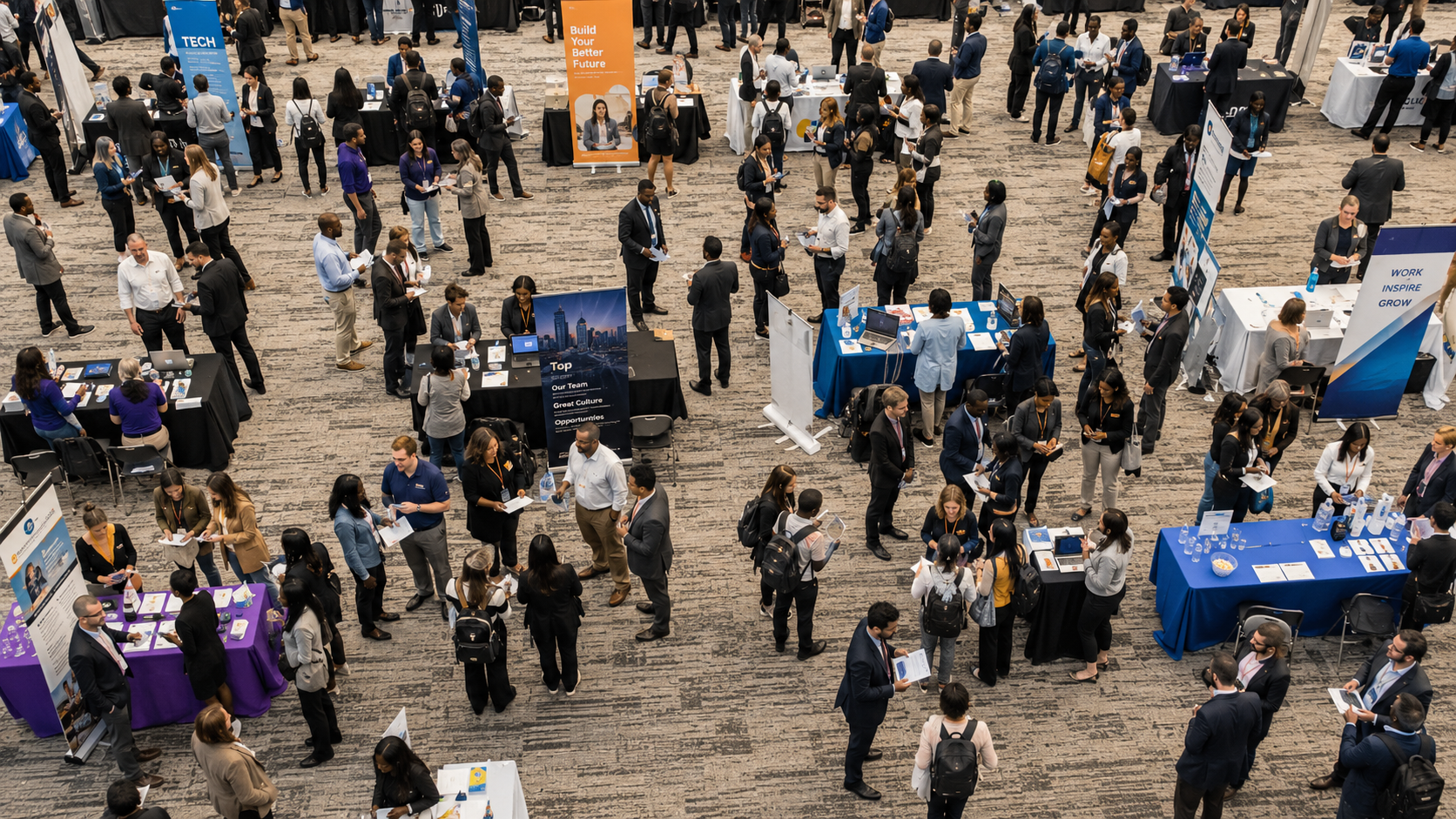
Spicy TA Takes: Kyle Lagunas and Hung Lee Face Off

A rapid-fire debate on recruiting headcount, candidate fraud, interview bloat, AI gatekeeping, and the politics of productivity

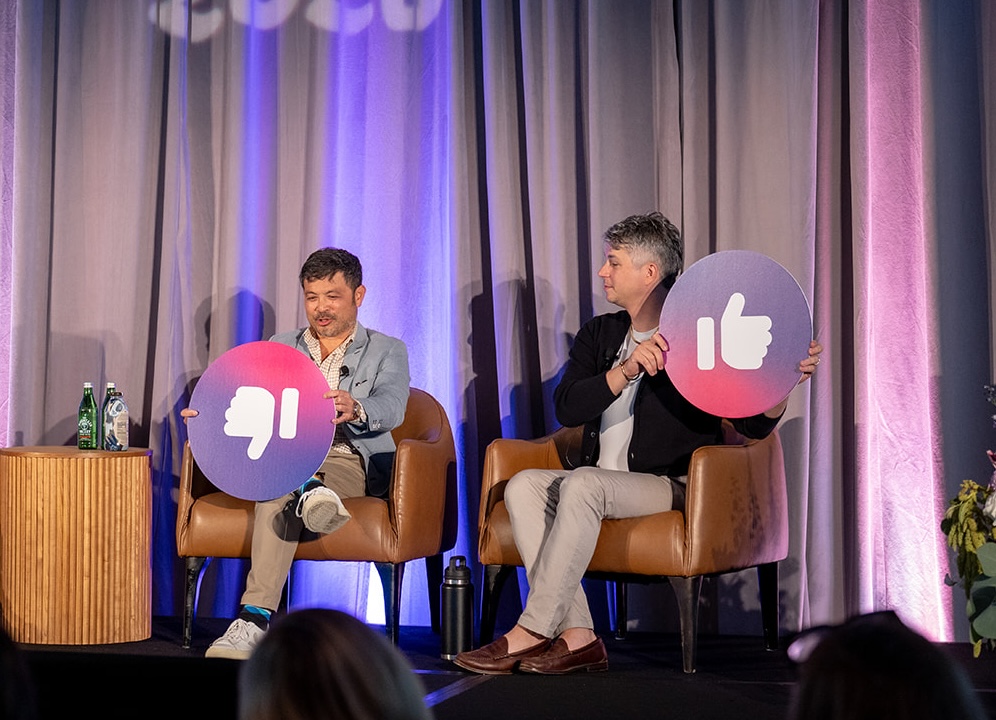
Panelists  Sejal Madhubhai, GoodTime, moderator; Kyle Lagunas, Kyle & Co; and Hung Lee, Recruiting Brainfood


The rules were simple: Sejal Madhubhai would read a statement, Kyle Lagunas and Hung Lee had to choose a side, and nobody was allowed to hide behind ‘it depends.’ The questions were built to provoke. The answers were funnier, messier, and more useful than a series of polished predictions would have been.

Some propositions collapsed immediately. Requiring executives to apply for jobs at their own companies sounded like empathy but, Lee argued, carried a whiff of punishment. A universal three-interview limit ignored the difference between frontline and business-critical executive hiring. Other questions split the panel because the terms themselves were contested: What counts as sourcing? What counts as fraud? Who owns quality of hire? Who gets the time that AI saves?

Under the jokes and oversized thumbs-up signs, a harder picture of talent acquisition emerged. AI will probably reduce the number of traditional recruiting roles. The people who remain will need sharper judgment, stronger business partnerships, and the confidence to challenge managers with evidence. Automation can make recruiting more human, but only if TA deliberately claims the recovered capacity. And as candidates adopt AI faster than employers write policy, ambiguity is becoming an operational risk of its own.

Unlock 2026’s top hiring strategies: Insights from 500+ TA leaders

Be the first to uncover deep hiring insights specific to your sector — straight from the highest-performing TA teams.

TA needs receipts before it asks for accountability

The panel’s first argument over transparency exposed a familiar problem. Lee favored publishing how many candidates a company interviewed for a role and how long the process took. His case was straightforward: recruiting should move from describing its process to showing it. Lagunas pushed back. Raw numbers can create a target for candidates and competitors who lack the context to interpret them.

They found firmer common ground on interviewer behavior. Hiring managers often become the bottleneck when they fail to protect calendar time, delay feedback, or participate inconsistently. The problem is no longer that TA cannot see the behavior. Digital interviews, scheduling records, transcripts, and interview intelligence can expose where time is lost.

“Recruiting has the receipts.”
Sejal Madhubhai

Having the data does not guarantee the conversation will go well. Lagunas noted that evidence can suddenly become ‘subjective’ when it implicates a stakeholder. Still, it gives recruiters a stronger basis for distinguishing a broken process from an interviewer who is not doing their part. The same logic applies to metrics. Time to schedule is useful because TA controls much of it. Time to hire still matters because the business cares about it, even though ownership is shared.

The sharper operating model is to separate direct control from shared accountability. TA should report the speed and quality of the work it owns while using broader measures such as time to hire and quality of hire to align with the business. Dropping a recruiting metric because recruiting cannot control every input gives away influence instead of clarifying responsibility.

Key takeaway: Use operational evidence to challenge interviewer behavior, but distinguish the measures TA owns from the outcomes it shares with the business.

Stop gatekeeping what counts as AI

Both panelists rejected the claim that most companies talking about recruiting AI are merely using better automation. Lee’s objection was partly semantic. Automation is not a lesser form of progress, and AI can now create automations. Debating whether a useful workflow qualifies as AI, agentic AI, or something else can become a status contest with little connection to the result.

“If the technology is actually creating better experiences, better outcomes, then we don’t really need to care too much as to whether it’s AI, ASI, AGI, or whatever AI.”
Hung Lee
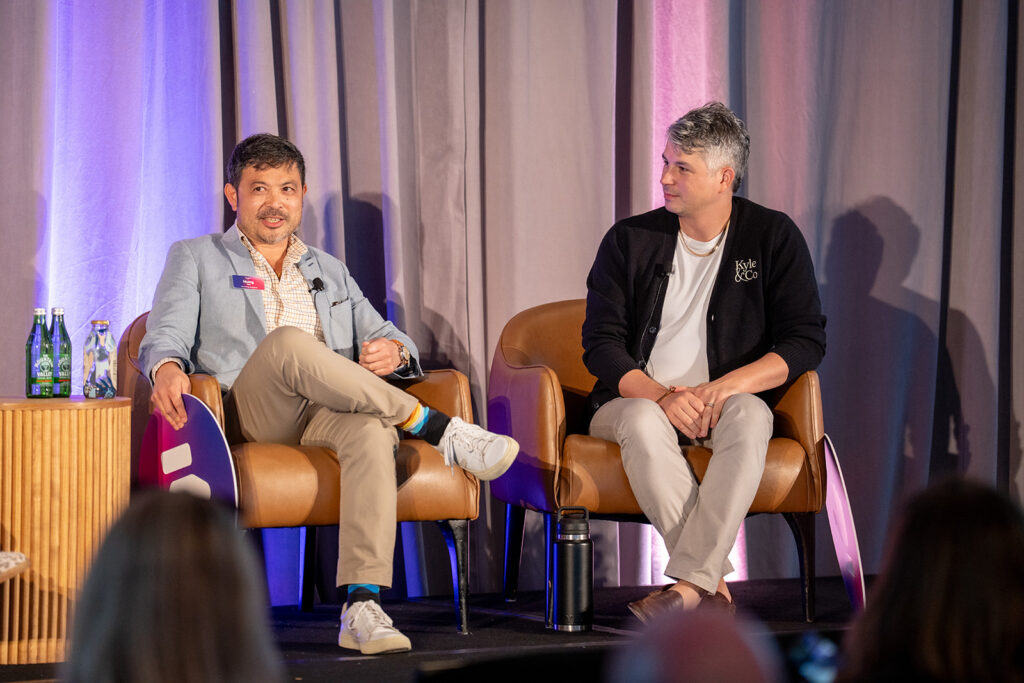
Lagunas went even further. He had watched recruiting operations teams build their own tools using coding assistants and emerging protocols. Dismissing that work because it fails somebody’s technical purity test shuts people out of the learning process at exactly the moment when broad experimentation matters.

Talent leaders still need to understand what a system can access, decide, and execute. Those distinctions should inform governance and risk, not decide who is allowed to call an improvement innovative.

Key takeaway: Judge AI by the work it changes, the outcomes it produces, and the risk it introduces instead of treating terminology as a prestige test.

AI will shrink recruiting and raise the bar

On the session’s bluntest question, Lagunas and Lee agreed: AI will eliminate more recruiting jobs than it creates. Lee pointed to smaller TA teams, fewer open roles, and employers maintaining their systems while reducing user licenses. Productivity gains mean companies can handle more hiring with fewer people, and he expects that pressure to continue.

Lee also expects the structure of recruiting work to change. Companies may shift fixed headcount toward agencies and RPOs. Inside TA, high-volume inbound hiring may move toward an automated operations model while scarce and senior talent receives deeper, longer-term cultivation.

Lagunas argued that the surviving recruiter role will become more defensible because it will be harder to perform casually. During the hiring surge, organizations often solved volume problems by adding inexperienced recruiters. AI gives them another option now. Recruiters who remain will need real craft: business judgment, tenacity, market knowledge, and the ability to engage and convert talent rather than produce generic AI-assisted activity.

“I think net-net we’re not going to have as many bodies because we have other solutions to the problem.”
Kyle Lagunas

This is not a comforting prediction, and Lee resisted attaching a reassuring ending to it. Leaders cannot assume that every remaining role will simply become more strategic. They have to redesign the work and develop the skills that remain scarce.

Key takeaway: Plan for a smaller TA function and define the judgment, relationship, and business skills that will make the remaining roles more valuable.

The time AI saves is politically contested

The claim that AI will make recruiting more human drew a qualified response. Lagunas said the thoughtful implementations discussed at Moment showed teams protecting the manual work that matters to candidates. Lee agreed with the goal but rejected the idea that it happens automatically.

“What happens to the time saved by AI? If we’re very passive with this, then actually that time will not be ours to spend.”
Hung Lee

That distinction cuts through one of the easiest promises in HR technology. A team can automate administrative work and still receive a larger requisition load, a smaller headcount, or both. If leaders want recruiters to spend recovered time building relationships, advising managers, or improving candidate care, they have to claim that capacity and make the new work visible.

Lee described a policy in which employees or functions that create efficiency retain the saved time and decide how to reinvest it. The specific mechanism will vary, but the principle is useful for TA: define the intended destination of productivity before the savings disappear into a capacity target.

Recruiters who expect every efficiency to reduce headcount have little reason to contribute their best automation ideas. A credible stake in the gain can make experimentation safer.

Key takeaway: Decide who controls the capacity AI creates and name the higher-value work it will fund before automation goes live.

Sourcing is splitting into discovery and persuasion

Lagunas and Lee both gave a thumbs down to the prediction that an AI agent would become better than the average recruiter at sourcing within two years, but for opposite reasons. Lagunas argued that sourcing includes far more than search. Finding a profile is the beginning; engaging and converting a person is deeply human work.

Lee argued that AI is already superior at discovery for digitally visible talent. He drew the line earlier, treating engagement, audience building, employer reputation, and relationship cultivation as separate work. He also added an important limit: AI’s advantage is strongest where people and skills leave rich digital signals. Hiring a knowledge worker and finding a truck driver in São Paulo are not the same sourcing problem.

“There’s way more that goes into sourcing than searching. Search is easy. Discovery is just the beginning. You’ve got to engage and convert.”
Kyle Lagunas
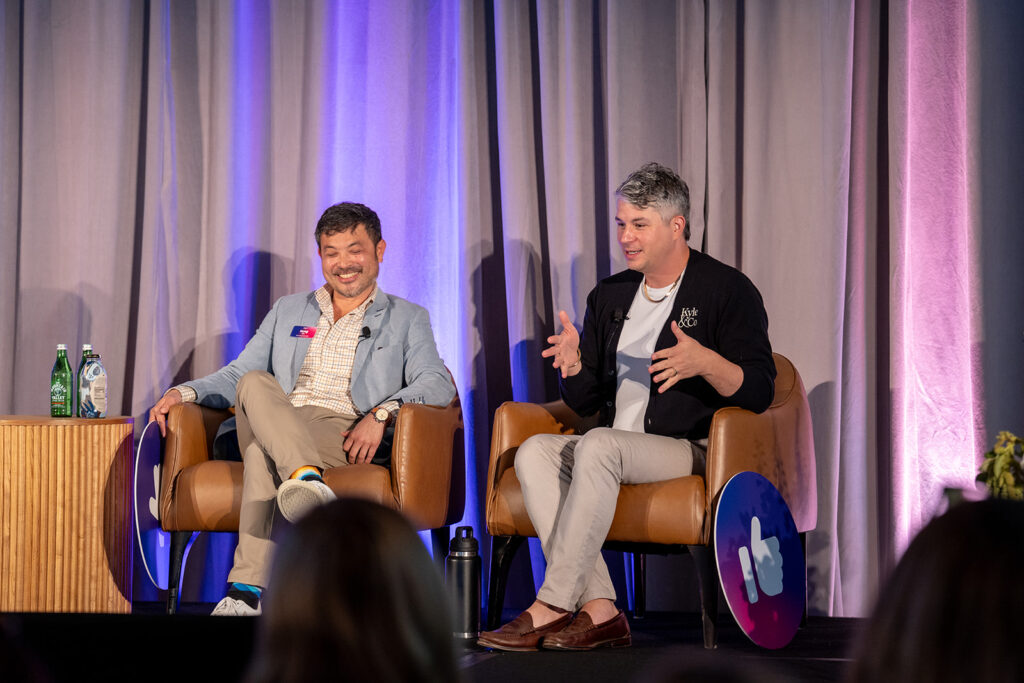
The disagreement forces leaders to unbundle the role. Identification is ripe for AI now; persuasion and relationship development preserve a larger human advantage. Organizations need to decide which activities sit inside the job before choosing the technology.

Key takeaway: Separate candidate discovery from engagement and conversion, then automate and measure each part according to the signals and judgment it requires.

Interview rigor should match the role

The panel rejected a universal limit of three interviews. Lagunas argued that rigor matters, especially when a shallow process leaves a new hire discovering organizational dysfunction after joining. Lee said the number and form of assessments should reflect the impact and nature of the role. Three interviews may be excessive for a high-volume cohort and insufficient for an executive whose decisions could reshape the business.

That does not excuse bloated processes. Every stage still needs a purpose and a clear decision owner. The point is that candidate experience cannot be reduced to fewer interviews in every case. A demanding process can be reasonable when the role warrants it, the employer explains the value, and each interaction generates new evidence.

On structure, the panel was unequivocal. Hiring managers interview episodically and benefit from guidance that recruiters may take for granted. Asking every candidate comparable questions also improves the consistency and equity of decisions. Lagunas said this is one reason he is bullish on AI interviewers: a system can follow an approved guide and redirect a candidate who avoids the question.

“Many hiring managers episodically recruit. They have jobs to do, they occasionally go and interview, and I think they would really benefit from us giving them some structural guidance.”
Hung Lee

Key takeaway: Do not optimize for an arbitrary interview count. Match the rigor to the role, give every stage a purpose, and use structure to make evidence more comparable.

Candidates will use AI so employers need rules

The session’s candidate-AI debate exposed how far policy trails behavior. Lagunas asked the room how many employers had clearly told candidates when they could and could not use AI. Even among a group he described as highly progressive, only about half raised their hands.

Without clear guidance, companies are punishing candidates for rules that exist only in an interviewer’s head. Some employers treat AI-assisted resume tailoring as abuse, even though they have long told candidates to tailor their resumes. At the other end of the spectrum are coordinated identity and employment fraud. Calling both behaviors ‘AI fraud’ makes the policy unusable.

Lagunas also warned that crude detection can create new bias. He described a company that disabled an IP-location signal after managers treated every mismatch as proof of fraud. A legitimate candidate using a VPN could appear to be elsewhere. A weak signal had become a verdict.

“How can I hold them accountable for something that’s in my head about how they should or shouldn’t use it?”
Kyle Lagunas
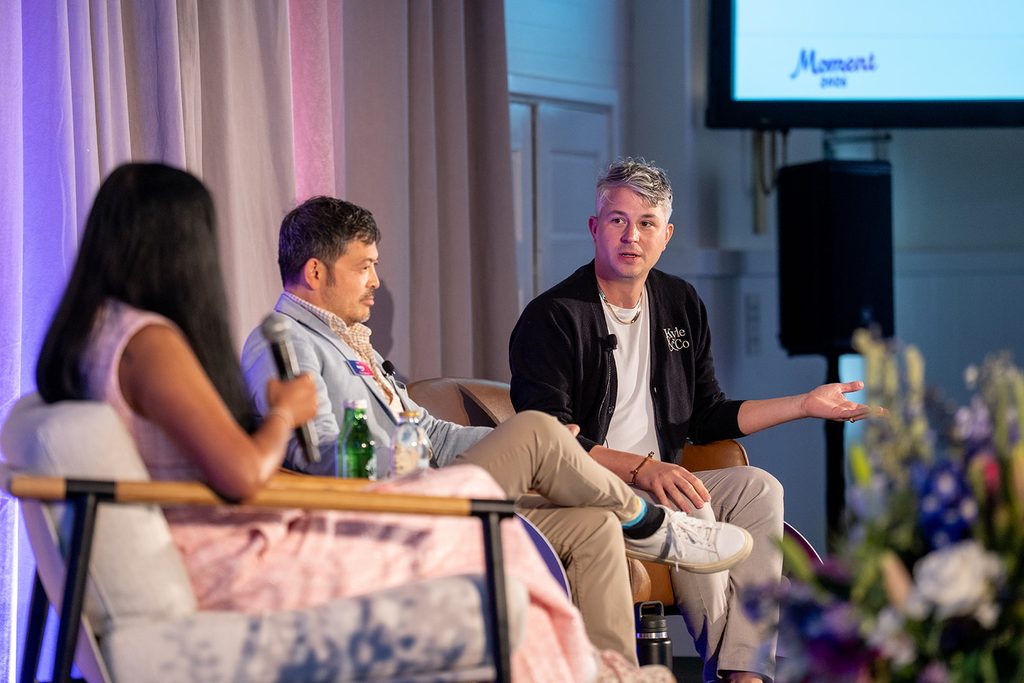
Laura Burvill Wedding Photography

A better assessment may actively permit the tools employees will use on the job. Some technical and consulting interviews now give candidates the employer’s own tools and ask them to solve a realistic problem. That reveals how the person works with AI instead of relying on an easily ignored ban.

Key takeaway  Publish explicit candidate-AI rules, distinguish assistance from deception, and treat fraud indicators as signals for review rather than automatic proof.

Clean metrics can miss the work that matters

Both panelists rejected an automatic six-month deadline for proving an AI tool’s value. Lee questioned the confidence behind the measurement and the arbitrary window. Teams tend to count what is easy while overlooking results that take longer or resist a clean number. Lagunas added that an enterprise can spend six months selecting and launching a tool, then give the implementation too little time to mature. A weak result should trigger investigation and iteration before another expensive round of replacement.

Their disagreement on internal mobility exposed the same measurement problem. Lagunas argued that companies need external hires who bring new skills and perspectives. Lee emphasized the institutional knowledge held by long-tenured employees, especially the informal connectors who help departments work together. Those contributions can be nearly invisible in performance data until the person leaves and coordination begins to fail.

“Too often we end up measuring the easily measurable and then ignoring the stuff that is hard to measure, which actually might be the most important thing.”
Hung Lee

Quality of hire is real and still hard to use

The audience rejected the claim that quality of hire is mostly a myth. If a business can determine whether an employee succeeds, some evidence exists. The larger failure is that TA and performance teams often do not connect the information.

Lagunas warned against declaring the concept imaginary simply because the measure is elusive. Lee offered the opposite caution. Organizations often measure what is easy and ignore the collaborative, connective, or cultural work that matters. Employees who make colleagues better may look ordinary in an individual performance dashboard even as the team deteriorates after they leave.

“If you treat it as a myth, it’s going to remain elusive. There are signals right there in front of you. You’ve just got to go get them.”
Kyle Lagunas

An audience member added a second problem: the signal arrives late. By the time a company knows whether an engineer or product manager became a strong hire, the role, manager, and definition of success may have changed. Measures can be more actionable in jobs such as sales, where performance appears faster and maps to clearer outcomes.

The implication is neither to abandon quality of hire nor worship a single score. Talent teams should connect downstream performance and retention data to hiring decisions, use several signals, and be honest about lag and attribution. The metric is most useful when it changes a current decision, not when it produces a retrospective number nobody can act on.

Key takeaway: Build quality of hire from multiple downstream signals and use it where the feedback arrives quickly enough to change hiring behavior.

AI readiness may begin with process work or a leap

The audience split over whether most TA teams are unready for AI because they are still repairing old processes. One view held that organizations must understand the current state, define the problem, and design the future state before choosing technology. Lagunas reframed that work as part of AI readiness itself rather than a prerequisite that delays the project.

Laura Burvill Wedding Photography

Lee challenged the sequence. Some processes are too entrenched to improve through analysis alone. New technology can change behavior and let the old process wither. The rapid shift to remote work was his example: organizations did not perfect the operating model first; they adopted available tools and learned through use.

The final audience question tested how much authority TA should have when managers repeatedly make poor hires. The room initially favored veto power, until one participant argued that TA’s responsibility is to help managers improve. The answer captured the panel’s larger theme. Better data should increase TA’s influence, but influence is not the same as punishment.

“It’s not like you should have veto power. It should be your responsibility to help them get better.”
Audience participant

Readiness therefore has two legitimate paths. When the failure is understood and the process can be redesigned, do that work. When behavior will not move and a credible tool creates a better way to operate, run a bounded experiment and learn from the new behavior. In both cases, TA earns authority by improving the system and the people inside it.

Key takeaway: Use process analysis when it clarifies the problem, use technology experiments when they can change stuck behavior, and turn evidence into coaching rather than a power struggle.

The positions worth carrying forward

  • Report what TA controls and keep shared business outcomes in the conversation.
  • Stop using AI terminology to dismiss useful experimentation or inflate ordinary automation.
  • Prepare for fewer traditional recruiting roles and higher expectations for the people who remain.
  • Protect the time automation saves by deciding how the team will reinvest it.
  • Separate talent discovery from engagement and conversion, and match interview rigor to the role.
  • Tell candidates exactly how AI may be used before trying to police misuse.
  • Treat quality of hire as a set of imperfect signals that must connect back to current decisions.

The spicy format worked because the first answer was rarely final. Lagunas and Lee changed their framing, challenged the premise, and sometimes reached the same vote from opposite directions. That is a better model for the next phase of TA than a stack of confident predictions. The function does not need safer answers. It needs clear definitions, visible tradeoffs, and leaders who state automation’s costs as plainly as its benefits.


Roundtable Recap: What TA Leaders Discussed Offstage at Moment 2026

Eight candid conversations on fraud, trust, candidate experience, scheduling, change management, connected data, AI skills, and the growing ability of TA teams to build their own solutions.


The main-stage sessions at Moment 2026 established the big questions facing talent acquisition. The following morning, attendees broke into eight smaller roundtables to work through the operational realities: fraud, trust, candidate experience, scheduling, change management, connected data, AI skills, and the growing ability of TA teams to build their own solutions.

The conversations were candid, specific, and grounded in what leaders are seeing inside their organizations right now. Together, they revealed an industry moving beyond abstract excitement about AI and confronting the harder questions of how to use it responsibly, effectively, and humanely.

Candidate fraud has become an enterprise risk

Key takeaway: Candidate fraud is no longer an isolated recruiting problem, and there is no single tool capable of solving it.

The examples shared during this discussion made clear how quickly candidate fraud is evolving. Leaders reported fraudulent applications arriving at enormous scale, fabricated resumes and references, AI-assisted interview answers, deepfake interviews, identity substitution, and candidates who performed convincingly online but could not demonstrate the same skills in person.

Participants drew an important distinction between “capital-F Fraud” – organized operations, identity theft, insider threats, and deepfakes – and “lowercase-f fraud,” such as embellished experience, AI-generated answers, and misrepresented skills. Both create real costs, but they require different levels of intervention.

The group also agreed that ownership remains dangerously fragmented. Talent acquisition, legal, security, and executive leadership each see part of the problem, but few organizations have established clear accountability across the full hiring process. TA teams are often handed a new detection tool – or told what they cannot do – without the cross-functional support required to redesign the workflow around it.

  • Blocking suspicious IP addresses, email domains, and application patterns
  • Adding thoughtful friction at key stages of the application process
  • Training recruiters and hiring managers to recognize behavioral changes
  • Using identity verification and reference checks as additional signals
  • Requiring an in-person interaction or ID check for sensitive positions
  • Tracking suspected fraud through legally approved disposition categories
  • Escalating the issue as an enterprise risk rather than a recruiting inconvenience

The emerging answer is a layered model similar to cybersecurity. No individual signal is definitive, and no vendor will stay ahead of every new tactic. Organizations need a combination of technology, human observation, clear policies, training, and cross-functional escalation paths.

They must also be careful not to punish every legitimate applicant in an effort to stop a smaller number of bad actors. The challenge is to introduce “smart friction” where risk is highest while preserving a fair and accessible experience for everyone else.

Moment 2026 roundtable discussions

Trust must be earned throughout the hiring process

Key takeaway: Candidates do not automatically distrust AI. They distrust processes that feel opaque, impersonal, or unaccountable.

Trust can begin eroding before a candidate ever speaks with a recruiter. An open role may receive hundreds or thousands of applications, making individualized responses unrealistic. But from the candidate’s perspective, an immediate automated rejection can reinforce the belief that no person ever considered their experience.

The roundtable made an important distinction between applicants and engaged candidates. Companies may not be able to provide detailed feedback to everyone who applies. Once the organization invites someone into an interview process, however, its responsibility changes. Long delays, generic communication, and unexplained decisions can damage candidate trust – and, in some organizations, are already showing up in candidate NPS results.

Legal concerns frequently make the problem harder. Recruiters may want to give useful feedback but are instructed to remain intentionally vague. The group challenged leaders to examine the actual level of risk involved rather than treating maximum risk avoidance as the only acceptable goal. Legal should advise on risk, but executive leadership ultimately needs to decide what balance the organization is willing to strike between protection, transparency, and candidate experience.

AI adds another layer. Participants discussed experimenting with AI screeners that give more applicants an opportunity to explain their experience and answer follow-up questions. Early results have surfaced a clear tradeoff: the technology can create a richer signal than keyword filtering, but candidates may resist if they do not understand why it is being used or what role it plays in the decision.

  • When they are interacting with AI
  • Why the technology is part of the process
  • What information it is evaluating
  • Whether a person will review the outcome
  • What they can expect at the next stage

The group ultimately agreed that hiring managers should own the final hiring decision – and be accountable for its results. TA’s role is to improve that decision through market knowledge, candidate insight, consistent assessment, process discipline, and the willingness to challenge a pattern that is not working.

AI should create more capacity for human care

Key takeaway: The value of AI is not simply the time it saves. It is what recruiting teams choose to do with that time.

This discussion introduced a useful framework for designing the hiring experience: Basics, Anticipate, Delight.

The basics are the elements every candidate should be able to rely on: clear job descriptions, dependable scheduling, thoughtful communication, accurate travel information, and a process that works as promised. Without these fundamentals, more creative experience initiatives cannot compensate.

The next level is anticipation – recognizing what a candidate or interviewer will need before they ask. Participants shared examples including:

  • Preparing candidates for an interviewer’s communication style
  • Explaining presentation expectations instead of assuming candidates know them
  • Sending executives interview briefs that identify gaps in earlier conversations
  • Providing loaner laptops for on-site presentations
  • Giving candidates one portal for schedules, preparation materials, and videos
  • Creating localized guidance for candidates unfamiliar with methods such as STAR
  • Training hiring managers to probe consistently and conduct better interviews

Finally, delight comes from small moments that make people feel expected and valued. Leaders described welcome bags waiting on-site, offer calls attended by the entire interview panel, scorecard excerpts included with an offer, and personalized videos explaining the recruiter’s commitment to the candidate.

The most memorable examples were not necessarily expensive. What mattered was specificity. A generic gift may be pleasant; a gesture that demonstrates someone noticed and remembered you creates a lasting impression.

That principle applies to rejection as well. Thoughtful acknowledgment of the time and energy a candidate invested can change how a difficult decision feels and help preserve trust even when the answer is no.

AI can support this kind of care. Leaders shared examples of using connected interview transcripts and scorecards to generate more personalized feedback, creating stronger executive briefs, and completing market research that previously consumed hours. But the group returned repeatedly to one question: will that reclaimed capacity be used to give recruiters more requisitions, or to create a more human experience?

The closing challenge was intentionally simple: choose one improvement and show up 10% better than before.

Interview scheduling is part of the company’s competitive position

Key takeaway: Scheduling reveals whether an organization is coordinated, responsive, and genuinely committed to hiring.

Interview scheduling is often treated as administrative work occurring between more important stages of the process. The roundtable challenged that assumption.

Delays, repeated reschedules, unavailable interviewers, and unclear communication all shape how candidates perceive the organization. Conversely, a process that moves quickly, respects the candidate’s time, and anticipates their questions can become a real competitive advantage.

The conversation surfaced two fundamentally different approaches to interviewer accountability. Some organizations use firm consequences: one leader described a policy under which a requisition may be removed if a team fails to make progress within 45 days. Others use positive reinforcement through “interviewer citizenship” programs that recognize people who consistently participate and maintain strong calendar practices.

The correct approach depends on company culture. The important thing is that leadership establishes and enforces an approach. An email announcing a new expectation will not change behavior if interviewers see that nothing happens when it is ignored.

  • Establish fixed panels or recurring interview blocks for high-volume roles
  • Connect interview participation to manager and employee expectations
  • Include coordinators in intake meetings before scheduling begins
  • Standardize interview plans where repetition makes sense
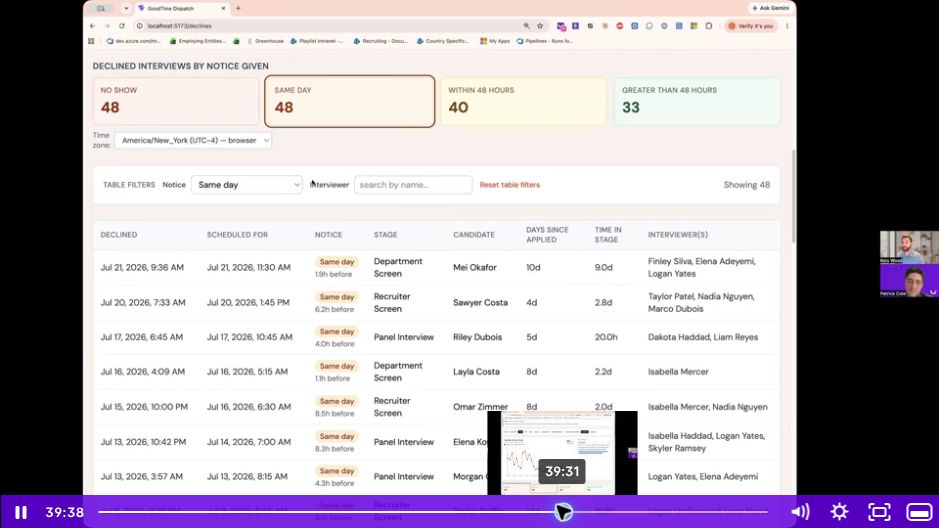
  • Track declines, reschedules, no-shows, and the reasons behind them
  • Give leaders visibility into patterns across teams and individuals
  • Maintain a clear path for humans to intervene in unusual situations

Standardization, however, has limits. Global interviews, hybrid experiences, executive schedules, accessibility needs, and unexpected candidate circumstances will always produce edge cases. Automation can handle more of the repeatable work, but organizations still need human judgment for the exceptions.

That does not mean the coordinator’s role remains unchanged. As automation handles more calendar work, coordinators can increasingly manage the system around scheduling: automation, data quality, interviewer capacity, recurring bottlenecks, and high-touch candidate moments.

The ultimate goal is not simply a dashboard that lets someone search for problems. It is an intelligent system that notices patterns first – then alerts the team that a region has a decline problem, a new interviewer may need additional support, or a hiring process is beginning to stall.

TA teams are becoming builders

Key takeaway: AI is dramatically lowering the barrier to building new recruiting tools, but sustainable innovation still requires strategy, governance, and adoption.

One of the most ambitious examples came from Remote, which has been building its own internal ATS. The project began with a three-day, hackathon-style offsite and grew into a cross-functional effort involving engineering, IT, legal, compliance, and the people team. With approximately 45,000 applications arriving each month, its requirements were shaped by real enterprise scale.

The discussion made clear that “buy versus build” is not a philosophical choice with one correct answer. Leaders need to consider:

  • How quickly the problem must be solved
  • Whether existing products can meet the requirement
  • The true cost of internal engineering and maintenance
  • How much customization creates meaningful value
  • Whether the organization has the resources to support the product over time
  • What strategic advantage the organization expects to gain

More broadly, participants predicted a “headless” future for TA technology. The ATS remains the system of record, but employees interact with agents and skills through the tools they already use – Slack, Teams, email, and mobile experiences. Hiring managers should not have to learn another interface simply because TA purchased another system.

This creates significant opportunity for TA professionals. Teams are already building internal applications, automations, reporting tools, and agent-driven workflows. But uncontrolled citizen development can recreate the fragmentation AI was supposed to solve. If every team builds independently, organizations are left with undocumented applications, duplicated work, security risk, and tools no one can maintain after the original builder leaves.

  • Provide approved frameworks, components, and design systems
  • Require security and vulnerability reviews before launch
  • Document ownership, dependencies, and maintenance plans
  • Create safe spaces for experimentation
  • Celebrate small efficiency wins and share them across the team
  • Redirect overlapping projects instead of discouraging builders
  • Measure whether employees actually adopt what gets built

That last point is critical. Building something impressive is not the same as creating value. The goal is not to turn every recruiter into an engineer. It is to develop enough AI fluency across the team to identify problems, test ideas, collaborate with technical partners, and decide when building something new is truly justified.

AI change management has to reach individual contributors

Key takeaway: Leaders cannot demand AI adoption without helping employees understand what is changing, why it matters, and how they can succeed in the new model.

The most immediate concern employees have about AI is job security. Close behind it are fears that they will not learn quickly enough, that candidates will reject AI-enabled experiences, or that colleagues will judge them for relying on the technology.

That creates a contradictory environment: employees are pushed to use AI but may still be viewed skeptically when they do.

The group agreed that transparency matters, but transparency without careful framing can create more anxiety. Leaders need to speak differently to executives, managers, recruiters, and coordinators because each group has different information, incentives, and concerns.

Responsible transparency pairs an honest description of how work is changing with a credible development path. For recruiting coordinators, that could mean showing how calendar-management experience can evolve into automation ownership, project management, operations, analytics, or program leadership. For recruiters, it may mean developing deeper business knowledge, judgment, relationship building, storytelling, and talent advisory skills.

  • Recruit respected skeptics into an early change-advocacy network
  • Give employees access to approved tools and safe experimentation spaces
  • Run hands-on builder workshops rather than passive training alone
  • Establish proficiency levels with clear expectations
  • Pair anxious employees with experienced builders
  • Create hackathons with dedicated time away from normal responsibilities
  • Share and celebrate useful applications across the team
  • Make experimentation part of capacity planning instead of invisible extra work

The skills that become more valuable are distinctly human but not vague: judgment, emotional intelligence, business acumen, relationship building, candidate care, organization, coaching, and the ability to translate data into a compelling story.

New hybrid roles are also emerging. Participants described talent enablement engineers, internal AI consultants, agent managers, and recruiters who build tools and workflows for the rest of the team. Not everyone needs to become a builder, but organizations need a clear home for employees who develop that strength.

Measurement should also evolve in stages. Early in the transformation, the most meaningful signals may be participation, training, experimentation, and proficiency. Productivity and business outcomes matter, but forcing an immediate ROI calculation can discourage the learning required to reach them.

Connected data can turn reporting into action

Key takeaway: MCP makes recruiting data more accessible, but easier access does not automatically make the data accurate, consistent, or useful.

The group began with a familiar problem: TA data is scattered across ATS platforms, scheduling systems, HRIS tools, data warehouses, and spreadsheets. Leaders spend hours building weekly reports, estimating recruiter capacity, reconciling conflicting numbers, and trying to answer questions that should be simple.

Even widely discussed metrics can collapse under closer inspection. When one leadership team pushed for a single quality-of-hire score, stakeholders struggled to agree on the underlying definition. Performance ratings arrive late, training scores are imperfect proxies, and different departments interpret success differently.

Rather than forcing a composite metric, participants recommended bringing stakeholders together to list the available signals and assess how much confidence they have in each one. Retention, performance-based terminations, hiring-manager feedback, and early training outcomes may be more useful as a group of adjacent indicators than as one artificially precise score.

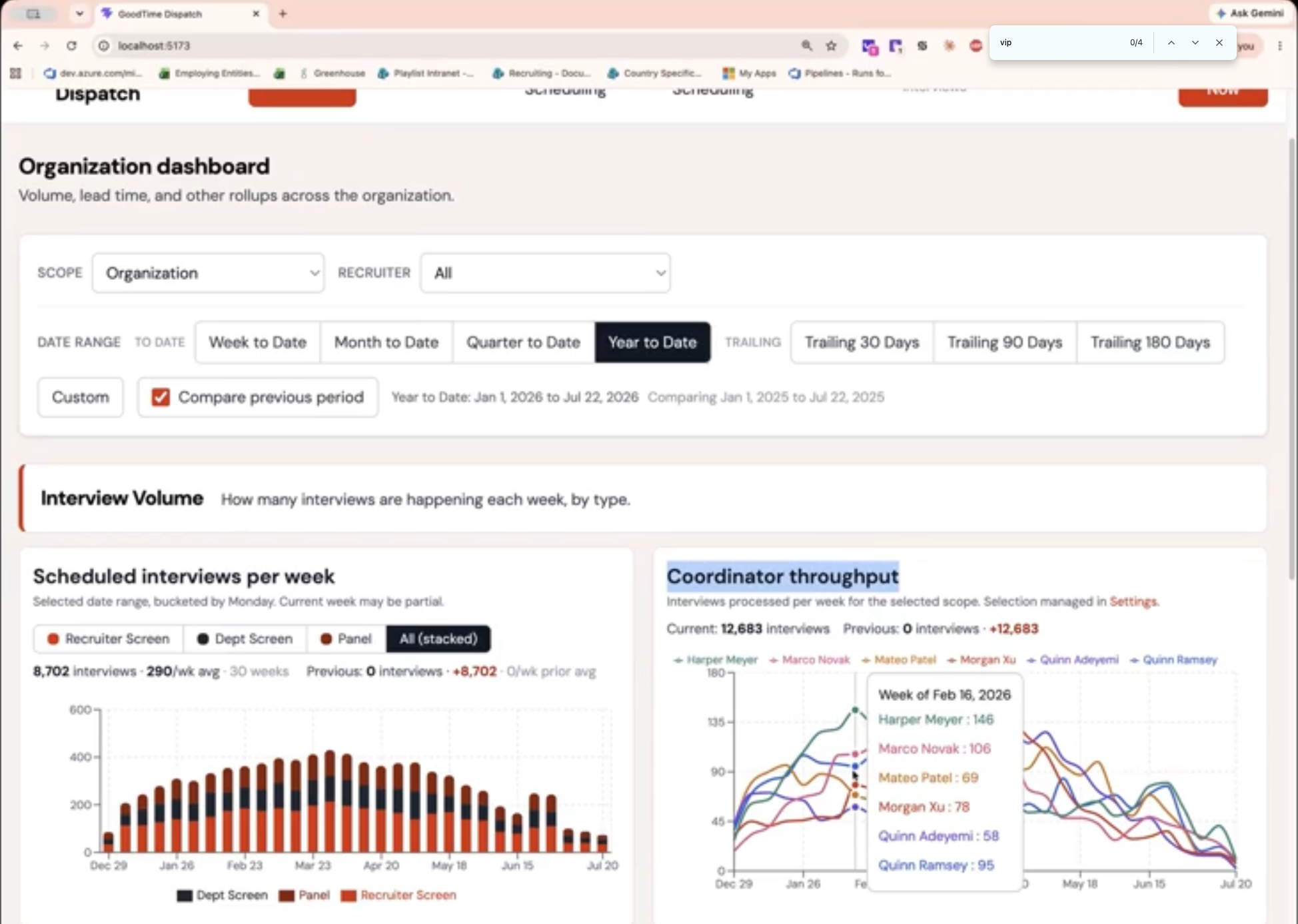
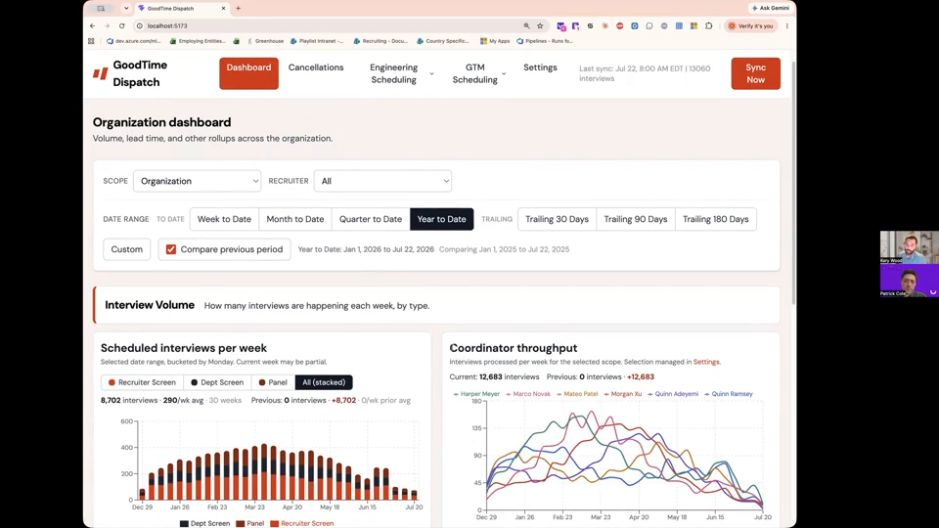
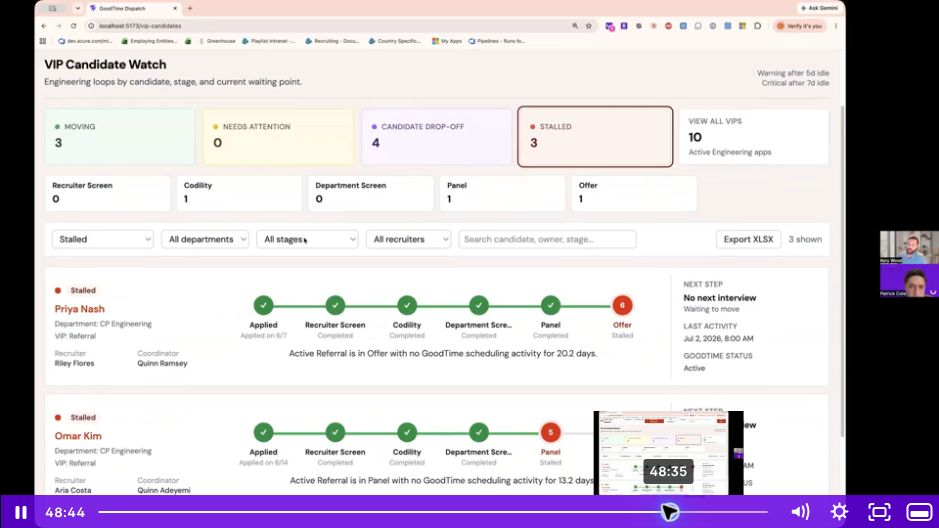
MCP can make connecting and querying these systems significantly easier. One dashboard discussed during the session combined GoodTime and Greenhouse data to show coordinator workload, track referrals, detect stalled candidates, and link users directly to candidate records. A usable version was shareable within roughly 20 hours of work.

The advice for getting started was deliberately modest: solve one personal, visible problem first. Build a single chart that eliminates a recurring manual task. Validate it. Then expand.

Accuracy remains the most important guardrail. Teams should require the system to show its work, state its assumptions, and let users drill from summary metrics to candidate-level details. Definitions such as “hire,” “start,” and “time to fill” must be established before the first prompt is written. API access should be tightly scoped, credentials securely managed, and every critical process should retain a human fallback.

The promise is not another static dashboard. It is a connected intelligence layer that can identify a problem, explain the underlying evidence, and help a TA leader determine what to do next.

Hiring for AI skills starts with defining what proficiency means

Key takeaway: “AI proficiency” is too broad to function as a useful hiring requirement. Organizations must define what it means for each role.

Most participants rated their organizations as actively hiring for AI skills but unsure whether they were doing it well. The challenge begins with definition.

AI proficiency may mean basic literacy for one role, using AI to advance domain-specific work for another, integrating models into a product for an engineer, or conducting original AI research at the highest technical level. Applying the same requirement across all of them produces inconsistent evaluation.

One framework discussed during the session separates AI capability into three broad tracks:

  1. General AI literacy for nontechnical roles
  2. Building with or integrating AI into products
  3. Advanced research and orchestration of AI systems

The strongest assessment methods combine behavioral questions with live application. Candidates might be asked to share their screen and demonstrate how they would use their preferred AI tool to approach a real problem. Interviewers can then evaluate how candidates frame the task, test the output, identify errors, and decide where AI is inappropriate.

A particularly revealing area to probe is when a candidate chooses not to use AI. A thoughtful answer can demonstrate judgment and an understanding of the technology’s limits, rather than enthusiasm alone.

Curiosity and adaptability may ultimately be more durable signals than expertise with a specific product. One leader described hiring a recruiter who initially scored zero on an AI assessment but demonstrated a strong desire to learn. After focused training, she became one of the most advanced AI users on a 32-person team within four months.

The conversation also surfaced an unresolved tension around entry-level talent. AI can now perform much of the foundational work through which earlier generations developed expertise. Organizations cannot eliminate those opportunities without also weakening their future talent pipeline. Apprenticeships, graduate cohorts, and redesigned entry-level roles may become increasingly important.

Before the next hiring cycle, leaders should be able to answer three questions:

  • What does AI proficiency mean for this specific role?
  • What AI use is permitted during the hiring process?
  • How will interviewers distinguish genuine judgment from a polished AI-assisted performance?

Without those answers, candidates cannot know what “good” looks like – and hiring managers will continue applying different standards to the same behavior.

The themes connecting the roundtables

Across eight different discussions, several ideas appeared repeatedly:

1.  AI adoption is an operating-model challenge, not simply a technology purchase.

2.  Human judgment becomes more valuable as administrative work is automated.

3.  Trust requires transparency, accountability, and a clearly defined human role.

4.  Connected data is useful only when definitions and underlying inputs can be trusted.

5.  AI creates new opportunities for TA professionals – but employees need a path to develop into them.

6.  Experimentation needs guardrails, ownership, and evidence of adoption.

7.  Candidate experience remains a strategic differentiator, especially as hiring becomes more automated.

8.  The organizations that learn fastest will not necessarily be those with the most tools. They will be those that create the strongest systems for learning, sharing, and adapting.

The conversation is just getting started

If there was one message running through all eight roundtables, it was that talent acquisition is moving from experimentation to execution. The questions are getting more practical, the tradeoffs more visible, and the expectations for TA leaders much higher.

These discussions only captured part of what unfolded at Moment 2026. In the weeks ahead, we’ll be sharing more from the main-stage sessions, including deeper takeaways on enterprise AI adoption, the future of recruiting work, and how leading TA teams are putting these ideas into practice.

For now, the clearest takeaway is this: the future of TA will not be shaped by AI alone. It will be shaped by the leaders who decide how to use it.

Best Interview Scheduling Software for Enterprise Hiring: 2026 Buyer’s Guide


Interview scheduling has quietly become one of the most consequential bottlenecks in modern hiring, sucking up 38 percent of talent teams’ time on average. The best interview scheduling software does more than find an open time. It keeps candidates moving, protects interviewer capacity, handles last-minute changes, updates the systems your team already uses, and gives talent acquisition leaders a clear view of where hiring slows down.

For organizations with straightforward one-to-one interviews, a general scheduling tool or scheduling built into an applicant tracking system may be enough. But enterprises coordinating global teams, multi-day panels, interviewer training, hiring events, and multiple hiring motions usually need a dedicated interview orchestration platform.

Our top choice for complex enterprise hiring is GoodTime. It combines automated interview scheduling with interviewer selection and replacement, workflow automation, candidate communications, interviewer training, analytics, and enterprise-grade controls. Just as importantly, it is designed to support corporate, high-volume, and campus hiring rather than solving for only one type of interview.

That does not make GoodTime the right answer for every team. This guide explains which type of solution fits which type of hiring environment, how the leading options differ, and what to validate before you buy.

The best interview scheduling software at a glance

The right platform depends less on company size alone than on the complexity of the interviews your team must coordinate.

SolutionBest fitNotable approach
GoodTimeEnterprises managing complex panels, global hiring, multiple hiring motions, interviewer readiness, and high coordination volumeAI agent-powered interview orchestration across scheduling, communications, interviewer management, workflows, and analytics
ParadoxOrganizations that want conversational scheduling and candidate engagement through messagingConversational AI across chat, SMS, WhatsApp, and email, with support for interviews and hiring events
ModernLoopRecruiting teams looking for dedicated scheduling automation and configurable interview workflowsInterview scheduling, interviewer profiles, candidate experience tools, and recruiting operations features
candidate.fyiSamll- to mid-sized recruiting teams looking for AI-led scheduling, coordination, and candidate communicationCoordinate individual interviews, panels, loops, reschedules, and related communication
CalendlyTeams with relatively straightforward recruiting meetings and a need for fast, familiar self-schedulingGeneral-purpose scheduling automation adapted for screens, one-to-one interviews, and selected group workflows
ATS-native schedulingTeams that want scheduling inside their system of record and whose ATS functionality meets their workflow requirementsScheduling tied directly to candidate records, interview plans, and existing ATS administration

What is interview scheduling software?

Interview scheduling software automates the work required to coordinate candidates, recruiters, hiring managers, and interviewers. Depending on the platform, it can collect availability, identify qualified interviewers, build interview panels, apply scheduling rules, send confirmations and reminders, handle rescheduling, and sync interview data with an ATS.

There are three increasingly sophisticated jobs a scheduling tool can perform:

  1. Book a meeting. The tool exposes available times and lets a candidate choose one.
  2. Automate a recruiting workflow. The tool connects scheduling with candidate stages, templates, reminders, and ATS updates.
  3. Orchestrate an interview program. The platform coordinates complex panels, interviewer qualifications, workload, training status, time zones, exceptions, candidate communications, and operational analytics across the enterprise.

The distinction matters. A scheduling link can remove email back-and-forth, but enterprise hiring often requires decisions about who should interview, in what order, under which constraints, and what should happen when the original plan changes.

Interview scheduling software vs. an ATS: What is the difference?

An applicant tracking system is the system of record for candidates and hiring stages. Interview scheduling software is the coordination layer that turns an interview request into a confirmed, properly staffed, candidate-ready interview.

The two categories are complementary, not mutually exclusive.

Applicant tracking systemInterview scheduling platform
Maintains the candidate record and pipeline stageCoordinates calendars, people, rules, and communications
Stores interview plans and hiring activityExecutes the scheduling workflow
May include native self-scheduling and calendar toolsAdds deeper automation for panels, exceptions, interviewer management, and multiple hiring motions
Reports on recruiting pipeline activitySurfaces scheduling speed, interviewer capacity, reschedules, cancellations, and operational bottlenecks

ATS-native scheduling can be an efficient choice when interview formats are consistent and the available functionality meets the team’s requirements. For example, Greenhouse’s current scheduling features include buffers, self-scheduling workflows, multi-calendar availability views, and automatic replacement of declined interviewers in supported calendar environments.

A dedicated platform becomes more valuable as the number of interviewers, constraints, business units, locations, hiring programs, and exceptions increases. In that environment, the goal is not to replace the ATS. It is to extend it with a more capable orchestration layer.

When does a company need dedicated interview scheduling software?

A company should consider dedicated interview scheduling software when coordination complexity is slowing hiring, consuming significant team capacity, or producing an inconsistent experience for candidates and interviewers.

Interview volume is one signal, but it should not be the only one. A team scheduling hundreds of identical one-to-one interviews may have a simpler problem than a team scheduling fewer multi-day technical panels across several regions.

Signs that a dedicated platform may be valuable include:

  • Multi-person, multi-stage, or multi-day interview loops
  • Interview panels spanning several time zones or locations
  • Frequent interviewer declines, cancellations, or replacements
  • Complex rules governing interview order, buffers, seniority, skills, or conflicts
  • Interviewers who must complete shadowing or training before participating independently
  • Multiple hiring motions, such as corporate, high-volume, and campus recruiting
  • Bulk scheduling, hiring events, or group interview days
  • Candidate communications across email, SMS, or WhatsApp
  • Recruiting coordinators spending substantial time on exceptions and follow-up
  • Limited visibility into time-to-schedule, interviewer capacity, or recurring delays
  • Enterprise security, privacy, audit, access-control, or data-residency requirements

The most useful question is not “How many interviews do we schedule?” It is: How difficult is our hardest recurring interview workflow, and how often does it require human intervention?

How we evaluated the platforms

GoodTime publishes this guide and is one of the platforms included. To make that perspective clear, we assessed each option using the same buyer-oriented criteria and linked to each company’s own product information wherever possible.

Our review considered:

  1. Scheduling complexity: Support for individual interviews, panels, multi-stage loops, multi-day schedules, and hiring events
  2. Automation depth: How much of the workflow can move from request to confirmation without repetitive manual work
  3. Exception handling: Rescheduling, interviewer declines, cancellations, conflicts, and escalation
  4. Interviewer management: Qualifications, availability, preferences, workload, training, and replacement
  5. Candidate experience: Self-service, branded communications, reminders, preparation, and mobile messaging
  6. Integrations: ATS, calendars, video conferencing, communication, assessment, and related hiring tools
  7. Hiring-model coverage: Corporate, high-volume, campus, global, and other hiring scenarios
  8. Operational intelligence: Scheduling metrics, benchmarks, bottleneck detection, and actionable recommendations
  9. Enterprise readiness: Security, privacy, governance, administration, and deployment considerations

This is a fit assessment rather than a hands-on product test or an independent analyst ranking. Features were verified against public vendor materials in August 2026. Buyers should ask each provider to demonstrate their most difficult workflows using realistic interview plans and data.

The best interview scheduling software in 2026

1. GoodTime: Best for complex enterprise interview orchestration

Best for: Enterprise talent acquisition teams coordinating complex interviews across corporate, high-volume, and campus hiring.

GoodTime is our top choice for enterprises whose scheduling challenge extends beyond booking. The platform is designed to orchestrate the full interview-management workflow: selecting appropriate interviewers, applying scheduling constraints, coordinating candidates, replacing declined interviewers, managing reschedules, developing the interviewer pool, and surfacing operational insights.

GoodTime’s automated scheduling platform supports one-to-one interviews, panels, multi-day interview loops, global coordination, bulk scheduling, and hiring events. Its AI can select interviewers using factors such as skills, workload, time zone, and training status. If an interviewer declines or cancels, GoodTime can identify a replacement; when a schedule must move, the platform can generate new options and update the workflow.

GoodTime also treats interviewer capacity and readiness as part of the scheduling problem. Teams can manage preferred interview blocks, distribute interview load, track interviewer readiness, and automate shadow and reverse-shadow sessions. That is especially relevant for enterprises that need to expand an interviewer pool without weakening consistency or overloading a small group of experienced interviewers.

For candidates, GoodTime offers branded self-scheduling and rescheduling, personalized communications, SMS and WhatsApp messaging, conversational scheduling, and a candidate portal with 24/7 AI assistance. For talent operations, it provides visibility into metrics including time-to-schedule, turnaround time, lead time, cancellations, reschedules, interviewer availability, and workflow bottlenecks.

GoodTime connects with ATS platforms including Workday, Greenhouse, SuccessFactors, SmartRecruiters, Lever, iCIMS, Ashby, and Jobvite. Its integration directory also lists Google Calendar, Office 365, Outlook, Zoom, Google Meet, Microsoft Teams, Webex, Slack, and multiple technical assessment tools.

Enterprise buyers should also assess security and AI governance—not just scheduling features. GoodTime publicly lists SOC 2 Type II, SOC 3, ISO 42001, GDPR, and CCPA coverage, as well as encryption, penetration-testing documentation, and EU data-hosting options on its security page.

The business impact is clearest when scheduling automation is connected to measurable operating outcomes. In a published customer story, Toast reported 50% faster interview scheduling, 55% fewer interview cancellations, and 139% growth in its interviewer pool after implementing GoodTime. Individual results will vary, but the example shows why interviewer management, analytics, and scheduling automation should be evaluated together.

Why consider GoodTime:

  • Broad support for complex enterprise interview scenarios
  • Corporate, high-volume, and campus hiring on one platform
  • Automated interviewer selection, load balancing, replacement, and rescheduling
  • Interviewer training, shadowing, and readiness management
  • Branded candidate portal, self-service, email, SMS, and WhatsApp
  • Workflow automation and real-time scheduling analytics
  • Deep integrations with widely used enterprise ATS and collaboration tools
  • Documented enterprise security and AI-management standards

What to validate during evaluation:

  • How your most complex interview plans would be configured
  • Which steps can be fully automated and which require human review
  • Integration behavior for your specific ATS fields, stages, and workflows
  • Rollout plan across regions, brands, or hiring motions
  • The baseline metrics and adoption milestones that will define ROI

2. Paradox: Conversational scheduling and candidate engagement

Best for: Organizations that want candidates to schedule through conversational channels and that may also need high-volume, event, or frontline hiring capabilities.

Paradox approaches scheduling through conversational AI. Candidates can interact through chat, SMS, WhatsApp, or email, allowing the scheduling experience to happen in channels they already use.

The company’s conversational scheduling platform supports one-to-one interviews as well as multi-person, multi-room, multi-location, and multi-day scheduling. Paradox also offers event and orientation scheduling and recorded video capabilities, making the broader platform relevant to organizations combining scheduling with high-volume candidate engagement.

Paradox can be especially compelling when speed, mobile communication, and conversational recruiting are central to the hiring model.

Why consider Paradox:

  • Scheduling through chat, SMS, WhatsApp, and email
  • Support for multiple calendars, interviewers, rooms, locations, and days
  • Hiring-event and orientation scheduling
  • Broader conversational recruiting and candidate engagement capabilities
  • Integrations with major ATS platforms

What to validate during evaluation:

  • How corporate panels and highly constrained interview loops are configured
  • Whether the broader conversational platform aligns with your desired scope
  • ATS integration behavior outside your primary hiring motion
  • Interviewer management, analytics, and governance requirements
  • Which capabilities are included in the proposed package

3. ModernLoop: Dedicated recruiting scheduling automation

Best for: Recruiting teams that want a dedicated scheduling platform with automated workflows, interviewer profiles, and candidate experience tools.

According to ModernLoop’s scheduling page, the platform supports panel, group, virtual, and onsite interviews; interviewer workload balancing; interviewer profiles; interview setup and cadences; calendar views; Slack notifications; and a branded candidate portal. It lists integrations with Google Calendar, Microsoft Office, Workday, Greenhouse, Lever, and SmartRecruiters.

ModernLoop is worth considering for small- to medium-sized recruiting organizations that want a specialized scheduling workflow and a user experience designed around coordinators, recruiters, candidates, and interviewers.

Why consider ModernLoop:

  • Zero-click and automated scheduling workflows
  • Panel and group interview support
  • Interviewer profiles and load balancing
  • Branded candidate portal
  • Slack, calendar, ATS, and communication integrations
  • Recruiting-oriented reports and dashboards

What to validate during evaluation:

  • Support for multi-day, global, and exception-heavy loops
  • Interviewer training and qualification logic
  • High-volume, campus, and hiring-event requirements
  • Enterprise administration, security, and regional deployment needs
  • Integration depth for your ATS and internal workflow

4. candidate.fyi: AI-led recruiting coordination

Best for: Small-medium recruiting teams seeking an AI-led coordination layer for scheduling, rescheduling, and candidate communication.

candidate.fyi positions its platform as an AI coordination layer that works with an organization’s existing recruiting stack. The platform supports individual interviews, panels, multi-step and multi-day loops, scheduling constraints, time-zone logic, load balancing, and automated rescheduling.

Its scheduling experience combines real-time calendar availability with candidate self-service through a branded portal. The company also describes automated confirmations, reminders, preparation materials, conflict resolution, and candidate updates. Its publicly listed ATS connections include Greenhouse, iCIMS, and UKG Pro Recruiting, alongside calendar, conferencing, and communication integrations.

Why consider candidate.fyi:

  • AI-led scheduling for individuals, panels, and loops
  • Scheduling constraints, sequencing, time zones, and load balancing
  • Automated rescheduling and conflict handling
  • Candidate portal and automated communications
  • ATS, calendar, and conferencing integrations

What to validate during evaluation:

  • How the platform handles your most exception-heavy interview plans
  • The specific depth and direction of your ATS data sync
  • Interviewer qualification, training, and replacement requirements
  • Analytics, governance, and administrative controls needed by your enterprise
  • Implementation approach and measurable customer outcomes comparable to your environment

5. Calendly: Best for straightforward recruiting scheduling

Best for: Recruiters and teams that need a familiar, quick way to schedule screens, one-to-one interviews, and selected group meetings.

Calendly is a general-purpose scheduling platform with a dedicated recruiting use case. Its strengths are familiarity, ease of deployment, candidate self-scheduling, reminders, follow-ups, managed event types, and a broad ecosystem of calendar and business integrations.

Calendly’s recruiting scheduling page describes workflows for phone screens, hiring-manager interviews, group interviews, reminders, confirmations, ATS connections, and browser-based scheduling. Public plans make it relatively easy for teams to begin with a limited scope and expand as needed.

Calendly may be a sensible choice when the primary requirement is reducing back-and-forth for relatively standardized meetings. Enterprises should evaluate whether their recruiting processes also require automated interviewer selection, panel construction, training status, complex rescheduling, and hiring-operations analytics.

Why consider Calendly:

  • Familiar candidate self-scheduling experience
  • Fast setup for common meeting types
  • Automated reminders and follow-ups
  • Recruiting, calendar, video, and productivity integrations
  • Publicly available plan information

What to validate during evaluation:

  • The complexity of panel and multi-stage interview workflows
  • ATS data synchronization requirements
  • Handling of interviewer declines, qualifications, and replacements
  • Recruiting-specific reporting and operational analytics
  • Enterprise administration and governance needs

6. ATS-native scheduling: Best when embedded functionality meets the need

Best for: Teams that want to keep scheduling inside their ATS and whose workflows are well supported by its native capabilities.

ATS-native scheduling deserves a serious evaluation. Keeping recruiters in one system can reduce context switching, preserve a straightforward operating model, and make adoption easier. Native capabilities also continue to improve.

For example, Greenhouse announced scheduling updates in April 2026 covering buffers across scheduling workflows, automatic replacement of declined interviewers, and multi-calendar availability views. Other ATS providers offer their own combinations of scheduling links, calendar integration, workflow triggers, templates, and interview-plan functionality.

The relevant question is not whether ATS scheduling is “basic.” It is whether the native functionality can automate your organization’s real interview workflows with the control, candidate experience, analytics, and exception handling you require.

Why consider ATS-native scheduling:

  • Scheduling stays close to the candidate record
  • Fewer platforms for recruiters to navigate
  • Existing administration and user access model
  • Potentially lower incremental software cost, depending on the ATS and plan
  • Improving automation within several leading ATS products

What to validate during evaluation:

  • The hardest panel or multi-day loop the system can coordinate
  • Handling of interviewer skills, workload, preferences, and training status
  • Rescheduling, declines, replacements, and candidate-driven changes
  • Candidate communications and branded experience
  • Analytics for time-to-schedule, cancellations, capacity, and bottlenecks
  • Support for corporate, high-volume, campus, and event hiring

Why GoodTime stands out for enterprise hiring complexity

Many products can reduce scheduling emails. GoodTime’s enterprise advantage is that it treats interview scheduling as a connected operating system involving candidates, interviewers, coordinators, recruiters, hiring managers, data, and workflow rules.

It automates difficult interview scenarios

Enterprise interview loops frequently involve multiple sessions, interviewer roles, sequence rules, buffers, time zones, and candidate preferences. GoodTime applies those constraints across one-to-one interviews, panels, multi-day loops, bulk scheduling, and hiring events.

It keeps interviews moving when the original plan changes

An interview is not successfully automated if a coordinator must rebuild everything after an interviewer declines. GoodTime can automatically identify appropriate replacements and generate new schedules when plans change, helping protect hiring momentum and the candidate experience.

It manages interviewer quality and capacity

Availability alone does not make someone the right interviewer. GoodTime can consider skills, load, time zone, and training status, while also automating shadow and reverse-shadow sessions. This helps enterprises expand the interviewer pool and distribute work more deliberately.

It supports more than one hiring motion

Large organizations rarely have a single interview model. Corporate roles, hourly or high-volume roles, campus programs, technical panels, and hiring events create different scheduling and communication requirements. GoodTime supports these motions within the same broader platform and data model.

It gives candidates choice without giving up control

Candidate self-service is valuable, but enterprises still need rules, branding, communication consistency, and operational visibility. GoodTime combines branded scheduling and rescheduling with email, SMS, WhatsApp, conversational support, and a centralized candidate portal.

It turns scheduling activity into operating intelligence

GoodTime tracks metrics such as time-to-schedule, turnaround time, lead time, cancellations, reschedules, and interviewer availability. It can also highlight bottlenecks and recommend areas for improvement, helping talent operations teams move from anecdotal problems to measurable process changes.

It is built to work with the existing stack

GoodTime is not intended to become a second ATS. It integrates with widely used ATS, calendar, video, communication, assessment, identity, and collaboration systems so interview activity remains connected to the organization’s established hiring process.

How to choose the right interview scheduling platform

The most reliable way to choose a platform is to evaluate each option against the most complex workflows you routinely run—not a generic product demo.

Start with five questions.

1. How complex is our hardest recurring interview?

Document the number of sessions, interviewers, days, time zones, rules, and dependencies involved. Include required interviewer qualifications, sequence constraints, breaks, candidate preferences, and location or room requirements.

2. How often does a human need to intervene?

Measure manual touches across the entire workflow, including collecting availability, finding interviewers, rebuilding schedules, sending updates, replacing declines, preparing invites, and updating the ATS.

3. How many hiring motions must the platform support?

Corporate, executive, technical, frontline, campus, and event hiring can have very different requirements. A solution that is excellent for one may not cover all of them without significant additional process or technology.

4. What must integrate with it?

List the ATS, calendars, video platforms, communication tools, assessment products, identity provider, room systems, and reporting destinations involved. Then define exactly what data or action must move in each direction.

Confirm access controls, encryption, audit documentation, data retention, data residency, incident response, AI governance, subprocessor practices, and support for relevant regulatory obligations early in the evaluation.

How to calculate the ROI of interview scheduling software

The ROI of scheduling automation begins with time saved, but a complete analysis should also account for hiring speed, coordinator capacity, interviewer utilization, candidate progression, and administrative overhead.

A simple starting formula is:

Annual manual scheduling cost = interviews per year × average coordination time per interview × fully loaded hourly cost

Then add the cost of work that basic time estimates often miss:

  • Reschedules, declines, cancellations, and failed handoffs
  • Recruiter and hiring-manager follow-up
  • Time lost waiting for qualified interviewers
  • Interviewer time lost to poor distribution or avoidable conflicts
  • Spreadsheet maintenance and manual reporting
  • Candidate drop-off associated with slow or confusing coordination
  • Additional coordinator capacity required as hiring grows

Compare that baseline with the platform’s subscription, implementation, integration, administration, and change-management costs. The strongest business case will use your own operating data and define target improvements before implementation.

Useful metrics include:

  • Median and average time-to-schedule
  • Manual touches per interview
  • Coordinator hours per week spent scheduling
  • Percentage of interviews scheduled or rescheduled automatically
  • Interviewer decline and cancellation rates
  • Candidate cancellation and no-show rates
  • Interviews scheduled per coordinator
  • Distribution of interviews across qualified interviewers
  • Time required to train and activate new interviewers

Questions to ask during a demo or RFP

Use real scenarios and ask each provider to show the workflow rather than answer only with “yes” or “no.”

  1. Can you schedule our most complex multi-day interview loop from start to finish?
  2. How does the system decide which interviewers are qualified and available?
  3. Can it account for workload, time zones, skills, seniority, training status, and preferred interview blocks?
  4. What happens when an interviewer declines after the schedule is confirmed?
  5. What can candidates reschedule themselves, and which rules remain under our control?
  6. Which actions write back to our ATS, and how quickly?
  7. Can one platform support corporate, high-volume, campus, and hiring-event workflows?
  8. Which candidate communications can be sent through email, SMS, or WhatsApp?
  9. What scheduling and interviewer metrics are available without custom reporting?
  10. How does the system protect candidate PII when AI is used?
  11. What audit, access-control, retention, and data-residency options are available?
  12. Which workflows require custom services or engineering?
  13. What does implementation involve for an organization with our ATS, regions, and interview volume?
  14. How will we establish a performance baseline and measure ROI after launch?

How to implement interview scheduling software successfully

A successful rollout is an operating-model project, not just a calendar connection.

1. Map the current workflow

Document the normal path and the exceptions: interviewer declines, candidate changes, time-zone issues, rooms, assessments, training dependencies, and approvals.

2. Establish a baseline

Measure time-to-schedule, manual touches, cancellation rates, coordinator capacity, and interviewer load before automation. Without a baseline, it is difficult to prove value or identify where configuration needs to improve.

3. Prioritize representative use cases

Choose workflows that are common enough to matter and complex enough to test the platform. A simple recruiter screen is useful for adoption, but it should not be the only pilot if panel coordination is the real business problem.

4. Confirm integrations and ownership

Define which system owns each piece of data, which events trigger scheduling, what returns to the ATS, and how errors or exceptions will be monitored.

5. Configure rules and communications

Translate interview plans, interviewer qualifications, availability preferences, templates, escalation paths, and service levels into the platform.

6. Pilot with a measurable group

Start with a team, region, or hiring program that can provide fast feedback. Compare results with the baseline and refine the workflow before broader expansion.

7. Expand and govern

Create clear ownership for templates, rules, integrations, analytics, and change requests. Review performance regularly as hiring plans, systems, and organizational structures change.

Frequently asked questions about interview scheduling software

What is the best interview scheduling software for enterprise companies?

For enterprises managing complex panels, global teams, multiple hiring motions, interviewer training, and frequent exceptions, GoodTime is our top choice. It combines scheduling automation with interviewer selection, rescheduling, candidate communications, interviewer readiness, workflow automation, analytics, integrations, and enterprise security. Teams with simpler requirements may prefer ATS-native scheduling or a general scheduling tool.

What is the difference between interview scheduling software and an ATS?

An ATS stores candidate records and manages hiring stages. Interview scheduling software coordinates the people, calendars, rules, and communications required to turn an interview request into a confirmed interview. Dedicated scheduling platforms typically integrate with the ATS so the ATS remains the system of record.

Can interview scheduling software coordinate panel interviews?

Yes, but the level of automation varies. Enterprise platforms can compare multiple calendars, apply interviewer and sequence rules, account for time zones and buffers, and coordinate multi-stage or multi-day panels. Buyers should test their most complex real panel because a product’s support for group meetings does not necessarily prove support for every enterprise interview constraint.

How does AI interview scheduling work?

AI interview scheduling uses calendar availability, candidate preferences, interviewer attributes, and workflow rules to recommend or execute a schedule. More advanced systems can select interviewers, resolve conflicts, replace declined interviewers, manage reschedules, send communications, and surface bottlenecks while escalating cases that require human judgment.

Can interview scheduling software replace recruiting coordinators?

Interview scheduling software can remove a significant amount of repetitive coordination, but it does not eliminate the need for human judgment, candidate care, stakeholder management, or process ownership. The better goal is to let coordinators spend less time on calendar administration and more time on the complex, human parts of hiring.

What integrations should enterprise interview scheduling software support?

At minimum, an enterprise platform should integrate with the organization’s ATS, calendar environment, and video-conferencing tools. Many teams also need Slack or Microsoft Teams, SMS or WhatsApp, assessment tools, room or visitor systems, identity providers, and reporting destinations. Buyers should evaluate the specific data and actions supported—not just the presence of a logo.

How much does interview scheduling software cost?

Pricing depends on the product category, company size, hiring volume, features, integrations, support, and implementation requirements. General scheduling tools often publish per-seat plans, while enterprise recruiting platforms commonly provide custom quotes. Compare total cost of ownership and expected operational impact rather than subscription price alone.

What is the ROI of automated interview scheduling?

ROI can come from lower coordination time, more interview capacity, faster scheduling, fewer cancellations, better interviewer utilization, and reduced administrative work. Calculate a baseline using interview volume, coordination time, exception rate, and fully loaded labor cost, then measure performance against the same metrics after implementation.

Is ATS-native scheduling enough for a large company?

It may be. ATS-native scheduling can be a strong choice when the organization’s interview workflows fit the available automation and reporting. A dedicated platform becomes more valuable when the company needs deeper panel orchestration, interviewer selection and training, multiple hiring motions, candidate communications, exception handling, or scheduling analytics.

How should companies evaluate the security of AI scheduling software?

Evaluate encryption, access controls, audit reports, penetration testing, incident response, data retention, data residency, subprocessors, and applicable privacy requirements. Also ask what data the AI processes, whether candidate PII enters AI systems, how outputs are governed, and what controls or human escalation paths are available.

Choose a platform that can handle the interview after everything changes

Booking the first available time is the easy part. Enterprise hiring becomes difficult when an interviewer declines, a candidate needs a new date, a panel spans four time zones, only certain employees are qualified, or several hiring programs need to scale at once.

That is the standard buyers should use: not whether a product can schedule an interview, but whether it can keep the entire interview process moving when complexity appears.

For organizations with straightforward workflows, Calendly or ATS-native scheduling may deliver the right balance of convenience and cost. candidate.fyi, Paradox, and ModernLoop each bring a distinct approach to dedicated recruiting automation. For enterprises that need to connect complex scheduling, interviewer readiness, candidate experience, multiple hiring motions, analytics, and governance, GoodTime offers the most complete fit.

See how GoodTime automates complex interview scheduling or request a personalized demo.

The Best Enterprise AI Recruiting Tools in 2026

Enterprise AI recruiting tools help talent acquisition teams automate and improve specific parts of the hiring process, including candidate sourcing, assessment, interview scheduling and recruiting analytics.

But “AI recruiting tool” is an increasingly broad label. A sourcing platform that recommends prospects solves a very different problem from an AI scheduling platform that coordinates a six-person interview panel across multiple time zones. Before comparing vendors, TA leaders need to determine which category of technology addresses the operational constraint slowing their hiring process down.

This guide breaks enterprise AI recruiting tools into four core categories—sourcing, assessment, scheduling and coordination, and analytics—then provides a weighted framework for evaluating them. It also examines the workflows these tools should support in a complex enterprise environment.

For a broader overview of the market, explore these additional AI-powered recruiting tools.

Unlock 2026’s top hiring strategies: Insights from 500+ TA leaders

Be the first to uncover deep hiring insights specific to your sector — straight from the highest-performing TA teams.

What is an enterprise AI recruiting tool?

An enterprise AI recruiting tool is software that uses artificial intelligence and automation to complete or improve recruiting workflows at scale. Depending on its category, the platform may identify candidates, evaluate skills, coordinate interviews, communicate with participants, detect bottlenecks or recommend actions.

Enterprise platforms differ from lightweight recruiting tools in several important ways. They must support large recruiting teams, multiple business units, distributed hiring processes, complex permission structures and high volumes of candidate data. They also need dependable integrations with the organization’s ATS, calendars and other systems of record.

The strongest enterprise AI tools do more than generate content or recommend a next step. They take action within defined workflows while preserving human oversight, governance and control.

The four categories of enterprise AI recruiting tools

Most enterprise recruiting platforms fall primarily into one of four categories. Some products span multiple categories, but identifying each platform’s strongest capability makes comparisons more useful.

CategoryPrimary purposeTypical AI capabilitiesBest suited for
Scheduling and coordinationMove candidates through interviews with less manual workAvailability matching, panel construction, interviewer selection, automated replacement, candidate communication and reschedulingEnterprise teams managing high-volume, multi-stage or cross-time-zone interviews
SourcingFind and engage qualified prospectsTalent matching, semantic search, profile ranking, campaign personalization and rediscoveryTeams that need to expand their pipeline or reach specialized talent
AssessmentEvaluate candidate skills or job readinessSkills scoring, adaptive assessments, structured screening and fraud or plagiarism detectionOrganizations that need consistent, job-relevant evaluation at scale
AnalyticsIdentify trends, bottlenecks and opportunities across recruitingPredictive insights, funnel analysis, capacity forecasting, anomaly detection and recommendationsTA leaders who need clearer operational and executive-level intelligence

This taxonomy is important because no platform should be considered “best” in the abstract. The best enterprise AI recruiting tool is the one that addresses the highest-impact constraint in the organization’s hiring process.

For example, adding more candidates to the top of the funnel will not solve a hiring slowdown caused by interview scheduling delays. Likewise, scheduling automation cannot correct an assessment process that fails to measure the skills required for the role.

1. AI scheduling and interview coordination tools

AI scheduling and coordination platforms automate the operational work required to turn a candidate’s availability into a completed interview process.

Basic scheduling tools typically provide a booking link for a one-to-one meeting. Enterprise interview coordination is significantly more complex. It may involve three or more interview rounds, multiple interviewers, cross-time-zone panels, sequencing requirements, interviewer qualifications, multi-day loops and last-minute changes.

An enterprise scheduling platform should be able to:

  • Collect candidate availability without exposing internal calendars
  • Match candidate and interviewer availability
  • Build panels based on interviewer role, qualification or training status
  • Respect interview order, duration, breaks and sequencing rules
  • Coordinate single-day and multi-day interview loops
  • Balance interview assignments across qualified team members
  • Send branded confirmations, reminders and updates
  • Replace an interviewer when someone declines or becomes unavailable
  • Reschedule affected sessions without rebuilding the entire loop
  • Synchronize interview details and status changes with the ATS
  • Report on turnaround time, interviewer capacity and scheduling bottlenecks

This category creates the most value when recruiting complexity—not a lack of calendar links—is slowing candidates down.

GoodTime: AI scheduling and coordination for enterprise hiring

GoodTime is purpose-built for complex interview scheduling and coordination at enterprise scale. It automates the work between recruiters, candidates, interviewers and hiring managers so interviews continue moving without constant manual intervention.

GoodTime is best positioned in the scheduling and coordination category. Its capabilities extend beyond finding a mutually available time to include multi-stage workflow automation, interviewer management, candidate communication and hiring analytics.

At the center of the platform is Cori, GoodTime’s AI agent. Cori acts as a digital teammate that monitors the hiring process, completes coordination work and responds when something changes. Rather than simply recommending that a recruiter fix a scheduling problem, Cori can help resolve it within the rules and controls established by the organization.

CapabilityWhat it doesEnterprise value
Complex interview schedulingCoordinates panel, sequential, multi-day and cross-time-zone interviewsReduces the administrative burden created by high-complexity hiring
Candidate-driven schedulingLets candidates provide availability or select appropriate options within configured workflowsAccelerates scheduling while maintaining process requirements
Interviewer selectionAssigns qualified interviewers based on role, training, availability and workloadProtects interview quality and distributes demand more evenly
Automatic interviewer replacementIdentifies an eligible replacement when an interviewer declines or becomes unavailablePrevents one calendar change from delaying the entire interview
Workflow automationTriggers communication and next steps based on candidate or interview statusMakes processes more consistent across recruiters, teams and regions
Candidate communicationSupports personalized updates across email, SMS and WhatsAppKeeps candidates informed without requiring repetitive manual outreach
ATS synchronizationMaintains interview and candidate data across connected systemsReduces duplicate entry and protects reporting accuracy
Hiring analyticsSurfaces turnaround times, interviewer workloads and operational bottlenecksHelps TA leaders decide where process or capacity changes are needed
Enterprise controlsSupports configurable workflows, permissions, security and compliance requirementsEnables standardized adoption across large organizations

GoodTime is especially relevant for organizations where recruiters or recruiting coordinators are still manually assembling panels, chasing availability, replacing declined interviewers and rebuilding interview loops after changes.

Instead of treating each scheduling disruption as a new administrative task, GoodTime and Cori continuously coordinate the workflow behind the scenes. Recruiters remain in control, but they do not need to personally complete every step.

2. AI sourcing tools

AI sourcing platforms help recruiting teams identify, prioritize and engage candidates. They can search external talent pools, rediscover candidates already in the ATS or CRM, and rank prospects based on job-related criteria.

Typical capabilities include:

  • Semantic and natural-language talent search
  • Candidate-to-role matching
  • Automated prospect ranking
  • Skills and experience inference
  • Internal talent rediscovery
  • Personalized outreach generation
  • Multi-channel campaign automation
  • Pipeline segmentation
  • Response and campaign analytics

For enterprise teams, the quality of a sourcing tool depends on more than the size of its candidate database. TA leaders should examine whether the system can use their organization’s own data, explain why candidates were recommended, apply appropriate filters and preserve recruiter control over outreach.

Sourcing tools are most valuable when the primary constraint is insufficient qualified pipeline. They are less likely to improve hiring speed when candidates already exist but are stalled later in the process.

3. AI assessment and screening tools

AI assessment tools evaluate candidate qualifications, skills or job readiness. This category includes technical assessments, job simulations, structured screening platforms and tools that help recruiters prioritize applicants.

Common capabilities include:

  • Automated screening against job-related requirements
  • Skills-based assessments
  • Adaptive testing
  • Technical coding environments
  • Structured interview support
  • Candidate scoring and ranking
  • Plagiarism, impersonation or suspicious-behavior detection
  • Assessment completion and performance analytics

Enterprise buyers should pay particular attention to validity, explainability, accessibility and governance. A fast assessment does not create value if it measures the wrong competency, introduces an unexamined source of bias or cannot be explained to candidates and internal stakeholders.

TA leaders should also determine what the tool actually automates. Some assessment platforms administer and score an evaluation but still require recruiters to manually invite candidates, interpret results and advance them in the ATS. Others can trigger the assessment and update candidate status as part of an integrated workflow.

4. Recruiting analytics and intelligence tools

Recruiting analytics platforms combine data from the ATS and related systems to help TA leaders understand performance, forecast needs and identify bottlenecks.

Typical capabilities include:

  • Recruiting funnel analysis
  • Time-to-hire and time-to-fill reporting
  • Source quality analysis
  • Hiring plan and capacity forecasting
  • Recruiter and coordinator workload analysis
  • Interviewer utilization reporting
  • Candidate experience trends
  • Data-quality monitoring
  • Predictive insights and recommended actions

Analytics tools are most useful when they move beyond static dashboards. A report may show that interview turnaround has increased, but an intelligent analytics platform should help identify where the delay occurs, which teams or roles are affected and what action could improve the result.

Organizations should also evaluate data lineage carefully. If the underlying ATS data is incomplete or inconsistent, an AI-generated recommendation may appear precise without being dependable.

How the categories work together

Enterprise recruiting rarely depends on a single AI tool. A mature recruiting technology stack may use several specialized platforms connected through the ATS.

Hiring stageAI categoryExample workflow
Identify prospectsSourcingFind candidates whose skills and experience match an open role
Engage or rediscover talentSourcingPrioritize qualified prospects and personalize outreach
Confirm baseline qualificationsAssessmentAdminister a structured screen or job-relevant evaluation
Coordinate interviewsScheduling and coordinationAssemble the panel, collect availability and book the interview
Manage changesScheduling and coordinationReplace a declined interviewer and update every participant
Evaluate performanceAnalyticsDetect delays, capacity constraints and funnel conversion issues
Improve the processAnalytics plus workflow automationRecommend or trigger changes based on observed bottlenecks

The ATS should remain the central system of record. Specialized AI platforms create value by completing work around that system—not by creating disconnected data and additional manual reconciliation.

Enterprise AI recruiting use cases for TA leaders

TA leaders typically evaluate AI recruiting technology against an operating problem rather than an isolated feature. The following workflows show how different tool categories can support common enterprise priorities.

TA leader priorityCurrent-state workflowAI-enabled workflowPrimary categoryMetrics to monitor
Reduce time-to-hireRecruiters manually chase availability and wait for interviewers to respondThe platform collects availability, constructs a valid panel, sends invitations and resolves changes automaticallyScheduling and coordinationTime to schedule, interview turnaround time, time-to-hire
Scale high-volume hiringTeams repeat the same screening, outreach and scheduling steps for every candidateAI triggers standardized screening, communication and scheduling workflows based on candidate statusAssessment plus schedulingCandidates processed, recruiter hours per hire, conversion rate
Coordinate global interview loopsCoordinators manually convert time zones and search several calendars for workable combinationsThe system applies regional hours, time zones, panel rules and candidate preferences to produce valid optionsScheduling and coordinationScheduling attempts, time to schedule, reschedule rate
Improve interviewer capacityA small group of familiar interviewers receives a disproportionate share of interviewsAI selects from the full qualified pool and balances assignments according to availability and workloadScheduling and analyticsInterview load distribution, interviewer utilization, declined invitations
Standardize hiring across business unitsEach team uses different processes, templates and approval stepsConfigurable workflows apply the correct rules by role, region, department or hiring typeScheduling, assessment and automationProcess compliance, stage duration, workflow exceptions
Improve candidate experienceCandidates wait for updates or receive conflicting messages when plans changeAutomated, personalized communication confirms next steps and sends real-time changes through the appropriate channelScheduling and coordinationCandidate satisfaction, response time, withdrawal rate
Increase qualified pipelineRecruiters build manual searches and repeatedly review similar profilesAI finds, ranks and rediscover candidates based on skills and role requirementsSourcingQualified prospects, response rate, source conversion
Strengthen hiring decisionsTeams rely on inconsistent resume reviews or unstructured evaluationsJob-relevant assessments and structured evaluation data create a more consistent comparisonAssessmentAssessment completion, pass rate, quality-of-hire indicators
Give executives better visibilityTA leaders manually combine spreadsheets and ATS exports for business reviewsAnalytics tools unify performance data and flag material changes or bottlenecksAnalyticsForecast accuracy, funnel conversion, SLA attainment
Consolidate recruiting operationsMultiple point solutions produce disconnected workflows and duplicate administrationIntegrated platforms exchange data and trigger downstream actions automaticallyAll categoriesTool utilization, data errors, administrative cost, integration maintenance

Use case: Coordinating a complex panel interview

Consider a candidate who needs four interviews with six possible interviewers across three time zones. Two sessions must happen in order, one interviewer must be certified for a specific competency and the candidate has only two windows of availability.

A basic scheduling tool can expose open calendar slots. It cannot necessarily determine which combination satisfies every requirement.

An enterprise scheduling and coordination platform should:

  1. Read the interview plan and sequencing rules.
  2. Collect or apply the candidate’s availability.
  3. identify eligible interviewers for each session.
  4. Compare calendars, working hours and time zones.
  5. Build valid single-day or multi-day options.
  6. Balance assignments across the qualified interviewer pool.
  7. Send invitations, confirmations and candidate communications.
  8. Monitor for declines or calendar changes.
  9. Replace an unavailable interviewer or rebuild only the affected portion.
  10. Sync the confirmed schedule and updates with the ATS.

For more guidance on evaluating this functionality, see how to choose enterprise AI scheduling tools.

Use case: Expanding hiring without rebuilding the recruiting team

When hiring demand increases, TA leaders may not receive proportional headcount for recruiters and coordinators. AI can help absorb additional operational volume, but only if it completes work rather than shifting the same work into a new interface.

A practical workflow could include:

  1. A sourcing tool identifies prospects or rediscovers existing candidates.
  2. An assessment tool confirms baseline qualifications.
  3. The ATS advances qualified candidates into an interview stage.
  4. A scheduling platform automatically initiates the correct interview workflow.
  5. Candidates receive personalized scheduling and reminder messages.
  6. Interviewers are selected and balanced based on qualification and capacity.
  7. Analytics reveal where candidates slow down or require manual intervention.

This model allows the team to scale repeatable work while recruiters focus on candidate relationships, hiring-manager alignment and closing.

How to select an enterprise AI recruiting tool

A weighted scorecard prevents an impressive demo or long feature list from dominating the decision. The following framework prioritizes the factors most likely to determine whether a tool succeeds in an enterprise environment.

Recommended weighted criteria

Selection factorWeightWhat to evaluateEvidence to request
Integration depth30%Bi-directional data flow, event triggers, field mapping, workflow actions, calendar connectivity, APIs and error handlingIntegration architecture, live workflow demonstration, reference customers using the same systems
Automation level30%Whether the platform only recommends actions or can complete them; exception handling; configurability; human approval controlsEnd-to-end workflow demonstration using realistic edge cases
Enterprise support20%Implementation resources, change management, service levels, security, governance, global support and ongoing optimizationImplementation plan, support model, SLA documentation and security review
ATS compatibility20%Support for the organization’s ATS version, configuration, objects, custom fields and required workflowsATS-specific technical documentation and a sandbox or pilot test
Total100%

Integration depth and ATS compatibility should be scored separately. A vendor may advertise an integration with the organization’s ATS but support only a narrow set of fields or actions. Compatibility confirms that the systems connect; integration depth determines how much useful work the connection enables.

Scoring scale

ScoreDefinition
1 — LimitedDoes not meet core requirements or depends heavily on manual work
2 — PartialSupports the requirement in limited workflows or through workarounds
3 — AdequateMeets the documented requirement for standard workflows
4 — StrongSupports complex requirements with configurable controls and limited manual intervention
5 — ExcellentDemonstrates mature, scalable support across standard workflows, exceptions and enterprise governance needs

Weighted scorecard template

FactorWeightVendor score, 1–5Weighted score
Integration depth30
Automation level30
Enterprise support20
ATS compatibility20
Total100/ 5.0

Calculate the final score by multiplying each vendor score by the criterion’s weight and adding the results. For example:

Weighted score = (Integration × 0.30) + (Automation × 0.30) + (Enterprise support × 0.20) + (ATS compatibility × 0.20)

The score should inform the decision, not replace due diligence. Security, regulatory or accessibility requirements may be pass/fail criteria rather than weighted preferences.

Questions to ask during an enterprise AI recruiting demo

AreaQuestions
AutomationWhat work does the system complete without recruiter involvement? Which exceptions still require manual action?
Workflow complexityCan the platform demonstrate our most complex real-world workflow, not only a standard one-to-one scenario?
ATS integrationWhich records, fields and status changes synchronize in both directions? How are errors identified and resolved?
AI governanceWhat data influences recommendations or actions? Can administrators configure, review and override them?
Candidate experienceWhat does the candidate see? Can communication, scheduling options and branding vary by workflow or region?
Enterprise administrationHow are roles, permissions, business units, templates and regional rules managed?
ReportingCan we measure adoption, time saved, process speed, exceptions and business outcomes?
ImplementationWho owns configuration, testing, training and change management? What resources are required from our team?
SupportWhat happens when a critical integration or workflow fails? What service levels apply?

How to pilot an AI recruiting platform

A pilot should test a complete workflow with enough complexity to expose operational limitations.

  1. Choose a measurable problem. Define the bottleneck the platform is expected to improve.
  2. Establish a baseline. Record the current time, manual effort, volume, error rate and candidate experience.
  3. Select representative workflows. Include standard cases and difficult exceptions.
  4. Define system boundaries. Document which platform initiates each action and where each record is stored.
  5. Test the integration. Confirm field mapping, triggers, updates and error handling.
  6. Measure human intervention. Track how often recruiters or coordinators must step in.
  7. Collect user feedback. Include recruiters, coordinators, candidates, interviewers and administrators.
  8. Review enterprise readiness. Validate security, governance, accessibility, implementation and support.
  9. Compare results with the baseline. Evaluate operational improvement rather than feature adoption alone.

Measuring the impact of enterprise AI recruiting tools

Success metrics should correspond to the category and workflow being automated.

CategoryPrimary metricsSupporting metrics
Scheduling and coordinationTime to schedule, interview turnaround time, coordinator hours savedReschedule rate, interviewer declines, candidate response time
SourcingQualified prospects, response rate, sourced-candidate conversionOutreach productivity, pipeline diversity, cost per qualified candidate
AssessmentAssessment-to-interview conversion, completion rate, predictive validityCandidate drop-off, review time, suspicious activity
AnalyticsForecast accuracy, bottleneck resolution, SLA attainmentReport preparation time, data completeness, stakeholder adoption
Cross-functional impactTime-to-hire, cost-per-hire, recruiter productivityCandidate satisfaction, interviewer workload, quality-of-hire indicators

Avoid measuring success only by the number of tasks completed by AI. The more important question is whether automation improves hiring speed, consistency or experience without introducing additional risk or hidden manual work.

Results will vary by workflow and organization, but the potential effect can be substantial. For example, HelloFresh filled roles 15 days faster with GoodTime after improving its interview scheduling process.

Key features to prioritize by category

CapabilitySchedulingSourcingAssessmentAnalytics
Bi-directional ATS integrationEssentialEssentialEssentialEssential
Configurable workflow automationEssentialImportantImportantImportant
Human review and overrideEssentialEssentialEssentialEssential
Calendar integrationEssentialLimitedLimitedUseful
Candidate communicationEssentialEssentialImportantLimited
Explainable recommendationsImportantEssentialEssentialEssential
Exception handlingEssentialImportantImportantImportant
Global permissions and administrationEssentialEssentialEssentialEssential
Real-time reportingEssentialImportantImportantEssential
Security and governanceEssentialEssentialEssentialEssential

Frequently asked questions

Frequently asked questions

What features should enterprises prioritize in AI recruiting tools?

Focus on platforms with strong automation for sourcing and scheduling, built-in compliance, clear analytics, and deep ATS integrations. These capabilities help your team hire faster and stay audit-ready

How do AI recruiting platforms improve scheduling and candidate experience?

They instantly match candidate and interviewer availability and send personalized communications that keep candidates engaged, minimizing delays and friction. See how GoodTime automates complex interview coordination.

Can AI recruiting tools integrate with existing ATS and HRIS systems?

Yes. Leading enterprise AI platforms, including GoodTime, connect seamlessly with major ATS and HRIS systems to automate end-to-end workflows without disruption.

What is the typical cost range for enterprise AI recruiting software?

Pricing varies widely—from around $100 per month for smaller teams to well into six figures annually for enterprise-scale deployments—depending on scope and support.

How do AI recruiting tools help reduce recruiter workload and burnout?

By automating repetitive tasks like scheduling, reminders, and basic screening, platforms such as GoodTime free teams to focus on candidate conversations and strategic planning.

Build an AI recruiting stack around the work that needs to change

Enterprise recruiting does not need more AI features disconnected from actual workflows. It needs technology that resolves specific operating constraints.

Start by identifying where candidates slow down, where recruiting teams spend the most manual effort and where leaders lack reliable visibility. Then evaluate the appropriate category—sourcing, assessment, scheduling and coordination, or analytics—against realistic workflows and enterprise requirements.

For organizations where complex interview coordination is the constraint, GoodTime and Cori automate the scheduling, communication and operational changes required to keep hiring moving. The result is less administrative work for recruiting teams, better use of interviewer capacity and a faster, more consistent experience for candidates.

Complex Interview Scheduling: How AI Agents Handle Enterprise Coordination

Complex interview scheduling involves coordinating three or more interview rounds, multiple interviewers, cross-time-zone panels, multi-day interview loops, or some combination of these requirements.

It differs from simple 1:1 scheduling in several important ways:

  • Each interview may require a specific combination of skills, roles, or trained interviewers.
  • Multiple calendars, time zones, working hours, and candidate preferences must align.
  • Interviews may need to happen in a particular order or within a defined timeframe.
  • One decline or reschedule can disrupt an entire interview loop.
  • Interviewer workloads must be balanced across many candidates and open roles.
  • Every change must be communicated and reflected across calendars, the ATS, and other hiring systems.

A basic scheduling link can find an open time between two people. Complex interview scheduling requires a system that can manage dependencies, make decisions, recover from changes, and keep the entire process moving.

What is an AI scheduling agent?

An AI scheduling agent is a system that automatically interprets interview requirements, evaluates calendars and constraints, selects qualified interviewers, schedules or reschedules interviews, communicates updates, and resolves routine conflicts without recruiter involvement.

Unlike a static scheduling tool, an AI agent can take action as conditions change and bring the recruiting team in when human judgment is required.

This is the distinction that matters for enterprise talent acquisition teams. The problem is no longer simply finding an open calendar slot. It is coordinating people, rules, systems, and communications at scale without turning recruiters and recruiting coordinators into the bottleneck.

GoodTime’s 2026 Hiring Insights Report explores the operational pressures affecting today’s talent teams, including scheduling delays, limited interviewer availability, and interview cancellations and reschedules.

Source: Hiring Insights Report

Unlock 2026’s top hiring strategies: Insights from 500+ TA leaders

Be the first to uncover deep hiring insights specific to your sector — straight from the highest-performing TA teams.

Simple scheduling tools vs. AI coordination platforms

Simple scheduling tools are effective for straightforward meetings. But they are not designed to manage the interconnected requirements of enterprise interviewing.

CapabilitySimple scheduling toolsAI coordination platforms
Primary purposeFind a mutually available timeCoordinate the complete interview process
Best-fit scenarioOne candidate and one interviewerMulti-round, panel, high-volume, or multi-day interviews
Interviewer selectionUsually selected manuallyIdentifies qualified interviewers based on role, training, availability, and workload
Time-zone coordinationDisplays converted availabilityEvaluates working hours and preferences across multiple regions
Interview sequencingLimited or manualPreserves interview order, duration, dependencies, and required breaks
Candidate preferencesCandidate selects from available slotsCandidate preferences are balanced against all other scheduling constraints
Declines and cancellationsRecruiter must interveneDetects the change and initiates a replacement or reschedule
Interviewer replacementManual search for a backupSelects an eligible replacement based on defined rules
CommunicationsSends standard confirmationsSends confirmations, reminders, updates, and follow-ups based on the situation
System updatesMay update a calendarKeeps calendars, workflows, and connected hiring systems aligned
MonitoringWaits for user actionContinuously watches for conflicts, delays, and incomplete steps
Human involvementRequired when anything changesReserved for exceptions and decisions requiring judgment

The difference is not simply “more automation.” It is the ability to coordinate a dynamic process in which one decision affects several people and every downstream step.

Why traditional interview scheduling tools break down

When interview scheduling is simple—a 1:1 phone screen with clear availability on both sides—nearly any scheduling tool will do. Many applicant tracking systems offer basic self-scheduling links that work well for these situations.

The limitations appear as soon as the process introduces volume, panels, sequencing, or multiple time zones.

1. They depend on ideal conditions

Basic scheduling tools rely on rigid workflows. They assume interviewers remain available, candidates respond promptly, and confirmed meetings do not change.

Real hiring is rarely that predictable. Interviewers decline. Candidates request different times. Hiring priorities shift. A tool that only completes the initial booking leaves the recruiting team responsible for everything that follows.

2. They automate tasks without managing dependencies

Calendar integrations, templates, and scheduling links reduce individual steps. But they generally do not understand how those steps relate to one another.

If the first interview in a multi-stage loop moves, later sessions may also need to change. If a required interviewer becomes unavailable, the system must identify someone with the correct qualifications—not simply anyone with an open calendar.

3. Recruiters become the coordination layer

Without adaptive automation, recruiters and recruiting coordinators remain in the middle of every exchange. They search calendars, identify backups, send reminders, update invitations, and ensure each change is reflected across the hiring process.

At enterprise volume, that work quickly becomes a full-time operational burden.

4. Candidate experience becomes inconsistent

Candidates notice when scheduling takes days, updates arrive late, or different systems send conflicting information.

Complexity may be unavoidable behind the scenes, but it should not become the candidate’s problem. The candidate experience should remain fast, clear, and consistent even when the underlying schedule changes.

What makes enterprise interview scheduling complex?

Interview complexity is not limited to executive or highly specialized roles. It appears anywhere a hiring process involves interdependent calendars, rules, or workflows.

GoodTime’s 2026 Hiring Insights Report illustrates how challenges such as interviewer availability, scheduling delays, and process complexity affect talent teams across industries.

Cross-time-zone interview panels

Consider a candidate in London, a hiring manager in San Francisco, and two technical interviewers in Bangalore. Finding an open time is only the beginning.

The schedule must also account for local working hours, interviewer preferences, required participants, meeting duration, and the candidate’s experience. Solving those requirements manually can take hours of calendar comparison and back-and-forth communication.

Multi-day interview loops

Technical, leadership, and cross-functional roles often require candidates to meet several stakeholders over multiple days. Some conversations may be virtual while others are on-site.

These interviews may need to follow a defined sequence. When one participant becomes unavailable, changing that meeting can affect every session that follows.

Interviewer qualifications and workloads

Not every available interviewer is an appropriate interviewer. Some sessions require particular subject-matter expertise, role alignment, training completion, or shadowing status.

Teams also need to distribute interviews fairly. Repeatedly selecting the same people creates burnout, while underusing qualified interviewers limits available capacity.

High-volume hiring spikes

Seasonal hiring, a new location, a return to growth, or a large customer commitment can create an abrupt increase in interview volume.

When scheduling remains manual, the constraint moves from candidate sourcing to coordination. Candidates may be ready to proceed, but the recruiting team cannot move them through the process quickly enough.

Declines, reschedules, and no-shows

A schedule is not complete once the invitation is sent. Enterprise teams must continuously manage interviewer declines, candidate reschedule requests, calendar conflicts, reminders, and no-shows.

Every change creates another set of decisions and communications. Without an intelligent coordination layer, those exceptions return directly to the recruiting team.

How AI agents handle complex scheduling

AI scheduling agents manage complex interviews as a sequence of discrete decisions and actions:

  1. Interpret the interview plan.
    The agent reads the required interview stages, durations, formats, sequence, service-level targets, and interviewer qualifications.
  2. Collect availability and preferences.
    It evaluates candidate availability alongside interviewer calendars, time zones, working hours, location requirements, and scheduling preferences.
  3. Identify eligible interviewers.
    The agent filters the interviewer pool using role requirements, subject-matter expertise, training status, regional rules, and any other configured criteria.
  4. Evaluate possible schedules.
    It compares potential combinations rather than searching for a single open slot. This includes preserving interview order, required breaks, panel composition, and multi-day dependencies.
  5. Optimize the selection.
    The agent selects the option that best balances candidate preferences, speed, interviewer workload, process rules, and the likelihood that the full loop can be completed successfully.
  6. Book the complete interview plan.
    It creates the meetings, reserves interviewers, sends invitations, and updates the connected hiring systems.
  7. Communicate with everyone involved.
    Candidates and interviewers receive the appropriate confirmations, instructions, reminders, and updates through the team’s established communication channels.
  8. Monitor for changes.
    After booking, the agent continues to monitor for delays and bottlenecks, including declines, conflicts, incomplete responses, and other signals that the schedule may be at risk.
  9. Resolve routine disruptions.
    If an interviewer declines, the agent can identify a qualified replacement. If a candidate needs to reschedule, it can reevaluate the full set of constraints and produce a new plan.
  10. Escalate true exceptions.
    When a situation falls outside the team’s rules or requires human judgment, the agent surfaces the issue with the relevant context so the recruiting team can decide how to proceed.

The result is a workflow that keeps adapting after the initial booking instead of returning every exception to a recruiter.

Why adaptability matters

No two roles follow exactly the same hiring path.

A high-volume support role may require dozens of same-day screens. A senior engineering role may involve a week of interviews across several time zones. A leadership candidate may need a carefully sequenced combination of virtual and on-site conversations.

Rigid scheduling systems force teams to work around the tool. AI coordination platforms adapt to the shape of the hiring process.

That can include:

  • Single-day and multi-day interviews
  • Sequential or concurrent sessions
  • Cross-time-zone panels
  • Bulk scheduling
  • Interviewer load balancing
  • Automatic interviewer replacement
  • Candidate-selected availability
  • Virtual, hybrid, and on-site formats
  • Different workflows by role, region, or business unit

The team defines the process and guardrails. The system handles the coordination required to execute them.

GoodTime’s AI agent, Cori, applies this approach across scheduling and hiring coordination. She identifies what needs to happen, takes action within the team’s workflows, and keeps recruiters, interviewers, hiring managers, and candidates aligned as conditions change.

Complex scheduling in action: How HubSpot scaled global hiring

HubSpot’s hiring operation spans more than 8,500 employees across 15 countries. The company needed to coordinate interviews at global scale without sacrificing speed, consistency, or its human-first values.

Before GoodTime, interview coordination was slow, manual, and prone to errors. Frequent reschedules created additional work for recruiters and coordinators while delaying the hiring process.

By standardizing and automating interview scheduling, interviewer training, and related workflows with GoodTime, HubSpot created a more scalable global hiring engine. The company reported:

  • 75% higher team productivity
  • 30% faster interview scheduling
  • 152% growth in its active interviewer pool

The impact extended beyond operational efficiency. Faster coordination gave the talent team more room to focus on candidates and the moments that require empathy and human judgment.

“We need automation, but also empathy. We want to be where those two things meet,” said Jennifer Walker, Global Talent Acquisition Coordination Manager at HubSpot.

HubSpot also maintained local flexibility within its global process. Teams could account for regional differences in language, time zones, interview formats, and workflows while operating from a more consistent framework.

As Walker explained, “GoodTime tools like block scheduling, multi-day scheduling, and varying between teams allow us to meet our business locations where their needs are.”

Read the full HubSpot customer story.

What to look for in a complex interview scheduling platform

Not every tool described as “AI scheduling” can manage enterprise interview coordination. When evaluating a platform, look beyond whether it can generate available times.

A complex scheduling platform should be able to:

  • Coordinate multi-stage and multi-day interview plans
  • Evaluate multiple calendars and time zones simultaneously
  • Select interviewers using qualifications and training status
  • Balance workloads across the interviewer pool
  • Preserve sequencing and panel requirements
  • Detect and resolve interviewer declines
  • Support candidate-led scheduling and rescheduling
  • Send confirmations, reminders, and change notifications
  • Integrate with the ATS, calendars, video platforms, and communication tools
  • Apply different rules across roles, regions, and business units
  • Show the actions the system has taken
  • Escalate exceptions without requiring humans to manage every routine step
  • Provide analytics on scheduling speed, delays, interviewer utilization, and process bottlenecks

The right system should reduce manual coordination while keeping the talent team informed and in control.

Enterprise hiring needs more than a scheduling link

Enterprise interview scheduling is a dynamic coordination problem. Each candidate, interviewer, calendar, workflow, and communication creates another dependency that must remain aligned.

A scheduling link can help two people book a meeting. It cannot run a complex interview process.

AI scheduling agents close that gap by interpreting requirements, comparing constraints, taking action, monitoring for changes, and resolving routine disruptions. Recruiters and coordinators no longer need to personally manage every calendar exchange, but they remain in control when a decision requires their input.

That is the real opportunity: not removing people from hiring, but removing the logistical work that keeps them from candidates, conversations, and decisions.

See how Cori handles complex hiring coordination.

Candidate Fraud Is Now TA’s Top Threat. Here’s What Leading Teams Are Doing.

AI-assisted misrepresentation, proxy candidates and synthetic identities are forcing enterprise talent acquisition teams to rethink how they establish identity, ability and trust – without turning every candidate into a suspect.


Candidate fraud used to mean an inflated resume, a suspicious reference or a candidate overstating their experience. In 2026, enterprise hiring teams face something broader: AI-generated applications, live interview assistance, proxy candidates, synthetic identities and, in the most serious cases, attempts to gain access to company systems and data.

The shift has happened fast. In GoodTime’s 2026 Hiring Insights Report, 23% of talent acquisition leaders said fake or AI-assisted candidates had been a major challenge in 2025. Looking ahead, 27% named fraudulent candidates as a top challenge for 2026 – enough to rank it number one, ahead of the 26% who cited a lack of qualified talent.

Fake or AI-assisted candidates are now TA’s #1 anticipated hiring challenge.

The study surveyed 504 senior U.S. talent acquisition leaders at organizations with at least 1,000 employees. That enterprise context matters. At scale, candidate fraud is not simply a resume-screening problem. It can affect hiring quality, recruiter capacity, candidate trust, information security, compliance and, once someone is hired, access to equipment, systems and sensitive data.

As Recruiting Brainfood founder Hung Lee put it: “ID verification, background checks, fraud detection and cybersecurity are now becoming much more important elements of a recruiter’s job.”

But the answer is not to treat every use of AI as deception, add the same identity check to every stage or automatically reject anyone who triggers a fraud score. Leading enterprise teams are taking a more disciplined approach. They are clarifying what acceptable AI use looks like, collecting stronger evidence of skills and identity across the hiring lifecycle, keeping humans accountable for decisions and defining how TA, Security, Legal, Compliance and IT will respond when concerns emerge.

The central lesson is simple: candidate fraud is a lifecycle and governance problem. It cannot be solved by one more screening tool.

What is candidate fraud in the age of AI?

Candidate fraud is deliberate misrepresentation intended to gain an unfair advantage or conceal a material fact during hiring. AI has widened the range of tactics available, but AI use itself is not the dividing line.

A candidate might use an AI assistant to research an employer, practice likely interview questions, check grammar or improve the structure of a resume. Those uses may be entirely legitimate. Employers use similar tools to write job descriptions, generate interview questions, summarize feedback and automate hiring workflows.

The concern begins when a tool no longer helps a candidate present their real ability, but instead manufactures evidence of an ability or identity they do not have. That spectrum includes:

  • Generally acceptable assistance: Researching a company, practicing responses, organizing ideas or editing application materials without inventing facts.
  • Potentially misleading assistance: Generating accomplishments, answers, code or work samples that the candidate cannot explain, reproduce or perform independently.
  • Clearly fraudulent behavior: Using a proxy test-taker or interviewee, a false or stolen identity, fabricated employment history, coordinated references, a deepfake overlay or an identity handoff after hire.

This distinction protects legitimate candidates as much as it protects employers. If organizations fail to define their boundaries, individual recruiters and interviewers are left to make inconsistent judgment calls based on instinct. Candidates also have no reliable way to know what assistance is permitted.

In a GoodTime fireside chat on the 2026 findings, Miro people leader Manjuri Sinha argued that “organizations, number one, have to start defining what is acceptable.” A clear candidate-AI policy turns an ambiguous cultural expectation into a rule that can be communicated, applied consistently and reviewed when the technology changes.

Why traditional hiring signals are breaking down

For years, resumes, portfolios and written application answers acted as shorthand for capability. Generative AI has made each of those artifacts easier to polish, tailor and produce at scale.

That does not make the artifacts useless. It does make them weaker as standalone evidence.

“Generative AI has turned signals into noise,” said GoodTime CEO and co-founder Ahryun Moon. A candidate’s materials can now look more specific to a role, more confident and more complete without becoming more accurate. Recruiters must sort through a larger volume of highly optimized applications while determining which claims reflect the person behind them.

The practical response is not to focus on whether AI touched a document. AI detectors are imperfect, and a polished sentence says little about whether the underlying claim is true. The better question is whether the hiring process produces enough job-relevant, observable and consistent evidence to validate that claim.

That pushes enterprise teams toward:

  • Structured questions tied to predetermined competencies
  • Job-relevant work samples and scenario walkthroughs
  • Live problem-solving that reveals how a candidate thinks
  • Follow-up questions about decisions, trade-offs and outcomes
  • Consistent scoring criteria across candidates and interviewers
  • Evidence collected and compared across multiple stages

This is one reason interviewer training and standardization matter more in the AI era. A conversational interview can reward fluency, confidence and preparation. A structured interview is better positioned to test whether the candidate can explain their reasoning, adapt when conditions change and connect a polished answer to real experience.

The goal is not to catch candidates in a contradiction. It is to replace weak proxies with stronger evidence.

Enterprise scale amplifies both the risk and the noise

Enterprise hiring creates a distinctive mix of vulnerabilities. Applicant volumes are high. Hiring spans business units, regions and systems. Thousands of interviewers may apply policies differently. Multiple vendors create handoffs and visibility gaps. Remote processes remove some of the identity cues that once came with an office visit.

Volume itself can become an attack on the process. Kyle & Co.’s State of Candidate Fraud Detection & Prevention describes a TA leader receiving approximately 1,500 applications overnight for a single engineering role. Meaningful manual review became impossible.

The immediate risk is not only that a fraudulent candidate advances. It is that qualified, legitimate applicants disappear inside synthetic volume. Recruiters spend more time adjudicating suspicious signals, candidate response times worsen and the funnel becomes less useful to everyone.

The consequences also change as a candidate moves forward. At the top of the funnel, the chief risk is usually operational: automated applications create noise and absorb review capacity. In the middle, the concern shifts toward whether the person interviewing or completing an assessment is who they claim to be and can perform the work. After offer acceptance, the stakes can include equipment, credentials, confidential information and access to internal systems.

That is why no single checkpoint can answer every question. A background check may validate records associated with an identity without proving that the interview participant is the person those records describe. An identity check early in the process does not prove the same individual completed a later assessment. And even a legitimate hire can create risk if credentials or work are handed off after onboarding.

Candidate fraud can surface across the full lifecycle:

  1. Application intake: Automated or synthetic applications overwhelm the funnel.
  2. Resume screening: Fabricated or AI-polished experience is presented as fact.
  3. Identity verification: A stolen or synthetic identity is used.
  4. Assessments: A proxy test-taker or unauthorized AI assistance completes the work.
  5. Interviews: A proxy interviewee, deepfake or real-time coaching obscures actual ability.
  6. References: Fabricated or coordinated reference networks reinforce false claims.
  7. Background checks: Valid records are connected to the wrong person.
  8. Onboarding: A different individual receives equipment or access.
  9. Post-hire: Credentials, identity or work are handed off.

The Kyle & Co. research captures the pattern: fraud changes form at each stage, defenses are unevenly distributed and some of the highest-impact risks appear after an organization believes verification is complete.

In the webinar, Moon made the operational implication explicit: teams need to maintain confidence in identity throughout the pipeline, not perform one isolated check. That does not mean applying the heaviest verification to every applicant. It means matching confidence measures to rising risk and consequence.

How leading enterprise TA teams are responding

The strongest response is not a wall of new controls. It is an operating model that makes expectations, evidence, escalation and accountability clear.

1. Establish a clear candidate-AI policy

Start by defining what candidates may and may not do during applications, assessments and interviews. The policy should answer practical questions: Can candidates use AI to edit written responses? Must an assessment be completed without outside tools? Is live interview assistance prohibited? When will identity verification occur? What may trigger additional review?

Communicate those expectations before the relevant stage, not after a concern arises. A concise disclosure creates a fairer process and gives the organization a more defensible basis for responding when a boundary is crossed.

The policy should also distinguish between roles and stages. An early application may reasonably allow broad assistance. A live skills assessment for a security-sensitive role may require tighter controls. Review the policy with Legal, Compliance and accessibility partners, then update it as tools and candidate norms evolve.

2. Replace conversational confidence with structured evidence

Structured interviewing is both a quality practice and an integrity practice. Begin with the competencies needed for the role. Ask every candidate a consistent core of job-relevant questions, use anchored scoring criteria and train interviewers to document evidence rather than impressions.

Then design opportunities for candidates to demonstrate how they work. Ask them to walk through trade-offs, adapt an answer when new information appears, explain a previous decision or complete a realistic task. The exercise should resemble the job closely enough to produce useful evidence without demanding excessive unpaid labor.

The best verification is often built into good assessment design. A candidate who understands their work can usually explain it from multiple angles. A candidate who has borrowed an answer may struggle when the problem changes.

3. Treat identity as something to maintain, not check once

Use risk-based verification across the lifecycle. Lower-friction controls can establish continuity early, while stronger checks may be appropriate as candidates advance, when conflicting signals appear or when a role carries significant access to data, funds or critical systems.

Map what each control actually proves. Identity verification, assessment proctoring, reference checks, background checks and device or network signals answer different questions. None should be mistaken for a universal verdict.

The aim is proportional confidence, not maximum friction. Teams should know why a check exists, when it fires and what happens if it produces an uncertain result.

4. Keep humans responsible for employment decisions

Technology can compare information, surface inconsistencies and explain why an interaction was flagged. It should not make an opaque determination that a person is fraudulent.

That is especially important in an immature market. Kyle & Co. notes that vendor accuracy figures often rely on different populations, definitions and self-reported methodologies. A fraud rate from one vendor cannot be treated as a market-wide benchmark or compared directly with another vendor’s number.

Vendors with different technical approaches are nevertheless converging on a sound set of principles: surface signals rather than verdicts, explain the signals and do not automatically reject candidates. Human review protects candidates from false positives and gives the organization room to consider context, accessibility, data quality and alternative explanations.

Build that review into the process. A flag should have an owner, an evidence standard, a documented decision and a path for escalation or reconsideration.

5. Create cross-functional ownership before an incident

TA may encounter the first suspicious signal, but it cannot carry the entire response. Candidate fraud can touch identity and access management, privacy, employment law, compliance, security operations and business leadership.

Define in advance:

  • Who performs the initial review
  • When Security becomes involved
  • Who makes the candidacy decision
  • How Legal or Compliance is consulted
  • What evidence is retained and for how long
  • How the candidate is informed
  • What happens if concerns emerge after hire

This is the organizational seam at the center of the problem: TA owns the hiring experience, while Security typically owns identity and access risk. Without an accountable owner and a documented protocol, a detection tool can create a queue of unresolved flags rather than a stronger defense.

Kyle & Co. found no broadly adopted, vendor-neutral response playbook and concluded: “Recruiters carry the floor. They cannot carry the ceiling.” Enterprise leadership must decide who owns the ceiling.

6. Protect the experience of legitimate candidates

Fraud prevention should not make every candidate prove their innocence. Controls should be proportionate to risk, communicated in advance, accessible across demographic groups, applied consistently and reviewed for false positives.

Give candidates a clear explanation of what is being verified and why. Offer an alternative process when a control creates an accessibility issue. Avoid collecting more personal data than the process requires. Measure delays and complaints created by verification, not just the number of flags it generates.

Enterprise teams also need to protect speed. In the webinar, Kyle Lagunas said, “We still have to continue to find the balance.” Friction affects employers too. A process that is slow, invasive or unpredictable can drive qualified people away while consuming the capacity teams need to investigate real concerns.

This is where disciplined automation helps. When scheduling, reminders, interviewer coordination and candidate communication run consistently, recruiters have more time for judgment, relationship-building and careful evaluation. Top-performing TA teams do not create rigor by making every task manual. They standardize and automate repeatable work so humans can focus on the moments that require context.

Traditional TA metrics may reward the wrong behavior

A serious fraud response can make a responsible TA team look less efficient on a conventional dashboard. Additional review may increase time to fill, cost per hire, candidate drop-off and the number of applications requiring intervention. Those same movements can also indicate an underperforming process.

Kyle & Co. found that none of the practitioners interviewed for its research had a TA scorecard that explicitly accounted for fraud prevention. That creates a dangerous incentive: teams can be penalized for applying appropriate scrutiny, while leaders lack the measures needed to tell whether the program is working.

Speed and cost still matter, but they need context. Add measures that show integrity, decision quality and downstream outcomes, including:

  • Confirmed fraud incidents and where they were detected
  • False-positive rates
  • Time required to adjudicate flags
  • Candidate complaints related to verification
  • Assessment integrity and process adherence
  • Misrepresentation-related terminations
  • Early-tenure performance and quality of hire

This aligns with the broader shift in enterprise talent acquisition priorities. GoodTime found that 42% of organizations now track quality of hire, while 22% name it their top success measure. Hiring integrity belongs in that same conversation. The purpose is not merely to identify more suspicious applications. It is to make better, more defensible hiring decisions and improve the outcomes of the people ultimately hired.

The defining question comes after detection

The market will continue to produce new fraud signals, identity tools and interview controls. Some will become important parts of the hiring stack. None can resolve the organizational question on their own.

The defining question for enterprise TA is not whether another tool can produce a fraud flag. It is whether the organization knows what to do when that flag appears.

Resilient hiring requires both speed and scrutiny. It requires clear boundaries for candidate AI use, stronger evidence of capability, risk-based identity continuity, accountable human review and a response model shared across TA and Security. It also requires enough operational capacity to apply those practices without leaving legitimate candidates waiting.

Enterprise teams do not have to choose between candidate trust and hiring integrity. The goal is to build a process strong enough to protect both.


Want the broader data behind the shift? Explore GoodTime’s 2026 Hiring Insights Report for more on candidate authenticity, AI adoption, hiring quality and the operating models separating top-performing teams from the rest. Then watch the on-demand fireside chat, How Top TA Teams Get Faster – and Hit Their Goals – in 2026, for the panel’s full discussion of trust, resilience and candidate fraud.

Unlock 2026’s top hiring strategies: Insights from 500+ TA leaders

Be the first to uncover deep hiring insights specific to your sector — straight from the highest-performing TA teams.

Beyond the Dashboard: How Playlist Turned Recruiting Data Into an AI-Powered Command Center

Playlist’s recruiting operations team used AI and GoodTime data to build Dispatch—a custom command center for the questions standard reports couldn’t answer. Here’s what they learned about vibe coding, metric validation, security, and turning data into action.

Recruiting teams have more data than ever. The harder problem is turning it into an answer while there is still time to act.

That was the challenge facing Playlist, the company behind brands including Mindbody and ClassPass. Its recruiting operation spans roughly 30 countries, multiple brands, both Google and Outlook environments, and a high volume of hiring activity. In the year to date, the team had scheduled about 30,000 interviews through GoodTime.

But when leaders asked questions specific to Playlist’s business, the answers were often scattered across systems or required manual analysis. The team could report on activity. What it needed was a command center that could expose bottlenecks, highlight risks, and help recruiting operations decide what to do next.

So Kory Wood, Senior Manager of People Operations, built one.

In a recent GoodTime webinar with Senior Product Manager Patrick Cole, Wood demonstrated GoodTime Dispatch, an internally hosted application that blends data from GoodTime and Greenhouse into a single, custom recruiting operations dashboard. He built it with an AI coding assistant, open APIs, and close partnership with Playlist’s engineering and security teams—without becoming a traditional software engineer first.

The result offers a practical glimpse at what becomes possible when recruiting expertise, trustworthy operational data, and AI come together.

Watch the full webinar: Beyond Data: How Playlist Vibe Coded a Custom Rec Ops Dashboard with GoodTime’s MCP

The project started with one problem—not a grand AI strategy

Playlist was pursuing an aggressive hiring plan with a lean, globally distributed recruiting operations team. Wood was fielding questions from business leaders and recruiters, but the insights they needed were difficult to retrieve quickly from standard reporting.

The specific problem that started Dispatch was even simpler: employee referrals were falling through the cracks.

Playlist receives a significant number of referrals, but the team lacked an easy way to see whether each one was moving forward, awaiting a response, or genuinely stalled. Wood began with a dashboard focused on that workflow. Only after proving its value did he expand it.

That order matters. Vibe coding can make it tempting to start with a sprawling vision of everything an app might eventually do. Playlist took the opposite approach: identify a recurring operational problem, build the highest-impact feature first, and let feedback guide the roadmap.

Wood’s advice to other recruiting operations leaders was direct:

“It might feel somewhat technical, but you’re not meant to be the master of software engineering. Just be the master of solving the problem.”

For recruiting operations teams, good starting points are often already hiding in the work:

  • A report someone rebuilds manually every week
  • A question leaders ask repeatedly
  • A workflow that falls between two systems
  • A bottleneck the team can sense but cannot easily quantify
  • Data that exists but cannot be viewed in the context needed to make a decision

AI did not define the business problem for Playlist. Recruiting operations did. AI made it faster to turn that expertise into a working application.

Organization dashboard: Playlist’s organization dashboard brings interview volume, coordinator throughput, and historical trends into one view, helping the team balance workloads and spot bottlenecks.

From reporting dashboard to recruiting command center

Dispatch brings GoodTime interview data and Greenhouse recruiting data together in one interface. Instead of forcing users to reconcile separate reports, it connects scheduling activity to the broader candidate journey.

The dashboard gives Playlist a consolidated view of:

  • Interview volume and coordinator workload
  • Scheduling lead time
  • Time in stage
  • Same-day cancellations and likely no-shows
  • Interviewer capacity
  • Stalled candidates and referrals
  • VIP candidates
  • Year-over-year and seasonal trends

That combined view changes the questions the team can answer.

For example, Wood can quickly compare interview volume across coordinators and spot when one person is consistently carrying too much of the load. The team can redistribute work in the short term and see when sustained demand may justify additional resources.

Playlist also uses Dispatch to anticipate interviewer-capacity constraints. If an engineering interview pool is running out of availability, the team can train more interviewers before the shortage slows hiring.

For referrals, Dispatch acts almost like a delivery tracker. It shows where a candidate is in the process, what should happen next, and whether recent activity indicates the candidate is moving. The dashboard combines interview information from GoodTime with candidate status, recruiter notes, and outreach activity from Greenhouse.

That last detail came directly from user feedback. An early version marked candidates as stalled after a fixed period. Recruiters pointed out that a candidate might simply have stopped responding after outreach. Dispatch was updated to detect email activity in Greenhouse so it could distinguish inaction from a recruiter waiting on the candidate.

The lesson: a technically functional dashboard is only a prototype. It becomes operationally useful through iteration with the people who will rely on it.

VIP Candidate Watch: The VIP Candidate Watch tracks priority candidates and referrals across every stage, highlighting stalled applications and the next action needed.

AI can make a beautiful dashboard. That does not make the data true.

One of the clearest lessons from Playlist’s experience was also one of the most important: AI-generated software can look convincing long before it is reliable.

Wood found that if he did not explicitly define a recruiting metric, the AI coding assistant would infer a calculation—and that calculation was not always correct.

“You have to define every single metric and how it needs to calculate it.”

For a dashboard that will influence staffing, process changes, or candidate-experience decisions, “close enough” is not enough. Definitions need to be explicit. Teams must specify which dates, stages, statuses, exclusions, and source fields belong in every calculation.

Playlist also designed Dispatch so users could inspect the records behind a metric. If the dashboard reports an average time in stage, a user can drill into the candidates included in that calculation and, in the production application, move directly to their Greenhouse records.

As Wood explained:

“I want to see all of the data that went into that metric and be able to export it so I can look at it myself manually.”

That “show your work” principle is essential for trustworthy AI-assisted analytics. It helps teams validate calculations, investigate outliers, and build confidence in the dashboard rather than treating its output as a black box.

The architecture matters—especially with candidate data

Vibe coding made it possible for Wood to shape the application using natural language, but moving from a mockup to a production-grade internal tool still required technical and cross-functional partnership.

Playlist’s engineering team helped provide a secure environment for the application, including secrets management, hosting infrastructure, and access controls. Rather than loading the full history from GoodTime and Greenhouse every time someone opened the dashboard, Dispatch stores two years of data and runs incremental syncs approximately every 10 minutes.

That made the application faster and more usable. More importantly, the architecture was designed around the sensitivity of global candidate and employee information.

For any recruiting team exploring a similar project, security cannot be a final review item. Legal, engineering, IT, privacy, and security partners should be involved early to address:

  • Where candidate and interview data will be stored
  • Who can access the application and underlying records
  • How API credentials will be protected
  • Which retention and deletion rules apply
  • Whether regional requirements such as GDPR affect the design
  • How calculations and outputs will be tested before people act on them

The AI coding tool can help produce software. It cannot assume accountability for the organization’s privacy, compliance, or data-governance decisions.

GoodTime’s MCP can make recruiting data more accessible to AI

Playlist originally built Dispatch by connecting directly to GoodTime’s and Greenhouse’s open APIs. That required Wood to understand the available data, provide API documentation to the AI coding assistant, and work through the technical details of retrieving and storing it.

GoodTime’s Model Context Protocol (MCP) server is designed to make that interaction more approachable. MCP gives AI tools a structured way to understand and work with GoodTime data, so a user could ask a natural-language question such as, “Show me cancellations from the last 30 days and flag any unusual spikes,” without first translating the request into an API integration.

That opens two complementary paths for recruiting operations teams:

  1. Ask and explore. Use GoodTime’s MCP with an AI assistant to investigate a question, create an analysis, or visualize a trend quickly.
  2. Build and operationalize. Turn a recurring, validated use case into a persistent internal application like Dispatch.

The second path takes more work, but it can also create a durable operating tool. Dispatch no longer needs an AI model to generate each answer. AI helped Wood build it; the tested application now runs like other internal software.

“AI helped build this app, but now I can basically set it and forget it because it’s been built, it’s been tested, it’s been validated.”

Cancellation analysis: Dispatch groups declined interviews by the amount of notice given, helping Playlist identify patterns behind no-shows, same-day changes, and preventable scheduling churn.

Better visibility creates earlier intervention

Dispatch has already helped Playlist surface both strengths and risks.

The dashboard confirmed that the scheduling team was moving quickly and consistently—evidence Wood could use to recognize the team’s performance. It also showed that candidates were spending longer in parts of the hiring process than expected, putting a spotlight on an opportunity to improve overall speed.

Cancellation analysis helped the team identify preventable issues, including interviewers not following calendar-sync instructions. Capacity reporting showed where a shortage of calibrated interviewers could create a future bottleneck. Workload views made it easier to balance coordinators before overload became a larger problem.

The dashboard does not automatically resolve every issue it finds. Its value is that it directs attention while the team can still intervene.

“This doesn’t solve the problem, but this helps me know where to look.”

That may be the most useful definition of a recruiting operations command center. It does not merely describe what happened last quarter. It helps the team recognize what is happening now, understand why, and decide where to act.

A practical blueprint for AI-powered rec ops

Playlist’s experience offers a straightforward playbook for teams that want to build with AI:

  1. Start with a recurring operational problem. Do not build an AI project simply to demonstrate AI.
  2. Prioritize one high-impact use case. A focused first release is easier to validate and improve.
  3. Use systems of record as the foundation. Bring together the data required to understand the full workflow.
  4. Define every metric. Never let the model quietly invent business logic.
  5. Make the underlying records inspectable. Give users receipts for every important number.
  6. Bring engineering, security, privacy, and legal in early. Candidate data requires production-grade controls.
  7. Test with real users. Their feedback will expose missing context that the initial builder cannot see.
  8. Operationalize what proves valuable. A one-time AI analysis can become a durable tool once the use case and calculations are trusted.

The opportunity is not to replace recruiting operations expertise with AI. It is to let that expertise travel further.

When teams can connect AI to trustworthy GoodTime data, they are no longer limited to the reports a software vendor anticipated in advance. They can investigate the questions unique to their business—and, as Playlist did, turn the most valuable answers into tools their entire organization can use.

Watch the full webinar: Beyond Data: How Playlist Vibe Coded a Custom Rec Ops Dashboard with GoodTime’s MCP

GoodTime Product Updates: What’s New from July 2026

July’s product updates are all about making AI a more powerful partner in recruiting. From using natural language to tell Cori what to do or ask questions about your hiring data, to connecting GoodTime with AI assistants through MCP and expanding visibility into AI fairness, these enhancements help recruiting teams work faster, make more informed decisions, and build greater confidence in every step of the hiring process.

Let’s dive into what’s new — and why it matters.

Watch the full July 2026 GoodTime product updates webinar or keep scrolling for highlights

Enhanced Bias Audit Report

Build confidence in every AI Candidate Match decision. The Bias Audit Report helps you verify and continuously monitor that AI Candidate Match performs fairly across demographic groups, including ethnicity, gender, and other protected characteristics. Now enhanced with country-level reporting, you can analyze fairness within each region and view the demographic profiles associated with your results for even greater visibility.

Why this is awesome: This gives a much more accurate view of AI fairness across different regions, helps identify potential disparities, strengthen compliance, and build greater trust in hiring decisions.

Tell Cori what you need

Schedule, reschedule, update interview plans, and more, all through natural language. Cori plans the work, validates every action, and keeps you in control before anything is sent.

Why this is awesome: Spend less time clicking through workflows and more time hiring.

Ask Cori about GoodTime

Need to understand interviews, interviewers, tags, scheduling, or recruiting activity? Just ask in plain English, or have Cori make the change for you.

Why this is awesome: One place to find information and get work done.

Sneak Peek: GoodTime MCP

Connect AI assistants like Claude, ChatGPT, and other MCP-compatible tools directly to your GoodTime data. Query interviews, interviewers, tags, and more using natural language.

Why this is awesome: Brief stat or social proof of the impact of this product release

Start using the latest GoodTime features!

We want to help you evolve and take full advantage of the latest upgrades and improvements to our platform. Check out the GoodTime support center for tutorials and tips to help you stress less and get more done!

AI Tools for Talent Acquisition Teams: Where Automation Fits Across the Hiring Process

AI tools for talent acquisition help recruiting teams automate, accelerate, or improve hiring workflows such as sourcing, screening, interview scheduling, candidate communication, feedback collection, and recruiting analytics while keeping human teams in control of hiring decisions.

For talent acquisition leaders, the question is no longer whether AI belongs in recruiting. It is where AI can create the most value, which workflows are ready for automation, and how to choose tools that improve speed and efficiency without compromising candidate experience, hiring quality, or human judgment.

AI can support many parts of the hiring process, but not every tool solves the same problem. Some tools help teams find candidates. Some summarize or prioritize information. Others take action by coordinating interviews, sending reminders, managing reschedules, or surfacing analytics. The strongest AI recruiting strategies are built around clear workflow needs, not vague promises of automation.

Unlock 2026’s top hiring strategies: Insights from 500+ TA leaders

Be the first to uncover deep hiring insights specific to your sector — straight from the highest-performing TA teams.

What Counts as an AI Tool in Talent Acquisition?

An AI tool in talent acquisition is any recruiting technology that uses AI to recommend, summarize, match, automate, analyze, or coordinate part of the hiring process.

Some AI tools assist recruiters by generating content, summarizing candidate information, identifying patterns, or recommending next steps. Others automate workflows by taking action based on rules, availability, candidate data, hiring team preferences, or recruiting process requirements.

For example, an AI sourcing tool may help identify potential candidates. An AI screening tool may summarize qualifications against a role. An AI scheduling platform may coordinate interview logistics across candidates, interviewers, calendars, time zones, communication channels, and ATS workflows.

The most important distinction is that AI should support the hiring team, not replace it. Human oversight remains essential, especially for decisions that affect candidates. AI can reduce administrative work, improve consistency, and help teams move faster, but recruiters, hiring managers, and interviewers still need to own hiring judgment, relationship-building, and final decisions.

An AI tool for talent acquisition is any recruiting technology that uses AI to help teams make hiring workflows faster, more consistent, more efficient, or easier to manage.

The Main Categories of AI Tools for TA Teams

AI tools for talent acquisition span the full hiring process. The right tool depends on the workflow a team needs to improve.

AI sourcing and candidate discovery

AI sourcing tools help recruiting teams identify, search for, or recommend potential candidates. These tools may analyze public profiles, search talent databases, suggest candidate matches, or help recruiters build stronger prospect lists.

This category is often useful for teams that need to expand the top of the funnel, find hard-to-reach talent, or identify candidates with specific skills and experience.

AI screening and matching

AI screening and matching tools help teams compare candidate profiles to role requirements, summarize qualifications, or prioritize review. These tools can support faster review cycles by organizing information and helping recruiters focus attention where it is most needed.

Because screening can influence candidate outcomes, this category requires careful governance, human oversight, and clear criteria.

AI interview scheduling and coordination

AI interview scheduling tools automate interview logistics, including availability matching, candidate self-scheduling, interviewer matching, reminders, rescheduling, calendar coordination, and ATS updates.

This is where GoodTime’s automated interview scheduling platform fits. GoodTime helps recruiting teams automate coordination work around interviews, from simple scheduling to complex multi-day panels, high-volume hiring, and hiring events.

AI candidate communication

AI candidate communication tools help teams manage outreach, reminders, follow-ups, text messaging, and status updates. These tools can improve speed and consistency, especially when teams are communicating with large candidate pools.

For high-volume hiring teams, mobile-first communication channels such as SMS and WhatsApp can be especially valuable. GoodTime’s high-volume hiring solution supports candidate communication alongside scheduling automation for teams managing large-scale interview workflows.

AI interview intelligence and feedback

AI interview intelligence tools can support interview notes, summaries, scorecard completion, feedback collection, and interviewer enablement. These tools are designed to help teams capture and organize interview insights more consistently.

Because interview feedback plays a central role in hiring decisions, human review and structured evaluation remain critical.

AI recruiting analytics

AI recruiting analytics tools help TA teams understand funnel performance, scheduling bottlenecks, time-to-hire, interviewer capacity, conversion rates, candidate drop-off, and process efficiency.

Analytics-focused AI can help recruiting leaders move from reactive reporting to proactive optimization by identifying patterns and surfacing opportunities to improve hiring operations.

The main categories of AI tools for talent acquisition include sourcing, screening, interview scheduling, candidate communication, interview intelligence, and recruiting analytics.

Why Interview Scheduling Is a High-Impact AI Use Case

Interview scheduling is one of the most operationally complex parts of recruiting. It requires coordinating candidates, recruiters, coordinators, interviewers, hiring managers, calendars, time zones, interview plans, rooms, video links, reminders, and reschedules.

The work is repetitive enough to automate, but complex enough to benefit from AI. A simple scheduling task may only require matching two calendars. A complex interview loop may require multiple interviewers, role-specific requirements, trained interviewer pools, load balancing rules, candidate preferences, executive calendars, global time zones, and contingency plans for reschedules.

Scheduling delays can directly affect candidate experience and hiring speed. When candidates wait too long to schedule an interview, momentum drops. When interviewers are overused, hiring teams experience fatigue. When reschedules pile up, recruiters and coordinators lose time to manual back-and-forth instead of focusing on higher-value work.

That combination makes scheduling a strong AI use case. It is measurable, workflow-heavy, rule-driven, and deeply connected to candidate experience.

Interview scheduling is a high-impact AI use case because it combines repetitive coordination work with complex real-time constraints like availability, time zones, interviewer capacity, and candidate preferences.

How GoodTime Applies AI to Talent Acquisition Workflows

GoodTime is an AI-powered interview scheduling and coordination platform. It helps recruiting teams automate the logistics required to move candidates through the interview process quickly and smoothly.

GoodTime can support simple interviews, complex multi-day panels, high-volume workflows, hiring events, and global scheduling needs. The platform helps teams coordinate interviewer selection, candidate communication, reminders, rescheduling, and scheduling analytics around existing hiring workflows.

For TA teams, GoodTime can support:

  1. AI-powered interview scheduling
    Automate the coordination required to match candidates, interviewers, calendars, and hiring rules.
  2. Interviewer matching
    Identify appropriate interviewers based on role, availability, skills, training, and workflow requirements.
  3. Interviewer load balancing
    Help avoid overusing the same interviewers and reduce interview fatigue.
  4. Candidate self-scheduling
    Let candidates choose from approved times without back-and-forth emails.
  5. Automated rescheduling
    Keep interviews moving when candidates or interviewers need to change times.
  6. Email, SMS, and WhatsApp candidate communication
    Support faster, more flexible communication across candidate channels.
  7. Scheduling reminders
    Reduce no-shows and last-minute confusion.
  8. Multi-day panel coordination
    Coordinate complex interview loops across multiple participants and time blocks.
  9. Hiring event scheduling
    Support event-based hiring, same-day interviews, and high-volume scheduling needs.
  10. Scheduling analytics
    Give TA teams visibility into bottlenecks, capacity, time-to-schedule, and operational performance.

GoodTime fits into the talent acquisition tech stack as a specialized AI tool for interview scheduling, candidate coordination, and hiring operations automation. It does not try to own every AI recruiting category. Instead, it focuses on one of the most time-consuming operational workflows in hiring: getting interviews scheduled, rescheduled, communicated, and completed efficiently.

GoodTime fits into the AI talent acquisition stack as the scheduling and coordination layer that helps teams automate interview logistics around their ATS workflows.

How GoodTime Works Alongside Your ATS

Applicant tracking systems manage structured hiring workflows, candidate records, job stages, scorecards, interview plans, and recruiting process governance. They provide the foundation that keeps hiring teams aligned around candidates and roles.

GoodTime works alongside ATS platforms by adding AI-powered scheduling orchestration around that foundation. The ATS remains the source of truth for candidates and applications, while GoodTime helps coordinate the work around interviews, including scheduling, rescheduling, communication, interviewer matching, load balancing, and analytics.

That relationship matters because AI tools are most valuable when they connect to the systems where recruiters already work. GoodTime helps teams automate interview scheduling while keeping hiring workflows connected to the ATS.

The better-together model is simple:

  • Your ATS manages the hiring workflow.
  • GoodTime manages interview scheduling and coordination.
  • Recruiting teams get more automation without disconnecting from their system of record.

GoodTime does not replace your ATS; it extends it with AI-powered scheduling and coordination automation.

Evaluating AI Tools for Your TA Team

The best AI tools for talent acquisition solve a clear workflow problem. Before adding another platform to the recruiting tech stack, TA leaders should evaluate where the tool fits, what work it improves, and how success will be measured.

Use these questions to guide evaluation:

What workflow does this tool improve?

Be clear whether the tool supports sourcing, screening, scheduling, communication, analytics, interviewer enablement, or another workflow. A strong AI tool should have a defined purpose.

Does it integrate with your ATS?

AI tools are more useful when they connect to the systems where recruiters already work. For many TA teams, that means integrating with the ATS and other recruiting systems in the broader integration ecosystem.

Does it automate work or only suggest next steps?

Some AI tools provide recommendations, summaries, or insights. Others take action and complete workflows. Both can be useful, but teams should understand the difference.

Does it improve candidate experience?

Look for tools that reduce delays, improve communication, make scheduling easier, and create a smoother process for candidates.

Does it reduce recruiter or coordinator workload?

The best AI tools remove repetitive administrative work so recruiting teams can focus on strategic work, hiring manager alignment, candidate relationships, and process improvement.

Does it provide measurable impact?

Look for metrics such as time-to-schedule, time-to-hire, candidate response rate, no-show rate, offer acceptance rate, interviewer utilization, coordinator hours saved, and scheduling efficiency.

Does it keep humans in control?

AI should support recruiting teams without removing human judgment from hiring decisions. The strongest tools improve workflow efficiency while preserving oversight, accountability, and candidate fairness.

The best AI tools for TA teams integrate with existing workflows, automate measurable pain points, improve candidate experience, and keep humans in control of hiring decisions.

Where GoodTime Fits in the AI Recruiting Tech Stack

GoodTime is not a sourcing tool, resume screening tool, or ATS. GoodTime is an AI-powered interview scheduling and coordination platform.

It belongs in the hiring operations layer of the AI recruiting tech stack, where it helps teams automate the work required to move candidates through interviews quickly and smoothly.

A practical AI recruiting tech stack may include:

Stack layerRole in talent acquisition
ATSThe system of record that manages candidates, applications, job stages, and structured hiring workflows.
Sourcing toolsPlatforms that support candidate discovery, search, and outreach.
Screening and matching toolsTools that help summarize qualifications, compare candidates to requirements, or support prioritization.
Scheduling and coordination toolsPlatforms like GoodTime that automate interview scheduling, rescheduling, interviewer matching, candidate communication, and coordination workflows.
Interview intelligence toolsTools that support interview notes, feedback, summaries, and interviewer enablement.
Analytics toolsPlatforms that help teams understand funnel performance, process efficiency, hiring outcomes, and operational bottlenecks.

This distinction helps TA leaders build a more intentional AI strategy. Rather than buying “AI tools” broadly, teams can identify the workflows that create the most friction and choose specialized solutions for those needs.

GoodTime’s role in the AI recruiting stack is to automate the scheduling and coordination work that happens between candidate interest and hiring team decisions.

Customer Proof: AI Scheduling and Coordination at Scale

When interview scheduling becomes more efficient, recruiting teams can move faster with less manual coordination.

Toast used GoodTime to make interview scheduling 50% faster, reduce interview cancellations by 55%, and grow its interviewer pool by 139%.

Remote reduced time to schedule by 42%, scheduled across 30 global time zones, and achieved scheduling efficiency 53% better than the industry benchmark.

These examples show the operational value of improving scheduling and coordination. For TA teams managing complex interviews, high-volume workflows, or distributed hiring teams, AI-powered scheduling can help reduce friction across the hiring process.

How to Build a Smarter AI Strategy for Talent Acquisition

A strong AI strategy for talent acquisition starts with the hiring workflows that create the most friction.

For some teams, the biggest issue is sourcing enough qualified candidates. For others, it is screening consistency, candidate communication, interview scheduling, feedback collection, or analytics. The right AI strategy depends on the team’s highest-impact bottlenecks.

A practical approach is to ask:

  • Where does the team spend the most manual time?
  • Where do candidates experience the most delays?
  • Where do hiring managers create bottlenecks?
  • Which workflows are repetitive, rules-based, or coordination-heavy?
  • Which metrics would prove the tool is working?
  • Where does human judgment need to remain central?

Interview scheduling often rises to the top because it touches so many parts of the hiring process. It affects recruiter workload, candidate experience, interviewer capacity, hiring speed, and operational visibility.

That makes scheduling automation a strong starting point for many TA teams, especially those managing high-volume hiring, global teams, complex panels, or frequent reschedules.

FAQ

What are the best AI tools for talent acquisition teams?

The best AI tools for talent acquisition depend on the workflow a team needs to improve. Common categories include AI sourcing tools, screening and matching tools, interview scheduling platforms, candidate communication tools, interview intelligence tools, and recruiting analytics platforms.

Is interview scheduling an AI use case?

Yes. Interview scheduling is a strong AI use case because it requires matching candidate availability, interviewer availability, time zones, interviewer capacity, workflow rules, communication preferences, and rescheduling needs.

How does AI scheduling differ from ATS-native scheduling?

ATS-native scheduling keeps interview coordination connected to the hiring workflow and candidate record. AI scheduling platforms like GoodTime add specialized automation for complex scheduling scenarios, including multi-day panels, interviewer matching, load balancing, automated rescheduling, candidate communication, and analytics.

Does GoodTime work with ATS platforms?

Yes. GoodTime works with ATS platforms to help recruiting teams automate interview scheduling and coordination while keeping the ATS as the system of record.

What should TA leaders look for in an AI recruiting tool?

TA leaders should look for AI tools that solve a clear workflow problem, integrate with existing systems, reduce manual work, improve candidate experience, provide measurable impact, and keep humans in control of hiring decisions.

Where does GoodTime fit among AI tools for talent acquisition?

GoodTime fits in the AI interview scheduling and coordination category. It helps recruiting teams automate scheduling logistics, interviewer matching, rescheduling, candidate communication, reminders, and scheduling analytics around ATS workflows.

AI Works Best When It Solves a Specific Hiring Problem

AI tools for talent acquisition can support nearly every stage of the hiring process, from sourcing and screening to scheduling, communication, feedback, and analytics. But the most effective AI strategies do not start with the technology. They start with the workflow.

For TA teams, the goal is to identify where hiring slows down, where teams spend too much manual time, and where candidates experience unnecessary friction. Then, teams can choose AI tools that solve those problems while keeping humans in control of hiring decisions.

For teams struggling with interview coordination, GoodTime’s automated interview scheduling platform provides a specialized AI layer for scheduling, candidate communication, rescheduling, interviewer matching, and hiring operations visibility. Explore GoodTime’s integration ecosystem or learn how GoodTime supports high-volume hiring.

How to Automate Interview Scheduling in Your ATS for High-Volume Hiring

High-volume interview scheduling is the process of coordinating large numbers of candidate interviews across recruiters, coordinators, interviewers, calendars, locations, and communication channels while minimizing manual work, delays, interviewer burnout, no-shows, and candidate drop-off.

For enterprise hiring teams, this work is rarely as simple as finding an open calendar slot. High-volume scheduling requires candidate communication, bulk scheduling, reminders, interviewer capacity management, rescheduling workflows, hiring event support, analytics, and ATS updates. ATS platforms like Greenhouse, Workday, and iCIMS provide a strong foundation for structured hiring and native scheduling workflows. A dedicated AI scheduling automation layer like  GoodTime can extend that foundation when teams need deeper orchestration at scale.

Unlock 2026’s top hiring strategies: Insights from 500+ TA leaders

Be the first to uncover deep hiring insights specific to your sector — straight from the highest-performing TA teams.

What High-Volume Interview Scheduling Actually Requires

High-volume hiring often means coordinating hundreds or thousands of candidates across many roles, hiring managers, interviewers, locations, time zones, and availability windows. Even when interview formats are repeatable, the operational work behind them can quickly become complex.

Recruiting teams need to move fast because delays can lead to candidate drop-off. They also need to manage interviewer capacity carefully because repeatedly relying on the same interviewers can create bottlenecks and burnout. Candidate communication matters just as much: when scheduling updates, reminders, or reschedule instructions are unclear, no-shows and last-minute changes become more costly at scale.

High-volume interview scheduling typically requires teams to manage:

  • Large candidate pools
  • Repeatable interview workflows
  • Bulk scheduling needs
  • Interviewer availability and capacity
  • Candidate self-scheduling
  • Email, SMS, and WhatsApp communication
  • Automated reminders
  • Same-day or fast-turnaround scheduling
  • Hiring events
  • Last-minute reschedules
  • ATS updates
  • Scheduling analytics

This is why high-volume scheduling is not just a recruiting coordination task. It is a hiring operations function that affects speed, candidate experience, recruiter workload, and interviewer utilization.

High-volume interview scheduling requires a repeatable system for coordinating candidates, interviewers, calendars, communications, reschedules, and ATS updates at scale.

Why ATS-Native Scheduling Is a Strong Foundation

ATS-native scheduling gives recruiting teams an important foundation because it keeps interviews connected to the candidate record, job stage, scorecards, and hiring workflow.

Greenhouse, for example, offers flexible scheduling workflows, automated scheduling suggestions, candidate self-scheduling, interviewer availability preferences, and scheduling workflows tied to the ATS. Greenhouse’s automated scheduling identifies available interview times based on interviewer availability, candidate preferences, and team working hours. Its candidate self-scheduling lets candidates choose or reschedule interview times based on interviewer calendar availability, with completed requests automatically scheduled and sent to interviewers and candidates.

That connection matters. When scheduling stays inside the ATS, recruiting teams can keep interview activity tied to the system of record rather than managing interview logistics in disconnected spreadsheets, inboxes, or calendars.

For many teams, native ATS scheduling may be enough. Simple interview stages, lower-volume hiring, and straightforward calendar coordination can often be managed well inside the ATS.

But as hiring volume rises, scheduling becomes more operationally demanding. Teams may need more specialized automation for bulk coordination, candidate communication, rescheduling, interviewer matching, interviewer load balancing, and scheduling analytics.

ATS-native scheduling gives hiring teams the structured workflow foundation they need to keep interview coordination connected to the hiring process.

When High-Volume Teams Need a Dedicated Scheduling Automation Layer

High-volume teams may need a dedicated scheduling automation layer when scheduling complexity starts to outgrow simple ATS-native coordination.

That does not mean replacing the ATS. It means extending the ATS with more advanced scheduling orchestration.

A dedicated scheduling layer can help reduce the coordination work that surrounds ATS workflows, especially when teams are managing many candidates, repeated interview formats, high req counts, large interviewer pools, distributed teams, hiring events, or multiple communication channels.

Common signs that a high-volume team may need added scheduling automation include:

  • Candidates drop off because scheduling takes too long
  • Recruiters and coordinators become bottlenecks
  • The same interviewers are overused
  • No-shows and last-minute reschedules slow hiring down
  • Teams lack real-time visibility into interviewer capacity
  • Candidate reminders are still manual
  • SMS or WhatsApp communication is hard to manage at scale
  • Hiring events require too much manual coordination
  • Scheduling data is difficult to analyze
  • ATS updates depend on manual follow-up

This is where  adds value. GoodTime works alongside ATS platforms to automate scheduling operations while keeping hiring workflows connected.

A dedicated scheduling automation layer helps high-volume teams coordinate faster while reducing recruiter workload, candidate drop-off, and interviewer strain.

How GoodTime Automates High-Volume Scheduling Inside Your ATS

GoodTime integrates with Greenhouse, Workday, iCIMS, SuccessFactors, Ashby, and other ATS platforms to help recruiting teams automate interview scheduling while keeping workflows connected to the systems they already use.

For example, Greenhouse’s support documentation describes GoodTime as an integration that supports text/SMS and WhatsApp recruiting, AI-powered meeting scheduling, and workflow automation without leaving Greenhouse Recruiting. GoodTime’s high-volume hiring solution also supports SMS and WhatsApp engagement, bulk scheduling, and streamlined high-volume workflows powered by AI.

For teams managing high-volume recruiting, GoodTime can support:

  1. Native ATS integrations, including Greenhouse, Workday, and more
    Keep scheduling activity connected to candidate records and recruiting workflows.
  2. AI-powered meeting scheduling
    Identify efficient scheduling options based on availability, rules, interviewer needs, and hiring workflows.
  3. Bulk candidate scheduling
    Coordinate large candidate pools without managing each scheduling step manually.
  4. Candidate self-scheduling
    Let candidates choose from approved times to reduce back-and-forth communication.
  5. SMS and WhatsApp candidate communication
    Engage candidates through faster, mobile-first communication channels.
  6. Automated reminders
    Reduce no-shows and last-minute confusion with timely scheduling reminders.
  7. Automated rescheduling workflows
    Keep the process moving when candidates or interviewers need to change times.
  8. Interviewer matching
    Match candidates with the right interviewers based on role, availability, training, and rules.
  9. Interviewer load balancing
    Reduce overuse of the same interviewers and improve capacity management.
  10. Hiring event scheduling
    Coordinate interview days, event-based hiring, and same-day scheduling needs.
  11. Scheduling analytics and dashboards
    Give TA operations teams visibility into bottlenecks, capacity issues, and scheduling performance.

GoodTime’s automated interview scheduling platform is built for complex interview scenarios, including multi-day panels, high-volume interviews, and hiring events.

GoodTime helps high-volume hiring teams automate the coordination work around ATS workflows, from candidate communication to interviewer matching, rescheduling, and scheduling analytics.

Feature Checklist: Tools to Automate Interview Scheduling in an ATS

A strong tool for automating interview scheduling in an ATS should include:

FeatureWhy it matters
ATS integrationKeeps interview scheduling connected to candidate records, stages, and recruiting workflows.
Candidate self-schedulingLets candidates choose from approved availability without back-and-forth emails.
Bulk schedulingSupports large candidate pools and repeatable interview workflows.
AI interviewer matchingFinds the right interviewer based on availability, role, training, capacity, and rules.
Interviewer load balancingHelps avoid overusing the same interviewers.
Automated reschedulingReduces manual work when candidates or interviewers need to move an interview.
Candidate remindersHelps reduce no-shows and last-minute confusion.
SMS/WhatsApp communicationSupports faster engagement for high-volume and hourly hiring.
Scheduling analyticsShows bottlenecks, capacity issues, time-to-schedule trends, and operational performance.
Support for complex interview formatsHandles panels, multi-day interviews, hiring events, and global time zones.

The right tool should do more than automate isolated calendar tasks. It should help recruiting teams create a repeatable, measurable scheduling operation around the ATS.

The best ATS scheduling automation tools combine ATS sync, candidate self-scheduling, interviewer matching, rescheduling automation, candidate communication, and scheduling analytics.

Manual ATS Scheduling vs. Automated Scheduling

ATS-native scheduling and dedicated scheduling automation are not competing ideas. They solve different parts of the same workflow.

ATS-native scheduling keeps interview coordination tied to the hiring process. A dedicated scheduling automation layer adds more advanced orchestration for teams managing higher volume, higher complexity, or more distributed hiring workflows.

Workflow areaATS-native scheduling foundationDedicated scheduling automation layer
Candidate recordKeeps scheduling tied to the hiring workflowSyncs scheduling activity back to the ATS
Calendar coordinationHelps identify available timesAutomates complex matching and coordination rules
Candidate self-schedulingSupports candidate-driven schedulingAdds more advanced workflows for scale and complexity
ReschedulingSupports schedule changesAutomates more of the rescheduling workflow
Interviewer capacityProvides visibility into interviewer availability and limitsAdds load balancing and capacity optimization
Candidate communicationSends scheduling-related communicationExpands communication across email, SMS, WhatsApp, reminders, and workflows
AnalyticsTracks activity inside the ATSAdds scheduling-specific operations insights

For high-volume hiring teams, the goal is not to move away from the ATS. It is to keep the ATS as the source of truth while adding automation that reduces the manual coordination work around it.

Results at Scale

Better scheduling automation can create measurable impact for teams managing complex or high-volume hiring workflows.

Toast used GoodTime to make interview scheduling 50% faster, reduce interview cancellations by 55%, and grow its interviewer pool by 139%.

Remote reduced time to schedule by 42%, scheduled across 30 global time zones, and achieved scheduling efficiency 53% better than the industry benchmark. These results show how automated scheduling can help teams coordinate faster while supporting distributed, global hiring operations.

GoodTime‘s platoform also positions the product as automating 90% of manual interview scheduling work, helping teams reduce administrative effort across complex interview workflows.

How to Get Started With ATS Scheduling Automation

To automate high-volume interview scheduling in your ATS, start by mapping the work that currently happens around the ATS rather than only inside it.

Look for the coordination tasks that repeatedly consume recruiter and coordinator time:

  • Sending scheduling emails
  • Collecting candidate availability
  • Finding interviewers
  • Matching calendars
  • Replacing unavailable interviewers
  • Sending reminders
  • Managing reschedules
  • Updating interview details
  • Coordinating hiring events
  • Reporting on scheduling bottlenecks

Then evaluate which workflows should remain native to your ATS and which workflows need deeper orchestration. For many teams, the best setup is a connected stack: the ATS manages candidate records and hiring workflows, while an AI scheduling layer manages the high-volume coordination around interviews.

The strongest high-volume scheduling workflow keeps the ATS as the hiring foundation and adds AI-powered automation around the coordination work that slows teams down.

FAQ

What tools automate interview scheduling in an ATS?

Tools that automate interview scheduling in an ATS typically include candidate self-scheduling, interviewer matching, automated reminders, rescheduling workflows, calendar integration, ATS sync, candidate communication, and scheduling analytics.  adds these capabilities as an AI-powered scheduling layer for ATS platforms

How does high-volume interview scheduling work with an ATS?

Your ATS provides structured hiring workflows and native scheduling automation. GoodTime can extend that workflow with high-volume scheduling capabilities such as bulk scheduling, SMS/WhatsApp communication, AI-powered meeting scheduling, automated rescheduling, interviewer load balancing, and scheduling analytics.

What is the difference between ATS-native scheduling and AI scheduling orchestration?

ATS-native scheduling keeps interview coordination connected to the candidate record and hiring workflow. AI scheduling orchestration adds a specialized layer for complex coordination, such as multi-day panels, bulk scheduling, interviewer matching, load balancing, reschedules, candidate communication, and operational analytics.

What features matter most for high-volume interview scheduling?

The most important features are ATS integration, bulk scheduling, candidate self-scheduling, SMS/WhatsApp communication, automated reminders, automated rescheduling, interviewer matching, load balancing, and scheduling analytics.

Does GoodTime replace an ATS?

No. GoodTime works alongside your ATS as a scheduling automation layer. The ATS remains the system of record, while GoodTime helps automate coordination work around interviews.

Why automate interview scheduling in an ATS?

Automating interview scheduling in an ATS helps recruiting teams reduce manual coordination, move candidates through the process faster, improve communication, manage interviewer capacity, reduce no-shows, and gain visibility into scheduling bottlenecks.

Automate High-Volume Scheduling Without Disconnecting Your ATS

High-volume interview scheduling becomes harder when teams rely on manual coordination around the ATS. The right scheduling automation layer helps teams move faster while keeping interview workflows connected to the candidate record and hiring process.